For most home offices, I’d start with the TP-Link Archer BE400: its Wi-Fi 7 support and dual-band design offer a practical balance for work calls, file transfers, and everyday household use. The TP-Link Archer AXE75 is a strong alternative if you want a third band, while the TP-Link Deco X55 three-pack suits workspaces spread across a larger home. The main tradeoffs are coverage versus speed, newer wireless standards versus device compatibility, and advanced features versus simple setup. A faster router cannot fix a weak internet plan or a poor signal through several walls. Read on for the full breakdown and help matching a router to your workspace.

Get business pricing on monitors, keyboards and dev gear
- Business-only prices and quantity discounts
- Tax-exempt purchasing
- Multiple users, one account, clear invoices
Key Takeaways
- The Archer BE400 is the balanced pick: it brings Wi-Fi 7 to a dual-band router without requiring the larger, more specialized setup of a tri-band model.
- Tri-band makes the most sense when traffic competes: the Archer AXE75 and Nighthawk BE9300 offer another band for separating compatible devices, but many home offices will not need that added capacity.
- Wi-Fi generation alone does not solve coverage: the Deco X55 three-pack is the lineup’s clearest option for spreading a signal across a larger or multi-level home.
- Wi-Fi 6 models remain relevant for routine work: routers such as the Archer AX21 and ASUS RT-AX1800S can suit video calls and standard office tasks without paying for Wi-Fi 7.
- The lineup includes different kinds of solutions: the Roam 6 is a travel router, while the Deco X55 is a mesh system; neither is a direct substitute for a conventional single-router setup in every home.
| TP-Link Archer BE400 BE6500 Dual-Band Wi-Fi 7 Router |  | Best Overall for a Wired Home Office | Wi-Fi standard: Wi-Fi 7 | Wireless bands: Dual-band, 2.4 GHz and 5 GHz | Maximum wireless speed: Up to 6,452 Mbps total | VIEW LATEST PRICE | See Our Full Breakdown |
| TP-Link Archer AXE75 AXE5400 Tri-Band Wi-Fi 6E Router |  | Best for 6 GHz Wi-Fi on a More Modest Setup | Wi-Fi generation: Wi-Fi 6E | Frequency bands: Tri-band: 6 GHz, 5 GHz, and 2.4 GHz | Maximum data rate: 5,400 Mbps | VIEW LATEST PRICE | See Our Full Breakdown |
| NETGEAR Nighthawk BE9300 Tri-Band WiFi 7 Router | 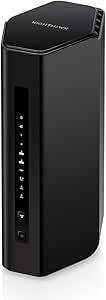 | Best Premium Choice for a High-Device Office | Wi-Fi generation: Wi-Fi 7 | Frequency bands: 2.4 GHz, 5 GHz, and 6 GHz | Maximum data transfer rate: 9.3 Gbps | VIEW LATEST PRICE | See Our Full Breakdown |
| NETGEAR Nighthawk R6700AX WiFi 6 Router |  | Best for a Basic, Wired Home Office | Wi-Fi generation: Wi-Fi 6 (802.11ax) | Frequency bands: Dual-band, 2.4 GHz and 5 GHz | Maximum Wi-Fi speed: 1.8 Gbps | VIEW LATEST PRICE | See Our Full Breakdown |
| TP-Link Roam 6 AX1500 Wi-Fi 6 Travel Router |  | Best Compact Router for a Mobile Office | Wireless standard: Wi-Fi 6 (802.11ax) | Frequency bands: Dual-band, 2.4 GHz and 5 GHz | Maximum wireless speeds: 300 Mbps at 2.4 GHz; 1,201 Mbps at 5 GHz | VIEW LATEST PRICE | See Our Full Breakdown |
| TP-Link Archer A54 AC1200 Dual-Band Wi-Fi Router | 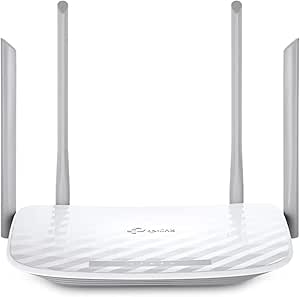 | Best for Basic, Low-Device Offices | Wi-Fi standard: Wi-Fi 5 (802.11ac) | Bands: 2.4 GHz and 5 GHz | Maximum Wi-Fi speed: Up to 1,200 Mbps (867 Mbps on 5 GHz; 300 Mbps on 2.4 GHz) | VIEW LATEST PRICE | See Our Full Breakdown |
| ASUS RT-AX1800S Dual-Band Wi-Fi 6 Router |  | Best for Wired Workstations | Wi-Fi standard: Wi-Fi 6 (802.11ax) | Bands: Dual-band | Data transfer rate: Up to 1,800 Mbps | VIEW LATEST PRICE | See Our Full Breakdown |
| TP-Link Archer A8 AC1900 Dual-Band Wi-Fi 5 Router |  | Best Value for Gigabit-Wired Offices | Wi-Fi generation: Wi-Fi 5 (802.11ac) | Bands: 2.4 GHz and 5 GHz | Maximum data rate: Up to 1,900 Mbps | VIEW LATEST PRICE | See Our Full Breakdown |
| TP-Link AX3000 Dual-Band Wi-Fi 6 Gigabit Router | 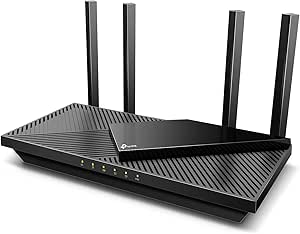 | Best Overall for Growing Home Offices | Wi-Fi generation: Wi-Fi 6 | Bands: Dual-band: 2.4 GHz and 5 GHz | Maximum data transfer rate: Up to 2,976 Mbps | VIEW LATEST PRICE | See Our Full Breakdown |
| TP-Link Archer BE600 Tri-Band Wi-Fi 7 Router, BE9700 |  | Best Premium for High-Capacity Offices | Wi-Fi standard: Wi-Fi 7 | Bands: Tri-band: 6 GHz, 5 GHz, and 2.4 GHz | Maximum combined speed: Up to 9.7 Gbps | VIEW LATEST PRICE | See Our Full Breakdown |
| TP-Link Archer AX21 AX1800 Dual-Band Wi-Fi 6 Router |  | Best Value for a Small Home Office | Model: Archer AX21 V5 | Wi-Fi generation: Wi-Fi 6 (802.11ax) | Frequency bands: Dual-band, 2.4 GHz and 5 GHz; no 6 GHz | VIEW LATEST PRICE | See Our Full Breakdown |
| NETGEAR Nighthawk RS90 Dual-Band WiFi 7 Router |  | Best for Wi-Fi 7 Device Capacity | Wi-Fi generation: WiFi 7 (802.11be) | Frequency bands: Dual-band, 2.4 GHz and 5 GHz | Maximum data rate: Up to 3.6 Gbps | VIEW LATEST PRICE | See Our Full Breakdown |
| TP-Link Deco X55 AX3000 Wi-Fi 6 Mesh System, 3-Pack |  | Best for Large or Multi-Room Offices | System type: Mesh Wi-Fi system | Wi-Fi generation and speed class: Wi-Fi 6, AX3000 | Package quantity: 3 units | VIEW LATEST PRICE | See Our Full Breakdown |
| TP-Link Archer BE230 Dual-Band BE3600 Wi-Fi 7 Router |  | Best for Multi-Gig Wired Office Setups | Wi-Fi standard: Wi-Fi 7 (802.11be) | Frequency bands: Dual-band, 2.4 GHz and 5 GHz; no 6 GHz | Maximum wireless speed: Up to 3,570 Mbps | VIEW LATEST PRICE | See Our Full Breakdown |
| wireless routers for home office | Coverage | Ports | Wi-Fi generation | Frequency bands |
|---|---|---|---|---|
| TP-Link Archer BE400 BE6500 Du | Up to 2,400 sq. ft. | 1 × 2.5 Gbps WAN/LAN, 1 × 2.5 Gbps LAN, 3 × 1 Gbps LAN | — | — |
| TP-Link Archer AXE75 AXE5400 T | — | 5 ports; LAN port bandwidth up to 1,000 Mbps | Wi-Fi 6E | Tri-band: 6 GHz, 5 GHz, and 2.4 GHz |
| NETGEAR Nighthawk BE9300 Tri-B | Up to 2,500 sq. ft. | 2 × 2.5G Ethernet, 2 × Gigabit Ethernet, 1 × USB 3.0 | Wi-Fi 7 | 2.4 GHz, 5 GHz, and 6 GHz |
| NETGEAR Nighthawk R6700AX WiFi | Up to 1,500 sq. ft. | — | Wi-Fi 6 (802.11ax) | Dual-band, 2.4 GHz and 5 GHz |
| TP-Link Roam 6 AX1500 Wi-Fi 6 | — | — | — | Dual-band, 2.4 GHz and 5 GHz |
| TP-Link Archer A54 AC1200 Dual | Up to 1,000 sq. ft. | — | — | — |
| ASUS RT-AX1800S Dual-Band Wi-F | — | — | — | — |
| TP-Link Archer A8 AC1900 Dual- | Up to 1,200 sq. ft. | 4 Gigabit LAN and 1 Gigabit WAN | Wi-Fi 5 (802.11ac) | — |
| TP-Link AX3000 Dual-Band Wi-Fi | — | 5 ports; LAN bandwidth up to 10/100/1000 Mbps | Wi-Fi 6 | — |
| TP-Link Archer BE600 Tri-Band | — | 1 × 10 Gbps WAN/LAN, 1 × 2.5 Gbps WAN/LAN, 3 × 2.5 Gbps LAN, and 1 × USB 3.0 | — | — |
| TP-Link Archer AX21 AX1800 Dua | — | 5; Gigabit LAN | Wi-Fi 6 (802.11ax) | Dual-band, 2.4 GHz and 5 GHz; no 6 GHz |
| NETGEAR Nighthawk RS90 Dual-Ba | Up to 2,000 sq. ft. | — | WiFi 7 (802.11be) | Dual-band, 2.4 GHz and 5 GHz |
| TP-Link Deco X55 AX3000 Wi-Fi | Up to 6,500 sq. ft. | — | — | — |
| TP-Link Archer BE230 Dual-Band | — | — | — | Dual-band, 2.4 GHz and 5 GHz; no 6 GHz |
More Details on Our Top Picks
TP-Link Archer BE400 BE6500 Dual-Band Wi-Fi 7 Router
The Archer BE400 is my strongest fit for a home office that needs modern wireless features and fast wired connections without moving to a three-band router. Wi-Fi 7 with MLO can help compatible devices use available connections more flexibly, while two 2.5 Gbps ports give a workstation, NAS, or fast internet connection more room than the four Gigabit LAN ports on the NETGEAR Nighthawk R6700AX. Its stated coverage of up to 2,400 sq. ft. also suits a larger work area better than that more basic Wi-Fi 6 option.
The tradeoff is its dual-band design: unlike the NETGEAR Nighthawk BE9300, it has no 6 GHz band for compatible devices. It also needs a separate modem, and EasyMesh expansion does not work with TP-Link Deco systems. I’d choose it for a capable desk setup, not for buyers who want tri-band coverage or an all-in-one modem-router.
Pros:- Two 2.5 Gbps ports support faster wired links for a workstation, NAS, or compatible internet service.
- Wi-Fi 7 features include MLO, Multi-RUs, and 4K-QAM.
- Six antennas and Beamforming support stated coverage up to 2,400 sq. ft.
- Includes HomeShield security and VPN client and server support.
Cons:- Dual-band design lacks the 6 GHz band found on the NETGEAR Nighthawk BE9300.
- Requires a separate modem for internet service.
- EasyMesh compatibility does not extend to TP-Link Deco systems.
Best for: Remote workers with a Wi-Fi 7 laptop or phone, a fast internet plan, and wired office equipment that can use 2.5 Gbps connections.
Not ideal for: Buyers who need a built-in modem, a 6 GHz band, or mesh expansion through a TP-Link Deco system.
- Wi-Fi standard:Wi-Fi 7
- Wireless bands:Dual-band, 2.4 GHz and 5 GHz
- Maximum wireless speed:Up to 6,452 Mbps total
- Coverage:Up to 2,400 sq. ft.
- Device capacity:Up to 90 devices
- Ports:1 × 2.5 Gbps WAN/LAN, 1 × 2.5 Gbps LAN, 3 × 1 Gbps LAN
- Security and VPN:HomeShield, WPA3, SPI Firewall; VPN client and server support
- Setup and management:TP-Link Tether app
Our verdict“Choose the Archer BE400 for a Wi-Fi 7 home office that values 2.5 Gbps wired connections more than a dedicated 6 GHz band.”
TP-Link Archer AXE75 AXE5400 Tri-Band Wi-Fi 6E Router
The Archer AXE75 suits an office with newer Wi-Fi 6E devices that would benefit from a separate 6 GHz band, but whose owner does not need Wi-Fi 7. Its three bands can divide compatible devices across 6 GHz, 5 GHz, and 2.4 GHz, which may help keep video calls and routine work traffic from competing on one band. Compared with the dual-band TP-Link Archer BE400, it trades Wi-Fi 7 features and 2.5 Gbps ports for a dedicated 6 GHz connection.
That trade is less appealing if your main devices cannot use 6 GHz, or if you want fast wired links: the listed LAN bandwidth is 1,000 Mbps. Its coverage and device capacity are not specified in the supplied data, so I would not pick it over the NETGEAR Nighthawk BE9300 for a demanding, high-device-count office. It also requires a modem and cannot join a Deco mesh system.
Pros:- Tri-band Wi-Fi 6E adds a dedicated 6 GHz band for compatible devices.
- OFDMA and tri-band operation support simultaneous connections across multiple devices.
- Supports VPN server and client functions, including OpenVPN, PPTP, and L2TP.
- EasyMesh compatibility allows expansion with compatible routers.
Cons:- Its listed LAN port bandwidth is 1,000 Mbps, below the 2.5 Gbps ports on the TP-Link Archer BE400.
- Requires a separate modem for most internet service providers.
- Does not work with TP-Link Deco mesh systems.
Best for: Home-office users with Wi-Fi 6E laptops or phones who want a dedicated 6 GHz band and do not need Wi-Fi 7 or multi-gigabit Ethernet.
Not ideal for: Buyers with mostly older Wi-Fi devices, a need for 2.5 Gbps wired ports, or an existing TP-Link Deco mesh system.
- Wi-Fi generation:Wi-Fi 6E
- Frequency bands:Tri-band: 6 GHz, 5 GHz, and 2.4 GHz
- Maximum data rate:5,400 Mbps
- 6 GHz data rate:2,402 Mbps
- Processor and memory:1.0 GHz dual-core CPU; 512 MB
- Antennas:8 fixed antennas
- Ports:5 ports; LAN port bandwidth up to 1,000 Mbps
- Security and VPN:WPA2, WPA2-Enterprise, WPA3; OpenVPN, PPTP, and L2TP
- Mesh compatibility:EasyMesh; not compatible with Deco mesh systems
Our verdict“Pick the Archer AXE75 if your office devices support Wi-Fi 6E and you want 6 GHz without paying for Wi-Fi 7 capabilities you may not use.”
NETGEAR Nighthawk BE9300 Tri-Band WiFi 7 Router
The Nighthawk BE9300 is the premium pick for a home office with many connected devices, Wi-Fi 7 clients, and a need for three wireless bands. Its dedicated 6 GHz band sets it apart from the dual-band TP-Link Archer BE400, while the stated support for up to 100 devices and coverage up to 2,500 sq. ft. make it a stronger fit for an office that shares space with a busy household. Two 2.5G Ethernet ports also give wired equipment more headroom than the Gigabit ports on the NETGEAR Nighthawk R6700AX.
The extra capability comes with setup dependencies: it needs a separate modem or gateway with an RJ45 port, and some modem-router gateways may need bridge mode. Its coverage can also fall with walls and interference, so the headline area is not a guarantee across a multi-story home. I’d skip it if your devices are older or your office needs only basic Wi-Fi 6.
Pros:- Tri-band Wi-Fi 7 includes a dedicated 6 GHz band for compatible devices.
- Stated support for up to 100 devices and coverage up to 2,500 sq. ft.
- Two 2.5G Ethernet ports plus a USB 3.0 port provide flexible wired and peripheral connections.
- Includes WPA3 security and automatic firmware updates.
Cons:- Requires a separate modem or gateway with an RJ45 Ethernet port.
- Some modem-router gateways may need bridge mode to work with the router.
- Walls, floors, and interference can reduce real-world coverage.
Best for: Home-office owners with Wi-Fi 7 and 6 GHz devices, many simultaneous connections, and wired equipment that can use 2.5G Ethernet.
Not ideal for: People with a small, lightly connected office or anyone who wants a router with a built-in modem.
- Wi-Fi generation:Wi-Fi 7
- Frequency bands:2.4 GHz, 5 GHz, and 6 GHz
- Maximum data transfer rate:9.3 Gbps
- Coverage:Up to 2,500 sq. ft.
- Maximum connected devices:Up to 100
- Processor and RAM:Quad-core 2.0 GHz; 2 GB RAM
- Ports:2 × 2.5G Ethernet, 2 × Gigabit Ethernet, 1 × USB 3.0
- Security:WPA3
- Setup and control:Nighthawk app
Our verdict“Choose the Nighthawk BE9300 if your home office can make use of Wi-Fi 7, 6 GHz, and multi-gigabit Ethernet across many devices.”
NETGEAR Nighthawk R6700AX WiFi 6 Router
The Nighthawk R6700AX is the practical choice for a small home office with a few connected devices and no need for the newest Wi-Fi generation. Its four Gigabit LAN ports let you wire a desktop, printer, or other fixed equipment, while Wi-Fi 6 and WPA3 cover everyday work and security needs. Compared with the TP-Link Archer BE400, it has far less capacity and no 2.5 Gbps ports, but that simpler feature set can make more sense when the internet plan and office equipment are limited to Gigabit speeds.
Its stated coverage is up to 1,500 sq. ft. and its maximum device count is 20, so it is not the pick for a large home or a crowded mix of work and household devices. It also needs a separate modem or gateway. NETGEAR Armor protection requires a separate subscription after the 30-day trial, though the listed WPA3, guest network, and automatic updates are included.
Pros:- Four Gigabit LAN ports support wired computers and office peripherals.
- Wi-Fi 6 is backward compatible with earlier Wi-Fi generations.
- Includes WPA3, a guest network, and automatic firmware updates.
- Can be set up through the Nighthawk app or a web browser.
Cons:- Coverage is stated at up to 1,500 sq. ft., which may not suit larger or multi-story homes.
- Supports up to 20 connected devices, below the capacity listed for the TP-Link Archer BE400 and NETGEAR Nighthawk BE9300.
- Requires a separate modem or gateway; continuing Armor protection requires a separate subscription after the trial.
Best for: A remote worker in a small home or apartment who wants Wi-Fi 6, several Gigabit wired connections, and straightforward app or browser setup.
Not ideal for: Large or multi-story homes, offices with more than 20 connected devices, or buyers seeking Wi-Fi 7 and 2.5 Gbps Ethernet.
- Wi-Fi generation:Wi-Fi 6 (802.11ax)
- Frequency bands:Dual-band, 2.4 GHz and 5 GHz
- Maximum Wi-Fi speed:1.8 Gbps
- Coverage:Up to 1,500 sq. ft.
- Maximum connected devices:20
- Ethernet ports:4 Gigabit LAN ports and 1 Gigabit WAN port
- Security:WPA2, WPA3, automatic firmware updates, and guest network
- Setup:Nighthawk app or web browser
Our verdict“Choose the R6700AX for a modest office that needs dependable Wi-Fi 6 and Gigabit wired ports, not next-generation speed or broad coverage.”
TP-Link Roam 6 AX1500 Wi-Fi 6 Travel Router
The Roam 6 is the outlier in this lineup: it is a travel router, not a conventional home-office router connected directly to an internet provider. It can take public Wi-Fi or a wired connection and share it as a private network, which suits a remote worker who moves between temporary offices, hotels, or shared spaces. Its router, access point, repeater, and client modes also make it more adaptable on the road than the fixed-position NETGEAR Nighthawk R6700AX.
For a permanent office, the limits matter. The Roam 6 needs an external internet source, has no SIM or eSIM support, and its listed wireless speeds are much lower than the TP-Link Archer BE400 or NETGEAR Nighthawk BE9300. It does offer OpenVPN and WireGuard, USB-C power, and two Gigabit Ethernet ports, but buyers wanting a primary home router should choose a standard router instead.
Pros:- Can share public Wi-Fi or wired internet with up to 60 devices.
- Supports OpenVPN and WireGuard.
- Router, Access Point, Repeater, and Client modes offer flexibility for travel setups.
- USB-C power and two Gigabit Ethernet ports suit portable work arrangements.
Cons:- Requires an external internet source and cannot provide cellular internet through SIM or eSIM.
- Its listed wireless speeds are far below those of the TP-Link Archer BE400 and NETGEAR Nighthawk BE9300.
- Does not support OpenWrt.
Best for: Remote workers who travel with a laptop and need to turn hotel, public Wi-Fi, or a wired connection into a private network.
Not ideal for: People seeking a primary router for home internet, or travelers who need cellular service through a SIM or eSIM.
- Wireless standard:Wi-Fi 6 (802.11ax)
- Frequency bands:Dual-band, 2.4 GHz and 5 GHz
- Maximum wireless speeds:300 Mbps at 2.4 GHz; 1,201 Mbps at 5 GHz
- Maximum connected devices:Up to 60
- Ethernet ports:1 Gbps WAN/LAN port and 1 Gbps LAN port
- USB port and power:USB 3.0; USB-C, 5V/3A
- VPN protocols:OpenVPN and WireGuard
- Operating modes:Router, Access Point, Repeater, Client
- Dimensions:4.6 × 3.5 × 1.3 inches
Our verdict“Pick the Roam 6 as a portable privacy and network-sharing tool for work on the road, not as your main home-office router.”
TP-Link Archer A54 AC1200 Dual-Band Wi-Fi Router
The Archer A54 is the simplest fit here for a home office built around email, web work, and a small number of connected devices. Its Wi-Fi 5 dual-band connection and coverage rated up to 1,000 sq. ft. suit a modest workspace, while the Tether app, guest Wi-Fi, and access point mode offer useful everyday control. Compared with the Archer A8, it has less wireless capacity and slower wired ports, but it adds WPA3 and EasyMesh support. The main limitation is those 10/100 Mbps Ethernet ports: a wired computer or NAS cannot use a gigabit connection through this router. I’d choose it for a basic setup, not a growing office with fast broadband or several bandwidth-heavy devices. A separate modem is required for most providers.
Pros:- Dual-band Wi-Fi with advertised combined speeds up to 1,200 Mbps.
- Four external antennas and coverage rated up to 1,000 sq. ft.
- WPA3 security and EasyMesh support for a possible coverage extension.
- Tether app, guest Wi-Fi, and access point mode.
Cons:- Fast Ethernet ports limit wired connections to 10/100 Mbps.
- Wi-Fi 5 lacks the newer device-management features of the ASUS RT-AX1800S Wi-Fi 6 router.
- A separate modem is needed for most internet providers.
Best for: Solo home-office workers with a small space, a few connected devices, and basic internet needs.
Not ideal for: Remote workers with gigabit broadband, wired workstations, or frequent large file transfers, because its Ethernet ports top out at 100 Mbps.
- Wi-Fi standard:Wi-Fi 5 (802.11ac)
- Bands:2.4 GHz and 5 GHz
- Maximum Wi-Fi speed:Up to 1,200 Mbps (867 Mbps on 5 GHz; 300 Mbps on 2.4 GHz)
- Coverage:Up to 1,000 sq. ft.
- Antennas:4 fixed external antennas
- Ethernet ports:4 Fast Ethernet ports (10/100 Mbps)
- Security:WPA3, WPA-PSK, WPA2-PSK, and WPA2-Enterprise
- Features:Access point mode, EasyMesh, guest Wi-Fi, parental controls, and beamforming
- Modem requirement:Separate modem required for most internet providers
Our verdict“Choose the Archer A54 for a small, uncomplicated office where low cost and basic wireless access matter more than fast wired networking.”
ASUS RT-AX1800S Dual-Band Wi-Fi 6 Router
For a home office with a desktop, dock, printer, and other wired gear, the RT-AX1800S offers a practical mix of Wi-Fi 6 and five Gigabit Ethernet ports. OFDMA and MU-MIMO are designed to manage traffic from multiple connected devices more efficiently than older Wi-Fi 5 options such as the TP-Link Archer A8; the gigabit ports also avoid the Archer A54’s 100 Mbps wired ceiling. ASUS adds AiProtection Classic and Instant Guard VPN access, giving this router a stronger security-and-remote-access feature set than a bare-bones pick. Its limits are straightforward: it is dual-band, not tri-band, and real wireless performance depends on the internet service, placement, and surrounding interference. I’d favor it for mixed wired and wireless work rather than a large office that needs broad multi-band capacity.
Pros:- Wi-Fi 6 with OFDMA and MU-MIMO for handling traffic from multiple devices.
- Five Gigabit Ethernet ports, including one WAN and four LAN ports.
- AiProtection Classic network security features.
- ASUS Instant Guard VPN access and AiMesh compatibility.
Cons:- Dual-band design provides no third band for separating busy device traffic.
- Actual speed and coverage vary with network traffic and the surrounding environment.
Best for: Home-office workers who connect several devices by Ethernet and want Wi-Fi 6 for phones, laptops, and other wireless gear.
Not ideal for: Households needing tri-band capacity or coverage across a large, difficult floor plan; this is a dual-band router and the supplied specs do not state a coverage area.
- Wi-Fi standard:Wi-Fi 6 (802.11ax)
- Bands:Dual-band
- Data transfer rate:Up to 1,800 Mbps
- Ethernet ports:1 Gigabit WAN and 4 Gigabit LAN
- Antennas:4 external antennas
- Processor and memory:Dual-core processor; 256 MB RAM
- Wireless features:MU-MIMO, OFDMA, and 1024-QAM
- Security and remote access:AiProtection Classic and ASUS Instant Guard VPN
- Mesh compatibility:ASUS AiMesh compatible
Our verdict“Pick the RT-AX1800S if your office relies on several gigabit-wired devices and you also want Wi-Fi 6 for wireless connections.”
TP-Link Archer A8 AC1900 Dual-Band Wi-Fi 5 Router
The Archer A8 is a sensible step up from basic Wi-Fi 5 routers when a home office needs gigabit wired connections without moving to Wi-Fi 6. It has four Gigabit LAN ports, a Gigabit WAN port, and a stated coverage area of up to 1,200 sq. ft.; MU-MIMO and beamforming can help distribute wireless traffic around a typical home workspace. Against the Archer A54, the A8 brings much faster Ethernet and higher advertised wireless capacity, but it gives up WPA3 in favor of WPA2-PSK and does not list EasyMesh. It also lacks USB and VPN support, so it is less flexible than the Wi-Fi 6 TP-Link AX3000. This is a focused choice for ordinary office workloads, not a feature-rich platform for advanced security or future upgrades.
Pros:- Four Gigabit LAN ports and one Gigabit WAN port for fast wired connections.
- Advertised combined Wi-Fi speed up to 1,900 Mbps.
- Coverage rated up to 1,200 sq. ft., with three antennas and beamforming.
- OneMesh compatibility, guest Wi-Fi, parental controls, and QoS.
Cons:- Wi-Fi 5 and WPA2-PSK offer fewer current-generation features than the TP-Link AX3000.
- No USB port and no VPN support.
- A separate modem is required for internet service.
Best for: Home workers with gigabit broadband and one or more wired computers who want capable Wi-Fi 5 networking and basic app management.
Not ideal for: Buyers seeking Wi-Fi 6, WPA3, VPN support, or a USB port for connected storage or peripherals.
- Wi-Fi generation:Wi-Fi 5 (802.11ac)
- Bands:2.4 GHz and 5 GHz
- Maximum data rate:Up to 1,900 Mbps
- Band speeds:Up to 600 Mbps on 2.4 GHz and 1,300 Mbps on 5 GHz
- Coverage:Up to 1,200 sq. ft.
- Ports:4 Gigabit LAN and 1 Gigabit WAN
- Antennas:3 fixed antennas
- Features:MU-MIMO, beamforming, OneMesh, QoS, guest Wi-Fi, parental controls, and access point mode
- Security and modem:WPA2-PSK; separate modem required
Our verdict“Choose the Archer A8 if gigabit Ethernet matters more than Wi-Fi 6, WPA3, or advanced network tools.”
TP-Link AX3000 Dual-Band Wi-Fi 6 Gigabit Router
The TP-Link AX3000 is my strongest all-around match for a home office that is adding devices or shifting more work onto video calls, cloud tools, and shared files. Its Wi-Fi 6, OFDMA, and 512 MB of RAM give it a more capable foundation for busy device traffic than the Wi-Fi 5 Archer A8, while five gigabit ports make wired computers and accessories easy to connect. WPA3, basic HomeShield features, app control, and VPN server and client support add useful control without making this a premium Wi-Fi 7 purchase like the Archer BE600. The tradeoff is that it remains dual-band, and its advertised speeds do not guarantee real-world throughput: plan, distance, and obstacles all matter. Most providers also require a separate modem.
Pros:- Wi-Fi 6 with OFDMA for managing simultaneous device traffic.
- Five ports with 10/100/1000 Mbps LAN bandwidth.
- WPA3, basic HomeShield features, and app control.
- VPN server and client support for added network flexibility.
Cons:- Dual-band design lacks the 6 GHz band and tri-band separation available on the Archer BE600.
- Actual speeds depend on the internet plan, distance, and obstacles.
- A modem is required for most internet providers.
Best for: Remote workers with several active devices, gigabit wired equipment, and a preference for Wi-Fi 6 plus built-in VPN options.
Not ideal for: Offices needing tri-band Wi-Fi 7, 6 GHz access, or guaranteed performance across a large property; this model is dual-band and actual speeds vary.
- Wi-Fi generation:Wi-Fi 6
- Bands:Dual-band: 2.4 GHz and 5 GHz
- Maximum data transfer rate:Up to 2,976 Mbps
- Maximum band speeds:2,402 Mbps on 5 GHz; 574 Mbps on 2.4 GHz
- Antennas:4 fixed external antennas
- Ports:5 ports; LAN bandwidth up to 10/100/1000 Mbps
- Memory:512 MB RAM
- Security:WPA2-Enterprise, WPA2-PSK, and WPA3; basic HomeShield features
- Network features:QoS, guest mode, remote access, and VPN server and client
Our verdict“The AX3000 is the strongest balanced choice here for a growing home office that wants Wi-Fi 6, gigabit ports, and VPN support without stepping up to Wi-Fi 7.”
TP-Link Archer BE600 Tri-Band Wi-Fi 7 Router, BE9700
The Archer BE600 is the premium pick for a home office that shares a network with many devices, needs multi-gigabit wired links, or wants access to the newer 6 GHz band. Its tri-band Wi-Fi 7 reaches an advertised combined speed of 9.7 Gbps, and coverage is rated up to 2,600 sq. ft.; a 10 Gbps WAN/LAN port, multiple 2.5 Gbps ports, and USB 3.0 give it more room for fast connections than the TP-Link AX3000. The extra capacity only pays off when compatible devices and fast internet or local networking can use it. It also costs more in complexity: full Wi-Fi 7 performance needs compatible clients, and advanced parental controls and security features are tied to HomeShield. For a modest solo office, this is more router than the job requires.
Pros:- Tri-band Wi-Fi 7 with 6 GHz and advertised combined speeds up to 9.7 Gbps.
- Coverage rated up to 2,600 sq. ft. and support for up to 120 devices.
- 10 Gbps and 2.5 Gbps ports plus USB 3.0 offer flexible high-speed connections.
- HomeShield, VPN client and server support, QoS, and app or web management.
Cons:- Full Wi-Fi 7 performance requires compatible client devices.
- Advanced parental controls and security features are tied to HomeShield.
- Its capacity and multi-gigabit features are excessive for many small home offices.
Best for: Home-office owners with a high-speed internet plan, Wi-Fi 7-capable devices, multi-gigabit wired equipment, and many connected household devices.
Not ideal for: Solo workers with older devices or modest broadband who cannot use the 6 GHz band, multi-gigabit ports, or the router’s higher capacity.
- Wi-Fi standard:Wi-Fi 7
- Bands:Tri-band: 6 GHz, 5 GHz, and 2.4 GHz
- Maximum combined speed:Up to 9.7 Gbps
- Maximum band speeds:5,765 Mbps on 6 GHz; 2,882 Mbps on 5 GHz; 1,032 Mbps on 2.4 GHz
- Coverage and device capacity:Up to 2,600 sq. ft.; supports up to 120 devices
- Antennas:6
- Ports:1 × 10 Gbps WAN/LAN, 1 × 2.5 Gbps WAN/LAN, 3 × 2.5 Gbps LAN, and 1 × USB 3.0
- Channel width:Up to 320 MHz
- Management and features:TP-Link Tether app or web interface; HomeShield, VPN client and server, beamforming, MU-MIMO, OFDMA, parental controls, and QoS
Our verdict“Choose the Archer BE600 when your office can make use of Wi-Fi 7, 6 GHz, and multi-gigabit networking; otherwise, the TP-Link AX3000 is a more proportionate fit.”
TP-Link Archer AX21 AX1800 Dual-Band Wi-Fi 6 Router
The Archer AX21 is a practical fit for a home office with a modest number of connected devices and no need for multi-gigabit networking. Wi-Fi 6 and OFDMA help it handle several active devices more efficiently than an older Wi-Fi 5 router, while beamforming and four antennas can help direct signal around a typical home. It also adds WPA3 security and OpenVPN or PPTP server support, useful for buyers who want basic network protections and remote access options.
Its AX1800 capacity is more limited than the Wi-Fi 7 NETGEAR Nighthawk RS90 or TP-Link Archer BE230, and it lacks 6 GHz and multi-gigabit ports. That makes it a sensible, straightforward choice for everyday calls, email, and cloud work, not a future-proof hub for demanding local transfers. You’ll also need a separate modem if your service requires one.
Pros:- Wi-Fi 6 with OFDMA helps serve multiple active devices
- Four antennas and beamforming can direct wireless signal toward devices
- Supports WPA3 and OpenVPN and PPTP VPN servers
- Gigabit Ethernet ports suit conventional wired office equipment
Cons:- No 6 GHz band or multi-gigabit Ethernet
- AX1800 capacity is less suited to demanding, high-device-count offices than the Wi-Fi 7 options
- A separate modem may be required, and real-world speeds depend on the connection and layout
Best for: Remote workers with a small-to-medium number of devices, a standard broadband plan, and no need for multi-gigabit wired connections
Not ideal for: People with multi-gigabit internet, heavy local network transfers, or a need for Wi-Fi 6E or 6 GHz support
- Model:Archer AX21 V5
- Wi-Fi generation:Wi-Fi 6 (802.11ax)
- Frequency bands:Dual-band, 2.4 GHz and 5 GHz; no 6 GHz
- Combined bandwidth:Up to 1.8 Gbps
- 5 GHz speed:Up to 1,200 Mbps
- 2.4 GHz speed:Up to 574 Mbps
- Antennas and wireless features:4 fixed high-gain antennas, OFDMA, beamforming
- Ports:5; Gigabit LAN
- Security and VPN:WPA/WPA2, WPA/WPA2-Enterprise (802.1x), WPA3; OpenVPN and PPTP server support
Our verdict“Choose the Archer AX21 for everyday home-office work on a standard broadband connection, but step up to the RS90 or Archer BE230 for Wi-Fi 7 and faster wired networking.”
NETGEAR Nighthawk RS90 Dual-Band WiFi 7 Router
The Nighthawk RS90 suits a busy home office where newer laptops, phones, and connected household devices share the network. Its WiFi 7 support, stated capacity of up to 50 devices, and coverage rating of up to 2,000 square feet give it more headroom than the Archer AX21 for a crowded setup. A 2.5G port also offers a faster wired path for compatible equipment or internet service, while four Gigabit ports cover desktops, docks, and printers.
Compared with the TP-Link Archer BE230, the RS90 lists a higher maximum wireless data rate, but both are dual-band and neither offers 6 GHz. The RS90’s app setup and automatic firmware updates simplify routine management, though it depends on an existing modem or gateway with Ethernet and may need bridge mode with some gateways. Coverage can also fall short in homes with difficult layouts.
Pros:- WiFi 7 with a stated maximum data rate of 3.6 Gbps
- Rated for up to 50 connected devices and coverage up to 2,000 sq. ft.
- One 2.5G Ethernet port plus four Gigabit Ethernet ports
- Nighthawk app management and automatic firmware updates
Cons:- Requires a separate modem or Ethernet-equipped gateway
- Dual-band design does not include 6 GHz
- Walls, floors, and gateway configuration can limit performance or require bridge mode
Best for: Home-office users with many Wi-Fi devices, compatible Wi-Fi 7 equipment, and a modem or gateway with an Ethernet port
Not ideal for: Buyers seeking tri-band or 6 GHz Wi-Fi, or those who want a router with a built-in modem
- Wi-Fi generation:WiFi 7 (802.11be)
- Frequency bands:Dual-band, 2.4 GHz and 5 GHz
- Maximum data rate:Up to 3.6 Gbps
- Coverage:Up to 2,000 sq. ft.
- Maximum connected devices:Up to 50
- Processor:Quad-core 2.0 GHz
- Antennas:4 fixed antennas
- Ethernet ports:1 × 2.5G, 4 × Gigabit
- Security and management:WPA2 and WPA3; Nighthawk app with automatic firmware updates
Our verdict“Pick the RS90 if your home office has a crowded network and Wi-Fi 7 devices, but skip it if you need 6 GHz or an all-in-one modem-router.”
TP-Link Deco X55 AX3000 Wi-Fi 6 Mesh System, 3-Pack
The Deco X55 three-pack is the lineup’s strongest choice when a single router struggles to reach a home office at the far end of a large or multi-level home. Rather than relying on one central signal source like the Archer AX21 or Archer BE230, its three mesh units are designed to spread coverage across the space, with a stated reach of up to 6,500 square feet. Each unit has three Gigabit ports, and wired backhaul lets you link units by Ethernet for a more dependable connection where cabling is available.
Its capacity of up to 150 devices also gives it room for a busy household, though that figure and coverage depend on the home layout. This is a Wi-Fi 6 system, not Wi-Fi 7, so the RS90 and BE230 are better fits for buyers prioritizing newer wireless standards or faster single-router performance. The three units may also be more hardware than a compact office needs, and a modem is required for most providers.
Pros:- Three-unit mesh system rated for coverage up to 6,500 sq. ft.
- Supports up to 150 connected devices
- Three Gigabit Ethernet ports on each unit
- Wired backhaul support can link units over Ethernet
Cons:- Wi-Fi 6 rather than Wi-Fi 7, unlike the RS90 and Archer BE230
- Three units may be unnecessary for a small home office
- A modem is required for most internet providers, and actual coverage varies with layout
Best for: Remote workers in large, multi-level homes who need consistent Wi-Fi across several rooms and can place multiple mesh units
Not ideal for: People in small homes or apartments who want one compact router, or buyers whose main priority is Wi-Fi 7
- System type:Mesh Wi-Fi system
- Wi-Fi generation and speed class:Wi-Fi 6, AX3000
- Package quantity:3 units
- Coverage:Up to 6,500 sq. ft.
- Maximum connected devices:Up to 150
- Wireless data rate:Up to 3,000 Mbps
- Ethernet ports:3 Gigabit ports per unit
- Backhaul:Wired Ethernet supported
- Security and management:WPA-Personal, WPA2-Personal, WPA3-Personal; Deco app
Our verdict“Choose the Deco X55 when reaching a distant office across a large home matters more than having the newest Wi-Fi generation.”
TP-Link Archer BE230 Dual-Band BE3600 Wi-Fi 7 Router
The Archer BE230 is a useful step up for a home office that needs fast wired connections as well as a newer wireless standard. Its two 2.5 Gbps ports can serve a multi-gig internet connection and a compatible wired workstation or network device, while three additional Gigabit LAN ports cover standard office gear. Wi-Fi 7 features such as Multi-Link Operation, Multi-RUs, and 4K-QAM add capacity for compatible devices, and EasyMesh gives you a route to expand coverage later.
Compared with the NETGEAR Nighthawk RS90, the BE230 lists a slightly lower maximum wireless rate but offers two 2.5G ports, making its wired setup more flexible. It remains a dual-band router without 6 GHz, though, so it is not the choice for buyers seeking that band. Its stated 2,000-square-foot coverage is also less suited to a large, spread-out home than the Deco X55 mesh system, and it requires a separate modem.
Pros:- Two 2.5 Gbps ports support multi-gig wired connections
- Wi-Fi 7 features include Multi-Link Operation, Multi-RUs, and 4K-QAM
- Three additional Gigabit LAN ports for wired office equipment
- EasyMesh compatibility and Tether app management
Cons:- No 6 GHz band despite its Wi-Fi 7 designation
- Requires a separate modem
- Single-router coverage is less suited to large homes than the Deco X55 mesh system
Best for: Home-office users with multi-gig internet or wired workstations who want Wi-Fi 7 and room to add EasyMesh coverage
Not ideal for: People who need 6 GHz Wi-Fi, a built-in modem, or mesh coverage across a large home straight out of the box
- Wi-Fi standard:Wi-Fi 7 (802.11be)
- Frequency bands:Dual-band, 2.4 GHz and 5 GHz; no 6 GHz
- Maximum wireless speed:Up to 3,570 Mbps
- Band speeds:5 GHz: up to 2,882 Mbps; 2.4 GHz: up to 688 Mbps
- Ethernet ports:1 × 2.5 Gbps WAN/LAN, 1 × 2.5 Gbps LAN, 3 × 1 Gbps LAN
- Coverage and device capacity:Up to 2,000 sq. ft.; up to 60 devices
- Processor and antennas:2.0 GHz quad-core; 4 internal antennas
- Mesh compatibility:EasyMesh
- Security and management:WPA/WPA2-Enterprise, WPA2/WPA, WPA3; TP-Link Tether app
Our verdict“Choose the Archer BE230 if multi-gig wired connections matter more than 6 GHz or whole-home mesh coverage.”

How We Picked
I ranked these wireless routers for home offices by how well their stated capabilities match work-from-home needs: dependable connections for video meetings, enough capacity for household devices, practical coverage, wired connectivity, and a manageable setup. I also considered the differences between Wi-Fi 5, Wi-Fi 6, Wi-Fi 6E, and Wi-Fi 7, while keeping the value of newer standards in perspective: their benefits depend on compatible client devices and the internet connection feeding the router.
The order favors balanced everyday performance over headline speed or the newest generation alone. Models with extra bands or Wi-Fi 7 rank higher when those features offer a useful path for busy homes, while simpler routers remain relevant for straightforward work needs. The mesh system earns a distinct place for coverage, and the travel router is treated as a portable specialist rather than a typical home-office replacement. Because the listed product names do not supply detailed test results or identical specifications, I avoid claiming measured performance and focus on buyer fit, feature class, and tradeoffs.
| wireless routers for home office | Wi-Fi generation |
|---|---|
| TP-Link Archer BE400 BE6500 Du | — |
| TP-Link Archer AXE75 AXE5400 T | Wi-Fi 6E |
| NETGEAR Nighthawk BE9300 Tri-B | Wi-Fi 7 |
| NETGEAR Nighthawk R6700AX WiFi | Wi-Fi 6 (802.11ax) |
| TP-Link Roam 6 AX1500 Wi-Fi 6 | — |
| TP-Link Archer A54 AC1200 Dual | — |
| ASUS RT-AX1800S Dual-Band Wi-F | — |
| TP-Link Archer A8 AC1900 Dual- | Wi-Fi 5 (802.11ac) |
| TP-Link AX3000 Dual-Band Wi-Fi | Wi-Fi 6 |
| TP-Link Archer BE600 Tri-Band | — |
| TP-Link Archer AX21 AX1800 Dua | Wi-Fi 6 (802.11ax) |
| NETGEAR Nighthawk RS90 Dual-Ba | WiFi 7 (802.11be) |
| TP-Link Deco X55 AX3000 Wi-Fi | — |
| TP-Link Archer BE230 Dual-Band | — |
Factors to Consider When Choosing Wireless Routers For Home Offices
Choosing a router for work is less about chasing the biggest number on the box and more about finding the source of your connection problems. Use these factors to separate a worthwhile upgrade from features your office may never use.
Match the router to the actual work problem
Start by identifying whether your problem is slow internet, weak Wi-Fi, or an unreliable device connection; these have different fixes. If your provider connection is already slow, a new router may improve local wireless performance but will not raise the speed included in your plan. If calls drop only in a room far from the router, placement or a mesh system may matter more than a higher wireless class. If one computer needs a particularly steady link, a wired Ethernet connection can be more useful than upgrading the whole network. Check your provider’s equipment requirements before buying, especially if its modem and router are combined. This quick diagnosis can prevent paying for speed when the real need is coverage or a direct cable.
Choose Wi-Fi generation around your devices
Wi-Fi 7 is a forward-looking feature, not an automatic work upgrade. To benefit from newer wireless capabilities, your laptop, phone, and other clients need compatible radios, and your internet service must be fast enough for those advantages to matter. Wi-Fi 6 remains a sensible fit for many mixed-device homes and regular video meetings. Wi-Fi 6E adds access to the 6 GHz band, but its usefulness depends on compatible devices and signal conditions; the shorter reach of higher-frequency bands can make room layout matter. Before choosing a newer router, check the wireless standards supported by the devices you use for work. Consider a later router only when its capabilities solve a present need or make sense for devices you plan to keep for several years.
Treat coverage and speed as separate decisions
A router’s speed class does not tell you how well its signal will reach a desk behind multiple walls or on another floor. Placement, building materials, and distance all affect the connection, so put the router in an open, central location when possible rather than hiding it in a cabinet or corner. Mesh systems can help distribute coverage across larger homes, but they add nodes and another layer of setup; a single router may be simpler for a compact workspace. Mesh nodes also need a usable connection to each other, so placing one too far away can limit the improvement. Map the office location and the route between it and the router before deciding that a more powerful single unit is the answer.
Prioritize stability for meetings and uploads
Video calls and cloud work benefit from a connection that stays consistent, not just a high maximum download figure. Ethernet ports and wired connections can remove wireless interference for a desktop computer, dock, or conference device that rarely moves. For laptops that need to stay wireless, look at how many devices share the network during working hours and whether separate bands could reduce congestion. A tri-band router may help in a busy home, but it cannot guarantee better calls if the problem is a weak internet service connection or a poorly placed router. Think about upload needs too: sending large files and backing up work can strain a connection differently from browsing or streaming. If meetings are central to your work, test a wired connection or improve placement before spending on a higher speed tier.
Balance setup, maintenance, and network control
A router is part of your work setup, so simple administration and ongoing maintenance matter alongside wireless capability. Look for setup instructions and controls that suit your comfort level, such as straightforward network naming, guest access, and device management. Firmware updates help maintain security and reliability, so check how the manufacturer delivers updates and whether you can keep the router supported over time. A model with many advanced settings may be useful for someone managing separate work and household devices, but it can add friction for buyers who only want a stable connection. Use a guest network for visitors or less-trusted devices when available, and change default administrator credentials during setup. Do not choose a router solely for a security label without checking the support and configuration details that affect day-to-day use.
Spend on features you can put to work
Pay more for a specific benefit, such as added bands for a crowded network, Wi-Fi 7 for compatible newer devices, or mesh nodes for a home with coverage gaps. Skip premium capacity if your office has only a few connected devices and your existing router already provides a steady signal. A lower-generation model may serve routine browsing, email, and calls well, while the saved budget can go toward a better internet plan or an Ethernet cable if those address the actual bottleneck. Also check the number and type of ports against your wired equipment before purchasing. For a small office that travels between locations, portability may matter more than the reach expected from a home router. The right spend follows the work pattern and layout, not a specification ladder.
Frequently Asked Questions
Will a Wi-Fi 7 router improve my work laptop’s connection if the laptop only supports Wi-Fi 6?
Your laptop will connect using the wireless standard it supports, so it will not gain Wi-Fi 7-specific capabilities without compatible hardware. A newer router may still help if it has features that improve capacity or coverage for your whole network, but that depends on the model and your home setup. For one Wi-Fi 6 laptop in a modest office, a well-placed Wi-Fi 6 router may be a more sensible fit. Check the laptop’s wireless specifications before treating Wi-Fi 7 as a direct performance upgrade for that device. You can also use Ethernet if the laptop or its dock has a suitable port and a wired route is practical.
Should I choose a mesh system or one powerful router for a home office?
Choose based on where the office sits and how consistently a single router can reach it, rather than on the size of a speed number. A single router is usually simpler for a compact home where the work area is near the router. Mesh is worth considering when a distant room, multiple floors, or thick walls leave a persistent coverage gap. The mesh nodes need a strong connection to one another, so their placement matters and the system adds equipment to manage. If your office is the only problem area, first try better router placement or a wired link before replacing the whole network.
Is a tri-band router worth choosing for a home office?
A third band can be useful when many devices compete for wireless capacity, particularly in a household with simultaneous work calls, streaming, and large downloads. It does not automatically make a single video meeting more reliable, and its benefit depends on the router’s design and the devices connected to it. Homes with a small number of active devices may get better value from a capable dual-band router. Check which bands your devices support and whether your workspace can receive a strong signal on them. If the main concern is stability for one work computer, Ethernet may be a more direct fix.
Can I use a travel router as the main router in my home office?
A travel router such as the TP-Link Roam 6 is designed for portability, so its role differs from a conventional home router. It may suit temporary workspaces or travel where compact size and flexible connections are useful. For a permanent office with several household devices or a broad coverage need, compare its capabilities and port setup carefully with a standard router or mesh system. Do not assume that a travel model will provide the same reach or capacity as a larger home unit. Check how it connects to your internet source and whether its operating modes match your setup before relying on it full-time.
What should I check before replacing my router to fix dropped video calls?
First, note whether calls drop on one device or across several and whether the problem happens near the router as well as in the office. Run a wired connection if possible; a stable wired call points toward a Wi-Fi coverage or interference issue, while trouble on both wired and wireless connections may involve the internet service. Check router placement, the age and capability of the work device, and whether other household activity coincides with the drops. Confirm that your provider’s modem or gateway is working with the replacement router you plan to buy. This process helps distinguish a router problem from a service issue before you spend on a replacement.
Conclusion
For a balanced home-office upgrade, my best overall pick is the TP-Link Archer BE400; it pairs Wi-Fi 7 with a dual-band approach without making the buying decision depend on a tri-band setup. For a lower-complexity value choice, compare the TP-Link Archer AX21 or ASUS RT-AX1800S if Wi-Fi 6 fits your devices and everyday workload. The NETGEAR Nighthawk BE9300 is my best premium direction for buyers who want a tri-band Wi-Fi 7 router and have compatible devices and a busy network. For beginners, the TP-Link Archer A54 is a straightforward class of option to assess for basic needs, though buyers with heavier workloads may prefer a newer Wi-Fi 6 model. For specific needs, choose the Deco X55 three-pack for wider home coverage or the Roam 6 for a portable workspace; choose the AXE75 if you specifically want Wi-Fi 6E and tri-band capacity. Match the router to your office’s coverage, devices, and internet service before deciding that the newest standard is the best fit.
Evergreen bestsellers Picks

Roborock Q10 S5+ Robot Vacuum and Mop with Self-Emptying Station, 10,000 Pa Suction

Dyson HushJet Compact Air Purifier, White/Silver

Ninja Crispi Pro 6-in-1 Glass Air Fryer, Cyberspace, AS101CY
As an affiliate, we earn on qualifying purchases.