

Understanding NUMA awareness is vital for optimizing performance on large machines. When you place data close to the processor that accesses it most, you reduce latency and avoid delays caused by remote memory access. Proper memory placement guarantees tasks use local memory, improving speed and system efficiency. Ignoring these principles can lead to bottlenecks and decreased throughput. Keep exploring to discover how mastering memory placement can maximize your hardware’s capabilities.

Get business pricing on monitors, keyboards and dev gear
- Business-only prices and quantity discounts
- Tax-exempt purchasing
- Multiple users, one account, clear invoices
Key Takeaways
- Proper memory placement reduces remote memory access latency, improving system performance on large NUMA machines.
- Data locality minimizes delays caused by varying memory access times across different nodes.
- NUMA-aware strategies optimize resource utilization by aligning tasks with local memory.
- Cache coherence complexities increase with data sharing across nodes, impacting performance if not managed properly.
- Awareness of NUMA architecture ensures consistent, efficient operation under heavy workloads.
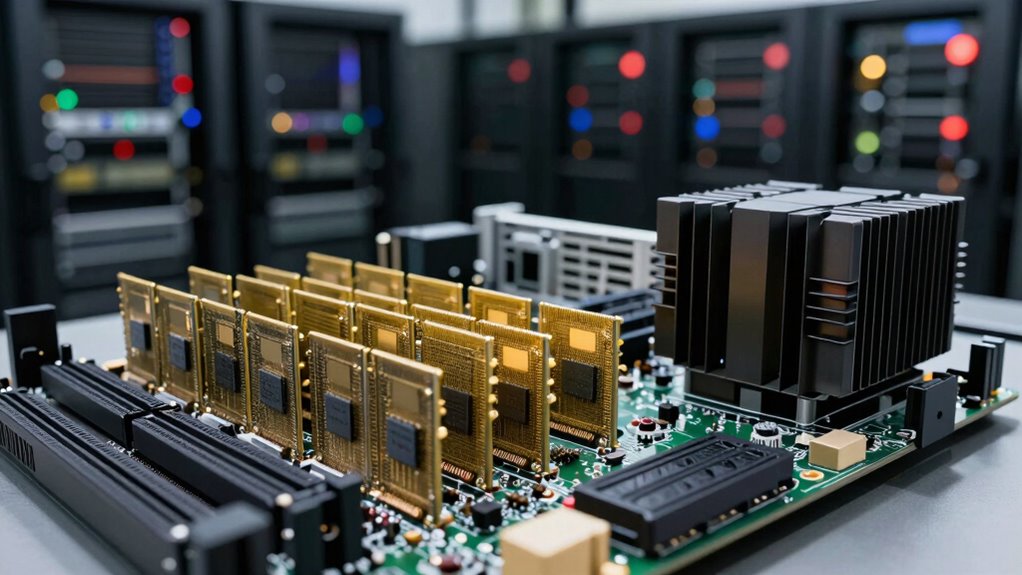
When working with large-scale machines, understanding NUMA (Non-Uniform Memory Access) architecture is essential because memory access times vary depending on where data is stored relative to the processor. In NUMA systems, each processor has its own local memory, but it can also access other processors’ memory, which introduces differences in memory latency. If you don’t optimize memory placement, you might find your applications bogged down by unnecessary delays. By placing data close to the processor that needs it, you minimize memory latency, ensuring faster data retrieval and improved overall performance.
Memory latency is critical in NUMA environments because every extra nanosecond spent accessing remote memory adds up, especially under heavy workloads. When data isn’t aligned properly, your system must access memory across nodes, which takes longer than accessing local memory. This delay can cause bottlenecks, reducing throughput and increasing response times. To prevent this, you want to guarantee that memory is allocated on the same node as the processor executing the task. Many operating systems and applications now include tools that let you specify or influence memory placement, helping you keep data local whenever possible. Understanding the importance of memory placement is key to optimizing performance in these systems. Additionally, employing NUMA-aware scheduling can further enhance efficiency by aligning task execution with data location.
Another key factor you need to take into account is cache coherence. In a NUMA system, each processor has its own cache, but all caches must remain consistent to prevent errors and ensure correct program execution. When data is moved or shared across nodes, maintaining cache coherence becomes more complex. If cache coherence isn’t managed properly, you risk data inconsistency, which can lead to incorrect results or performance degradation. This is especially true in multi-threaded applications where threads on different cores might access shared data. Proper cache coherence protocols and intelligent data placement help reduce the overhead associated with maintaining consistency, so your system runs smoothly and efficiently. The cache hierarchy also influences how well cache coherence is maintained and how effectively data can be shared across nodes. Furthermore, understanding cache coherence protocols can help you design better data sharing strategies in large-scale systems.
You should also be aware that poorly managed memory placement can lead to unpredictable performance, making it harder to diagnose issues or optimize workloads. By understanding how NUMA affects memory latency and cache coherence, you can design your systems and applications to work with the architecture rather than against it. This involves carefully planning memory allocation, using affinity settings, and leveraging NUMA-aware tools. When you do this, you’ll see more consistent performance, fewer delays, and better resource utilization. Additionally, hardware architecture plays a crucial role in how effectively you can optimize memory placement. When you master NUMA awareness, you’ll get the most out of your large-scale machines, ensuring they operate at peak efficiency even under demanding conditions.
NUMA-aware memory management tools
As an affiliate, we earn on qualifying purchases.
As an affiliate, we earn on qualifying purchases.
Frequently Asked Questions
How Does NUMA Affect Cloud Computing Environments?
In cloud computing environments, NUMA affects you by influencing memory latency and data locality. When your applications access memory far from the processor, they experience delays, slowing down performance. By understanding NUMA, you can optimize data placement to keep data close to the processor, reducing latency. This awareness helps you improve efficiency, ensuring your cloud resources run smoothly and your applications perform at their best.
What Tools Assist in Diagnosing NUMA Issues?
Think of diagnosing NUMA issues like exploring a city’s map; tools like Linux’s `numactl` and `lstopo` act as your GPS, revealing the memory topology and pinpointing NUMA latency hotspots. These utilities help you visualize how memory is placed across nodes, allowing you to optimize performance. By understanding where bottlenecks occur, you can better navigate your system’s architecture, ensuring smoother, more efficient operation.
Is NUMA Awareness Necessary for Small-Scale Servers?
No, NUMA awareness isn’t necessary for small-scale servers. These servers usually have a single memory node, making resource allocation straightforward. Small-scale optimization focuses on balancing CPU and memory usage without complex memory placement strategies. While understanding NUMA can help in specific scenarios, for most small servers, optimizing basic resource allocation and workload distribution is sufficient to guarantee good performance and efficient resource utilization.
How Does NUMA Impact Virtual Machine Performance?
NUMA impacts virtual machine performance by emphasizing memory locality and hardware topology. When a VM’s processes access memory close to their CPU, it reduces latency and boosts speed. If you ignore NUMA, your VM might frequently access remote memory, causing delays. By understanding the hardware topology and ensuring memory is allocated near the VM’s CPU, you optimize performance and make the most of your big machine’s resources.
Can Software Automatically Optimize for NUMA?
Think of software as a savvy navigator—it can automatically optimize memory allocation by understanding hardware topology. Yes, it can! Modern operating systems and hypervisors are designed to detect NUMA nodes and adapt memory placement accordingly. This intelligent adaptation reduces latency and boosts performance, making your system smarter and more efficient. With such automation, you don’t have to manually manage memory placement; your software does the heavy lifting for you.
large machine memory placement software
As an affiliate, we earn on qualifying purchases.
As an affiliate, we earn on qualifying purchases.
Conclusion
Understanding NUMA awareness helps you optimize memory placement on big machines, boosting performance and efficiency. By ensuring data stays close to the processors that need it, you prevent costly delays and bottlenecks. This isn’t just theory—many high-performance systems see real gains when they account for memory locality. So, embracing NUMA awareness isn’t just technical jargon; it’s a practical way to unleash your machine’s full potential and keep your workloads running smoothly.
As an affiliate, we earn on qualifying purchases.
As an affiliate, we earn on qualifying purchases.
Fall Picks
fall essentials
As an affiliate, we earn on qualifying purchases.