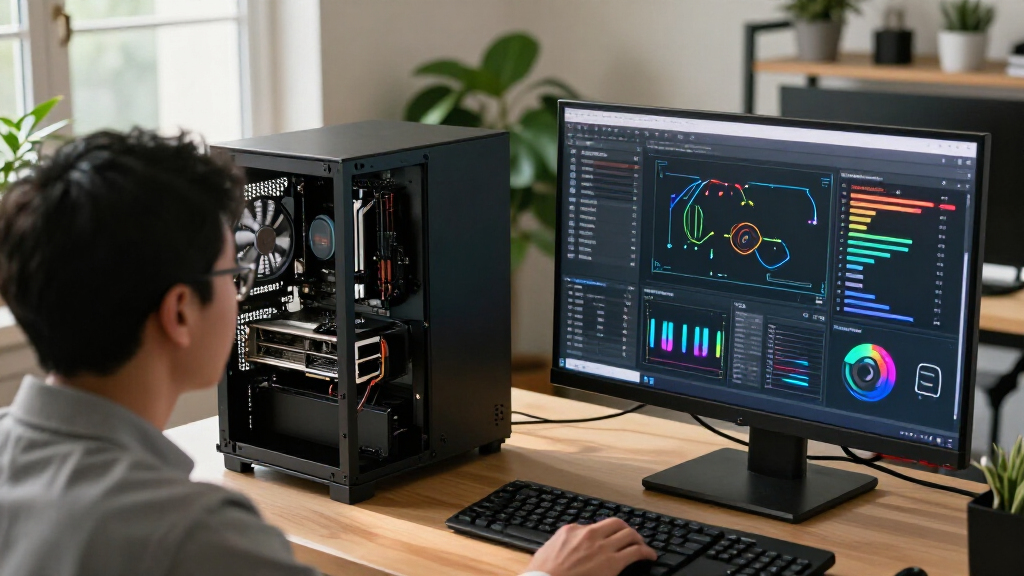

🔍 Read the full analysis: Ready To Plan AI Automation? Check Your Hardware For 2026 on ThorstenMeyerAI.com

Get business pricing on monitors, keyboards and dev gear
- Business-only prices and quantity discounts
- Tax-exempt purchasing
- Multiple users, one account, clear invoices
TL;DR
ThorstenMeyerAI.com has published a planning checklist for home and small-office AI automation hardware, covering workstations, graphics-card support, network storage, power protection, audio and device switching. It provides no tested performance results or complete product specifications, and advises readers to verify requirements and compatibility with manufacturers before buying.
ThorstenMeyerAI.com has published a checklist for people planning home or small-office hardware for AI tools and automation, covering workstations, storage, power protection, audio and shared-device switching. The guide stresses that product names alone do not confirm specifications or compatibility, and recommends checking manufacturer documentation against the software, devices and connections in a buyer’s actual setup, as outlined in the original hardware checklist.
The checklist groups the planning process around six categories: an AI workstation computer, GPU-related hardware, network-attached storage (NAS), an uninterruptible power supply (UPS), a USB audio interface and a KVM switch. It advises starting with a list of intended tasks, existing devices and required connections, then comparing full system requirements rather than choosing components based on broad labels such as “AI-ready.”
The workstation section does not recommend a specific computer. It says buyers should check the intended software’s documented requirements, operating-system support, processor, memory, storage, ports and upgrade options. For planned graphics-card upgrades, the guide also points to power capacity, cooling, motherboard compatibility and case clearance as system-level factors.
Two named items appear in the supplied material. The graphics-card category lists a white adjustable aluminum GPU support bracket, which is a physical support accessory, not a graphics accelerator. The NAS category names a product described as an AI NAS or server with an AMD Ryzen 7 PRO processor and 32GB of DDR5 memory. The material does not provide a complete specification sheet for either item.
GPU Support Bracket White, Adjustable Anti-Sag Aluminum Video Card Holder with M

This all-aluminum GPU support bracket provides strong, long-lasting support for graphics cards, preventing sagging. It features adjustable height from 72 to 117mm, easy tool-free installation with magnets, and includes a bubble level for proper alignment.
Pros:
- Durable all-aluminum construction
- Adjustable height for compatibility with various chassis
- Easy to install without tools, with magnetic base for stability
- Includes bubble level for precise alignment
Cons:
- Limited to support height up to 117mm
- Requires checking compatibility with specific graphics cards
- Magnet-based installation may not suit all chassis types
Best for: Builders who need to confirm physical support for a graphics card
Not ideal for: Anyone looking for a GPU accelerator card itself
Bottom line: This pick is a support bracket by name, so verify case and card fit and choose an accelerator separately.
Why Compatibility Checks Matter
The checklist’s main practical point is that AI-related branding does not establish what a system can run. Workloads vary: some may run on a local computer, while others rely on remote services, according to the guide. That difference can affect the computer, graphics hardware, storage and network needs a buyer should investigate. The source does not supply benchmarks or a universal hardware configuration, so it cannot establish that a particular setup will perform well for a given task.
Checking the entire system before ordering can also help avoid mismatched parts. A graphics card must fit the case and work with the system’s power, cooling and motherboard; storage must support the intended capacity and network access; and peripheral switches and audio equipment need suitable connections. These checks matter most to buyers combining new purchases with equipment they already own, where ports, physical fit and software support can constrain the plan.
The guide is a planning aid, not a comparative product review. It offers selection questions and identifies items to research, but the supplied material does not document independent testing, verified compatibility, prices or performance results. Readers should treat its product references as starting points for verification, not endorsements or proof that an item suits their setup.
The checklist follows a hardware-planning sequence from the main computer and graphics-related components through storage, power protection, audio and switching between devices. Its stated audience is people building or refreshing a home or small-office setup, rather than organizations with specified enterprise requirements.
For the workstation, the guide recommends writing down software needs before selecting a machine and evaluating complete configurations. For the GPU listing, it cautions that the named bracket’s fit depends on the card, case and mounting arrangement; the supplied product name gives no dimensions or confirmed compatibility. Buyers selecting a graphics card must assess that card separately.
For the NAS listing, the name gives a processor and memory description but does not establish drive bays, usable capacity, network-port speeds, supported protocols, backup features or software support. The checklist says to confirm those details in the full documentation, particularly if applications will run directly on the storage device. Although it includes UPS, USB audio interface and KVM switch as categories, the supplied source provides no named products or detailed specifications for those sections.
“Product names alone don’t establish detailed specifications or compatibility.”
— ThorstenMeyerAI.com checklist
Specifications Still Need Verification
The supplied material does not give a publication date, testing methodology, prices or performance comparisons. It also does not provide complete manufacturer specifications for the named bracket and NAS. In particular, the NAS listing’s processor and memory description does not resolve its storage capacity, drive support, networking, backup options or supported workloads.
No specific workstation, UPS, USB audio interface or KVM switch is identified in the material provided. It is also unclear which AI applications or automation tasks readers have in mind; without that information, the checklist cannot establish a single appropriate hardware configuration. Compatibility and performance remain dependent on the user’s software, devices and full component specifications.
Verify the Full System Before Ordering
The guide advises readers to compare their requirements with manufacturer documentation before purchasing. That means confirming operating-system and software support, ports, component dimensions, storage capacity and expansion options, alongside the power and cooling needs of planned upgrades. For the GPU support bracket, readers should confirm the adjustment range and mounting method against the card and case; for the NAS, they should check drive, network and file-sharing details.
The supplied material does not announce a follow-up test, revised checklist or product launch. The next step for a buyer is to complete those checks against the exact configuration they plan to use. Until complete specifications and workload requirements are matched, the checklist does not establish that any named product will work in a particular setup.
Key Questions
What is the checklist about?
It covers hardware planning for home and small-office AI automation, including a workstation, graphics-related hardware, NAS, UPS, USB audio interface and KVM switch.
Does the checklist recommend a specific AI workstation?
No. The workstation section gives planning advice and recommends checking the requirements of the software and tools the buyer expects to use.
Is the listed GPU item a graphics card?
No. The supplied listing is for a GPU support bracket, a physical accessory. The guide says to evaluate an actual graphics card separately for software, power, cooling and fit.
What is known about the named NAS?
The product name describes it as an AI NAS or server and includes an AMD Ryzen 7 PRO processor and 32GB of DDR5 memory. The supplied material does not establish its capacity, drive configuration, network specifications or software compatibility.
What should buyers verify before ordering?
Check manufacturer documentation for software and operating-system support, ports, capacity, dimensions, physical fit and component compatibility. The right checks depend on the full setup and intended workload.
Source: ThorstenMeyerAI.com