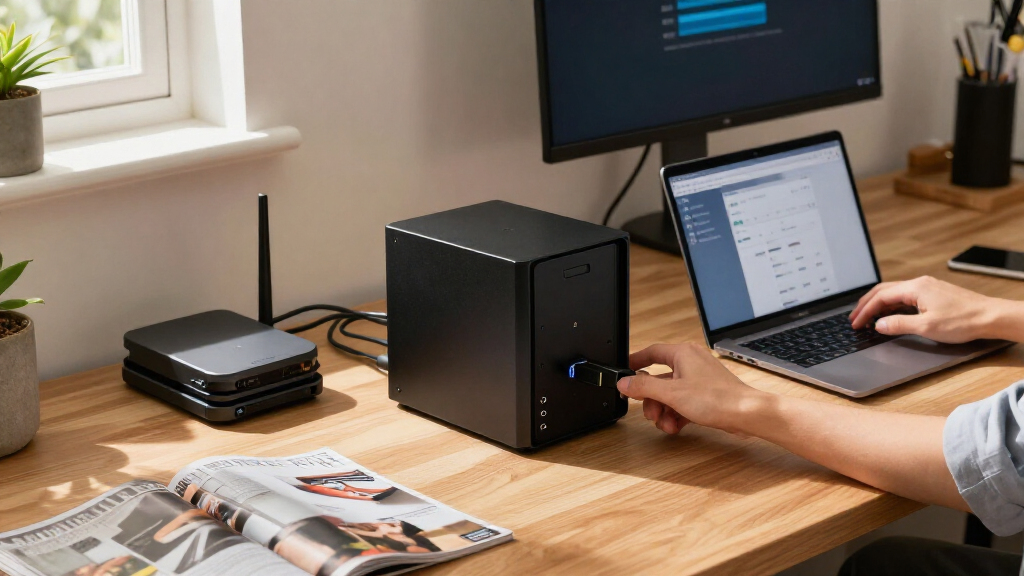

TL;DR
The supplied comparison covers 10 network attached storage devices for home and business use, with the Synology DS225+ presented as the best overall two-bay balance. The lineup ranges from single-drive systems with bundled storage to diskless multi-bay and rackmount models; prices, performance testing and several product details are not provided.
A buying guide from Thorsten Meyer AI compares 10 network attached storage (NAS) devices for home and business use, naming the two-bay Synology DS225+ its best overall balance, as detailed in the original analysis. The products span basic single-drive file sharing, home backup and application use, and rackmount storage, making the guide’s main distinction the trade-off between simplicity, room to expand and setup demands, a consideration covered in this NAS selection guide.

Get business pricing on monitors, keyboards and dev gear
- Business-only prices and quantity discounts
- Tax-exempt purchasing
- Multiple users, one account, clear invoices
The guide describes the Synology DS225+ as a diskless, two-bay system with a three-year warranty. It highlights Synology’s DiskStation Manager software and its support for automated backups to cloud services, external drives and remote NAS devices. Buyers must supply compatible drives separately. The two-bay Synology DS223j is also diskless and is presented as a simpler private-cloud option; the source lists a two-year warranty.
For users seeking additional applications, the UGREEN NASync DXP2800 has two drive bays, two M.2 NVMe SSD slots, an Intel N100 quad-core processor and 8 GB of DDR5 memory, according to the source; NAS options for developers may also suit those workloads. Drives are sold separately. The guide positions it for technically experienced users who want to run workloads such as Docker, virtual machines or media servers. It also lists UGREEN’s two-bay DH2300 for personal storage and phone backup, with 4 GB of memory and a stated maximum capacity of 64 TB.
The lineup also includes one-bay models and larger systems. The BUFFALO LinkStation 210 is offered in 2 TB and 4 TB configurations with a drive included; the guide says its single bay does not provide internal drive redundancy. Synology’s diskless DS124 is another one-bay option. For rack deployments, the BUFFALO TeraStation 5420RN is listed as a four-bay model with four 8 TB drives and 24 TB usable capacity in RAID 5. The diskless QNAP TS-864eU-8G-US has eight bays and a three-year warranty. The source does not provide full specifications for all 10 products in the material supplied.
Choose the right NAS for home or business
This 2027 guide compares 10 network attached storage devices, from simple file sharing to rack storage. The Synology DS225+ is presented as the best overall two-bay balance.
Match bays to your storage plan
Bay count shapes expansion options and whether drives can mirror data internally.
- Simpler basic file sharing and storage
- No second internal drive for mirroring
- Two-bay models offer more configuration choices
- Four- and eight-bay systems suit larger plans and rack environments
Pick a workload fit
The lineup spans household backups, applications and business rack deployments.
Synology DS225+
A diskless two-bay balance with DiskStation Manager support for automated backups.
UGREEN NASync DXP2800
Two bays, two M.2 NVMe slots, an Intel N100 processor and 8 GB DDR5 for demanding workloads.
TeraStation 5420RN
Listed with four 8 TB drives and 24 TB usable capacity in RAID 5.
Check what is included
Drive choice affects cost, setup and the capacity available after configuration.
| Model | Drive setup | Buying implication |
|---|---|---|
| Synology DS225+ | Diskless | Buy compatible drives separately |
| UGREEN DXP2800 | Diskless | Buy compatible drives separately |
| BUFFALO LinkStation 210 | 2 TB or 4 TB included | Single bay has no internal drive redundancy |
Verify before buying
The supplied comparison leaves important purchase details open.
- Compare current prices and availability
- Check drive compatibility and usable capacity
- Confirm warranty terms and software features
- Review RAID needs and deployment requirements
Choosing Capacity and Redundancy
NAS buyers are choosing how shared files and backups will be stored across devices, but the number of bays affects both expansion and drive protection. A single-bay unit can simplify a basic setup, yet it cannot mirror data internally across a second drive. Two-bay models offer more configuration choices, while four- and eight-bay systems target larger storage plans and rack environments.
The distinction between diskless and bundled-drive models also changes the purchase decision. A diskless system lets buyers select drives but adds a separate cost and setup step. A bundled unit is closer to ready to use, though its included capacity and configuration still need to fit the buyer’s backup plan. The guide provides no prices or independent performance results, so it cannot establish which model is the best value or fastest.
Products Worth Considering

Apple Watch Series 8 GPS 41mm Smartwatch with Midnight Aluminum Case and Midnight Sport Band (S/M)

Jackery Explorer 1000 v2 Portable Power Station

Apple Watch Ultra 3 GPS + Cellular 49mm Smartwatch with Natural Titanium Milanese Loop
As an affiliate, we earn on qualifying purchases.
How the Models Differ
The guide groups products by the jobs they are meant to handle: household file sharing, backups, personal photo storage, applications and business rack deployments. It describes Synology’s models as part of a software ecosystem centered on backup and private-cloud functions, while it singles out the DXP2800’s processor, memory and SSD slots for users with more demanding applications.
Storage capacity figures in the source are product-specific claims, not a like-for-like measure of usable space. For example, it lists the DXP2800 at up to 80 TB, while the TeraStation’s 24 TB usable RAID 5 capacity is based on a specific four-drive configuration. RAID setup, drive compatibility and the amount of space available after configuration can affect real usable capacity. The source’s comparison does not give equivalent capacity calculations for every model.
““The DS225+ is the strongest all-rounder in this lineup.””
— Thorsten Meyer AI buying guide
Details Buyers Still Need
The supplied material does not state the guide’s publication date, prices, availability by market or the testing method behind its rankings. It also does not include complete specifications for every product, including the full list of 10 picks. Claims about maximum capacity and application support are presented in the source, but no independent testing or comparison data is supplied.
Buyers should confirm the current drive compatibility list, software features, warranty terms and usable capacity for their chosen configuration. The source says the DXP2800 supports demanding NAS applications, but does not report measured performance under those workloads. It also does not explain the specific capabilities of the DH2300’s AI-assisted photo storage feature.
Check Fit Before Buying
The guide recommends matching the NAS to the intended workload: basic shared storage may suit a one-bay model, while backup plans that require internal redundancy need more than one drive bay. Buyers considering diskless systems should add compatible drives to their budget and check the vendor’s current compatibility information. Rackmount systems warrant a separate review of capacity needs, RAID configuration and deployment requirements.
Because prices, availability and full product details are absent from the source, the next step is to compare current vendor specifications and costs before choosing. The guide does not identify a later update or an upcoming review date.
Key Questions
Which NAS does the guide rank best overall?
The guide names the Synology DS225+, a diskless two-bay model, as its best overall balance. It cites backup software and a manageable home setup, but provides no price or independent performance testing.
What is the drawback of a one-bay NAS?
A one-bay NAS has no second internal drive for mirroring. The guide says models such as the BUFFALO LinkStation 210 can suit basic storage, but they do not provide that form of drive redundancy.
What does diskless mean in this comparison?
A diskless NAS is sold without storage drives. Buyers must purchase compatible drives separately, as with the DS225+ and UGREEN DXP2800.
Which model is aimed at rack-based storage?
The guide identifies the BUFFALO TeraStation 5420RN and QNAP TS-864eU-8G-US for rack environments. The Buffalo is listed with four 8 TB drives and 24 TB usable capacity in RAID 5; the QNAP is described as an eight-bay diskless system.
Source: Thorsten Meyer AI