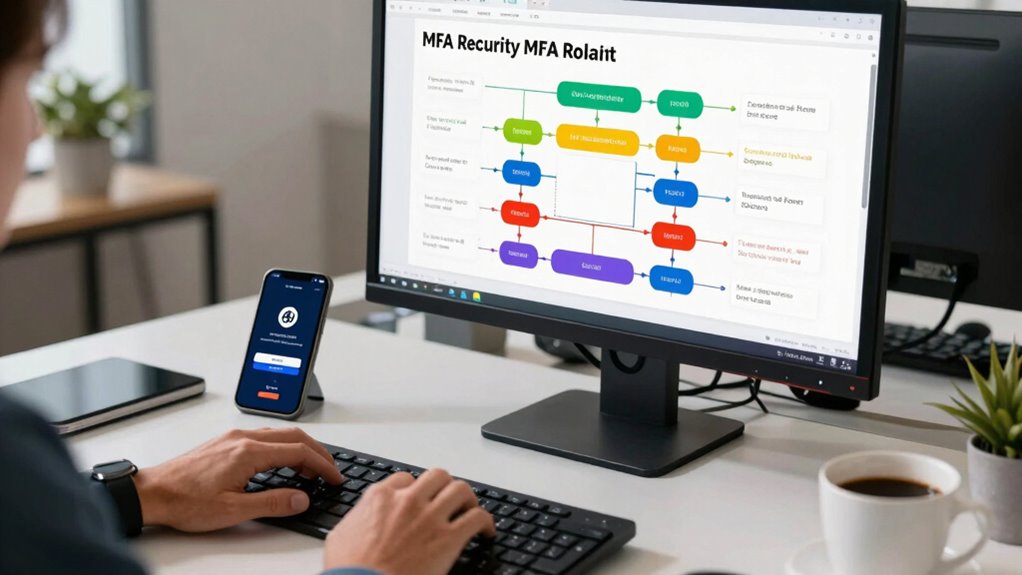

To guarantee a successful MFA rollout for both consumer and enterprise apps, you should focus on clear, intuitive onboarding with simple instructions and accessible support. Tailor methods to your users’ tech skills and needs, prioritizing ease of use without sacrificing security. Automate setup processes and gather feedback regularly to improve your approach. By emphasizing user education and ongoing support, you foster adoption and trust. Keep exploring these strategies to maximize your MFA implementation’s effectiveness.

Get business pricing on monitors, keyboards and dev gear
- Business-only prices and quantity discounts
- Tax-exempt purchasing
- Multiple users, one account, clear invoices
Key Takeaways
- Tailor MFA methods to user demographics, ensuring ease of use for consumers and flexibility for enterprise environments.
- Provide clear onboarding guidance, demo sessions, and accessible support to facilitate quick adoption.
- Conduct regular risk assessments to select appropriate MFA options and adapt to evolving threats.
- Automate provisioning and self-service options to streamline setup and reduce manual errors.
- Promote security awareness and user education to foster a culture of ongoing MFA engagement.

Implementing multi-factor authentication (MFA) can considerably enhance your organization’s security, but a successful rollout requires careful planning. One of the first steps is understanding your users and how they will interact with the new system. Effective user onboarding is essential; it involves guiding users smoothly through setup and ensuring they understand the importance of MFA. Clear instructions, intuitive interfaces, and support channels help reduce resistance and confusion. When onboarding users, focus on making the process straightforward, so they’re more likely to adopt MFA quickly and consistently. You want to foster a positive experience rather than create frustration, which could lead to security gaps.
Before jumping into implementation, conducting a *comprehensive* risk assessment is *crucial*. This helps you identify vulnerabilities within your systems and understand which assets need the strongest protection. You should evaluate potential threats, user behaviors, and the impact of security breaches. A risk assessment informs your MFA strategy, allowing you to prioritize *essential* systems and choose appropriate authentication methods, whether SMS codes, authenticator apps, or hardware tokens. It also helps you recognize user groups that may face challenges with certain MFA methods, guiding you to tailor solutions that balance security with usability. Additionally, considering the contrast ratio in your security infrastructure can help ensure that the system’s interface remains clear and accessible to all users. Incorporating a risk assessment further supports a tailored approach to MFA deployment, aligning security measures with actual vulnerabilities. Moreover, understanding your user demographics can help you select MFA options that accommodate different levels of technical proficiency. Incorporating user behavior analysis can also provide insights into how users interact with MFA, enhancing overall effectiveness. Conducting regular assessments and updates ensures your MFA approach stays aligned with evolving threats and user needs.
As you plan your rollout, consider the diversity of your user base. For consumer apps, ease of use often takes precedence, so selecting user-friendly MFA options is key. For enterprise environments, you might need more *extensive* solutions that support multiple devices and integrate with existing identity management systems. During the onboarding phase, communicate the benefits clearly—highlight how MFA protects their accounts and sensitive data. Make training resources accessible, and consider offering demo sessions or quick-start guides to help users feel comfortable with the new process.
Automation can streamline user onboarding, especially when onboarding large numbers of users. Automated provisioning and de-provisioning, coupled with self-service options for MFA setup, reduce administrative overhead and improve adoption rates. This also minimizes the risk of errors during manual setup. Remember that ongoing support is *essential*; provide channels for users to get help if they encounter issues or have questions about MFA. Collect feedback to identify pain points and continuously improve the onboarding process. Emphasizing user education about MFA’s importance can also boost user engagement and compliance.
Ultimately, successful MFA deployment hinges on thorough planning, which includes a *detailed* risk assessment and effective user onboarding. When you prioritize these areas, you create a secure environment that users trust and are motivated to protect. Clear communication, user-friendly options, and ongoing support foster a culture of security awareness that makes MFA an *integral* part of your organization’s defenses. Recognizing the diversity of user needs can further enhance your MFA strategy, ensuring it remains inclusive and effective across your entire user base.
As an affiliate, we earn on qualifying purchases.
Frequently Asked Questions
How Do I Handle MFA for Users With Disabilities?
You should prioritize accessibility considerations when handling MFA for users with disabilities. Guarantee your MFA methods support assistive technologies like screen readers or alternative input devices. Offer multiple authentication options, such as voice, text, or hardware tokens, so users can choose what works best for them. Regularly test your process with diverse assistive tools, and gather feedback to make adjustments, creating an inclusive experience that accommodates all users.
What Are the Costs Associated With MFA Implementation?
The costs of MFA implementation include initial setup, hardware or software tokens, and ongoing maintenance, which can impact your overall budget. You should perform a thorough cost analysis to balance security benefits with user experience, ensuring the process remains smooth. Keep in mind that more advanced MFA options may cost more but can offer better security and user satisfaction, making the investment worthwhile for enterprise or consumer apps.
How to Ensure MFA Compliance Across Different Regions?
Think of compliance as a ship steering through diverse waters; regional challenges are the currents you must understand. To guarantee MFA compliance across regions, you craft tailored compliance strategies, like adjusting your sails to each wind. Regularly monitor local regulations, educate your crew on regional rules, and implement flexible MFA solutions that adapt to local needs. Staying informed and responsive keeps your ship steady, ensuring you reach your security destination safely.
What Are the Common MFA Deployment Pitfalls to Avoid?
To avoid common MFA deployment pitfalls, focus on streamlining user onboarding and clearly communicating security protocols. Don’t assume users will adapt without guidance—provide thorough instructions and support. Avoid overly complex authentication steps that may frustrate users, and guarantee your system integrates seamlessly with existing security measures. Regularly test MFA processes to identify vulnerabilities, and stay updated on best practices to maintain a balance between security and user experience.
How Can I Measure MFA Adoption Success?
You can measure MFA adoption success by tracking user engagement and security metrics. Monitor how many users enable MFA and how frequently they use it during logins. Look for a decrease in security incidents linked to credential theft. Regularly analyze these metrics to identify gaps and improve onboarding processes. Engaging users through clear communication and support also boosts adoption, ensuring your MFA rollout is both effective and widely embraced.
Hardware security tokens for MFA
As an affiliate, we earn on qualifying purchases.
As an affiliate, we earn on qualifying purchases.
Conclusion
Implementing MFA is like planting a sturdy tree—start with strong roots, nurture it with clear policies, and regularly review its growth. By following best practices, you’ll build a secure landscape that withstands threats and adapts to changes. Keep communication clear and user-friendly, making the shift smooth. With patience and consistency, your MFA rollout will flourish, creating a resilient shield around your apps—standing tall and unwavering against evolving security challenges.
As an affiliate, we earn on qualifying purchases.
As an affiliate, we earn on qualifying purchases.
Columbus Day / Indigenous Peoples' Day Picks
long weekend sales
As an affiliate, we earn on qualifying purchases.