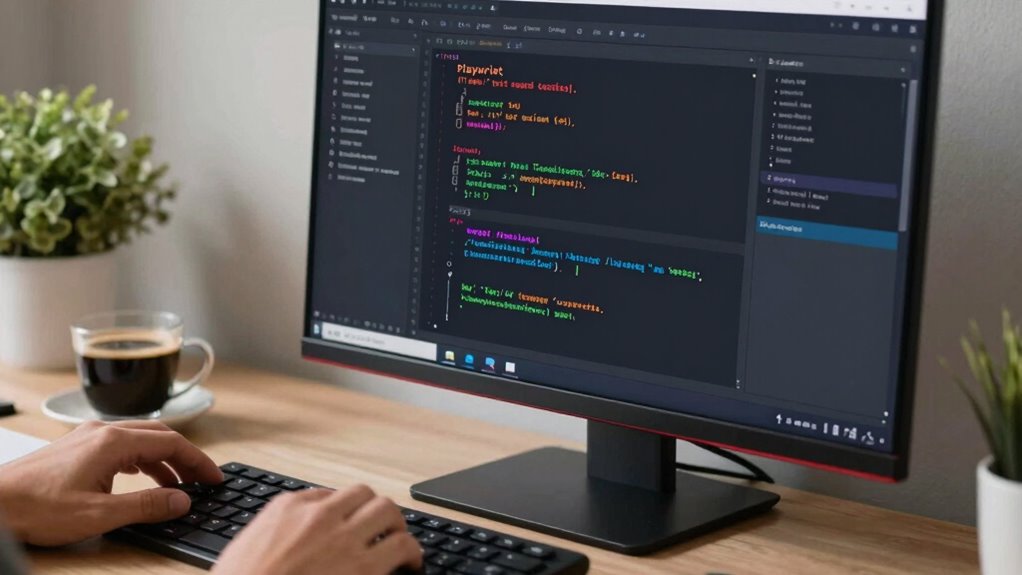

To create end-to-end tests with Playwright, start by installing it via npm and set up your test environment. Use Playwright’s API to script user interactions like navigation, clicking, and form submissions across multiple browsers for consistency. Incorporate selectors, wait mechanisms, and debugging tools such as screenshots to make tests reliable and efficient. Playwright’s features help catch edge cases and improve testing speed. If you keep exploring, you’ll discover how to build even more robust tests.

Get business pricing on monitors, keyboards and dev gear
- Business-only prices and quantity discounts
- Tax-exempt purchasing
- Multiple users, one account, clear invoices
Key Takeaways
- Install Playwright via npm and set up the testing environment quickly.
- Write scripts that simulate user actions like navigation, clicks, and form submissions.
- Use selectors and wait mechanisms to improve test reliability and handle dynamic content.
- Run tests across multiple browsers (Chromium, Firefox, WebKit) for cross-browser validation.
- Incorporate debugging tools like screenshots and videos to troubleshoot and refine tests.
Have you ever wondered how to guarantee your web application works flawlessly from start to finish? The answer lies in creating reliable end-to-end tests that simulate real user interactions. Playwright makes this process straightforward and efficient, especially when it comes to test automation and browser scripting. With Playwright, you can write tests that mimic how your users navigate, click, fill out forms, and interact with your site, ensuring thorough coverage of your application’s functionality.
Getting started with Playwright is simple. You install it via npm and set up your testing environment. Once configured, you can write scripts that launch browsers—Chromium, Firefox, and WebKit—allowing you to test your application across different platforms. This cross-browser capability is essential because it helps identify inconsistencies or bugs that might only appear in specific environments. Playwright’s API makes browser scripting intuitive, giving you control over page interactions, network requests, and even device emulation.
Easily set up Playwright to run cross-browser tests, ensuring consistent performance across Chromium, Firefox, and WebKit platforms.
Creating end-to-end tests with Playwright isn’t just about clicking through pages; it’s about verifying the entire user journey. You can automate actions like logging in, adding items to a cart, completing checkout, or submitting forms. Playwright provides powerful selectors and wait mechanisms, ensuring your tests are resilient and reliable. This reduces false negatives caused by timing issues or dynamic content loading. Furthermore, Playwright’s headless mode allows you to run tests efficiently in the background, making continuous integration seamless. Incorporating test coverage ensures that all critical pathways of your application are monitored and maintained effectively.
One of the key benefits of using Playwright for end-to-end testing is its ability to handle complex scenarios easily. For example, you can test multiple user roles, simulate network failures, or test in different viewport sizes, all with minimal effort. Its built-in debugging tools, such as screenshots and video recordings, help you quickly identify issues when a test fails. This visual feedback is invaluable for troubleshooting and refining your application. Additionally, Playwright’s cross-browser support ensures your tests cover all major environments, boosting confidence in your application’s performance. Incorporating comprehensive testing strategies with Playwright can help you catch edge cases that might otherwise be overlooked. Moreover, understanding the testing tools available within Playwright can improve your overall testing efficiency and effectiveness.
Playwright testing automation tools
As an affiliate, we earn on qualifying purchases.
As an affiliate, we earn on qualifying purchases.
Frequently Asked Questions
How Does Playwright Compare to Other Testing Frameworks?
Playwright stands out because of its superior cross-browser compatibility, allowing you to test across Chrome, Firefox, and Safari with a single API. Unlike some test frameworks, it offers faster test execution and reliable handling of modern web features. The test framework differences make Playwright more versatile and easier to set up for end-to-end testing, giving you confidence in your app’s performance across all major browsers.
Can Playwright Tests Run on Mobile Devices?
Yes, Playwright tests can run on mobile devices. It achieves this through device emulation, allowing you to simulate various mobile environments, screen sizes, and user agents. This feature helps guarantee your app’s mobile responsiveness without needing physical devices. You can easily configure your tests to emulate popular smartphones and tablets, making it straightforward to verify how your application performs across different mobile scenarios.
Is Playwright Suitable for Testing APIS?
Yes, Playwright is suitable for testing APIs, especially for API validation within your test automation. You can use it to send HTTP requests, verify responses, and check data integrity, making it a versatile tool for end-to-end testing. Playwright’s capabilities allow you to seamlessly integrate API testing with UI tests, giving you thorough coverage and ensuring your application’s backend and frontend work perfectly together.
How Do I Handle Authentication in Playwright Tests?
Imagine your tests are secret agents slipping behind enemy lines. To handle authentication, you mock responses to simulate login flows, keeping your tests fast and reliable. You also handle cookies like secret passes, storing and reusing them to stay authenticated across sessions. By mocking responses and managing cookies, you create a seamless, secure environment for your tests, ensuring your agent—Playwright—navigates the app just like a real user.
What Are Best Practices for Maintaining Large Test Suites?
To maintain large test suites, you should organize tests logically and use reusable components. Manage test data carefully to avoid flaky tests, and keep it consistent across runs. Automate test environment setup to guarantee each test starts with a clean state, reducing dependencies and conflicts. Regularly refactor tests for clarity and efficiency, and implement parallel execution to speed up runs, making maintenance more manageable as your suite grows.
As an affiliate, we earn on qualifying purchases.
Conclusion
Now that you’ve learned how to create end-to-end tests with Playwright, you’re well-equipped to guarantee your application runs smoothly. Remember, testing is the backbone of reliable software, and with Playwright, you’re in the driver’s seat. Don’t let bugs pile up—stay ahead of the game. Keep practicing, refine your scripts, and soon, you’ll be able to spot issues before they become headaches. The ball’s in your court—happy testing!
end-to-end testing tools for web apps
As an affiliate, we earn on qualifying purchases.
As an affiliate, we earn on qualifying purchases.
browser automation testing scripts
As an affiliate, we earn on qualifying purchases.
As an affiliate, we earn on qualifying purchases.
Fall Picks
fall essentials
As an affiliate, we earn on qualifying purchases.