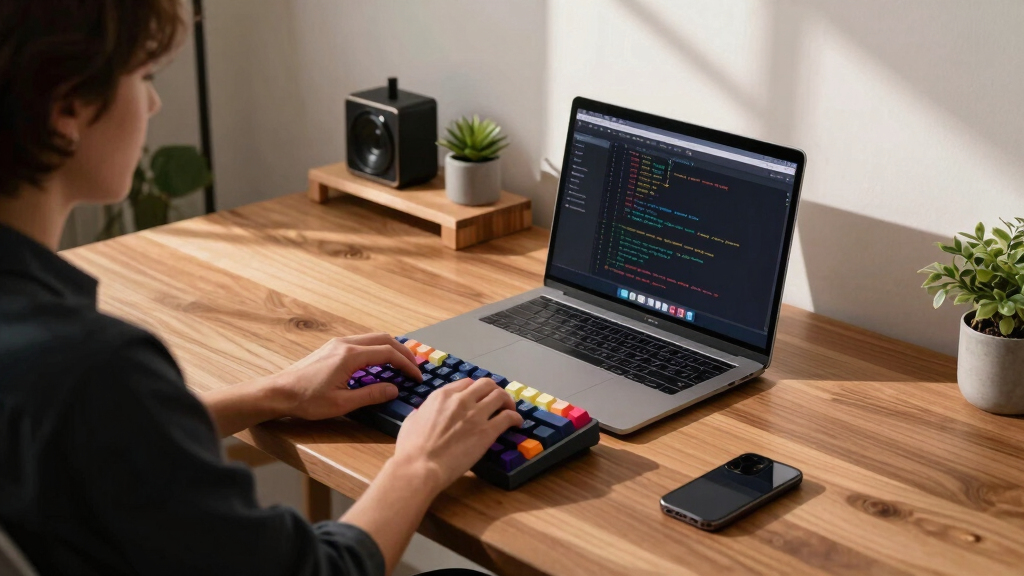

If you’re searching for mechanical keyboards for programmers, you’re likely balancing factors like typing comfort, build quality, and customization. The Logitech MX Mechanical stands out as the best overall pick for its blend of reliability and features, while the Keychron K8 offers a versatile, wireless experience perfect for multi-device setups. Another strong contender is the Redragon K556 with its sturdy build and hot-swappable switches, ideal for customizing your typing feel. The main tradeoffs in this category typically involve balancing budget with build quality, switch options, and feature sets. Keep reading for a detailed breakdown of these options to find the best fit for your programming setup.
Key Takeaways
- The top-ranked keyboards balance build quality, switch variety, and connectivity options, making them suitable for long coding sessions.
- Wireless models like the Keychron K8 and MX Mechanical offer flexibility but may introduce slight latency compared to wired options.
- Hot-swappable switches are a common feature among high-end models, allowing users to customize without soldering.
- Budget-friendly options like the Redragon K556 deliver solid performance but may lack some premium features like wireless connectivity or extensive programmability.
- Form factor choices (full-size, tenkeyless, 75%) significantly impact desk space, ergonomics, and workflow efficiency.




More Details on Our Top Picks
Logitech G413 SE Full-Size Mechanical Gaming Keyboard – Black Aluminum
The Logitech G413 SE stands out as a solid choice for programmers who prioritize durability and a full-size layout. Its PBT keycaps resist wear, which is ideal for long coding sessions. Compared with the Keychron K8, it lacks wireless flexibility but offers a more robust build with an aluminum top case, making it better suited for those who want a sturdy, no-frills typing experience. The absence of wireless options and its larger footprint are tradeoffs for reliability and a traditional form factor. This keyboard makes the most sense for users who want a dependable, wired full-size keyboard without the need for customization or wireless features.
Pros:- Durable PBT keycaps resist wear and heat
- Tactile mechanical switches for precise input
- 6-key anti-ghosting for reliable performance
Cons:- Full-size layout takes up more desk space
- No wireless or customizable features
Best for: Programmers who prefer a durable, wired full-size keyboard with a traditional layout and no need for wireless connectivity
Not ideal for: Design-conscious users or those with limited desk space who want a minimalist, wireless setup
- Keycap Material:PBT
- Switch Type:Tactile Mechanical
- Anti-Ghosting:6-Key Rollover
- Compatibility:Windows/macOS
- Color:Black Aluminum
Bottom line: Ideal for programmers seeking a sturdy, wired full-size keyboard with reliable tactile feedback.
Redragon K668 RGB Gaming Keyboard, 108 Keys Wired Mechanical with Red Switches, Hot-Swappable Socket, Sound-Absorbing Foams, and 2 Mixed Color Keycap Sets
The Redragon K668 offers a versatile setup with hot-swappable Red linear switches and RGB backlighting, making it appealing for those who want a personalized, quiet typing experience. Compared to the Logitech MX Mechanical, it lacks wireless support but excels in customization, thanks to its hot-swappable sockets and included keycap sets. The sound-absorbing foam enhances quiet operation, which is beneficial for shared workspaces. The wired connection limits portability but ensures a stable, latency-free experience. This keyboard makes the most sense for users who enjoy DIY upgrades and need a quiet, customizable mechanical keyboard for long coding sessions or gaming.
Pros:- Hot-swappable switches for easy customization
- RGB lighting with multiple preset modes and music sync
- Includes dual sets of keycaps for styling options
- Sound-absorbing foam reduces typing noise
Cons:- Wired design limits portability
- Higher price point compared to basic models
Best for: Programmers who want a customizable, quiet, wired mechanical keyboard with RGB aesthetics
Not ideal for: Users who require wireless connectivity or minimal desk footprint
- Switch Type:Red Switches (Linear)
- Key Count:108 Keys
- Backlighting:RGB (19 Modes + Music Sync)
- Connectivity:USB-C Wired
- Keycap Sets Included:2 Mixed Color Sets
Bottom line: Great for those who prioritize customization, quiet operation, and RGB flair in a wired mechanical keyboard.
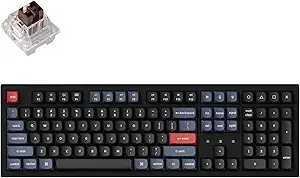
Keychron K8 Tenkeyless Wireless Mechanical Keyboard for Mac, White Backlight, Bluetooth, Multitasking, Type-C Wired Gaming Keyboard for Windows with Brown Switch
The Keychron K8 is designed for programmers who need seamless multitasking across multiple devices, thanks to its Bluetooth 5.1 support for up to 3 devices. Its tenkeyless layout maximizes desk space while maintaining essential navigation keys, making it a flexible choice for both Windows and Mac users. Compared with the MX Mechanical, it offers wireless versatility and a slightly more compact form factor but doesn’t provide the same premium build quality or backlit brightness. Its Brown switches give tactile feedback suitable for extended coding without noise. This pick makes the most sense for programmers who want a versatile, wireless keyboard compatible with macOS and Windows, with ample customization options.
Pros:- Wireless Bluetooth 5.1 with multi-device support
- Tenkeyless layout saves desk space
- Includes Mac and Windows keycaps
- Tactile Brown switches for comfortable typing
Cons:- Not water-resistant
- Limited backlight brightness compared to gaming keyboards
Best for: Mac users or multi-device programmers who prefer wireless connectivity and a compact layout
Not ideal for: Users who prefer full-size, wired setups or require more tactile or clicky switches
- Number of Keys:87
- Switch Type:Brown Tactile
- Backlight:White
- Connectivity:Bluetooth, USB-C Wired
- Battery Life:Up to 200 hours (with backlight off)
Bottom line: Perfect for Mac-focused programmers needing a compact, wireless, multitasking keyboard.
Keychron K10 Max Wireless Custom Mechanical Keyboard, QMK 2.4 GHz Bluetooth Full-Size with Hot-swappable Keychron Super Red Switch Compatible with Mac Windows Linux (RGB Backlit)
The Keychron K10 Max is a full-size, highly customizable keyboard with QMK firmware support and hot-swappable switches, making it ideal for programmers who want ultimate control over their setup. Its 108-key layout and dual connection options—2.4 GHz and Bluetooth—maximize multitasking across devices. Compared with the Logitech G413, it offers greater customization and wireless flexibility, but at a higher complexity and price. The hot-swappable switches and programmable keys allow deep personalization, perfect for users who want to tailor their keyboard to their workflow and gaming needs. This makes the most sense for power users who value versatility, extensive remapping, and long-term durability.
Pros:- Hot-swappable switches for easy customization
- QMK firmware for deep remapping and macros
- Wireless dual connectivity with 2.4 GHz and Bluetooth
- RGB backlit with durable PBT keycaps
Cons:- Complex setup for novices
- Higher cost and size may not suit minimalists
Best for: Advanced programmers and enthusiasts seeking a customizable, full-size wireless keyboard with programming capabilities
Not ideal for: Beginners or those who prefer plug-and-play simplicity over extensive customization
- Number of Keys:108
- Switch Model:Keychron Super Red Switch
- Connectivity:2.4 GHz, Bluetooth, Wired
- Backlight:RGB
- Programability:QMK firmware
Bottom line: Excellent for power users wanting a fully customizable, wireless full-size keyboard with advanced features.
Redragon K556 RGB LED Mechanical Gaming Keyboard with Hot-Swap and Aluminum Base
This keyboard stands out for its fully hot-swappable switches and premium aluminum base, making it ideal for programmers who want a robust, customizable typing experience. Unlike the Keychron C1 Pro, it offers a more rugged build and extensive lighting modes, but the aluminum adds weight and cost. The software dependency for macro programming is a tradeoff compared to plug-and-play models. Its tactile brown switches provide a responsive feel, perfect for long coding sessions. While the higher price and weight might deter portability, this choice excels for dedicated workstations. Best suited for programmers who prioritize durability and customization over portability.“
Pros:- Fully hot-swappable switches for easy customization
- Premium brushed aluminum construction for longevity
- Vibrant RGB lighting with 20 preset modes
- Responsive tactile brown switches for comfortable typing
Cons:- Higher price compared to standard mechanical keyboards
- Heavy weight reduces portability
- Requires software setup for advanced macro functions
Best for: Programmers who want a durable, customizable keyboard with vibrant lighting and hot-swapping capability.
Not ideal for: Travelers or those needing a lightweight, portable keyboard at a lower price point.
- Switch Type:Brown (Tactile)
- Key Count:104 Keys
- Material:Aluminum Base
- RGB Modes:20 Presets
- Hot-Swap Compatibility:99.8%+ Switch Types
- Connectivity:Wired via USB
- Size:Full size (104 keys)
- Weight:Heavy (less portable)
- Software Required:Yes for macro programming
Bottom line: This keyboard makes the most sense for programmers who seek a sturdy, customizable device for dedicated workspace use.
AULA F99 Wireless Mechanical Keyboard,Tri-Mode BT5.0/2.4GHz/USB-C Hot Swappable Custom Keyboard,Pre-lubed Linear Switches,RGB Backlit Computer Gaming Keyboards for PC/Tablet/PS/Xbox
This model is tailored for programmers who value wireless connectivity and multi-device support, with three modes including Bluetooth 5.0, 2.4GHz, and USB-C. Compared to the Keychron C2 Pro, it offers hot-swappable switches and a rechargeable battery, but it primarily targets gaming and multi-device users. Its pre-lubed linear switches deliver a smooth, quiet typing feel, suitable for long hours. The extensive RGB backlighting and macro support add to the customization options, though the software setup can be complex. Heavy and with a bulky design, it’s less portable but excels in multi-tasking environments. This pick makes the most sense for programmers who need a versatile, wireless keyboard that can connect to multiple devices seamlessly.“
Pros:- Supports three connection modes: BT5.0, 2.4GHz, USB-C
- Hot-swappable PCB for switch customization
- Pre-lubed linear switches for smooth typing
- Long-lasting rechargeable 8000mAh battery
Cons:- Bulky design reduces portability
- Complex setup for macro and lighting customization
- Primarily aimed at gamers, less focus on office ergonomics
Best for: Programmers working across multiple devices who prefer wireless connections and customizable switches.
Not ideal for: Users seeking a lightweight, minimalist setup or primarily wired environments.
- Connectivity:BT5.0, 2.4GHz, USB-C
- Switch Type:Pre-lubed Linear
- Battery Capacity:8000mAh rechargeable
- Backlighting:RGB
- Number of Keys:99 Keys
- Support:Macro customization
- Weight:Heavy, less portable
- Design Focus:Gaming and multi-device use
- Additional Features:Silence dampening layers
Bottom line: Ideal for programmers who need a flexible, multi-device wireless keyboard with high customizability and long battery life.
Keychron C1 Pro 8K QMK Wired Custom Mechanical Keyboard, TKL Layout Launcher Support with Hot-Swappable Super Red Switch, PBT Keycaps Compatible for Mac Windows Linux
This wired TKL keyboard emphasizes high responsiveness with an 8000 Hz polling rate and QMK/VIA customization support, making it perfect for programmers who value speed and flexibility. Unlike the Redragon K556, it offers a compact tenkeyless design that saves space without sacrificing key functionality, plus durable PBT keycaps resistant to shine. The tradeoff for its high responsiveness and customization features is a more complex setup process, less suitable for those seeking plug-and-play simplicity. Its build quality and cross-platform support make it ideal for professional environments. This makes the most sense for programmers who want a highly customizable, fast, and reliable wired keyboard.“
Pros:- Ultra-fast 8000 Hz polling rate for responsiveness
- QMK/VIA support for extensive customization
- Durable PBT keycaps resist wear and shine
- Compact tenkeyless layout saves desk space
Cons:- Requires complex configuration for macros and remapping
- Wired only, less flexible than wireless options
- Less suitable for those who prefer full-size keyboards
Best for: Programmers who prioritize speed, customization, and space efficiency in a wired setup.
Not ideal for: Users seeking wireless connectivity or a full-size layout.
- Layout:Tenkeyless (TKL)
- Switch Type:Super Red (Hot-Swappable)
- Polling Rate:8000 Hz
- Keycaps Material:PBT
- Compatibility:Mac, Windows, Linux
- Support:QMK/VIA
- Connectivity:Wired via USB-C
- Build:Solid, space-efficient
- Weight:Moderate
Bottom line: Best suited for programmers demanding high responsiveness and deep customization in a space-saving wired keyboard.
Keychron C2 Pro Wired Mechanical Keyboard with QMK/VIA Programmable RGB Backlight and Hot-Swappable Switches
The full-size layout of the C2 Pro offers extensive key coverage for programmers who prefer dedicated function and navigation keys. Unlike the Keychron C1 Pro, it includes more lighting effects and a robust RGB backlight, along with hot-swappable switches for customization. Its QMK/VIA support provides deep macro and remap capabilities, but the setup process can be complex for newcomers. While it carries a higher price point, its premium PBT keycaps and reliable wired connection make it a solid choice for users who need both functionality and durability. The main tradeoff is less portability and a higher cost compared to smaller models. This is ideal for programmers seeking a full-featured, customizable, wired keyboard for a dedicated workspace.“
Pros:- Full-size layout with dedicated function keys
- QMK/VIA support for extensive macro programming
- Hot-swappable switches for easy customization
- Premium PBT keycaps resist shine and wear
Cons:- Higher price point compared to compact models
- Less portable due to size and weight
- Setup complexity for macro configuration
Best for: Programmers who want a full-size, highly customizable wired keyboard with advanced lighting and macro support.
Not ideal for: Those needing a compact or wireless setup, or on a tight budget.
- Layout:Full Size (100%)
- Switch Type:Hot-Swappable Keychron K Pro Brown
- Backlighting:RGB with 22+ effects
- Keycaps Material:PBT
- Polling Rate:1000 Hz
- Compatibility:macOS, Windows, Linux
- Support:QMK/VIA
- Connectivity:Wired via USB-C
- Price:Premium
Bottom line: A great fit for programmers who need a feature-rich, reliable wired keyboard with deep customization options.
Redragon Mechanical Gaming Keyboard with RGB Backlight and Hot-Swappable Red Switches
This wired keyboard shines with vibrant RGB lighting and hot-swappable switches, making it ideal for gamers and enthusiasts who want to tailor their setup. Compared to the Keychron K10 Pro, it offers a broader range of backlight modes but falls short on switch variety and wireless features. The ABS keycaps, while durable enough for gaming, lack the premium feel of PBT, and the absence of wireless connectivity limits flexibility. Its anti-ghosting technology ensures responsive key presses during fast-paced coding or gaming sessions. However, the software’s limited color customization might disappoint users seeking detailed lighting control. Overall, this pick makes the most sense for programmers who prioritize extensive lighting options and switch customization over wireless convenience or premium materials.
Pros:- RGB backlighting with 11 modes and adjustable brightness
- Hot-swappable switches for personalized feel and easy customization
- Anti-ghosting technology for reliable multi-key presses
Cons:- ABS keycaps are less durable and feel cheaper than PBT
- No wireless connectivity option limits desk setup flexibility
- Limited software control over lighting colors
Best for: Programmers who want customizable RGB lighting and easy switch swapping for gaming or long coding sessions
Not ideal for: Those seeking a wireless keyboard or premium PBT keycaps for a professional office environment
- Connectivity:Wired
- Switch Type:Linear Red (Cherry MX compatible)
- Key Count:104
- Backlighting:RGB with 11 modes
- Keycap Material:Double-shot PBT
- Warranty:24 months
- Water Resistance:Yes
Bottom line: This keyboard is best for programmers who value lighting flexibility and switch customization for gaming and extended typing sessions.
Keychron K10 Pro Wireless Custom Mechanical Keyboard, Full-Size QMK/VIA Programmable Bluetooth/Wired White Backlight with Hot-swappable Keychron Super Brown Switch Compatible with Mac Windows Linux
This full-size keyboard stands out for its versatility, offering wireless connectivity, extensive customization via VIA and QMK, and hot-swappable switches. Unlike the Cherry KC 200 MX, which emphasizes office-quiet operation, the K10 Pro caters to users needing both high flexibility and a tactile, programmable experience. Its long-lasting 4000mAh battery supports up to 100 hours of use, while the hot-swappable switches allow for easy switch upgrades without soldering. The inclusion of PBT keycaps and a robust build make it suitable for intense daily use. The tradeoff is the added weight of the aluminum frame, which might be less portable. Overall, this model makes the most sense for programmers who want a premium, highly customizable keyboard that works seamlessly across multiple devices and platforms.
Pros:- Hot-swappable MX-style switches for easy customization
- Supports Bluetooth 5.1 and wired USB-C connection for cross-platform use
- Long battery life of up to 240 hours with backlight off
Cons:- Aluminum frame adds significant weight, reducing portability
- Price may be higher compared to basic models
- No dedicated macro keys, relying on software remapping
Best for: Programmers who need a versatile wireless keyboard with extensive programmability and switch customization
Not ideal for: Users preferring ultra-light, portable keyboards or those who dislike heavier aluminum frames
- Keyboard Layout:Full Size (104 Keys)
- Switch Type:Keychron Super Red Linear
- Connectivity:Bluetooth 5.1 / USB-C Wired
- Battery Life:240 hours (backlight off)
- Backlighting:RGB
- Compatibility:MacOS, Windows
- Material:Aluminum Frame
Bottom line: This keyboard is ideal for programmers seeking a highly customizable, cross-platform device with wireless freedom and durable build quality.
AULA F75 Pro Wireless Mechanical Keyboard, 75% Layout with Hot-Swappable Switches, RGB Backlighting, and PBT Keycaps
The AULA F75 Pro offers a compact 75% layout with tri-mode connectivity, making it perfect for users who need a space-efficient yet versatile keyboard. Compared with the Keychron K8, it adds RGB lighting with customizable effects and PBT keycaps that resist wear and fading. The pre-lubricated Reaper switches provide smooth, quiet typing right out of the box, and the 4000mAh battery supports long wireless sessions. However, its water-repellent design isn’t fully waterproof, which could be a concern for heavy use or accidental spills. The compact size might also require some adjustment for users accustomed to full-size layouts. Overall, this makes a good choice for programmers who want a portable, feature-rich keyboard with broad device compatibility.
Pros:- Tri-mode connectivity (Bluetooth, 2.4GHz, USB-C) for multi-device use
- Hot-swappable switches for easy customization
- RGB lighting with 16.8 million colors and music sync
Cons:- Not fully waterproof, only water-repellent
- 75% layout may require adjustment for some users
- Lacks dedicated macro keys
Best for: Programmers who need a compact, multi-device keyboard with extensive lighting options and switch customization
Not ideal for: Users who prefer a larger, full-layout keyboard or require full waterproofing for heavy spills
- Connectivity:Bluetooth 5.0, 2.4GHz, USB-C
- Switch Type:Linear (Reaper Switches)
- Battery Capacity:4000mAh
- Keycap Material:PBT (Side-Printed)
- Backlighting:RGB
- Layout:75% (81 Keys)
Bottom line: Ideal for programmers seeking a compact, multi-device keyboard with lighting effects and switch customization.
Cherry KC 200 MX Mechanical Keyboard with MX2A Silent Red Switches (Bronze, Renewed)
This renewed Cherry KC 200 offers silent, smooth typing with its MX2A Silent Red switches, making it suitable for quiet office environments. Compared to the Redragon models, which emphasize gaming features like RGB and hot-swapping, it focuses on a sleek, professional look and sound dampening. The metal frame adds stability and a premium feel, while the white LED indicators enhance usability in low-light conditions. The major tradeoff is its higher price point and limited switch options—only the Silent Red variant. For programmers who prioritize quiet operation and a modern aesthetic, this keyboard delivers reliable performance, though it may lack the customization options of more gaming-oriented models.
Pros:- Silent Red switches reduce typing noise significantly
- Durable metal frame offers stability and premium feel
- White LED indicators for easy status recognition
Cons:- Limited switch options—only Silent Red in this model
- Higher price compared to standard mechanical keyboards
- Lack of extensive customization or RGB lighting
Best for: Office-based programmers needing a quiet, durable keyboard with a professional appearance
Not ideal for: Gamers or users wanting extensive RGB lighting and switch options
- Switch Type:MX2A Silent Red
- Color:Bronze
- Keystroke Durability:50 million
- LED Indicators:White on CAPS/SCROLL/NUM-lock
Bottom line: Suitable for programmers working in quiet office environments who value stability, durability, and noise reduction.
How We Picked
Our evaluation focused on key performance factors relevant for programming, including typing comfort, switch quality, build durability, and customization options. We also considered connectivity flexibility—wired versus wireless—and the presence of features like programmability and backlighting. Price-to-value ratios were essential, ensuring that each pick offers meaningful features relative to its cost. The ranking emphasizes models that enhance productivity and comfort during extended coding sessions, prioritizing well-rounded options over niche or overly specialized keyboards.Factors to Consider When Choosing Mechanical Keyboards For Programmers
Choosing the right mechanical keyboard for programming involves several key considerations. Beyond basic features, understanding how each factor impacts your workflow can help you avoid common pitfalls and select a keyboard that truly supports your needs. Here are the main factors to weigh before making a decision.Switch Type and Feel
The choice of switches—such as tactile, linear, or clicky—affects typing comfort and sound levels. Programmers often prefer linear or tactile switches for quieter, smoother keystrokes or for feedback that helps with touch-typing accuracy. Switching to a switch type that doesn’t match your typing style can lead to fatigue or distraction. Therefore, trying different switch types or opting for hot-swappable keyboards to experiment with different feels can be a smart move.
Connectivity Options
Wired keyboards tend to offer the lowest latency and maximum reliability, crucial during intense coding sessions or when precise input is needed. Wireless models like Bluetooth keyboards provide greater flexibility and a cleaner workspace but may introduce slight lag or connectivity issues, especially in crowded wireless environments. Consider how often you’ll need mobility versus stability when choosing between wired and wireless options.
Form Factor and Size
The size of your keyboard influences workspace ergonomics and workflow. Full-size models include a number pad, which can be useful for data entry but take up more desk space. Tenkeyless or 75% layouts save space and promote better ergonomics, but require some adaptation if you frequently use the number pad. Think about your typical tasks and desk setup when selecting the form factor to optimize comfort and efficiency.
Build Quality and Materials
Durability is vital for a tool you’ll use daily. Keyboards with metal or high-quality plastic casings tend to last longer and resist wear. Additionally, features like PBT keycaps or reinforced frames can prevent keycap shine and maintain a premium feel over time. A well-built keyboard can also reduce vibrations and noise, improving your overall typing experience.
Customization and Programmability
Advanced users benefit from programmable keys and firmware customization, allowing shortcuts or macros tailored to coding workflows. Hot-swappable switches add flexibility without soldering, making it easier to personalize tactile feedback or switch types. However, more complex features can increase the learning curve and cost—so assess whether your workflow justifies these investments.
Frequently Asked Questions
Is a mechanical keyboard worth it for programming?
For many programmers, a mechanical keyboard offers better tactile feedback, durability, and typing comfort, which can reduce fatigue during long coding sessions. The responsiveness and reliable key registration often translate to increased efficiency and fewer missed keystrokes. While they tend to cost more than membrane keyboards, their longevity and customizable features can provide better value over time, especially if you spend hours typing daily.
Should I choose tactile, linear, or clicky switches for programming?
This choice largely depends on your personal preference and noise tolerance. Tactile switches provide feedback with a bump, helping you know when a key registers without bottoming out. Linear switches are smooth and quiet, suitable for those who prefer a softer feel. Clicky switches produce audible clicks, which some find satisfying but may disturb others or colleagues. Trying different switch types can help determine what enhances your typing accuracy and comfort.
Is wireless connectivity reliable enough for programming?
Wireless keyboards, especially those with Bluetooth or 2.4 GHz connections, have improved significantly in terms of stability and latency. For most programming tasks, the slight delay is negligible, and the convenience of wireless setups can outweigh the minor tradeoffs. However, in environments with lots of wireless interference or for tasks demanding ultra-low latency, wired options may still be preferable for absolute reliability.
What form factor should I consider for programming?
Full-size keyboards with a number pad are ideal if you often input numerical data or use number-heavy workflows. However, tenkeyless or 75% layouts save space and improve ergonomics, reducing arm strain. If desk space is limited or you prefer a more minimalist setup, smaller layouts can boost comfort and workflow efficiency, but you might lose some dedicated keys. Think about your typical tasks and workspace constraints when choosing the size.
Are customizable features like programmability worth the extra cost?
If you frequently use shortcuts, macros, or specific key mappings, programmable keyboards can streamline your workflow significantly. They reduce repetitive keystrokes and can be tailored precisely to your coding habits. However, these features come with a higher price point and may require some initial setup time. For casual programmers or those who don’t heavily customize their workflow, simpler models may suffice, offering better value.
Conclusion
For those seeking the best overall experience, the Logitech MX Mechanical offers a balanced mix of quality, reliability, and features suitable for most programmers. Budget-conscious users should consider the Redragon K556 for solid performance without a hefty price tag. Premium users or enthusiasts will appreciate options like the Keychron K10 Max or Keychron K10 RGB for extensive customization and build quality. Beginners or those new to mechanical keyboards should start with simpler, reliable models like the Keychron C1 Pro. Lastly, programmers with specific needs, such as multi-device setups or compact desks, will find the Keychron K8 or AULA F75 Pro particularly well-suited to their workflows.