For most developers, the ORICO M.2 NVMe SSD Enclosure is the best overall starting point: its 10Gbps USB-C connection and broad 2230–2280 drive support suit everyday project storage and transfers. The OWC Express 1M2 stands out for developers seeking a faster USB4-class setup, while the DOCKCASE Explorer Edition adds power-loss protection for work where interrupted writes are a concern. The main tradeoffs are speed versus host-device compatibility, compactness versus cooling, and NVMe performance versus the lower cost and broad utility of SATA. Read on for the full breakdown of all 15 options and how their differences map to developer workflows.

Get business pricing on monitors, keyboards and dev gear
- Business-only prices and quantity discounts
- Tax-exempt purchasing
- Multiple users, one account, clear invoices
Key Takeaways
- 10Gbps USB-C is the practical middle ground: ORICO, UGREEN, SABRENT, Satechi, and ASUS Cobble options target common laptop ports, while faster enclosures need a compatible host connection to deliver their full benefit.
- USB4 and 40Gbps models serve a narrower performance need: OWC Express 1M2 and UGREEN 40Gbps make more sense for large builds, datasets, or frequent transfers than for routine source-code backups.
- Drive format changes the job: most picks are for M.2 SSDs, but the SABRENT EC-UASP, BENFEI, OWC Mercury Elite Pro Mini, and UGREEN 2.5-inch models suit SATA drives instead.
- Workflow safeguards and visibility separate niche picks: DOCKCASE adds power-loss protection, while the MOVE SPEED touchscreen and Hagibis E-Ink display prioritize at-a-glance status rather than raw connection speed.
- Portability has different meanings: Satechi Mini emphasizes a compact NVMe setup, ASUS TUF A1 and ASUS Cobble focus on protective designs, and the 2.5-inch SATA options can reuse larger drives but take more space.
| ORICO M.2 NVMe SSD Enclosure, USB-C 3.1 Gen 2, 10 Gbps, Supports 2230–2280 SSDs up to 8 TB |  | Best for Broad Host Compatibility | Interface: USB 3.1 Gen 2 Type-C | Maximum data transfer rate: 10 Gbps | Supported SSD type: PCIe NVMe M-Key M.2 | VIEW LATEST PRICE | See Our Full Breakdown |
| UGREEN USB-C M.2 NVMe SSD Enclosure, 10Gbps |  | Best for Tool-Free Setup | Interface: USB 3.2 Gen 2 | Maximum data transfer rate: 10 Gbps | Supported protocol and keys: M.2 NVMe; M and B&M | VIEW LATEST PRICE | See Our Full Breakdown |
| DOCKCASE Explorer Edition M.2 NVMe SSD Enclosure with Power Loss Protection |  | Best for Drive Monitoring and Write Protection | Interface: USB 3.2 Gen 2 Type-C | Data transfer rate: Up to 10 Gbps | Compatible drives: M.2 NVMe PCIe SSDs | VIEW LATEST PRICE | See Our Full Breakdown |
| UGREEN 40Gbps M.2 NVMe SSD Enclosure (SSD Not Included) |  | Best for Quiet USB4 and Thunderbolt Workflows | Interface: USB Type-C | Maximum data transfer rate: Up to 40 Gbps | Maximum stated speed: Up to 3600 MB/s | VIEW LATEST PRICE | See Our Full Breakdown |
| OWC Express 1M2 USB4 Portable NVMe M.2 SSD Enclosure |  | Best Premium Choice for High-Bandwidth Development | Connectivity: USB4 and Thunderbolt | Maximum read speed: Over 6000 MB/s | Supported SSD types: PCIe Gen 3.0, Gen 4.0, and Gen 5.0 NVMe M.2 | VIEW LATEST PRICE | See Our Full Breakdown |
| MOVE SPEED AC10 Smart Touchscreen M.2 NVMe SSD Enclosure |  | Best for On-Device Drive Monitoring | Interface: USB Type-C | Maximum data rate: 10 Gbps | Drive protocol: M.2 NVMe; M.2 SATA not supported | VIEW LATEST PRICE | See Our Full Breakdown |
| SABRENT USB-C NVMe M.2 SSD Enclosure, 10Gbps |  | Best for Straightforward Tool-Free NVMe Swaps | Interface: USB-C, USB 3.2 Gen 2 | Maximum data rate: 10Gbps | Drive protocol: M.2 NVMe; M.2 SATA not supported | VIEW LATEST PRICE | See Our Full Breakdown |
| SABRENT Tool-Free 2.5-Inch SATA to USB 3.0 SSD/HDD Enclosure (EC-UASP) |  | Best for Reusing 2.5-Inch SATA Project Drives | Drive compatibility: One 2.5-inch SATA or SATA II drive | Interface: USB 3.0, backward compatible with USB 2.0 and 1.1 | Maximum data rate: Up to 5Gbps with USB 3.0; up to 480Mbps with USB 2.0 | VIEW LATEST PRICE | See Our Full Breakdown |
| ASUS TUF Gaming A1 External M.2 SSD Enclosure |  | Best for Rugged Cross-Device Field Work | Drive compatibility: M.2 NVMe PCIe or SATA SSD | Supported SSD lengths: 2242, 2260, 2280 | Interface: USB-C 3.2 Gen 2×1 | VIEW LATEST PRICE | See Our Full Breakdown |
| Hagibis M.2 NVMe SSD Enclosure with E-Ink Display |  | Best for Drive Status and Power-Loss Protection | Interface: USB 3.2 Gen 2, USB-C | Maximum data rate: 10Gbps | Compatible protocol and keys: NVMe; M key and B+M key | VIEW LATEST PRICE | See Our Full Breakdown |
| Satechi Mini NVMe SSD Enclosure, 10Gbps, Up to 2TB |  | Best for Lockable Compact Work Drives | Interface: USB-C | Drive compatibility: M-key M.2 2230 NVMe SSD | Maximum capacity: 2 TB | VIEW LATEST PRICE | See Our Full Breakdown |
| OWC Mercury Elite Pro Mini USB-C Portable Storage Enclosure |  | Best for Quiet SATA Work Drives | Drive compatibility: 2.5-inch SATA HDD or SSD | Interface: USB-C, USB 10 Gbps | Real-world performance: Up to 542 MB/s | VIEW LATEST PRICE | See Our Full Breakdown |
| BENFEI 2.5-Inch SATA to USB Tool-Free Hard Drive Enclosure | 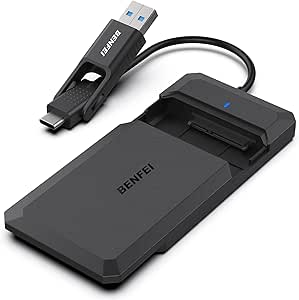 | Best Value for Reusing SATA Drives | Drive compatibility: 2.5-inch SATA I/II/III HDDs and SSDs | Maximum drive capacity: 6 TB | Supported drive thickness: 7 mm or 9.5 mm | VIEW LATEST PRICE | See Our Full Breakdown |
| ASUS Cobble M.2 SSD Enclosure, USB-C 10Gbps, NVMe/SATA, IP55, Black |  | Best for Rugged, Mixed-Drive Portability | Interface: USB-C 3.2 Gen 2×1 | Data transfer rate: Up to 10 Gbps | SSD compatibility: M.2 NVMe and SATA | VIEW LATEST PRICE | See Our Full Breakdown |
| UGREEN USB-C 2.5-Inch SATA SSD/HDD Enclosure | 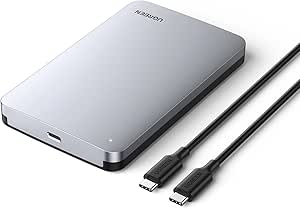 | Best for Higher-Speed SATA Projects | Interface: USB 3.1 Gen 2 Type-C | Supported drive type: 2.5-inch SATA I/II/III SSD or HDD | Maximum drive capacity: 6 TB | VIEW LATEST PRICE | See Our Full Breakdown |
| portable SSD enclosures for developer | Interface | Warranty |
|---|---|---|
| ORICO M.2 NVMe SSD Enclosure | USB 3.1 Gen 2 Type-C | — |
| UGREEN USB-C M.2 NVMe SSD Encl | USB 3.2 Gen 2 | 2 years |
| DOCKCASE Explorer Edition M.2 | USB 3.2 Gen 2 Type-C | 1 year |
| UGREEN 40Gbps M.2 NVMe SSD Enc | USB Type-C | — |
| OWC Express 1M2 USB4 Portable | — | 5-year limited warranty |
| MOVE SPEED AC10 Smart Touchscr | USB Type-C | 2 years |
| SABRENT USB-C NVMe M.2 SSD Enc | USB-C, USB 3.2 Gen 2 | 1 year limited; 3 years with manufacturer registration |
| SABRENT Tool-Free 2.5-Inch SAT | USB 3.0, backward compatible with USB 2.0 and 1.1 | — |
| ASUS TUF Gaming A1 External M. | USB-C 3.2 Gen 2×1 | 1 year |
| Hagibis M.2 NVMe SSD Enclosure | USB 3.2 Gen 2, USB-C | — |
| Satechi Mini NVMe SSD Enclosur | USB-C | 2-year limited |
| OWC Mercury Elite Pro Mini USB | USB-C, USB 10 Gbps | 1 year |
| BENFEI 2.5-Inch SATA to USB To | — | 18 months |
| ASUS Cobble M.2 SSD Enclosure | USB-C 3.2 Gen 2×1 | — |
| UGREEN USB-C 2.5-Inch SATA SSD | USB 3.1 Gen 2 Type-C | — |
More Details on Our Top Picks
ORICO M.2 NVMe SSD Enclosure, USB-C 3.1 Gen 2, 10 Gbps, Supports 2230–2280 SSDs up to 8 TB
The ORICO makes sense for developers who move project files between machines with different ports: it includes USB-C and USB-A cable options, while its 10 Gbps connection works with UASP for brisk everyday transfers. Its support for drives up to 8 TB also gives it more headroom than the DOCKCASE Explorer, which tops out at 4 TB. The aluminum-and-plastic shell keeps the enclosure portable, though its cooling approach is less elaborate than the finned, all-aluminum UGREEN 40Gbps model. Check the drive before buying: this enclosure accepts PCIe NVMe M.2 SSDs only, not M.2 SATA, PCIe AHCI, or SSDs from Mac. That narrow compatibility makes it a practical spare-drive enclosure, but a poor choice for developers repurposing an older SATA module.
Pros:- Supports M.2 NVMe drives up to 8 TB.
- Includes USB-C-to-USB-C and USB-C-to-USB-A cable options.
- UASP support and a 10 Gbps interface suit routine source, build, and backup transfers.
- Compact enclosure uses aluminum on the top for heat dissipation.
Cons:- Does not support M.2 SATA or PCIe AHCI SSDs.
- Not compatible with SSDs from Mac.
- Included cable configuration may vary.
Best for: Developers who want to shuttle an NVMe project or backup drive between USB-C laptops and older USB-A desktops.
Not ideal for: Developers with M.2 SATA, PCIe AHCI, or Mac SSDs, since those drives are not supported.
- Interface:USB 3.1 Gen 2 Type-C
- Maximum data transfer rate:10 Gbps
- Supported SSD type:PCIe NVMe M-Key M.2
- Supported SSD sizes:2230, 2242, 2260, 2280
- Maximum storage capacity:8 TB
- Compatibility:Windows, macOS, Linux
- Enclosure material:Aluminum and plastic
- Dimensions and weight:108 × 29.5 × 13.5 mm; 0.1 kg
Our verdict“Choose the ORICO if your NVMe drive needs to work across both USB-C and USB-A developer machines, but skip it for SATA or Mac SSDs.”
UGREEN USB-C M.2 NVMe SSD Enclosure, 10Gbps
For developers who swap scratch or test drives, tool-free installation makes the UGREEN quicker to open and reload than the ORICO, which is a better fit when the enclosure will hold one drive long-term. It accepts M.2 NVMe modules with M or B&M keys in four common lengths, and the included thermal pad and silicone case add useful protection around an aluminum shell. UASP and TRIM support suit regular development workloads, while short-circuit and over-current protection add safeguards during connection. The 10 Gbps ceiling is suitable for moving codebases and moderate build assets, but it cannot match the faster USB4 options from OWC or UGREEN’s 40Gbps enclosure. Its broad device compatibility is appealing, though full speed depends on using a compatible USB 3.2 Gen 2 connection.
Pros:- Tool-free installation suits frequent drive swaps.
- Supports M-key and B&M-key NVMe drives in four common M.2 sizes.
- Includes a thermal pad, silicone case, and USB-C cable options.
- UASP, TRIM, and electrical protection features support regular workstation use.
Cons:- Does not support SATA NGFF or mSATA SSDs.
- Reaching 10 Gbps requires a compatible USB 3.2 Gen 2 connection.
- Its 10 Gbps interface is slower than the USB4 and 40Gbps alternatives in this lineup.
Best for: Developers who frequently rotate M.2 NVMe drives for testing, OS images, or separate project environments.
Not ideal for: Users with SATA NGFF or mSATA drives, or developers who need USB4-class transfer speeds for very large datasets.
- Interface:USB 3.2 Gen 2
- Maximum data transfer rate:10 Gbps
- Supported protocol and keys:M.2 NVMe; M and B&M
- Supported SSD sizes:2230, 2242, 2260, 2280
- Maximum capacity:8 TB
- Compatibility:Windows, macOS, Linux, Android, iOS
- Features:Tool-free installation, UASP, TRIM, short-circuit and over-current protection
- Included accessories:Silicone case, thermal pad, USB-C-to-USB-C and USB-C-to-USB-A cables
- Warranty:2 years
Our verdict“Pick the UGREEN for easy, repeated NVMe drive changes, but choose a faster enclosure if your development workflow moves large datasets often.”
DOCKCASE Explorer Edition M.2 NVMe SSD Enclosure with Power Loss Protection
The DOCKCASE is the specialist pick for developers who care about drive condition and writes that must not be interrupted. Its built-in display reports health, lifespan, power-on time, and remaining capacity, information the simpler ORICO and UGREEN 10Gbps enclosures do not show. More distinctively, capacitors provide up to 10 seconds of power loss protection, which may help preserve data during an unexpected disconnect while a write is underway. That protection varies with SSD power use and operating state, so it is not a substitute for backups. The enclosure tops out at 4 TB, half the capacity supported by the ORICO and UGREEN 10Gbps models, and an underpowered port may call for auxiliary Type-C power. Developers with large repositories or frequent bulk transfers may prefer a higher-capacity enclosure.
Pros:- Display provides SSD health, lifespan, power-on time, and remaining-capacity information.
- Capacitors provide up to 10 seconds of power loss protection.
- Supports NVMe PCIe drives in common M.2 sizes.
- Power alert indicates when auxiliary power may be needed.
Cons:- Maximum supported capacity is 4 TB, below the 8 TB limit of the ORICO and UGREEN 10Gbps models.
- Protection duration varies with SSD power use and operating state.
- An underpowered USB port may require auxiliary Type-C power.
Best for: Developers who monitor SSD health and want added protection for active writes on portable project or diagnostic drives.
Not ideal for: Users needing more than 4 TB of storage, or those who cannot provide auxiliary power when a host port is underpowered.
- Interface:USB 3.2 Gen 2 Type-C
- Data transfer rate:Up to 10 Gbps
- Compatible drives:M.2 NVMe PCIe SSDs
- Supported sizes and keys:2230, 2242, 2260, 2280; M-Key and B+M Key
- Maximum storage capacity:4 TB
- Power loss protection:Up to 10 seconds
- Compatible devices:Desktop, laptop, personal computer, smartphone
- Weight and color:131.5 g; black
- Warranty:1 year
Our verdict“Choose the DOCKCASE for visible drive-health data and extra write protection, not for the largest drive capacity or a guarantee against data loss.”
UGREEN 40Gbps M.2 NVMe SSD Enclosure (SSD Not Included)
Developers moving container images, virtual machines, or large datasets will benefit more from this UGREEN’s 40 Gbps interface than from the 10 Gbps ORICO or DOCKCASE. With compatible Thunderbolt 4 hardware and cable, its stated transfer rate reaches up to 3600 MB/s, making it the performance-focused choice among those USB 3.2 Gen 2 models. The fanless, finned aluminum body avoids fan noise while helping shed heat during sustained work. That speed depends on the host and cable, though; older USB connections will not deliver the maximum. It also weighs more than the compact ORICO and arrives without an SSD, so the full drive setup requires a separate NVMe purchase. Check pad thickness against the SSD, since some thicker drives may need a thinner thermal pad.
Pros:- 40 Gbps interface supports faster workflows on compatible USB4 and Thunderbolt hosts.
- Stated speeds reach up to 3600 MB/s with compatible Thunderbolt 4 gear.
- Fanless, finned aluminum design dissipates heat without fan noise.
- Supports common M.2 NVMe sizes and drives up to 8 TB.
Cons:- Maximum stated speed requires compatible Thunderbolt 4 devices and cable.
- SSD is not included.
- Some thicker SSDs may require a thinner thermal pad.
Best for: Developers with USB4 or Thunderbolt systems who regularly transfer large virtual machines, datasets, or build artifacts.
Not ideal for: Users on USB 10 Gbps hosts who want a lighter enclosure, or buyers expecting an SSD to be included.
- Interface:USB Type-C
- Maximum data transfer rate:Up to 40 Gbps
- Maximum stated speed:Up to 3600 MB/s
- Supported drives:M.2 NVMe; SATA NGFF and mSATA not supported
- Supported SSD sizes:2230, 2242, 2260, 2280
- Maximum drive capacity:8 TB
- Compatibility:USB 4/3.2/3.1/3.0/2.0 and Thunderbolt 3/4
- Material and weight:Aluminum; 232 g
- Included items:USB-C-to-USB-C cable, cooling pad, disassembly kit, user manual; SSD not included
Our verdict“Choose this UGREEN when your host supports USB4 or Thunderbolt and quiet high-speed transfers matter more than minimum size or weight.”
OWC Express 1M2 USB4 Portable NVMe M.2 SSD Enclosure
The OWC Express 1M2 is aimed at developers who want a fast external workspace and have a USB4 or Thunderbolt host to make use of it. Its advertised read speed of over 6000 MB/s is well above the 3600 MB/s stated for the UGREEN 40Gbps enclosure, making the OWC the more ambitious option for large asset libraries or repeated transfers of bulky test environments. It supports PCIe Gen 3, Gen 4, and Gen 5 NVMe drives, with bus power and a heat-dissipating design for portable use. The tradeoff is host dependence: some Gen 5 SSDs may exceed bus-power limits, and the SSD is sold separately. At 280.8 g, it is also heavier than the DOCKCASE, so this is a performance-first carry rather than the lightest everyday spare-drive kit.
Pros:- Advertised read speed exceeds 6000 MB/s.
- Supports PCIe Gen 3, Gen 4, and Gen 5 NVMe M.2 drives.
- USB4 and Thunderbolt connectivity suits compatible computers and tablets.
- Heat-dissipating design and a five-year limited warranty.
Cons:- SSD is not included.
- Some PCIe Gen 5 SSDs may exceed host bus-power limits.
- At 280.8 g, it is heavier than the DOCKCASE and compact 10 Gbps choices.
Best for: Developers with USB4 or Thunderbolt computers who want a high-bandwidth external NVMe workspace for large projects and test data.
Not ideal for: Users with only 10 Gbps USB ports, or developers planning to run a power-hungry PCIe Gen 5 SSD from a bus-powered setup.
- Connectivity:USB4 and Thunderbolt
- Maximum read speed:Over 6000 MB/s
- Supported SSD types:PCIe Gen 3.0, Gen 4.0, and Gen 5.0 NVMe M.2
- Supported SSD sizes:2230, 2242, 2280
- Power:Bus-powered
- Weight:280.8 g
- Cooling and protection:Heat-dissipating design with rugged protection
- Warranty:5-year limited warranty
Our verdict“Pick the OWC for a USB4 or Thunderbolt development setup that prioritizes advertised read speed, provided your SSD’s power needs fit bus-powered operation.”
MOVE SPEED AC10 Smart Touchscreen M.2 NVMe SSD Enclosure
For developers who want status information without opening a monitoring utility, the MOVE SPEED AC10’s touchscreen reports transfer speed, temperature, and charging power on the enclosure itself. Its touch lock adds a privacy-minded control that the simpler SABRENT EC-PNVO does not offer, while support for four M.2 lengths and capacities up to 8TB makes it practical for swapping among project drives. The zinc-alloy shell and vents are intended to manage heat during sustained transfers, though the USB-C connection is still capped at 10Gbps; it is not a faster alternative to a USB4 enclosure. The main compatibility limit is firm: it accepts NVMe drives, not M.2 SATA. I’d choose it for visible status and charging pass-through, not for maximum throughput.
Pros:- Touchscreen shows transfer speed, temperature, and charging power
- Touch lock provides an on-device privacy control
- Supports 2230, 2242, 2260, and 2280 NVMe drives up to 8TB
- Zinc-alloy body, airflow vents, and 100W PD pass-through
Cons:- Does not support M.2 SATA SSDs
- 10Gbps interface limits throughput compared with faster USB4 enclosures
- Actual transfer speeds vary with the host device and file type
Best for: Developers who want to check an external NVMe drive’s temperature and transfer status at a glance, and who can use 100W PD pass-through at their desk.
Not ideal for: Developers with M.2 SATA drives or anyone seeking USB4-class throughput beyond the enclosure’s 10Gbps USB-C interface.
- Interface:USB Type-C
- Maximum data rate:10 Gbps
- Drive protocol:M.2 NVMe; M.2 SATA not supported
- Supported SSD lengths:2230, 2242, 2260, 2280
- Maximum capacity:8TB
- Material:Zinc alloy
- Charging:100W PD pass-through
- Warranty:2 years
Our verdict“Choose the AC10 if visible drive telemetry and PD pass-through matter more to your workflow than speeds above 10Gbps.”
SABRENT USB-C NVMe M.2 SSD Enclosure, 10Gbps
The SABRENT EC-PNVO keeps its job narrow: provide a tool-free, plug-and-play home for an NVMe drive without adding screens or charging features a developer may not need. It supports the same four common M.2 lengths and up to 8TB as the MOVE SPEED AC10, but trades the AC10’s touchscreen and PD pass-through for a simpler aluminum-and-ABS enclosure with a thermal pad. That makes it a sensible pick for moving a build, source archive, or local test dataset between computers over 10Gbps USB-C. It also needs no external power. The tradeoff is compatibility: like the AC10, it rejects M.2 SATA drives, and the listed warranty is one year unless manufacturer registration extends it to three. Choose this over feature-heavy models when easy drive installation is the priority.
Pros:- Tool-free installation supports quick NVMe drive changes
- Fits 2230, 2242, 2260, and 2280 SSDs up to 8TB
- Aluminum top and thermal pad help manage drive heat
- Plug-and-play USB-C operation requires no external power
Cons:- Does not support M.2 SATA SSDs
- 10Gbps interface is slower than USB4 enclosure options
- Three-year warranty requires manufacturer registration
Best for: Developers who frequently rotate compatible NVMe drives and want a simple, tool-free enclosure for file transfers between USB-C computers.
Not ideal for: Developers who need M.2 SATA compatibility, on-device telemetry, PD pass-through, or a faster-than-10Gbps connection.
- Interface:USB-C, USB 3.2 Gen 2
- Maximum data rate:10Gbps
- Drive protocol:M.2 NVMe; M.2 SATA not supported
- Supported SSD lengths:2230, 2242, 2260, 2280
- Maximum capacity:8TB
- Materials:ABS and aluminum alloy
- Dimensions:4.59 × 1.24 × 0.6 inches
- Weight:2.62 ounces
- Warranty:1 year limited; 3 years with manufacturer registration
Our verdict“Pick the EC-PNVO for uncomplicated, tool-free NVMe swaps if you do not need the AC10’s display or charging features.”
SABRENT Tool-Free 2.5-Inch SATA to USB 3.0 SSD/HDD Enclosure (EC-UASP)
Developers with an existing 2.5-inch SATA SSD or hard drive do not need to buy into the M.2 format just to make a portable project drive. The SABRENT EC-UASP turns one SATA drive into a USB-attached workspace with tool-free installation, hot swapping, and UASP support. Its 5Gbps USB 3.0 connection is slower than the 10Gbps SABRENT EC-PNVO and the ASUS TUF Gaming A1, so it is better suited to source archives, backups, and ordinary project files than sustained high-volume transfers. On the other hand, its stated capacity ceiling is 16TB, higher than those NVMe enclosures’ listed limits. The plastic housing keeps the design basic, and the enclosure accepts only one 2.5-inch SATA drive—not M.2 SSDs. It’s the practical legacy-drive pick, not a speed-focused scratch disk.
Pros:- Tool-free setup makes existing 2.5-inch SATA drives easy to reuse
- UASP support and USB 3.0 provide up to 5Gbps transfer rates
- Hot-swappable, plug-and-play operation requires no drivers
- Supports drives up to 16TB and works with Windows and Mac OS X
Cons:- Fits only one 2.5-inch SATA drive and does not support M.2 SSDs
- USB 3.0’s 5Gbps ceiling is below the 10Gbps NVMe options
- Plastic enclosure offers a more basic build than aluminum alternatives
Best for: Developers reusing a 2.5-inch SATA SSD or HDD for source archives, backups, and portable files across Windows and Mac computers.
Not ideal for: Developers buying an M.2 drive, prioritizing fast transfers for large datasets, or needing an enclosure for multiple drives.
- Drive compatibility:One 2.5-inch SATA or SATA II drive
- Interface:USB 3.0, backward compatible with USB 2.0 and 1.1
- Maximum data rate:Up to 5Gbps with USB 3.0; up to 480Mbps with USB 2.0
- UASP:Supported
- Maximum capacity:16TB
- Material:Plastic
- Dimensions:5.31 × 2.91 × 0.59 inches
- Weight:2 ounces
- Operating systems:Windows and Mac OS X
Our verdict“Choose the EC-UASP when you want to reuse a 2.5-inch SATA project or backup drive rather than build a faster M.2 NVMe workspace.”
ASUS TUF Gaming A1 External M.2 SSD Enclosure
For developers carrying a portable workspace between offices, client sites, and mobile devices, the ASUS TUF Gaming A1 puts physical protection ahead of extra interface features. Its stated MIL-STD-810H drop resistance and IP68 water and dust resistance distinguish it from the lighter, basic SABRENT EC-PNVO, while support for both NVMe PCIe and SATA M.2 drives makes it more flexible when reusing older hardware. The 10Gbps USB-C link suits everyday code, test data, and project transfers, but it does not match the throughput class of USB4 enclosures. Installation uses a Q-latch rather than the SABRENT’s tool-free enclosure design, and the unit weighs 249g, a substantial carry compared with the 2.62-ounce EC-PNVO. It is a stronger fit for exposed or mobile work than for developers chasing the smallest, fastest desk-side scratch drive.
Pros:- Supports both M.2 NVMe PCIe and SATA SSDs
- IP68 water and dust resistance and MIL-STD-810H drop resistance
- Q-latch simplifies SSD installation
- USB-C connectivity supports PCs, laptops, mobile devices, and gaming consoles
Cons:- Heavier than compact enclosures at 249g
- 10Gbps maximum transfer rate falls below USB4 enclosure options
- Supports 2242, 2260, and 2280 drives, not 2230
Best for: Developers who carry an M.2 workspace outdoors or between job sites and want dust, water, and drop resistance plus NVMe/SATA flexibility.
Not ideal for: Developers prioritizing minimum carry weight, USB4-class transfer speeds, or support for 2230 M.2 drives.
- Drive compatibility:M.2 NVMe PCIe or SATA SSD
- Supported SSD lengths:2242, 2260, 2280
- Interface:USB-C 3.2 Gen 2×1
- Maximum transfer speed:10Gbps
- SATA speed:Up to 6Gbps
- Durability:MIL-STD-810H drop resistance; IP68 water and dust resistance
- Weight:249g
- Included accessory:USB-C cable
- Warranty:1 year
Our verdict“Choose the TUF Gaming A1 for a more protected, multi-protocol M.2 drive in the field, not for the lightest or fastest developer setup.”
Hagibis M.2 NVMe SSD Enclosure with E-Ink Display
The Hagibis pairs an E-Ink status display with a supercapacitor designed to provide up to 10 seconds of power-loss protection, giving it a different role from the touchscreen-equipped MOVE SPEED AC10. The display reports drive details such as health, temperature, and capacity, while the brief backup window may help protect data during an unexpected power interruption. For developers running portable builds or keeping active project files on an external SSD, those status and protection features offer more than the straightforward SABRENT EC-PNVO’s tool-free simplicity. The shared limit is a 10Gbps USB 3.2 Gen 2 connection, and this enclosure lists a maximum capacity of 4TB, below the 8TB supported by both MOVE SPEED and SABRENT. Its supercapacitor needs five to six minutes to fully charge, so this is a feature-led choice rather than the simplest high-capacity option.
Pros:- E-Ink display shows drive health, temperature, capacity, and other status details
- Supercapacitor provides up to 10 seconds of power-loss protection
- Supports M-key and B+M-key NVMe SSDs in four common lengths
- Aluminum-alloy enclosure is designed to dissipate heat
Cons:- Maximum listed capacity is 4TB, below the 8TB options from MOVE SPEED and SABRENT
- Supercapacitor takes five to six minutes to fully charge
- New SSD must be formatted as exFAT according to the product instructions
Best for: Developers who want at-a-glance NVMe drive details and a short power-loss protection window for active project files.
Not ideal for: Developers who need more than 4TB of listed capacity, M.2 SATA support, or a no-wait setup without a supercapacitor charging period.
- Interface:USB 3.2 Gen 2, USB-C
- Maximum data rate:10Gbps
- Compatible protocol and keys:NVMe; M key and B+M key
- Supported SSD lengths:2230, 2242, 2260, 2280
- Maximum listed capacity:4TB
- Reported SSD read/write speed:1000–1200 MB/s
- Display:E-Ink
- Power-loss protection:Supercapacitor; up to 10 seconds
- Material and weight:Aluminum alloy; 5 ounces
Our verdict“Choose the Hagibis if its E-Ink monitoring and short power-loss buffer matter more than the higher capacity of the AC10 or EC-PNVO.”
Satechi Mini NVMe SSD Enclosure, 10Gbps, Up to 2TB
For developers who want a pocketable scratch or transfer drive, the Satechi Mini pairs a tiny M.2 2230 footprint with a write-lock switch—useful for protecting reference files from accidental edits. Its temperature-controlled fan addresses a common weakness of small, fast enclosures: sustained transfers can heat an NVMe drive and reduce its speed. The tradeoff is that the fan is specified at 40–60 dB, so this is less appealing beside a quiet workstation than the fanless OWC Mercury Elite Pro Mini. It also supports only M-key 2230 NVMe drives, unlike broader-format options such as the ASUS Cobble, and its capacity limit is 2TB. I’d choose it for a compact, swappable development drive, not as a flexible enclosure for spare SSDs in other sizes.
Pros:- Write-lock switch helps prevent accidental changes to stored files.
- Temperature-controlled fan helps manage heat during sustained transfers.
- Lightweight 35 g body is easy to carry with a laptop.
- Supports replaceable M-key 2230 NVMe SSDs up to 2TB.
Cons:- Compatibility is limited to M-key 2230 NVMe SSDs.
- Specified fan noise of 40–60 dB may be distracting in quiet workspaces.
- 2TB capacity ceiling is lower than the ASUS Cobble’s stated 4TB maximum.
Best for: Developers carrying a small 2230 NVMe scratch drive who want active cooling and a physical write-lock for protected files.
Not ideal for: Developers with 2242–2280 or SATA M.2 drives, or anyone who needs a quiet enclosure for a shared desk.
- Interface:USB-C
- Drive compatibility:M-key M.2 2230 NVMe SSD
- Maximum capacity:2 TB
- Maximum transfer rate:10 Gbps
- Cooling:Temperature-controlled fan, up to 10,000 RPM
- Fan noise:40–60 dB
- Dimensions and weight:2.2 × 1.18 × 0.55 in; 35 g
- Materials:Aluminum and magnetic tempered glass
- Warranty:2-year limited
Our verdict“Choose the Satechi if you need a compact, write-lockable 2230 NVMe drive and can accept its narrow compatibility and audible cooling fan.”
OWC Mercury Elite Pro Mini USB-C Portable Storage Enclosure
The OWC Mercury Elite Pro Mini suits developers repurposing a 2.5-inch SATA SSD or hard drive for project archives, backups, or datasets. Its bus-powered, fanless aluminum housing keeps the setup simple and quiet, while the tethered USB-A adapter helps when moving between newer USB-C laptops and older lab machines. OWC lists real-world performance up to 542 MB/s, so this is a SATA-focused option rather than a match for the faster NVMe enclosures in this roundup. The BENFEI and UGREEN 2.5-inch enclosures also support SATA drives, but the OWC’s USB 10 Gbps connection and included adapter make it a more convenient cross-device choice. The drive is not included, and results still depend on the installed drive and host.
Pros:- Works with both 2.5-inch SATA hard drives and SSDs.
- Bus-powered operation avoids a separate power supply.
- Fanless aluminum housing supports quiet operation.
- Tethered USB-A adapter adds flexibility across older and newer devices.
Cons:- Storage drive is not included.
- SATA drive performance falls short of the NVMe options in this roundup.
- Actual speed depends on the installed drive and connected device.
Best for: Developers who already own a 2.5-inch SATA SSD or HDD and want quiet, bus-powered storage that can connect to USB-C and USB-A devices.
Not ideal for: Developers building a high-speed NVMe scratch disk or anyone who expects a complete ready-to-use drive in the box.
- Drive compatibility:2.5-inch SATA HDD or SSD
- Interface:USB-C, USB 10 Gbps
- Real-world performance:Up to 542 MB/s
- Power:Bus-powered
- Included adapter:Tethered USB-A adapter
- Housing:Aircraft-grade aluminum
- Storage included:No
- Warranty:1 year
Our verdict“Pick the OWC for quiet, portable use of an existing 2.5-inch SATA drive across USB-C and USB-A systems, not for NVMe-level throughput.”
BENFEI 2.5-Inch SATA to USB Tool-Free Hard Drive Enclosure
The BENFEI tool-free enclosure is a straightforward way to turn a spare 2.5-inch SATA drive into portable project storage. Installation needs no tools, and its USB-C and USB-A connections make it practical for developers switching between current laptops and older desktop or test systems. UASP and a 5 Gbps maximum link suit ordinary source archives, backups, and data transfer, though neither the enclosure nor the connection is aimed at replacing a fast NVMe scratch disk. Compared with the OWC Mercury Elite Pro Mini, BENFEI offers hot swapping and support for drives up to 6TB, while the OWC specifies USB 10 Gbps and a quieter aluminum housing. The BENFEI’s speed also depends on the installed drive and USB port, so its headline rate is not a guaranteed workload result.
Pros:- Tool-free installation makes drive swaps simple.
- USB Type-C and Type-A support broadens host compatibility.
- Supports 2.5-inch SATA drives up to 6TB and 7 mm or 9.5 mm thick.
- UASP and hot swapping are useful for routine file transfers and drive changes.
Cons:- Supports only 2.5-inch SATA HDDs and SSDs.
- Maximum speed depends on both the drive and the connected USB port.
- The 5 Gbps link is slower than the 10 Gbps OWC and NVMe enclosure options.
Best for: Developers who need an inexpensive, tool-free way to reuse 2.5-inch SATA drives across USB-C and USB-A computers.
Not ideal for: Developers using M.2 drives or moving large build artifacts who need NVMe-class transfer performance.
- Drive compatibility:2.5-inch SATA I/II/III HDDs and SSDs
- Maximum drive capacity:6 TB
- Supported drive thickness:7 mm or 9.5 mm
- USB compatibility:USB Type-C and Type-A; backward compatible with USB 2.0 and 1.1
- Maximum transfer rate:Up to 5 Gbps
- Features:UASP, tool-free installation, plug and play, hot-swappable
- Operating systems:Windows, Linux, macOS 8.0 and above
- Weight:0.09 kg
- Warranty:18 months
Our verdict“Choose BENFEI to reuse and swap 2.5-inch SATA drives easily across mixed USB ports, but skip it for fast NVMe development storage.”
ASUS Cobble M.2 SSD Enclosure, USB-C 10Gbps, NVMe/SATA, IP55, Black
The ASUS Cobble earns its place for developers who carry an external SSD between offices, field sites, or test devices and want protection as well as speed. Its IP55 water and dust resistance adds reassurance for travel, while the tool-free Q-Latch accepts M.2 NVMe and SATA drives from 2230 through 2280. That flexibility makes it a better fit for a drawer of mixed M.2 spares than the Satechi Mini, which is limited to 2230 NVMe drives. Both offer USB-C at up to 10 Gbps, but the ASUS supports a stated 4TB maximum and avoids the Satechi’s fan-noise tradeoff. It still cannot match the higher-link-speed NVMe options elsewhere in the roundup, and the SSD must be supplied separately.
Pros:- Supports both M.2 NVMe and SATA SSDs.
- Fits M.2 sizes from 2230 through 2280.
- IP55 rating adds water and dust resistance for travel.
- Tool-free Q-Latch makes drive installation and replacement easier.
Cons:- SSD is not included.
- 10 Gbps USB-C link is slower than higher-bandwidth enclosure options in the roundup.
- Its 0.19 kg weight and 5.1-inch length make it less pocketable than the Satechi Mini.
Best for: Developers who carry M.2 drives between work locations and want one enclosure for NVMe and SATA formats with added dust and water resistance.
Not ideal for: Developers seeking the highest possible NVMe throughput or a ready-to-use external drive with SSD included.
- Interface:USB-C 3.2 Gen 2×1
- Data transfer rate:Up to 10 Gbps
- SSD compatibility:M.2 NVMe and SATA
- Supported M.2 sizes:2230–2280
- Maximum capacity:4 TB
- Water and dust resistance:IP55
- Material:Aluminum
- Dimensions:5.1 × 1.7 × 0.7 inches
- Weight:0.19 kg
Our verdict“Pick the ASUS Cobble if you need a travel-ready enclosure for different M.2 drive types and value IP55 protection over maximum throughput.”
UGREEN USB-C 2.5-Inch SATA SSD/HDD Enclosure
For developers whose portable storage needs center on 2.5-inch SATA drives, the UGREEN enclosure combines a 6 Gbps maximum transfer rate with UASP support and an aluminum body. That makes it a practical home for a spare SATA SSD used for source snapshots, test datasets, or moving builds between compatible machines. It has a higher listed transfer rate than the BENFEI, and its USB-C-to-USB-C cable is included; BENFEI is the more flexible pick if USB-A access and hot swapping matter. Neither is a substitute for the M.2 NVMe options, and UGREEN fits only 2.5-inch SATA drives. Its USB-C connection also means systems with USB-A ports need a separate cable, a small but relevant inconvenience for developers working across older hardware.
Pros:- Supports 2.5-inch SATA drives up to 6TB.
- UASP and a listed 6 Gbps maximum support efficient SATA transfers.
- Aluminum alloy body helps dissipate heat.
- Tool-free setup and included USB-C-to-USB-C cable simplify use.
Cons:- Limited to 2.5-inch SATA SSDs and HDDs.
- USB-A devices require a separate USB-C-to-USB-A cable.
- The 6 Gbps SATA connection cannot match NVMe enclosure options for high-throughput workloads.
Best for: Developers with a 2.5-inch SATA SSD who want an aluminum, bus-powered enclosure for project files and routine transfers over USB-C.
Not ideal for: Developers with M.2 NVMe drives or teams that frequently connect to USB-A-only machines without carrying another cable.
- Interface:USB 3.1 Gen 2 Type-C
- Supported drive type:2.5-inch SATA I/II/III SSD or HDD
- Maximum drive capacity:6 TB
- Maximum data transfer rate:6 Gbps
- Chipset:ASM235CM
- Material:Aluminum alloy
- Dimensions and weight:5.24 × 3.23 × 0.59 inches; 103 g
- Installation:Tool-free, plug and play
- Included:USB-C to USB-C cable
Our verdict“Choose UGREEN for a fast, simple USB-C home for a 2.5-inch SATA drive, but use an NVMe enclosure for scratch workloads that need more bandwidth.”
How We Picked
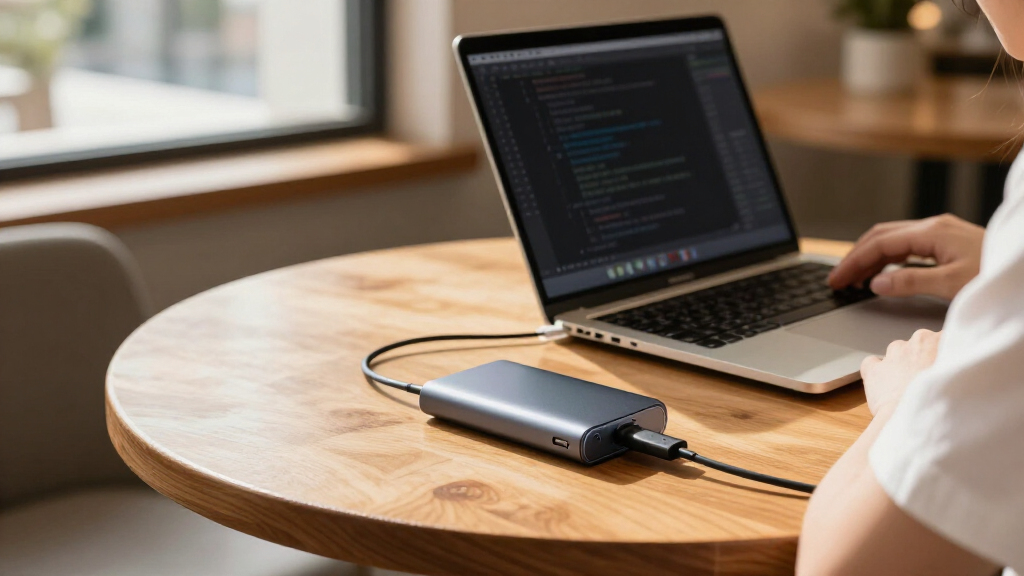
I ranked these enclosures by how well their features support developer tasks: moving repositories and build artifacts, keeping datasets and virtual machines portable, and connecting drives reliably across workstations. I weighed interface speed against the ports developers are likely to have, then checked drive format and size compatibility, enclosure design, cooling implications, handling convenience, and workflow-specific features such as power-loss protection or status displays.
The order favors useful performance and compatibility over headline speed alone. A 40Gbps or USB4 enclosure can be a better fit for sustained large transfers, but it ranks below a more broadly useful option if the buyer’s computer cannot use its faster interface. NVMe and SATA models are judged within their own use cases, not as interchangeable products: SATA enclosures can extend the life of existing drives, while NVMe models suit buyers who need higher transfer potential. Since exact performance depends on the SSD, host port, cable, and workload, I treat speed labels as interface guidance rather than guaranteed real-world results.
Factors to Consider When Choosing Portable SSD Enclosures For Developers
For a developer, the enclosure is only one part of a portable storage setup. The best match depends on the drives you already own, your computer’s ports, the kind of data you move, and how much risk you can accept if a drive is unplugged or a transfer is interrupted.
Match the enclosure to your SSD before comparing speed
Start by checking whether your drive is M.2 NVMe, M.2 SATA, or 2.5-inch SATA; these formats are not automatically interchangeable. An M.2-shaped drive can still use a different protocol, so a listing that supports NVMe does not necessarily support M.2 SATA. Also check the supported M.2 length, such as 2230 or 2280, and the drive capacity guidance. If you already own a 2.5-inch SATA SSD, a dedicated SATA enclosure can be a more sensible reuse option than buying an NVMe enclosure and another drive. Buying by connector appearance alone is a common way to end up with a drive that will not work.
Treat interface speed as a system-wide limit
An enclosure’s stated link speed is not the same as the transfer rate you will see during a build or file copy. The host port, cable, SSD, filesystem, and workload all affect the result, and the slowest link sets the ceiling. A 40Gbps enclosure offers room for higher throughput only when the computer and cable support the relevant connection; it will still connect at a lower speed on a slower port. For source trees and small files, random access and filesystem behavior may matter more than a headline transfer number. Check the ports on the machines you plan to use before paying for speed you cannot access.
Think about heat during sustained developer workloads
Large repository checkouts, virtual-machine images, datasets, and repeated build output transfers can keep an SSD busy longer than a quick benchmark. Compact enclosures are easy to carry, but their size can limit how much heat they can shed. A thermal pad or metal shell can help move heat away from a drive, though enclosure design and airflow still matter. If you expect long writes, look for clear cooling provisions and leave the enclosure in open air rather than under a laptop or inside a bag. Do not assume a faster interface will stay fast under sustained load if the SSD throttles from heat.
Choose safeguards to match the cost of interruption
Developers often use portable drives for working copies, backups, or datasets, and those roles have different risk levels. Power-loss protection can reduce concern about interrupted writes, but it does not replace version control, backups, or safe ejection habits. A display may help identify drive status or capacity at a glance, yet it adds features that may be unnecessary if the enclosure stays attached to one computer. For a working drive, consider how often it is unplugged during activity and whether the enclosure gives useful status feedback. Keep a separate backup for anything that would be difficult to recreate.
Decide whether portability means small, rugged, or reusable
A pocket-sized enclosure suits commuting between machines, while a more protective body may make better sense for field work or frequent travel. Those goals can conflict: extra protection can add bulk, and an especially small design may offer fewer handling conveniences. SATA enclosures are often useful when reusing a spare 2.5-inch drive, but the assembled unit is generally larger than an M.2 setup. Check how the drive is installed, whether tools are needed, and whether the cable can be replaced easily. These details shape daily use more than a small difference in advertised speed.
Pay for performance only when your workflow can use it
A premium USB4 or 40Gbps enclosure can be worthwhile for frequent transfers of large assets, local datasets, or virtual machines, especially when paired with a compatible computer and capable SSD. For routine code, documentation, and occasional backups, a 10Gbps model may offer a better balance of speed and broad compatibility. A less expensive SATA enclosure can be the right choice when the goal is to reuse an existing drive rather than maximize throughput. Account for the SSD itself, since an enclosure does not include storage unless the listing explicitly says so. Match the whole setup to the workload instead of choosing by the largest number on the box.
Frequently Asked Questions
Will a 40Gbps enclosure make my existing laptop transfers faster?
Only if the laptop’s port, the cable, and the SSD all support the enclosure’s faster connection. If the laptop has a 10Gbps USB-C port, the enclosure will be limited by that connection even if its own rating is higher. Your workload matters too: many small files may not transfer at the interface’s maximum rate. Check the exact port capabilities in the computer’s specifications rather than relying on the shape of the USB-C connector. A 10Gbps enclosure can be the more practical pick when your machines do not support faster links.
Can I use one enclosure for both NVMe and SATA M.2 drives?
Only if the enclosure explicitly lists support for both protocols. M.2 describes a physical form factor, while NVMe and SATA describe different ways a drive communicates, so similar-looking drives may not be compatible with the same enclosure. The ASUS Cobble in this lineup is listed for NVMe and SATA M.2 drives, but most M.2 options here are described as NVMe models. Check protocol support and drive length before ordering. If you have more than one drive type, a dual-protocol enclosure may save you from needing separate cases.
Is an NVMe enclosure worth choosing over a 2.5-inch SATA enclosure for code projects?
For many source-code projects, either format can work well; the better choice depends on your existing drive and how much data you move. NVMe is a stronger fit for large datasets, virtual machines, or frequent movement of build artifacts when the host connection can take advantage of it. A 2.5-inch SATA enclosure is useful for repurposing a spare SATA SSD or hard drive, though its interface limits transfer potential and the assembled unit is larger. Small code files and version-control operations may not benefit much from paying for a faster enclosure. Choose around your actual workload and drive inventory.
Should I prioritize power-loss protection or a faster interface for a working drive?
Prioritize the feature that addresses the larger risk in your workflow. If the drive holds active work and is frequently disconnected or used where power can be interrupted, a feature such as the DOCKCASE Explorer Edition’s power-loss protection may be more relevant than a faster link. If you regularly move very large files and use a compatible high-speed host, a faster enclosure may save time instead. Neither feature replaces version control and a separate backup. Developers handling important data should treat protection features as one layer, not a complete safety plan.
Do the touchscreen and E-Ink display options help with everyday development work?
They can help when a drive is shared, moved between machines, or needs quick visual identification without opening a file manager. The MOVE SPEED touchscreen and Hagibis E-Ink display stand apart from simpler enclosures by making status information more visible. That convenience may matter for a desk with several external drives or for tasks where checking the drive at a glance saves mistakes. If your enclosure stays connected to one computer and you already monitor storage there, the display may add little value. Compare these extras against cooling, compatibility, and the interface you need.
Conclusion
For a balanced developer setup, I would start with the ORICO M.2 NVMe SSD Enclosure as the best overall pick, thanks to its 10Gbps connection and support for common M.2 lengths. The best value depends on the drive you already own: a straightforward 10Gbps NVMe enclosure suits a new M.2 setup, while the SABRENT EC-UASP or BENFEI 2.5-inch makes more sense for reusing a SATA drive. For the best premium option, choose the OWC Express 1M2 when your computer supports USB4 and your transfers justify the faster class of enclosure. Beginners may prefer a familiar 10Gbps USB-C model with straightforward drive compatibility, such as the UGREEN 10Gbps NVMe enclosure, rather than paying for a speed tier their host cannot use. For specific needs, select the DOCKCASE for power-loss protection, the ASUS Cobble for listed NVMe/SATA M.2 versatility and IP55 protection, or the MOVE SPEED or Hagibis if a visible status display fits your workflow. Match the enclosure to your drive and computer first; then choose the extras that solve a real problem in your day-to-day work.
Fall Picks
fall essentials
As an affiliate, we earn on qualifying purchases.