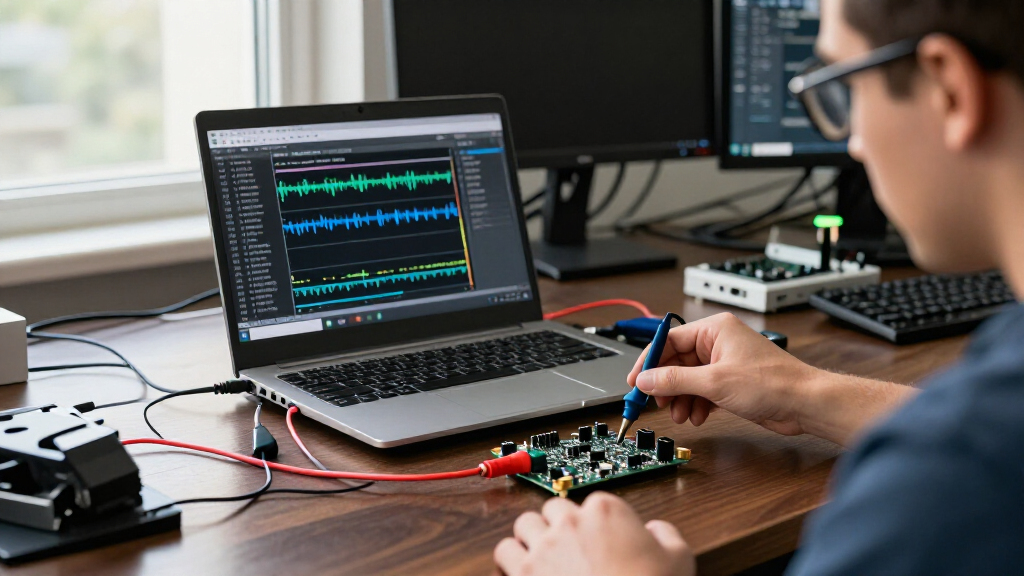

Choosing a USB protocol analyzer starts with a distinction that can change the whole shortlist: most compact analyzers here are USB-connected logic analyzers, while one is designed to capture and decode USB bus traffic itself. For general embedded debugging, I’d start with the Innomaker LA1010, whose 16 channels, 100 MHz sampling, and broad protocol decoding give it more headroom than the 24 MHz, eight-channel alternatives. The hiBCTR 8-Channel is a more focused pick for common UART, I2C, and SPI work with PulseView, while the USB 2.0/1.1 High-Speed Bus Protocol Analyzer is the relevant choice when the signal under investigation is USB packet traffic rather than a microcontroller’s logic pins.

Get business pricing on monitors, keyboards and dev gear
- Business-only prices and quantity discounts
- Tax-exempt purchasing
- Multiple users, one account, clear invoices
The tradeoffs are concrete: channel count and sampling speed affect what you can capture, software support affects how readily you can inspect it, and bundled leads and adapters can make bench setup easier. Voltage compatibility also matters; the listed eight-channel 24 MHz options are not recommended for 1.8 V systems. I’ve ranked these five by how clearly each suits a distinct debugging job, while treating the dedicated USB bus tool separately from general-purpose logic analyzers.
Key Takeaways
For broad embedded debugging, the Innomaker LA1010 leads this group with 16 channels, 100 MHz sampling per channel, and listed support for more than 30 protocols.
For a familiar open-source workflow, the hiBCTR pairs eight channels with Sigrok PulseView and named UART, I2C, and SPI decoders; it remains limited to 24 MHz.
For USB packet analysis, not ordinary logic probing, the USB 2.0/1.1 bus analyzer is the direct match, but its software and setup details are sparse.
For a ready-to-connect bench kit, LONELY BINARY supplies USB-A and USB-C cables, adapters, clips, jumper wires, and a case, though its software is unspecified.
For a basic eight-channel capture, HiLetgo lists useful voltage and sampling details and included cables, but does not identify compatible analysis software.
| Innomaker LA1010 16-Channel USB Logic Analyzer, 100 MHz |  | Best Overall for Embedded Logic Debugging | Input channels: 16 | Maximum sampling rate: 100 MHz per channel | Interface: USB 2.0 | VIEW LATEST PRICE | See Our Full Breakdown |
| USB 2.0/1.1 High-Speed Bus Protocol Analyzer |  | Best for USB Bus Packet Capture | USB standard: USB 2.0/1.1 | Main functions: Packet capture, packet decoding, power monitoring | Power source: USB powered | VIEW LATEST PRICE | See Our Full Breakdown |
| hiBCTR 8-Channel USB Logic Analyzer, 24 MHz |  | Best for PulseView Users | Channels: 8 | Maximum sampling rate: 24 MHz | Selectable sampling rates: 24, 16, 12, 8, 4, 2, 1 MHz, down to 25 kHz | VIEW LATEST PRICE | See Our Full Breakdown |
| LONELY BINARY 8-Channel 24 MHz USB Logic Analyzer Kit |  | Best Accessory-Rich Starter Kit | Channels: 8 | Maximum sampling rate: 24 MHz | Supported protocols: I2C, SPI, UART | VIEW LATEST PRICE | See Our Full Breakdown |
| HiLetgo 8-Channel USB Logic Analyzer, 24 MHz |  | Best Basic Analyzer with Detailed Capture Specs | Channels: 8 | Maximum sampling rate: 24 MHz | Selectable sampling rates: 24, 16, 12, 8, 4, 2, 1 MHz; 500, 250, 200, 100, 50, 25 kHz | VIEW LATEST PRICE | See Our Full Breakdown |
| USB protocol analyzer | Maximum sampling rate | Channels |
|---|---|---|
| Innomaker LA1010 16-Channel US | 100 MHz per channel | — |
| USB 2.0/1.1 High-Speed Bus Pro | — | — |
| hiBCTR 8-Channel USB Logic Ana | 24 MHz | 8 |
| LONELY BINARY 8-Channel 24 MHz | 24 MHz | 8 |
| HiLetgo 8-Channel USB Logic An | 24 MHz | 8 |
More Details on Our Top Picks
Innomaker LA1010 16-Channel USB Logic Analyzer, 100 MHz
The Innomaker LA1010 is my leading general-purpose choice because its combination of 16 input channels and 100 MHz per-channel sampling separates it from the four eight-channel, 24 MHz logic analyzers in this group. Those extra channels are useful when a bug involves several signals at once: you can capture more of a bus or surrounding control lines in the same session rather than choosing which clues to leave out. The higher stated sampling rate also gives it more headroom for quicker digital activity than the 24 MHz alternatives.
Protocol coverage is another point of difference. Innomaker lists more than 30 decoders, including I2C, SPI, UART, and CAN, and includes KingstVIS software. That is a more specific software and protocol story than the HiLetgo and LONELY BINARY listings provide, and it reaches beyond the narrower UART/I2C/SPI coverage named for hiBCTR. Windows, macOS, and Linux support also gives it a wider stated host-platform fit than the dedicated USB bus analyzer, which lists PC/Linux.
The tradeoff is that this is still a computer-dependent instrument: waveforms are displayed and analyzed on a connected machine, not on the analyzer itself. Its listing does not specify supported logic voltages, so buyers should verify electrical compatibility for their target board rather than assuming it covers every level. It is also a logic analyzer, not a dedicated USB packet analyzer; if you need to inspect USB transactions, the USB 2.0/1.1 model is the one in this lineup aimed at that job. I’d choose the LA1010 when varied embedded buses, simultaneous signals, and capture headroom matter more than a compact accessory kit or explicit voltage specifications.
Pros:- Captures 16 digital input channels simultaneously.
- Lists sampling up to 100 MHz per channel.
- Supports more than 30 protocols, including I2C, SPI, UART, and CAN.
- Includes KingstVIS software and lists Windows, macOS, and Linux support.
Cons:- A computer is required to display and analyze waveforms.
- The supplied details do not state supported input logic voltages.
- It analyzes digital logic signals rather than serving as the dedicated USB packet analyzer in this lineup.
Best for: Embedded developers who need to capture many digital lines together, decode several common protocols, and work across Windows, macOS, or Linux.
Not ideal for: Buyers who need USB bus packet capture, an independent display, or explicitly documented input logic levels before purchase.
- Input channels:16
- Maximum sampling rate:100 MHz per channel
- Interface:USB 2.0
- Protocol support:30+ protocols, including I2C, SPI, UART, and CAN
- Included software:KingstVIS
- Supported operating systems:Windows, macOS, Linux
- Power consumption:0.5 watts
- Weight:0.28 kg
Our verdict“I rank the LA1010 first for general embedded work because its 16 channels, 100 MHz sampling, and broad listed decoding give it more scope than the 24 MHz eight-channel alternatives.”
USB 2.0/1.1 High-Speed Bus Protocol Analyzer
This is the only option in the lineup aimed directly at capturing and decoding USB traffic. That makes it the right category of tool for investigating communication between a USB device and host, rather than probing a board’s UART, I2C, or SPI pins. Compared with the LA1010 and the 24 MHz analyzers, which sample digital inputs for logic-level debugging, this unit’s stated focus is USB 2.0/1.1 packet analysis. It also lists power monitoring, which can help put device consumption alongside traffic inspection.
The compact, USB-powered design suits a portable PC or Linux debugging setup, and the product description calls out open-source customization. That could appeal to a technically confident buyer who wants an adjustable workflow rather than a bundled, clearly named application. Yet the available details do not identify a specific program, setup procedure, operating-system versions, or capture limitations. This is a larger documentation gap than with the LA1010, which names KingstVIS and lists three desktop platforms, or hiBCTR, which specifies PulseView.
The scope is also narrow by design: support is listed for USB 2.0/1.1, not newer USB standards. Buyers seeking to decode microcontroller UART, I2C, or SPI signals should choose a logic analyzer instead; the hiBCTR is a clearer fit for those buses, while the LA1010 adds channels and higher sampling speed. I’d select this model only when USB packet traffic is the target and the buyer is prepared to confirm how its open-source software and capture hardware work with the intended setup.
Pros:- Designed to capture and decode USB 2.0/1.1 traffic.
- Lists connected-device power monitoring.
- USB-powered and described as compact.
- Open-source and customizable capabilities are listed.
Cons:- Limited to USB 2.0/1.1 according to the supplied specifications.
- The listing does not name the analysis software or explain setup.
- Does not replace a multi-channel logic analyzer for UART, I2C, or SPI probing.
Best for: Developers troubleshooting USB 2.0 or 1.1 device-host communication who specifically need packet capture, decoding, and power monitoring.
Not ideal for: Buyers debugging UART, I2C, SPI, or faster USB standards, or anyone who needs a clearly named software package and detailed setup instructions.
- USB standard:USB 2.0/1.1
- Main functions:Packet capture, packet decoding, power monitoring
- Power source:USB powered
- Compatibility:PC/Linux
- Compatible devices:USB devices
- Software:Open-source/customizable capabilities; specific software not stated
- Brand:Jkbmkxc
- Part number:SZBSILIIT
Our verdict“I recommend this specialized tool over the logic analyzers only when the debugging target is USB 2.0/1.1 bus traffic itself.”
hiBCTR 8-Channel USB Logic Analyzer, 24 MHz
The hiBCTR 8-Channel is the clearest pick here for a buyer who wants a straightforward logic analyzer and already prefers Sigrok PulseView. Its listing explicitly names PulseView compatibility and UART, I2C, and SPI decoding, giving a more concrete software path than either HiLetgo or LONELY BINARY. Eight inputs cover modest embedded captures, while selectable rates from 24 MHz down to 25 kHz let the user choose a slower capture rate for lower-speed signals rather than treating the maximum as the only setting.
Its electrical details are more useful than those supplied for the LA1010: hiBCTR lists support for 5 V, 3.3 V, 2.5 V, and 2.0 V logic, plus an input range and typical input impedance. That information helps a buyer compare it against a board’s signaling level. It is not recommended for 1.8 V operation, however, and the 24 MHz ceiling is much lower than the LA1010’s 100 MHz. For faster signals or a larger group of lines, I’d move up to Innomaker rather than expect this compact eight-channel design to stretch beyond its stated limits.
Against the similarly specified HiLetgo, hiBCTR’s main advantage is not a higher capture rate; both top out at 24 MHz. It is the clearer software and decoder information. Against LONELY BINARY, it offers less emphasis on bundled connection accessories but supplies more explicit protocol and voltage information. I’d choose it for common low- to moderate-speed digital debugging where the PulseView workflow matters. Skip it for 1.8 V boards, high-speed captures, or USB packet inspection: none of those is its stated strength.
Pros:- Supports Sigrok PulseView.
- Decodes UART, I2C, and SPI.
- Lists compatibility with 5 V, 3.3 V, 2.5 V, and 2.0 V logic.
- Offers selectable sampling rates from 24 MHz down to 25 kHz.
Cons:- Maximum sampling rate is 24 MHz, well below the LA1010’s stated 100 MHz.
- Not recommended for 1.8 V systems.
- Eight channels provide less simultaneous capture capacity than the Innomaker.
Best for: Hobbyists and embedded developers who want an eight-channel analyzer with named PulseView support, common protocol decoding, and stated logic-level compatibility.
Not ideal for: People working with 1.8 V logic, signals that call for sampling above 24 MHz, or USB bus packet traffic.
- Channels:8
- Maximum sampling rate:24 MHz
- Selectable sampling rates:24, 16, 12, 8, 4, 2, 1 MHz, down to 25 kHz
- Compatible software:Sigrok PulseView
- Decoded protocols:UART, I2C, SPI
- Supported logic levels:5 V, 3.3 V, 2.5 V, 2.0 V
- Input voltage range:-0.5 V to 5.25 V
- Input impedance:1 MΩ || 10 pF (typical)
Our verdict“I’d pick hiBCTR over the other 24 MHz eight-channel models when explicit PulseView compatibility and documented common logic levels are the deciding factors.”
LONELY BINARY 8-Channel 24 MHz USB Logic Analyzer Kit
LONELY BINARY’s kit stands out less for capture specifications than for the parts bundled around the analyzer. Along with an eight-channel, 24 MHz unit, it lists USB-A and USB-C cables, a breakout board, a breadboard adapter, test clips, alligator clips, jumper wires, and a storage case. That range can reduce the amount of bench gear a buyer needs to source separately, especially when moving between a breadboard prototype and test points that need clips.
Its core capability sits alongside the HiLetgo and hiBCTR: all three are listed as eight-channel analyzers with a 24 MHz maximum, and the named protocols are UART, I2C, and SPI. The differentiator is setup convenience, not extra speed or capacity. LONELY BINARY also lists Windows, Mac, and Linux, while hiBCTR gives a more precise software clue by naming PulseView. The LONELY BINARY description does not specify its analysis software, so buyers should confirm the application and workflow before relying on it for a particular operating system.
That missing software detail is the main qualification to its kit-oriented appeal. There is no listed sampling-rate selection, logic-voltage range, or 1.8 V compatibility information in the supplied specifications, so I would not assume the electrical flexibility documented for hiBCTR or HiLetgo. The 24 MHz ceiling also leaves it behind the LA1010 for faster signals, and it is not a dedicated USB traffic analyzer. I’d choose this model when connection accessories and a portable kit matter more than named software support or a fully specified electrical profile.
Pros:- Includes USB-A and USB-C cables.
- Bundles a breakout board, breadboard adapter, test clips, alligator clips, and jumper wires.
- Includes a storage case for keeping the kit together.
- Lists Windows, Mac, and Linux compatibility.
Cons:- The analysis software is not specified.
- The supplied details do not list supported input logic voltages.
- Its 24 MHz maximum is far below the LA1010’s stated 100 MHz.
Best for: Prototype builders who want an eight-channel logic analyzer packaged with multiple cable types, adapters, clips, jumper wires, and storage.
Not ideal for: Buyers who need a known software workflow, documented input voltage support, 1.8 V compatibility, higher sampling speed, or USB packet capture.
- Channels:8
- Maximum sampling rate:24 MHz
- Supported protocols:I2C, SPI, UART
- Connectivity:USB
- Operating systems:Windows, Mac, Linux
- Included cables:USB-A and USB-C
- Included accessories:Breakout board, breadboard adapter, 10 test clips, 5 alligator clips, jumper wires, storage case
- Analysis software:Not specified
Our verdict“I’d favor LONELY BINARY over the other 24 MHz models when a broad set of bench connections is more useful than explicit software and voltage documentation.”
HiLetgo 8-Channel USB Logic Analyzer, 24 MHz
The HiLetgo 8-Channel is a simple fit for buyers who want a basic analyzer with more of its capture and electrical behavior spelled out. It lists eight channels, sampling choices from 24 MHz down to 25 kHz, an input range, typical input impedance, and input-low and input-high thresholds. Those details make it easier to compare its listed limits with a board than the sparse electrical specifications for LONELY BINARY, though HiLetgo does not identify compatible software.
Like hiBCTR, this model targets UART, I2C, and SPI at up to 24 MHz and is intended for common 2.0 V to 5 V logic systems. The specifications explicitly warn that 1.8 V operation is not recommended. HiBCTR has the advantage for a buyer who values a named PulseView workflow; HiLetgo’s listing instead supplies a similarly useful set of sampling and input figures and says a USB cable and Dupont cable are included. Neither offers the Innomaker’s 16 channels or 100 MHz maximum.
Its biggest drawback is not an established performance flaw, but uncertainty around the software path: the supplied information does not say which program works with it. That can matter as much as the hardware for a first analyzer purchase, since waveform capture and protocol decoding depend on a compatible host application. I’d treat HiLetgo as a specification-forward basic option, not a ready-defined software package. Choose it when the listed voltage thresholds and included leads suit your project and you can verify software support; choose hiBCTR if PulseView is a priority, or LA1010 if you need more speed and channels.
Pros:- Provides eight channels and sampling rates up to 24 MHz.
- Lists input voltage range, high and low thresholds, and typical input impedance.
- Supports common 2.0 V to 5 V logic systems.
- Includes a USB cable and Dupont cable.
Cons:- The product details do not identify compatible analysis software.
- 1.8 V system operation is not recommended.
- Its 24 MHz maximum and eight channels trail the LA1010 on capture headroom.
Best for: Buyers seeking an eight-channel, 24 MHz analyzer with listed sampling steps, input thresholds, and USB/Dupont cables for common digital logic work.
Not ideal for: Users who need confirmed software compatibility, 1.8 V support, higher sampling rates, or direct USB packet analysis.
- Channels:8
- Maximum sampling rate:24 MHz
- Selectable sampling rates:24, 16, 12, 8, 4, 2, 1 MHz; 500, 250, 200, 100, 50, 25 kHz
- Input voltage range:-0.5 V to 5.25 V
- Input thresholds:Low: -0.5 V to 0.8 V; high: 2.0 V to 5.25 V
- Input impedance:1 MΩ || 10 pF (typical)
- Supported protocols:UART, I2C, SPI
- Included items:Logic analyzer, USB cable, Dupont cable
Our verdict“I’d consider HiLetgo when its explicit capture and input specifications matter more than the software clarity offered by hiBCTR.”

How We Picked
I ranked these options around the job a buyer is trying to solve, not just the words “USB analyzer” in a product name. A USB-connected logic analyzer samples digital signals such as UART, I2C, and SPI on a board; a USB bus protocol analyzer examines traffic carried by USB itself. Those tasks overlap only loosely, so I call out the distinction instead of treating all five as interchangeable.
For the logic analyzers, I compared channel count, stated maximum sampling rate, protocol decoding, logic-level information, and software clarity. More channels can capture related signals together, while a higher sampling rate gives more temporal detail for faster edges and activity. Named software support makes it easier to judge the likely analysis workflow; when the listing does not identify software, I treat that as an information gap rather than assuming compatibility. I also considered whether the listed logic levels match common boards and whether a 1.8 V caveat could rule out a project.
Accessories and setup information influenced the fit, but not as substitutes for analyzer capability. LONELY BINARY earns a kit-focused role for its range of adapters and leads, while HiLetgo gets credit for listing included cables and useful electrical details. The dedicated USB bus analyzer is ranked for a narrower task because it lists packet capture, decoding, and power monitoring, yet supplies little detail about software setup. I do not infer test results, performance beyond the supplied specifications, or compatibility that the product information does not state.
Factors to Consider When Choosing USB Protocol Analyzers
Before choosing among these five, decide whether you need to inspect USB traffic on a USB bus or digital signals on a circuit board. The product name can sound similar, but those are different measurement jobs. Once that is clear, compare channel count, sampling speed, voltage fit, decoding support, and the software you can actually use.
USB packet analyzer or USB-connected logic analyzer?
A dedicated USB bus analyzer captures and decodes communication carried over USB. In this roundup, the USB 2.0/1.1 High-Speed Bus Protocol Analyzer is the option explicitly described for packet capture and decoding, plus power monitoring. By contrast, the hiBCTR, Innomaker, HiLetgo, and LONELY BINARY units are logic analyzers: they capture digital signals through channels connected to a device’s pins, with named support for buses such as UART, I2C, and SPI. A logic analyzer connected to a computer by USB is not automatically a USB packet analyzer. If your issue is a USB device’s host communication, start with the dedicated bus model; if you are tracing embedded signals on a board, compare the logic analyzers.
Match channels and sampling rate to the capture
Channel count determines how many digital lines you can observe together. The LA1010 has 16 inputs, double the eight on each other logic analyzer here, making it the stronger fit when you need several bus lines plus control or timing signals in one capture. The LA1010’s stated 100 MHz per-channel sampling also gives it more listed speed headroom than the 24 MHz models. That does not mean every project needs the fastest unit: for slower UART, I2C, or SPI work, an eight-channel analyzer may be enough. Compare the signal timing your project requires with the stated sampling limit, and do not treat a headline maximum as a guarantee of suitability for every capture.
Check the logic voltage before connecting
Input thresholds need to match the circuit under test. hiBCTR lists 5 V, 3.3 V, 2.5 V, and 2.0 V logic support, while HiLetgo gives a stated input range and high/low thresholds for common logic levels. Both listings say 1.8 V operation is not recommended, which can rule them out for lower-voltage boards. The LA1010 and LONELY BINARY information supplied here does not state a supported input voltage range, so confirm that detail before connecting either to a particular target. Avoid choosing based on channel count alone: an analyzer that does not match the signal level is the wrong tool for the job.
Treat software support as part of the instrument
Captured samples are only useful if your host software can display and decode them. hiBCTR specifically lists Sigrok PulseView, and Innomaker names KingstVIS along with Windows, macOS, and Linux support. LONELY BINARY lists operating systems but does not identify analysis software; HiLetgo does not provide software compatibility details in the supplied information. The USB bus analyzer describes open-source customization, but does not name a specific application or setup steps. If you already rely on a particular program, verify compatibility before buying. For a first instrument, a named workflow is a practical advantage over an unspecified one.
Decide whether a bundled kit saves setup effort
Accessories matter when your bench lacks suitable cables and connection points. LONELY BINARY is the most accessory-focused choice, with both USB cable types, a breakout board, breadboard adapter, test clips, alligator clips, jumper wires, and a storage case. HiLetgo lists a USB cable and Dupont cable, while the product details for hiBCTR do not describe a similar kit. Bundled leads can make prototyping connections easier, but they do not compensate for missing software or input-voltage information. If you already own probes and jumpers, prioritize capture capability and software over an accessory count; if you need a portable starter set, the kit may suit you better.
Keep the product category aligned with the task
Choose the LA1010 for broader logic capture, hiBCTR for a defined PulseView workflow, HiLetgo for a basic unit with detailed listed input figures, and LONELY BINARY when bundled connections are the main attraction. Choose the dedicated USB analyzer for USB 2.0/1.1 packet work, after checking its software setup and fit for your host. None of these products should be treated as a universal substitute for the others: their stated jobs and available documentation differ. A short pre-purchase check of signal type, voltage, speed, host computer, and software can narrow the choice faster than comparing names alone.
Frequently Asked Questions
Is a USB logic analyzer the same as a USB protocol analyzer?
Not necessarily. A USB logic analyzer uses a USB connection to communicate with a computer while capturing digital signals from its input channels. A USB bus protocol analyzer is designed to capture and decode traffic traveling over a USB connection. In this roundup, the four eight- or 16-channel models are presented for logic signals such as UART, I2C, and SPI; the USB 2.0/1.1 model is the one specifically described for USB packet capture and decoding.
Which option is best for I2C, SPI, and UART debugging?
All four logic analyzer models list support for I2C, SPI, and UART. I’d start with the Innomaker LA1010 when you need 16 channels, a stated 100 MHz per-channel sampling rate, and more than 30 listed protocol decoders. The hiBCTR is a more focused alternative if PulseView support and stated common logic levels matter more than maximum speed. HiLetgo and LONELY BINARY also list the three protocols, but their supplied software details are less complete.
Can these eight-channel analyzers be used with 1.8 V logic?
The supplied descriptions for hiBCTR and HiLetgo say that 1.8 V operation is not recommended; their listed supported ranges begin at common 2.0 V logic levels. LONELY BINARY does not provide an input voltage range in the details supplied here, so I would not assume it supports 1.8 V. The LA1010’s input voltage information is also not stated. Check the manufacturer’s current specifications for the exact model before connecting any analyzer to a 1.8 V circuit.
Do I need the LA1010’s 100 MHz sampling rate?
Not for every project. For slower, common UART, I2C, or SPI signals, an eight-channel 24 MHz model may be a better fit if its voltage range, software, and channel count meet your needs. The LA1010 is more compelling when you need to capture more lines at once or want the higher stated sampling rate for faster digital activity. Match the instrument to the timing and number of signals you need to observe rather than buying on the maximum figure alone.
What should I verify before choosing the USB 2.0/1.1 bus analyzer?
Confirm that your target traffic is USB 2.0 or 1.1, since those are the standards listed for the device, and verify that its host setup suits your PC or Linux environment. The supplied details mention open-source customization, packet capture, packet decoding, and power monitoring, but do not name the software or provide setup instructions. I’d check those points before choosing it, especially if you need a specific application or a newer USB standard.
Conclusion
For the broadest embedded logic debugging role, I’d choose the Innomaker LA1010: it combines the largest channel count in this group with the highest stated sampling rate and named software. For a defined PulseView workflow on common 2.0 V to 5 V signals, hiBCTR is the more focused choice. Pick the HiLetgo when its listed input thresholds and included cables fit your needs and you can confirm software support; choose LONELY BINARY when the supplied adapters and clips matter most for bench setup.
If your task is specifically USB 2.0/1.1 packet capture, the dedicated bus analyzer is the category match, but its software details deserve a check before purchase. The deciding questions are simple: what signal are you measuring, how many lines must appear in one capture, what voltage does the board use, and which software can you run? Answer those first, and the difference between these five tools becomes much clearer.
Fall Picks
fall essentials
As an affiliate, we earn on qualifying purchases.