
Welcome to the 2026 Developer Hardware & Software Checklist designed specifically for coders, QA specialists, and software developers. Whether you’re setting up a new workspace or upgrading your existing gear, this guide aims to streamline your decision-making process by highlighting essential hardware and software components tailored for coding and development tasks.

Get business pricing on monitors, keyboards and dev gear
- Business-only prices and quantity discounts
- Tax-exempt purchasing
- Multiple users, one account, clear invoices
The checklist is organized into key categories such as laptops, monitors, ergonomic accessories, and storage solutions. Each section provides insights into what to consider when making a purchase, common pitfalls to avoid, and practical advice on sizing, compatibility, and features. Use this as a trusted reference to ensure your setup is both efficient and future-proof.
To get the most out of this guide, identify your primary needs—whether portability, ergonomic comfort, or storage capacity—and focus on the recommended items that align with those priorities. Remember, a well-chosen setup not only enhances productivity but also contributes to long-term comfort and satisfaction.
Laptops & Workstations
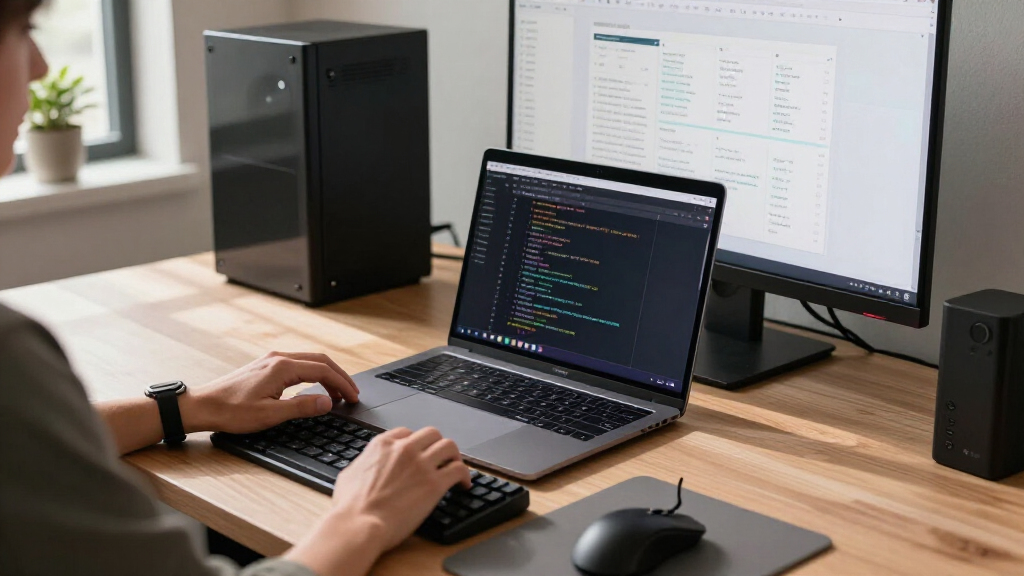
The laptop or workstation you choose is arguably the most vital component of your developer toolkit. The HP OmniBook 16 2K Touch Laptop offers a compelling blend of performance, portability, and display quality, making it ideal for both on-the-go coding and stationary work. Its 16GB RAM ensures smooth multitasking, while the 512GB SSD provides ample space for projects and tools. When selecting a laptop, consider the processor power, display resolution, and connectivity options to match your workflow needs.
Common mistakes include opting for underpowered devices that struggle with demanding IDEs or multitasking, or choosing models with insufficient ports and connectivity options. Pay attention to compatibility with peripherals and software, and ensure the laptop’s size and weight align with your mobility requirements. Features like a high-resolution display and comfortable keyboard can significantly improve your coding experience. Remember, investing in a reliable, well-rounded machine pays dividends in productivity and comfort over time.
What to look for:
- High-resolution display (at least 1080p or higher)
- Adequate RAM (16GB or more)
- Fast SSD storage (preferably NVMe)
- Multiple USB and Thunderbolt ports
- Good battery life
HP OmniBook 16" 2K Touch Laptop, Intel Ultra 7 255U, 16GB RAM, 512GB SSD

The HP OmniBook 16-inch laptop features a 2K touchscreen display, Intel Ultra 7 processor, 16GB DDR5 RAM, and a 512GB PCIe NVMe SSD, offering powerful performance and vibrant visuals. Designed for productivity and creative tasks, it includes advanced AI features, high-speed connectivity, and a sleek, portable design.
Pros:
- Vivid 2K touchscreen display with 120Hz refresh rate
- Powerful Intel Ultra 7 processor with AI acceleration
- High-speed 16GB DDR5 RAM and fast 512GB SSD
- Sleek, portable design with professional aesthetics
Cons:
- Limited physical security features (no fingerprint sensor)
- Relatively lightweight build may impact durability
- Battery life details not specified
Best for: Coding on the go and multitasking
Not ideal for: Heavy workloads requiring specialized GPUs
Bottom line: Choose a laptop that balances performance with portability.
Monitors & Displays
While no specific monitor is recommended here, monitor quality remains a critical factor for developers. A good display can reduce eye strain, improve clarity, and enhance productivity during long coding sessions. When selecting a monitor, prioritize features such as high resolution (preferably 1440p or 4K), ample screen size (27 inches or larger), and adjustable ergonomics to suit your workspace. Consider monitors with blue light filters and flicker-free technology for healthier viewing habits.
Common mistakes include choosing monitors with poor color accuracy, limited adjustability, or inadequate resolution, which can lead to eye fatigue and decreased focus. Compatibility with your existing hardware and workspace ergonomics should guide your choice. For those working with graphics or UI design, color accuracy and wide color gamuts are essential. Ultimately, investing in a quality display can improve both your comfort and your output.
What to look for:
- High resolution (1440p or 4K)
- Adjustable height and tilt
- Blue light filter and flicker-free tech
- Wide viewing angles
- VESA mount compatibility
Mechanical Keyboards
While no specific keyboard is highlighted here, a mechanical keyboard can significantly improve your typing experience. Developers often prefer keyboards with tactile feedback, durability, and customizable keys. Mechanical switches come in various types—linear, tactile, or clicky—each offering a different feel. Consider your typing style and noise preferences when selecting a switch type. Additionally, full-size keyboards with dedicated function keys and ergonomic layouts can boost efficiency and comfort.
Common buying mistakes include choosing keyboards with poor build quality, non-standard layouts, or inadequate key rollover. Compatibility with your desk setup and personal preference for key feel are essential. Features like backlit keys, programmable macros, and wrist support can further enhance usability. Remember, a well-chosen mechanical keyboard can make daily coding sessions more enjoyable and less fatiguing over time.
What to look for:
- Mechanical switches (tactile, linear, clicky)
- N-Key rollover and anti-ghosting
- Backlit keys for low-light use
- Durable build quality
- Ergonomic layout options
Ergonomic Accessories
The ergonomic accessories listed, such as the Office Chair with Flip Armrests & Foot Rest, Ergonomic Reclining, are vital for maintaining comfort during extended work hours. An ergonomic chair supports proper posture, reduces strain on your back and neck, and promotes better circulation. Features like adjustable armrests, lumbar support, and recline functions allow you to customize your seating position for maximum comfort. Incorporating a footrest can further alleviate pressure on your legs and improve overall ergonomics.
Common mistakes include choosing chairs that are poorly adjustable or lack sufficient lumbar support, which can lead to discomfort and long-term health issues. Proper sizing is essential—ensure the chair fits your body dimensions and workspace. When pairing accessories, consider your desk height and monitor placement to create a healthy, ergonomic workspace. Investing in quality ergonomic gear pays off by reducing fatigue and boosting productivity, especially during intensive coding or debugging sessions.
What to look for:
- Adjustable height and recline
- Lumbar support
- Flip armrests and footrest
- Breathable, durable materials
- Compatibility with desk setup
Office Chair with Flip Armrests & Foot Rest, Ergonomic Reclining Computer Gaming

This ergonomic office chair features adjustable flip armrests, a built-in footrest, and a high back with lumbar support, designed for all-day comfort. Its versatile design allows for recline from 90° to 155°, 360° swivel, and easy assembly, making it suitable for work, study, or relaxation.
Pros:
- Adjustable flip armrests provide extra seating space for pets or relaxation
- Ergonomic design with lumbar and head pillows for all-day comfort
- Reclines smoothly and locks at desired angles for versatile use
- Supports up to 500 lbs with a sturdy base
Cons:
- Assembly may be challenging for some users despite included tools
- Heavyweight chair may be difficult to move frequently
- Limited color options (only available in white)
Best for: Extended work hours and ergonomic health
Not ideal for: Limited space or budget constraints
Bottom line: Prioritize ergonomic design for sustained comfort.
Networking Equipment
Storage Solutions
The OWC Express 1M2 80G 8TB USB4 Portable NVMe SSD Storage Solution is a robust choice for developers requiring fast, portable storage. Its USB4 interface ensures high data transfer speeds, making it ideal for backing up large projects, transferring files, or running virtual machines. The 8TB capacity provides ample room for extensive codebases, datasets, and media files. When selecting storage solutions, consider speed, capacity, and compatibility with your existing hardware.
Common mistakes include opting for slower drives that bottleneck workflows or choosing storage with insufficient capacity for growing project needs. Also, ensure the drive is durable enough for your work environment, and check compatibility with your computer’s ports and operating system. External SSDs like this one are excellent for flexible, high-performance storage that can keep pace with demanding development tasks. Investing in reliable storage prevents data loss and minimizes workflow disruptions.
What to look for:
- High transfer speeds (USB4 or Thunderbolt)
- Large capacity (at least 4TB)
- Durable build for portability
- Compatibility with your OS
- Secure data encryption options
OWC Express 1M2 80G 8TB USB4 Portable NVMe SSD Storage Solution

The OWC Express 1M2 is a high-speed portable NVMe SSD with over 6000MB/s peak speed, compatible with a wide range of devices including Macs, PCs, iPads, Chromebooks, and Surface tablets. It features a heat-dissipating design for consistent performance and supports various NVMe M.2 SSDs, making it suitable for daily data transfer and professional creative projects.
Pros:
- Exceptional high-speed data transfer over 6000MB/s
- Wide device compatibility including Macs, PCs, and tablets
- Innovative heat-dissipating design for reliable performance
Cons:
- Supports PCIe Gen 3.0/4.0/5.0 SSDs, which may require careful selection for PCIe Gen 5
- Bus power limits may restrict some high-wattage SSDs
- No included SSD, requires user to install compatible drive
Best for: Large project backups and data transfer
Not ideal for: Limited desk space or budget constraints
Bottom line: Choose high-capacity, speedy storage for efficiency.
When building your developer workstation, prioritize hardware that aligns with your specific needs—whether that’s portability, ergonomic comfort, or storage capacity. Remember, the best gear for you enhances your workflow and minimizes frustrations, so take your time selecting each component.
Start with a budget-conscious approach by focusing on critical items first, then expand as your needs grow. With thoughtful choices and the right setup, you’ll enjoy a more productive, comfortable, and enjoyable coding experience. Happy building and coding!