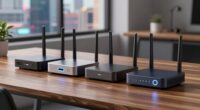
Choosing the right 10gbE router for a home lab involves balancing performance, flexibility, and ease of use. For high-end versatility, the Banana Pi BPI-R4 stands out with Wi-Fi 7 and extensive I/O, making it perfect for custom setups. If you need robust security and enterprise-grade features, the Netgate 6100 offers pfSense+ pre-installed, suited for advanced network management. For a compact, multi-OS capable device, the Mini PC N300 delivers high processing power and dual 10GbE ports, ideal for demanding labs. Meanwhile, the NETGEAR Nighthawk RS140 offers simple, fast Wi-Fi 7 for large home coverage, and the Ubiquiti EdgeRouter 10G SFP provides reliable high-speed routing for the most advanced users. Each choice involves tradeoffs, whether complexity, cost, or setup effort, so understanding your specific needs is key.

Get business pricing on monitors, keyboards and dev gear
- Business-only prices and quantity discounts
- Tax-exempt purchasing
- Multiple users, one account, clear invoices
Key Takeaways
- The Banana Pi BPI-R4 excels in customization and wireless speed but demands technical skills.
- Netgate 6100 provides enterprise-level security and high throughput, best suited for advanced users.
- Mini PC N300 combines processing power with versatile OS support, ideal for complex home labs.
- NETGEAR Nighthawk RS140 offers easy Wi-Fi 7 coverage for large homes but relies on separate modems.
- Ubiquiti EdgeRouter 10G SFP is perfect for demanding routing tasks but may be complex for beginners.
| Banana Pi BPI-R4 WiFi 7 Wireless Dual-Band Router Board with MediaTek MT7988A |  | Best for Customization and Wireless Performance | CPU: MediaTek MT7988A (Filogic 880) | RAM: 4GB DDR4 | Storage: 8GB eMMC, 128MB SPI-NAND | VIEW ON AMAZON | See Our Full Breakdown |
| Netgate 6100 Base pfSense+ Security Gateway – Firewall, Router, VPN |  | Best for Security and Enterprise-Grade Performance | Processor: 2.2 GHz Quad Core Atom | Memory: 8 GB DDR4 | Throughput: 18.7 Gbps L3 routing | VIEW ON AMAZON | See Our Full Breakdown |
| Mini PC N300 Firewall Appliance with Dual 10GbE and 2.5GbE LAN, Supports OPNsense, Linux, Windows, ESXi, OpenWrt |  | Best for Power and Flexibility in Small Form Factor | Processor: N300, 8 cores, 3.8 GHz turbo | Network Ports: 2 x 10GbE SFP+, 3 x 2.5GbE LAN | Memory: DDR5 SO-DIMM 4800MHz | VIEW ON AMAZON | See Our Full Breakdown |
| NETGEAR Nighthawk Dual-Band WiFi 7 Router (RS140) |  | Best for Easy, High-Speed Wi-Fi Coverage | WiFi Standard: WiFi 7 | Speed: up to 5.0 Gbps | Coverage: up to 2,250 sq. ft. | VIEW ON AMAZON | See Our Full Breakdown |
| Ubiquiti EdgeRouter 10G SFP |  | Best for Demanding Routing and Network Management | Model: EdgeRouter 10G SFP | Ports: 10G SFP | VIEW ON AMAZON | See Our Full Breakdown |
More Details on Our Top Picks
Banana Pi BPI-R4 WiFi 7 Wireless Dual-Band Router Board with MediaTek MT7988A
The Banana Pi BPI-R4 stands out for its open-source design and Wi-Fi 7 tri-band support, making it a strong candidate for advanced home labs that require custom firmware or integrations. Its dual 10GbE SFP ports and multiple interfaces support high-speed wired and wireless connections, ideal for NAS, media servers, or smart home gateways. Compared with other options, it offers more peripheral versatility, but its setup can be daunting for those unfamiliar with Linux or open-source hardware. This model makes the most sense for users comfortable with tinkering and seeking a highly customizable platform. Its high-performance features can be overkill for simple network setups, but it’s unmatched for development and experimentation.
Pros:- Supports Wi-Fi 7 tri-band for fast, reliable wireless connectivity
- Multiple high-speed Ethernet ports including 10GbE SFP
- Rich peripheral interfaces for versatile applications
Cons:- Complex setup requiring technical expertise
- Limited user-friendly documentation
- High-performance features may be unnecessary for basic needs
Best for: Advanced home lab enthusiasts seeking customization and cutting-edge Wi-Fi tech
Not ideal for: Beginners or those preferring plug-and-play solutions
- CPU:MediaTek MT7988A (Filogic 880)
- RAM:4GB DDR4
- Storage:8GB eMMC, 128MB SPI-NAND
- Wi-Fi:Wi-Fi 7 tri-band (2.4GHz, 5GHz, 6GHz)
- Ethernet Ports:2x 10GbE SFP, 4x GbE
- USB:USB 3.2
Our verdict“A flexible, high-performance open-source router ideal for advanced users willing to handle complex setup.”
Netgate 6100 Base pfSense+ Security Gateway – Firewall, Router, VPN
The Netgate 6100 offers a compact, fanless design with pre-installed pfSense+ software, making it a prime choice for those prioritizing security and high throughput. Its quad-core Atom processor and 10GbE ports provide robust routing, firewall, and VPN features, suitable for complex or secure home labs. Compared with other options, it simplifies deployment with a ready-to-run platform, but the initial setup may be challenging for users unfamiliar with pfSense or enterprise networking concepts. This device makes the most sense for users who need a dependable, secure gateway with enterprise-level features without extensive customization. Its advanced capabilities come with a steeper learning curve and the requirement for an active support plan or signatures upon delivery.
Pros:- High-performance routing and firewall capabilities
- Fanless, silent operation
- Pre-loaded with pfSense+ for quick setup
Cons:- Requires signature upon delivery, potentially delaying setup
- Designed for advanced users
- Setup complexity for newcomers
Best for: Security-conscious users and those running complex network services
Not ideal for: Beginners or users seeking a simple, plug-and-play router
- Processor:2.2 GHz Quad Core Atom
- Memory:8 GB DDR4
- Throughput:18.7 Gbps L3 routing
- Firewall Performance:10.1 Gbps
- Ports:10 GbE
- Form Factor:Desktop, wall-mountable
Our verdict“A dependable, secure gateway for advanced users needing enterprise-grade features in a compact form.”
Mini PC N300 Firewall Appliance with Dual 10GbE and 2.5GbE LAN, Supports OPNsense, Linux, Windows, ESXi, OpenWrt
The Mini PC N300 combines a powerful 8-core processor with dual 10GbE SFP+ ports and additional 2.5GbE LANs, making it suitable for demanding home labs that need flexible OS support. Its expandable DDR5 RAM and NVMe storage ensure high performance, while its support for multiple operating systems like OPNsense, Linux, and Windows enhances versatility. Compared with the other options, it offers the highest processing power, but it lacks included RAM or SSD, adding to cost and setup complexity. This device is best suited for technically skilled users who want a compact, multi-OS capable platform with serious networking power. The optional Wi-Fi modules may interfere with LAN ports, which is a minor inconvenience given its performance advantages.
Pros:- Powerful multi-core processor with high turbo frequency
- Dual 10GbE SFP+ ports for fast network connections
- Supports multiple operating systems including OPNsense and Linux
Cons:- No RAM or SSD included, additional purchase needed
- Complex setup requiring technical knowledge
- Wi-Fi modules may block LAN ports
Best for: Power users who require multi-OS support and high network throughput
Not ideal for: Beginners or those seeking a ready-to-go, simple device
- Processor:N300, 8 cores, 3.8 GHz turbo
- Network Ports:2 x 10GbE SFP+, 3 x 2.5GbE LAN
- Memory:DDR5 SO-DIMM 4800MHz
- Storage:M.2 NVMe/PCIe3.0x1
- Graphics:UHD 4K dual display
- Additional Slots:M.2 E key 2230, 3052, SIM slot
Our verdict“A high-performance, multi-OS capable mini PC ideal for demanding, customizable home labs.”
NETGEAR Nighthawk Dual-Band WiFi 7 Router (RS140)
The NETGEAR Nighthawk RS140 is designed to bring fast Wi-Fi 7 to large home environments, supporting speeds up to 5 Gbps. It’s a straightforward choice for users who primarily need reliable wireless connectivity for streaming, gaming, and smart devices. Compared to dedicated routers like the Ubiquiti EdgeRouter, this model emphasizes ease of use and coverage, making it less suitable for complex, multi-device home labs that demand advanced routing features. Its built-in Wi-Fi 7 ensures future-proof wireless performance, but it depends on an external modem or ISP gateway, which can add to setup considerations. This router makes sense for users who want fast wireless performance with minimal fuss, but less so for those needing advanced routing or high port density.
Pros:- High-speed WiFi 7 performance for streaming and gaming
- Wide coverage area suitable for large homes
- Multiple wired ports and easy management via app
Cons:- Requires separate modem or gateway
- Additional subscription needed for security features
- Limited advanced routing options
Best for: Home users needing fast Wi-Fi coverage and simple setup
Not ideal for: Advanced home labs requiring dedicated high-speed routing hardware
- WiFi Standard:WiFi 7
- Speed:up to 5.0 Gbps
- Coverage:up to 2,250 sq. ft.
- WAN Port:2.5 Gigabit
- LAN Ports:3 x 1 Gigabit
Our verdict“A solid Wi-Fi 7 router for large homes, best for straightforward wireless needs rather than complex lab environments.”
Ubiquiti EdgeRouter 10G SFP
The Ubiquiti EdgeRouter 10G SFP offers high-speed, enterprise-grade routing with a focus on reliable, fast data transfer. Its 10G SFP ports are perfect for demanding home labs that need seamless, high-throughput connectivity. Compared with the other options, it provides robust network management features and high configurability, making it suitable for advanced users who want precise control over their network. However, the lack of detailed user reviews and the potentially steep setup learning curve mean it’s less suitable for beginners. Its specialization in high-speed routing makes it a go-to choice for those who prioritize performance over simplicity.
Pros:- High-speed 10G SFP ports for fast data transfer
- Reliable, enterprise-level performance
- Advanced network management features
Cons:- Limited product description or user feedback
- Setup can be complex for inexperienced users
Best for: Power users and network professionals needing high-speed, reliable routing
Not ideal for: Beginners or those seeking a simple, all-in-one router
- Model:EdgeRouter 10G SFP
- Ports:10G SFP
Our verdict“A high-performance, specialized router for demanding, high-throughput environments.”

How We Picked
To select these top 10gbE routers for home labs, I focused on models that combine high-speed networking capabilities with flexibility for customization. Priority was given to devices offering at least 10GbE Ethernet ports, support for modern wireless standards like Wi-Fi 7, and compatibility with diverse operating systems or open-source firmware. I evaluated each product’s hardware specifications, user interface, and community or professional support to gauge ease of use and upgrade potential. Cost and form factor also influenced rankings, aiming for options suitable for different levels of technical expertise and use cases. This curated list balances performance, expandability, and practicality, ensuring each pick provides a clear advantage for specific home lab scenarios.
Factors to Consider When Choosing 10gbe Routers For Home Lab
When selecting a 10gbE router for your home lab, it’s vital to consider the intended use, technical skill level, and future expandability. The ideal device balances raw performance with manageable setup and ongoing management. Whether you prioritize wireless connectivity, enterprise security, or raw network throughput, understanding the strengths and limitations of each option helps ensure you make an investment that matches your current needs and growth plans.
Performance and Ports
Look for devices with multiple 10GbE ports if high-speed internal networking is your goal. Some models, like the Banana Pi BPI-R4 and Mini PC N300, offer SFP+ ports suitable for fiber links and high-throughput connections. Consider your network’s bandwidth requirements and future expansion potential when evaluating port options.
Wireless Capabilities
If wireless connectivity is a priority, Wi-Fi 7 support, as seen in the Banana Pi BPI-R4 and NETGEAR RS140, provides future-proof speeds and reliability. For purely wired setups or more advanced routing, this feature may be less critical, and focus should shift to wired port density and management features.
Ease of Use and Management
Devices like the Netgate 6100 and Ubiquiti EdgeRouter offer advanced management options but often require more technical knowledge. For those who prefer simple setup and management, routers with user-friendly interfaces or pre-installed firmware like pfSense+ are preferable, though they might sacrifice some customization options.
Form Factor and Power
Consider your space and noise constraints. Fanless models like the Netgate 6100 are quiet and compact, suitable for home environments. Mini PCs offer a good balance of power and size but require additional components like RAM and SSD. Ensure your setup accommodates the physical and power requirements of your chosen device.
Frequently Asked Questions
What is the main advantage of Wi-Fi 7 in a home lab?
Wi-Fi 7 provides significantly higher speeds and lower latency compared to previous standards, making it ideal for high-bandwidth applications like streaming, large file transfers, or wireless backups in a home lab environment. It also offers better reliability in crowded environments, which can be beneficial if your network hosts many devices.
Are 10GbE ports necessary for a home lab?
While not strictly necessary, 10GbE ports dramatically increase your data transfer capacity within your network, reducing bottlenecks when moving large files or running multiple high-bandwidth services. They also prepare your setup for future upgrades and more demanding workloads.
Is a pre-configured device better for beginners?
Pre-configured devices like the Netgate 6100 simplify setup and reduce initial configuration time, making them suitable for users with limited networking experience. However, they may lack the flexibility of open-source options, which are better suited for those willing to learn and customize their environment.
How important is open-source firmware in choosing a home lab router?
Open-source firmware offers greater customization, access to a wider community, and the ability to tailor features to your specific needs. For advanced home lab users, this flexibility is often worth the additional setup effort, whereas beginners may prefer plug-and-play solutions with factory settings.
What should I consider about power and space when choosing a router?
Evaluate your available space and noise tolerance. Fanless devices like the Netgate 6100 operate quietly and are compact, fitting well into most home environments. Mini PCs provide high performance with a small footprint but require space for additional components like RAM and SSD. Your choice should align with your physical workspace constraints and energy preferences.
Conclusion
For casual home users seeking straightforward Wi-Fi coverage, the NETGEAR Nighthawk RS140 offers excellent wireless performance with minimal setup. Advanced home lab enthusiasts who want maximum flexibility and high-speed internal networking should consider the Banana Pi BPI-R4 or Mini PC N300, especially if custom firmware or multiple OS support are priorities. Security-conscious users or those managing complex networks will find the Netgate 6100 to be a dependable, enterprise-grade option. Power users needing the highest throughput and control will appreciate the Ubiquiti EdgeRouter 10G SFP, though it demands a steeper learning curve. Your choice ultimately hinges on your technical comfort, intended use, and future plans for your home lab setup.
Fall Picks
fall essentials
As an affiliate, we earn on qualifying purchases.