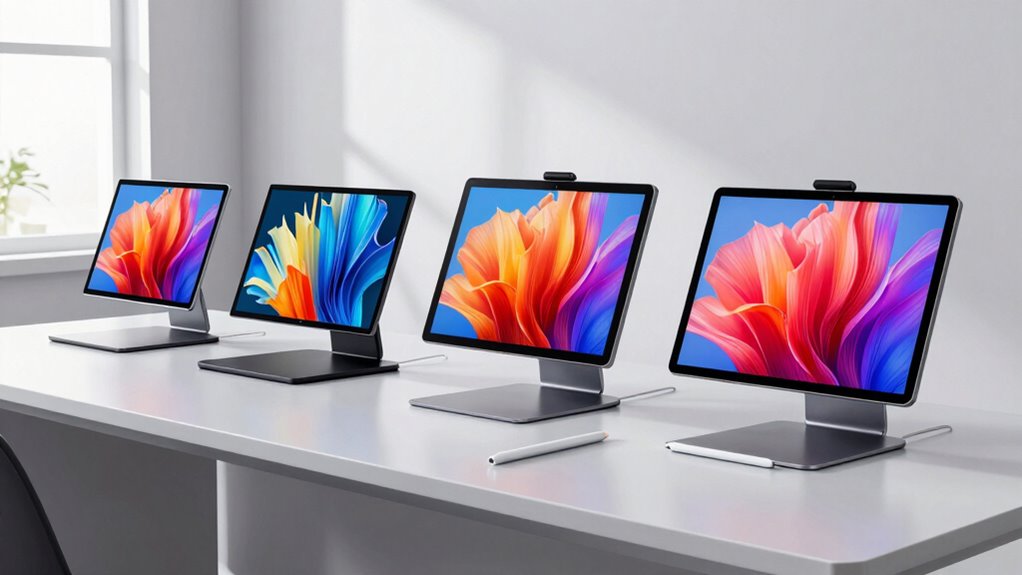
Choosing a pen display with precise color reproduction is essential for professional designers and digital artists who rely on accurate color matching. The Xencelabs Pen Display 24 4K stands out for its stunning 4K resolution and near-complete Adobe RGB coverage, making it ideal for color-critical work. The XPPen Artist 24 Pro offers a slightly lower resolution but compensates with vibrant color depth and versatility. Meanwhile, the XPPen Artist 15.6 Pro V2 provides high color accuracy in a more compact form, perfect for those needing precision on the go. Each of these options balances display quality, usability, and price, but they differ in size, connectivity, and target audience.

Get business pricing on monitors, keyboards and dev gear
- Business-only prices and quantity discounts
- Tax-exempt purchasing
- Multiple users, one account, clear invoices
Key Takeaways
- 4K resolution and high color coverage are vital for detailed, color-accurate work.
- Larger screens improve workflow but may reduce portability.
- Standalone operation is rare; most displays connect to a computer or laptop.
- Advanced stylus tech, like pressure sensitivity and tilt support, enhances drawing precision.
- Price varies significantly, with premium models focusing on professional-grade color accuracy.
| Xencelabs Pen Display 24 4K Drawing Tablet with Customizable Keys and Battery-Free Pens |  | Best Overall for High-Resolution, Color Precision | Screen Resolution: 3840×2160 (4K UHD) | Color Coverage: 99.43% Adobe RGB | Pressure Sensitivity: 8192 levels | VIEW ON AMAZON | See Our Full Breakdown |
| XPPen Artist 24 Pro 2.5K QHD Drawing Tablet with Screen |  | Best for Vibrant Color and Versatility | Display Size: 23.8 inches | Resolution: 2560 x 1440 (2.5K QHD) | Color Gamut: 118% sRGB | VIEW ON AMAZON | See Our Full Breakdown |
| XPPen 16K Artist 15.6 Pro V2 Drawing Tablet with Screen |  | Best for Precision in Compact Size | Screen Size: 15.6 inches | Pressure Sensitivity: 16,384 levels | Color Gamut: 99% sRGB, 96% Adobe RGB | VIEW ON AMAZON | See Our Full Breakdown |
| XENCELABS Pen Display 16 Lite, 16” 4K OLED Drawing Tablet with 2 Battery-Free Pens |  | Best Portable 4K OLED Display | Display Size: 16 inches | Resolution: 4K OLED | Color Depth: 10-bit, 1.07 billion colors | VIEW ON AMAZON | See Our Full Breakdown |
| HUION Kamvas 13 (Gen 3) Drawing Tablet with Screen, Dual Dial, 13.3″ |  | Best Budget for Color Accuracy and Features | Screen Size: 13.3 inches | Color Accuracy: Avg. ΔE<1.5 | Color Coverage: 99% sRGB | VIEW ON AMAZON | See Our Full Breakdown |
| color accurate pen display for designer | Connectivity | Display Size | Compatibility |
|---|---|---|---|
| Xencelabs Pen Display 24 4K Dr | Win/Mac/Linux | 24 inches | — |
| XPPen Artist 24 Pro 2.5K QHD D | Type-C, HDMI, USB | 23.8 inches | Windows, Mac, Linux |
| XPPen 16K Artist 15.6 Pro V2 D | 3-in-1 cable | — | Windows, Mac, Chrome OS |
| XENCELABS Pen Display 16 Lite | USB-C | 16 inches | — |
| HUION Kamvas 13 | USB-C | — | Windows, Mac, Android |
More Details on Our Top Picks
Xencelabs Pen Display 24 4K Drawing Tablet with Customizable Keys and Battery-Free Pens
The Xencelabs Pen Display 24 4K stands out for its exceptional 4K UHD IPS screen with 99.43% Adobe RGB coverage, providing near-perfect color accuracy essential for professional editing and illustration. Its dual battery-free pens with 8192 pressure levels offer natural strokes, making it a top choice for detailed work. Compared to the XPPen Artist 24 Pro, it boasts higher resolution and more advanced calibration options, though at a premium price. Its ergonomic design and customizable shortcut keys boost workflow comfort, but the lack of a built-in stand means you need to buy one separately.
Pros:- Stunning 4K UHD resolution with excellent color accuracy
- Includes two battery-free styluses with high pressure sensitivity
- Customizable shortcut keys for efficiency
- Hardware calibration for precise color management
Cons:- Premium price point
- Setup complexity due to many features
- No built-in stand included
Best for: Professional digital artists who need the highest color fidelity and resolution
Not ideal for: Budget-conscious users or those seeking portable, standalone options
- Screen Resolution:3840×2160 (4K UHD)
- Color Coverage:99.43% Adobe RGB
- Pressure Sensitivity:8192 levels
- Display Size:24 inches
- Connectivity:Win/Mac/Linux
- Additional Features:Tilt recognition, OLED display
Our verdict“Ideal for professionals demanding top-tier color accuracy and resolution, despite its higher cost.”
XPPen Artist 24 Pro 2.5K QHD Drawing Tablet with Screen
The XPPen Artist 24 Pro offers a 23.8-inch IPS display with 2.5K QHD resolution, delivering vibrant colors with 118% sRGB coverage. Its dual stylus with tilt support and 8192 pressure levels helps create natural strokes, making it suitable for both detailed illustrations and animation. Compared with larger 4K displays, it balances high color accuracy with a more accessible price and size. Its connectivity options, including USB-C and HDMI, add flexibility, but it requires a connection to a computer, limiting portability for on-the-go use.
Pros:- Vibrant 2.5K resolution with accurate color reproduction
- Dual stylus with tilt and pressure sensitivity
- Versatile connectivity options including USB-C and HDMI
- Adjustable stand for ergonomic comfort
Cons:- Requires connection to a computer
- Large size may not suit small desks
- Price could be high for casual users
Best for: Designers needing a large, vibrant display with flexible connectivity
Not ideal for: Users who prefer standalone or ultra-portable solutions
- Display Size:23.8 inches
- Resolution:2560 x 1440 (2.5K QHD)
- Color Gamut:118% sRGB
- Pen Pressure:8192 levels
- Connectivity:Type-C, HDMI, USB
- Compatibility:Windows, Mac, Linux
Our verdict“A strong choice for professionals seeking a large, colorful display with flexible connections, at a moderate premium.”
XPPen 16K Artist 15.6 Pro V2 Drawing Tablet with Screen
The XPPen Artist 15.6 Pro V2 offers a compact 15.6-inch laminated, anti-glare screen with 16,384 pressure levels for detailed, nuanced work. Its wide color gamut, including 99% sRGB and 96% Adobe RGB, makes it suitable for color-accurate projects. While its size is more portable, it requires a connection to a computer and is limited to software compatibility, which might restrict flexibility for some users. The adjustable stand enhances ergonomics, but its smaller display means less workspace for complex designs.
Pros:- High 16,384 pressure sensitivity for detailed control
- Excellent color accuracy with broad gamut
- Adjustable stand and anti-glare screen
- Compact and portable
Cons:- Requires connection to a computer
- Limited to compatible software
- Smaller display for complex workflows
Best for: Artists who need precise, color-accurate work in a portable form
Not ideal for: Those requiring larger screens or standalone operation
- Screen Size:15.6 inches
- Pressure Sensitivity:16,384 levels
- Color Gamut:99% sRGB, 96% Adobe RGB
- Brightness:250 cd/m²
- Connectivity:3-in-1 cable
- Compatibility:Windows, Mac, Chrome OS
Our verdict“Perfect for portable, high-precision work where color fidelity remains critical, but not suitable as a standalone device.”
XENCELABS Pen Display 16 Lite, 16” 4K OLED Drawing Tablet with 2 Battery-Free Pens
The XENCELABS Pen Display 16 Lite offers a portable, 16-inch 4K OLED screen with 10-bit color depth, supporting over a billion colors. Its fanless, ergonomic design makes it comfortable for extended use, and its lightweight build adds to portability. The high-resolution OLED panel ensures excellent color accuracy and contrast, but its 16-inch size might be limiting for detailed projects requiring larger screens. Its single USB-C connection simplifies setup, though full functionality depends on compatible software.
Pros:- High 4K OLED resolution with superb color fidelity
- Lightweight and portable with USB-C connection
- Fanless, ergonomic design for comfort
- Responsive pen with smooth drawing experience
Cons:- Limited to 16-inch display size
- Dependent on compatible software for full features
- Price may be high for casual use
Best for: Artists seeking a portable, high-resolution display for detailed color work
Not ideal for: Users needing larger screens or standalone operation
- Display Size:16 inches
- Resolution:4K OLED
- Color Depth:10-bit, 1.07 billion colors
- Weight:2.67 lbs
- Connectivity:USB-C
- Included Accessories:2 pens, carrying case
Our verdict“An excellent portable choice for professionals prioritizing high-quality color in a compact form factor.”
HUION Kamvas 13 (Gen 3) Drawing Tablet with Screen, Dual Dial, 13.3″
The HUION Kamvas 13 (Gen 3) offers a 13.3-inch fully laminated display with 99% sRGB coverage, providing accurate colors in a compact, affordable package. Its dual dials and customizable shortcut keys enhance workflow, making it suitable for artists who need a balance of quality and value. It connects via a single USB-C cable, but its smaller size means less workspace for complex projects, and it requires a compatible device since it cannot operate independently.
Pros:- High color accuracy with 99% sRGB
- Fully laminated screen reduces glare
- Dual dials and shortcut keys for workflow
- Affordable compared to high-end models
Cons:- Requires connection to a PC or Mac
- Smaller display limits workspace
- Learning curve for new users
Best for: Budget-conscious designers who still need good color fidelity
Not ideal for: Those who require larger screens or standalone operation
- Screen Size:13.3 inches
- Color Accuracy:Avg. ΔE<1.5
- Color Coverage:99% sRGB
- Pen Sensitivity:16384 levels
- Connectivity:USB-C
- Compatibility:Windows, Mac, Android
Our verdict“A capable, budget-friendly option that balances color fidelity and usability for casual and semi-professional artists.”

How We Picked
Our selection process focused on displays that prioritize color accuracy, resolution, and usability for professional designers. We compared specifications like color gamut coverage, resolution, and pen sensitivity, emphasizing features that improve color fidelity and workflow efficiency. Devices had to be compatible with major operating systems and include features like customizable shortcut keys or ergonomic design. We also considered user feedback, price point, and portability, ensuring the options serve different working styles and budgets.
| color accurate pen display for designer | Compatibility |
|---|---|
| Xencelabs Pen Display 24 4K Dr | — |
| XPPen Artist 24 Pro 2.5K QHD D | Windows, Mac, Linux |
| XPPen 16K Artist 15.6 Pro V2 D | Windows, Mac, Chrome OS |
| XENCELABS Pen Display 16 Lite | — |
| HUION Kamvas 13 | Windows, Mac, Android |
Factors to Consider When Choosing Color Accurate Pen Display For Designers
When selecting a color accurate pen display, it’s vital to consider both the technical specifications and how they align with your workflow. Factors like resolution, color coverage, size, and connectivity can significantly influence your experience and output quality. The right display balances color fidelity with usability, whether you need a portable device, a large workspace, or a standalone unit. Understanding these details helps you avoid compromises that could affect your creative process.
Display Resolution and Color Gamut
High resolution, such as 4K UHD or QHD, ensures detailed, sharp images, which is crucial for precise editing and fine line work. Equally important is the color gamut coverage—models with 99% or higher Adobe RGB or DCI-P3 support provide richer, more accurate colors, making them ideal for professional color grading and detailed artwork. Choosing a display with broad color coverage reduces the risk of color mismatches in your final output.
Size and Portability
Size impacts both workspace and portability. Larger screens offer more room for detailed designs but tend to be less portable and more expensive. Smaller displays, often under 13 inches, excel in portability but may limit complex workflows. Consider your typical working environment and whether you need a device that travels with you or stays fixed on your desk.
Connectivity and Standalone Capabilities
Most high-precision pen displays connect to a computer via USB-C, HDMI, or similar ports, which means you need a compatible device. Some models, like the Xencelabs Pen Display 24, require a connection but offer advanced features; others, like standalone tablets, are rare in this category. Evaluate whether portability or dedicated workspace is more important for your work style.
Stylus and Workflow Features
A responsive stylus with high pressure sensitivity and tilt support enhances drawing accuracy. Customizable shortcut keys and ergonomic design boost efficiency, especially for long creative sessions. These features make a meaningful difference in workflow fluidity and comfort, particularly for professional artists and designers.
Frequently Asked Questions
Why is color coverage important in a pen display?
Color coverage determines how accurately a display can reproduce colors. Higher coverage percentages, like 99% Adobe RGB, ensure that the colors you see on screen closely match those in print or other media, which is essential for professional color grading, photo editing, and detailed illustration work. Without adequate coverage, colors may appear dull or inaccurate, affecting the quality of your output.
Should I prioritize resolution over color gamut?
Both resolution and color gamut are critical, but their importance depends on your work. High resolution ensures fine detail and clarity, while a broad color gamut guarantees color accuracy and vibrancy. For most professional designers working on color-sensitive projects, a balance of both is ideal. If forced to choose, prioritize color gamut for accurate color reproduction, then resolution for detail.
Can I use these pen displays without a computer?
Most models in this list require connection to a computer or compatible device because they are not standalone tablets. The exception might be some portable, battery-free OLED options, but even those usually need external software to operate fully. If independence from a computer is a priority, consider dedicated standalone tablets, though they are less common in this segment.
How does size affect workflow and portability?
Larger screens provide more space to work on detailed projects, reducing the need to zoom and pan constantly. However, they are heavier and less portable, making them less suitable for mobile workflows. Smaller screens are easier to carry and set up but may limit workspace and require more frequent zooming, which can hinder efficiency during complex tasks.
Are premium models worth the investment?
Premium models offer higher resolution, better color accuracy, and advanced features like hardware calibration, making them valuable for professional workflows where color precision is non-negotiable. For hobbyists or less color-critical work, more affordable options can deliver sufficient quality without the higher price. Evaluate your project needs carefully before investing in top-tier displays.
Conclusion
For professional artists and designers prioritizing ultimate color accuracy and high resolution, the Xencelabs Pen Display 24 4K offers unmatched quality, though at a higher cost. Those seeking a balance of size, vibrant color, and connectivity may prefer the XPPen Artist 24 Pro. If portability and compactness are more important, the XENCELABS Pen Display 16 Lite or the HUION Kamvas 13 provide excellent options at more accessible price points. Casual users or those on a tight budget should consider more affordable models with decent color coverage, but only if they accept some compromises on resolution or size.