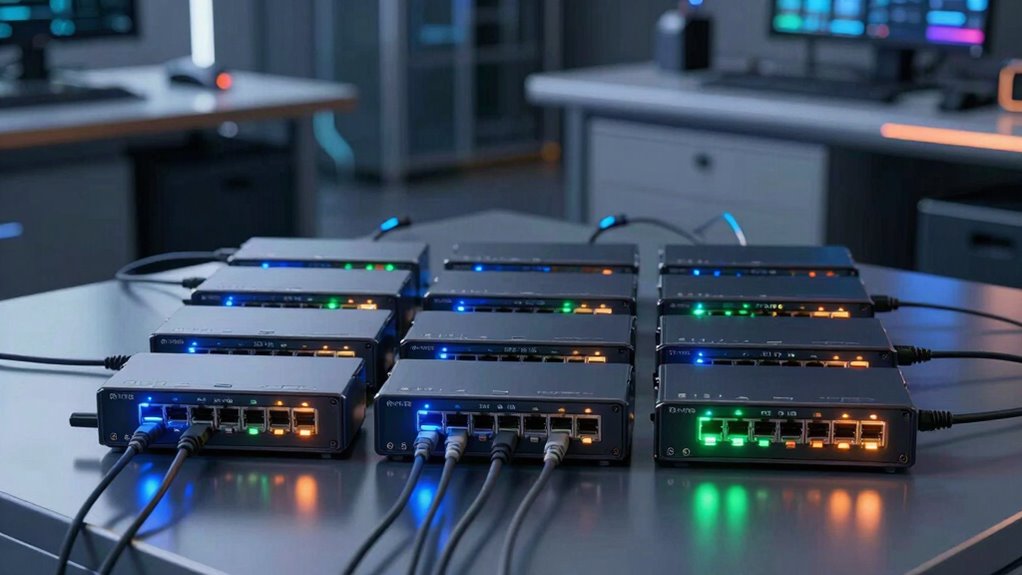

Finding the right PoE switches for labs and cameras involves balancing power, port count, manageability, and budget. The TP-Link TL-SG1428PE stands out as the best overall for its reliable performance and advanced management features. For larger setups, the Alta Labs S48-APOE offers extensive port options and high power capacity, ideal for complex lab environments. Meanwhile, the NETGEAR GS305P delivers simple, plug-and-play operation for smaller camera setups. Each of these options presents tradeoffs in features and price, making it vital to match your specific needs. Continue reading for a detailed breakdown that helps clarify which switch is best suited to your lab or camera network.

Get business pricing on monitors, keyboards and dev gear
- Business-only prices and quantity discounts
- Tax-exempt purchasing
- Multiple users, one account, clear invoices
Key Takeaways
- Higher port counts and power budgets are essential for large lab environments with multiple cameras and devices.
- Managed switches offer more control and troubleshooting options, but may come at a higher cost and complexity.
- Unmanaged switches excel for small, straightforward camera deployments where plug-and-play simplicity is preferred.
- Power efficiency and compliance with standards like 802.3af/at influence compatibility with various devices.
- Budget limits often dictate whether you prioritize features or opt for basic, reliable unmanaged switches.
| TP-Link TL-SG1428PE 24-Port Gigabit Easy Smart Managed PoE+ Switch |  | Best Overall Managed PoE Switch for Labs and Cameras | Number of Ports: 24 | Maximum Power: 250 watts | Data Transfer Rate: 1 gigabit per second | VIEW ON AMAZON | See Our Full Breakdown |
| Alta Labs S48‑APOE 48-Port Full PoE+ Managed Switch with 740W Power Budget |  | Best High-Capacity Managed Switch for Large Camera and Lab Deployments | Number of Ports: 48 | PoE+ Power Budget: 740W | Data Transfer Rate: 240 Gbps | VIEW ON AMAZON | See Our Full Breakdown |
| TP-Link TL-SG1218MP 16-Port Gigabit PoE Switch |  | Best Value for Small Camera or Lab Setups with Manageability | Number of Ports: 16 | PoE Power Budget: 250W | Data Transfer Rate: 1 Gbps | VIEW ON AMAZON | See Our Full Breakdown |
| NETGEAR 5-Port PoE Gigabit Ethernet Unmanaged Switch (GS305P) |  | Best Compact Unmanaged Switch for Small Labs and Cameras | Number of Ports: 5 | PoE Power Budget: 63W | Data Transfer Rate: 1 Gbps | VIEW ON AMAZON | See Our Full Breakdown |
| 10 Port Full Gigabit PoE+ Switch with Rack Mount Ears, 8 PoE Ports, 2 Uplink Ports, 120W Power Budget |  | Best Rack-Mount PoE Switch for Office and Home Labs | Number of Ports: 10 | PoE Power per Port: Up to 30W | Total PoE Power Budget: 120W | VIEW ON AMAZON | See Our Full Breakdown |
| TP-Link LS108GP 8-Port PoE Gigabit Ethernet Switch |  | Best for Compact, Silent Home or Small Business Installations | Number of Ports: 8 | Compatible Devices: Desktop, Cameras | Upper Temperature Rating: 40 °C | VIEW ON AMAZON | See Our Full Breakdown |
| TP-Link TL-SG1005P 5-Port Gigabit PoE Switch with 4 PoE+ Ports |  | Best for Small Networks with High-Power Device Needs | Number of Ports: 5 | PoE Ports: 4 | PoE+ Power per Port: 30W | VIEW ON AMAZON | See Our Full Breakdown |
| UGREEN Ethernet Switch, 10-Port PoE Switch with 8 PoE+ Ports and 2 Gigabit Uplink Ports |  | Best for Versatile, Moderate-Scale Camera and Network Deployments | Number of Ports: 10 | PoE Ports: 8 PoE+ | Uplink Ports: 2 Gigabit | VIEW ON AMAZON | See Our Full Breakdown |
| Yuanley 24 Port PoE Switch with 2 Gigabit Uplink Ports, 400W Power, Unmanaged Network Switch |  | Best for Large-Scale Camera Deployments with High Power Demands | Number of Ports: 26 (24 PoE/PoE+ + 2 Gigabit uplink) | PoE Power Budget: 400W | PoE Standard: IEEE 802.3af/at | VIEW ON AMAZON | See Our Full Breakdown |
| poe switches for labs and camera | Number of Ports | Data Transfer Rate |
|---|---|---|
| TP-Link TL-SG1428PE 24-Port Gi | 24 | 1 gigabit per second |
| Alta Labs S48‑APOE 48-Port Ful | 48 | 240 Gbps |
| TP-Link TL-SG1218MP 16-Port Gi | 16 | 1 Gbps |
| NETGEAR 5-Port PoE Gigabit Eth | 5 | 1 Gbps |
| 10 Port Full Gigabit PoE+ Swit | 10 | — |
| TP-Link LS108GP 8-Port PoE Gig | 8 | 16 gigabits_per_second |
| TP-Link TL-SG1005P 5-Port Giga | 5 | — |
| UGREEN Ethernet Switch | 10 | 1000 Mbps |
| Yuanley 24 Port PoE Switch wit | 26 (24 PoE/PoE+ + 2 Gigabit uplink) | — |
More Details on Our Top Picks
TP-Link TL-SG1428PE 24-Port Gigabit Easy Smart Managed PoE+ Switch
This switch stands out for its balance of power, management features, and durability. Compared to the smaller TP-Link TL-SG1218MP, it offers more ports and a higher total power budget, making it better suited for larger camera deployments or lab setups needing multiple PoE devices. Its web-based management, VLAN segmentation, and auto-recovery enhance network reliability and security, which are key for critical lab environments. The main tradeoff is that it requires initial configuration for PoE auto-recovery, and it lacks wireless features, limiting flexibility. Its metal case and compact design make it reliable for continuous operation in lab racks. This model is ideal for small to medium-sized labs or camera networks requiring managed, high-power PoE+ connectivity.
Pros:- Supports high power PoE+ for multiple devices
- Includes advanced management like VLAN and auto-recovery
- Durable, metal construction with a compact footprint
Cons:- Requires manual configuration for PoE auto-recovery
- No built-in Wi-Fi or wireless management
- Limited to 240V power supply, less flexible in some regions
Best for: Small to medium-sized labs or security camera setups needing managed PoE+ with reliable recovery features
Not ideal for: Home users or very small networks that don’t require managed features or high port count
- Number of Ports:24
- Maximum Power:250 watts
- Data Transfer Rate:1 gigabit per second
- Interface:PoE, SFP
- Case Material:Metal
- Dimensions:17.3″L x 8.7″W x 1.73″H
Our verdict“This switch is best suited for labs and camera networks that need managed, high-power PoE with durability and security features.”
Alta Labs S48‑APOE 48-Port Full PoE+ Managed Switch with 740W Power Budget
This model is designed for extensive network needs, with 48 PoE+ ports—double the port count of the TP-Link TL-SG1428PE. Its 740W power budget supports many high-power devices simultaneously, perfect for large camera arrays or lab setups with multiple PoE devices. The inclusion of cloud and Bluetooth management, along with 10Gb SFP+ uplinks, provides scalability and remote control, making it ideal for enterprise or institutional environments. However, its high power consumption (up to 890W) and complex setup may be daunting for smaller or less technical users. Its robust fan cooling ensures reliable operation in demanding conditions. This switch makes the most sense for large-scale labs or security networks needing extensive PoE+ coverage and high-speed backhaul.
Pros:- 48 PoE+ ports with a high 740W power budget
- Supports 10Gb SFP+ uplinks for fast backhaul
- Cloud and Bluetooth management for remote control
Cons:- High power consumption and operational costs
- Setup complexity may be intimidating for novices
- No pricing info available, potentially costly
Best for: Large labs or security systems with many PoE devices requiring managed, scalable connectivity
Not ideal for: Small networks or users seeking simple plug-and-play solutions without extensive configuration
- Number of Ports:48
- PoE+ Power Budget:740W
- Data Transfer Rate:240 Gbps
- Uplink Ports:4 x 10Gb SFP+
- Switch Type:Managed
- Dimensions:17.32″L x 12.2″W x 1.73″H
Our verdict“Ideal for large-scale, high-power camera or lab networks that benefit from managed control and high-speed uplinks.”
TP-Link TL-SG1218MP 16-Port Gigabit PoE Switch
This switch offers a good balance of power and simplicity, with 16 ports supporting PoE+ and a 250W power budget, similar to the TP-Link TL-SG1428PE. It’s a strong pick for smaller networks that need managed features like QoS and VLANs but don’t require the full port density. Its plug-and-play setup simplifies deployment, making it accessible for smaller labs or security cameras. However, its limited port count means it’s less suitable for larger setups, and it lacks advanced management features beyond basic traffic controls, which could limit scalability. The durable metal case makes it well-suited for varied environments, but it’s better for smaller or less complex networks.
Pros:- Supports up to 30W PoE per port
- Easy plug-and-play setup, no complex software
- Durable metal casing for versatile environments
Cons:- Limited to 16 ports, not ideal for larger networks
- Lacks advanced management beyond QoS and VLANs
- No detailed power management features
Best for: Smaller labs or security camera setups needing manageable PoE with ease of use and good durability
Not ideal for: Large networks or high-demand deployments requiring extensive managed features or many ports
- Number of Ports:16
- PoE Power Budget:250W
- Data Transfer Rate:1 Gbps
- Supported Standards:802.3at/af
- Casing Material:Metal
- Warranty:3 years
Our verdict“This switch offers managed PoE support for small to medium networks where simplicity and reliability matter most.”
NETGEAR 5-Port PoE Gigabit Ethernet Unmanaged Switch (GS305P)
This model is tailored for small setups needing quick, reliable PoE connection without the fuss of management. Its 5 ports, including 4 PoE+ ports with a 63W budget, make it suitable for small labs or camera points where simplicity is key. Compared to larger managed options, it offers plug-and-play convenience, ideal for users who prioritize ease of installation over control. The fanless design ensures silent operation, perfect for quiet environments. A limitation is its unmanaged nature, which restricts advanced network control, and the small port count may be insufficient for expanding networks. The sturdy metal case adds durability for desktop or wall mounting.
Pros:- Plug-and-play setup, no configuration needed
- Compact, sturdy metal design
- Silent, fanless operation
Cons:- Limited to unmanaged switch features
- Only 5 ports, restricting scalability
- No information on included power supply
Best for: Small labs or camera points needing quick PoE connectivity with minimal setup
Not ideal for: Networks requiring managed features or large device counts
- Number of Ports:5
- PoE Power Budget:63W
- Data Transfer Rate:1 Gbps
- Switch Type:Unmanaged
- Housing Material:Metal
- Dimensions:9.5″L x 6.7″W x 3.4″H
Our verdict“This switch offers a simple, compact solution for small labs or camera points where ease of use is paramount.”
10 Port Full Gigabit PoE+ Switch with Rack Mount Ears, 8 PoE Ports, 2 Uplink Ports, 120W Power Budget
This switch offers a balanced mix of PoE capacity and compact, rack-mountable design. With 8 PoE ports supporting up to 30W each and a total budget of 120W, it’s suitable for smaller lab setups or office cameras, especially when rack mounting is needed. Its plug-and-play setup simplifies deployment, and the built-in power supply reduces clutter. Unlike the larger Alta Labs S48‑APOE, it’s less suited for extensive networks but excels in environments where space and ease of installation are priorities. Its limitation is the inability to support passive or non-standard PoE, narrowing compatibility for some specialized devices. It’s a practical choice for smaller, rack-mounted lab or security setups.
Pros:- Supports up to 30W per port, suitable for most PoE devices
- Built-in power supply and rack-mount ears included
- Plug-and-play, no software required
Cons:- Limited to IEEE 802.3af/at, not passive PoE
- Only 10 ports, less scalable for larger networks
- No advanced management features
Best for: Office or home labs needing a compact, rack-mountable PoE switch with straightforward setup
Not ideal for: Large-scale or high-power PoE deployments needing more ports or higher budget
- Number of Ports:10
- PoE Power per Port:Up to 30W
- Total PoE Power Budget:120W
- Uplink Speed:1 Gbps
- Housing Material:Metal
- Dimensions:Not specified
Our verdict“This switch is ideal for small, rack-mounted lab or office setups where simplicity and space-saving are priorities.”
TP-Link LS108GP 8-Port PoE Gigabit Ethernet Switch
The TP-Link LS108GP stands out as a reliable unmanaged switch with PoE+ support, making it ideal for powering cameras and small network devices in quiet environments. Compared with the larger Yuanley 24 Port PoE Switch, it offers fewer ports but excels in silent operation thanks to its fanless design, reducing noise in home offices or small labs. Its extended PoE transmission distance of up to 820 feet provides flexibility for camera placement, while the durable metal case ensures longevity. The tradeoff, however, is its lack of management features—no VLAN or QoS—which could limit network optimization in more complex setups. This switch is best suited for users needing straightforward PoE power delivery without advanced configuration.
Pros:- Supports PoE+ with up to 30W per port, suitable for cameras and access points
- Fanless design ensures silent, maintenance-free operation
- Extended PoE transmission up to 820 ft for flexible device placement
- Sturdy metal casing with wall-mount options
Cons:- Limited to unmanaged switch features, lacking VLAN or QoS support
- Price not specified, which may be a concern for budget-conscious buyers
Best for: Small labs or home setups requiring silent operation and extended PoE range
Not ideal for: Large networks or environments needing managed switch features like VLANs or QoS
- Number of Ports:8
- Compatible Devices:Desktop, Cameras
- Upper Temperature Rating:40 °C
- Interface:RJ45
- Data Transfer Rate:16 gigabits_per_second
- Switch Type:Unmanaged
Our verdict“This switch is perfect for small-scale installations where silent operation and extended PoE reach are priorities.”
TP-Link TL-SG1005P 5-Port Gigabit PoE Switch with 4 PoE+ Ports
The TP-Link TL-SG1005P is an excellent choice for those who need a simple, plug-and-play solution to power a handful of high-power devices like IP cameras or VoIP phones. Its 4 PoE+ ports deliver up to 30W each, comparable to larger switches like the UGREEN 10-Port, but with fewer ports, making it best suited for small setups. The fanless design keeps noise to a minimum, and its durable metal case supports versatile mounting options. The main limitation is its small port count, which restricts expansion, and the absence of managed features—no VLAN or QoS support. This pick suits environments where simplicity and high power per port are more critical than large-scale connectivity.
Pros:- Supports high-power PoE+ for demanding devices
- Quiet, fanless operation for noise-sensitive environments
- Sturdy metal construction with flexible mounting options
- Easy plug-and-play setup
Cons:- Limited to only 5 ports, restricting future expansion
- No managed features like VLAN or QoS, limiting network control
Best for: Small office or home lab setups with a few high-power PoE devices
Not ideal for: Growing networks or those needing advanced network management features
- Number of Ports:5
- PoE Ports:4
- PoE+ Power per Port:30W
- Total PoE Power Budget:65W
- Port Type:Gigabit Ethernet
- Operation Mode:Desktop, Wall-mountable
Our verdict“This switch is ideal for small, high-power device setups where simplicity and quiet operation are valued.”
UGREEN Ethernet Switch, 10-Port PoE Switch with 8 PoE+ Ports and 2 Gigabit Uplink Ports
The UGREEN 10-Port PoE Switch offers a balanced mix of port count and power, featuring 8 PoE+ ports and 2 gigabit uplinks. While its 60W total power budget is lower than the 400W Yuanley, it supports high-power PoE+ devices and provides flexibility with modes including VLAN and Extend Mode, making it more adaptable than the smaller TP-Link TL-SG1005P. Its support for long-distance PoE extension and VLAN isolation enhances network security and flexibility. The main tradeoff is its limited power budget, which may restrict multiple high-power devices simultaneously, and being unmanaged, it lacks advanced configuration options. It’s suited to medium-sized labs or camera setups that need some network segmentation.
Pros:- Supports high power PoE+ and long-distance PoE extension
- Flexible modes including VLAN and extend
- Durable metal case with high-speed gigabit ports
- Supports bilateral heat dissipation for reliability
Cons:- Limited total power budget of 60W, may restrict multiple high-power devices
- Unmanaged design limits advanced network control
- Requires planning for power distribution in larger setups
Best for: Small to medium labs or security setups needing VLAN and extend modes
Not ideal for: Large, high-density networks requiring managed switch features or higher power capacity
- Number of Ports:10
- PoE Ports:8 PoE+
- Uplink Ports:2 Gigabit
- Power Budget:60W
- Data Transfer Rate:1000 Mbps
- Additional Features:VLAN, Extend Mode, PoE Auto Recovery
Our verdict“This switch offers versatile deployment options for medium-sized camera networks with moderate power needs.”
Yuanley 24 Port PoE Switch with 2 Gigabit Uplink Ports, 400W Power, Unmanaged Network Switch
The Yuanley 24 Port PoE Switch provides massive capacity with 24 PoE/PoE+ ports and a substantial 400W power budget, making it ideal for extensive security camera systems and dense network environments. Its VLAN isolation features enhance security and traffic management, similar to the Alta Labs S48‑APOE, but with more ports and higher power capacity. The switch’s unmanaged nature means it’s straightforward to set up, though it lacks advanced management features. Its maximum speed of 10/100Mbps on PoE ports limits data transfer for high-bandwidth cameras, representing a significant tradeoff for those who need gigabit speeds on all ports. This switch is best for large labs or surveillance setups that prioritize power and port density over speed.
Pros:- Supports high power PoE with a 400W budget for many devices
- VLAN isolation improves network security and traffic control
- Plug-and-play setup with durable metal construction
- Supports bandwidth up to 16Gbps with VLAN isolation
Cons:- Limited to 10/100Mbps speeds on PoE ports, reducing data throughput
- No support for passive PoE, limiting compatibility with some devices
- Lack of detailed size and weight specifications
Best for: Large-scale IP camera networks or labs requiring high power and port density
Not ideal for: High-bandwidth applications needing gigabit speeds on all ports or managed network features
- Number of Ports:26 (24 PoE/PoE+ + 2 Gigabit uplink)
- PoE Power Budget:400W
- PoE Standard:IEEE 802.3af/at
- Max Power per Port:30W
- Transmission Range:250m with VLAN isolation
- Features:VLAN isolation, plug-and-play, bilateral heat dissipation
Our verdict“This switch is best suited for large, power-hungry camera deployments where speed is less critical than capacity and power.”

How We Picked
The switches in this roundup were evaluated based on critical factors such as port capacity, power budget, manageability, build quality, and overall value. I prioritized models that deliver consistent PoE performance across different environments, especially for labs and security cameras where uptime and reliability are key. The ranking also considers ease of installation, future scalability, and user control features. Products with a balanced combination of these qualities were placed higher, while those with significant tradeoffs or limited power capacity were rated lower. This approach ensures that each pick offers a distinct advantage tailored to specific user needs and budgets.Factors to Consider When Choosing Poe Switches For Labs And Cameras
Choosing the right PoE switch for labs and cameras requires understanding several key factors beyond basic port count. First, consider your power requirements; larger setups with many cameras demand switches with higher wattage budgets to ensure all devices are powered reliably. Manageability is another important aspect—managed switches provide better control, monitoring, and troubleshooting, which is crucial for complex or sensitive environments. Compatibility standards like 802.3af and 802.3at also matter, as they affect device compatibility and future-proofing. Finally, think about scalability, ease of installation, and your budget to find a switch that offers the best balance of features for your specific setup.Power Budget and Port Capacity
The total power budget determines how many cameras or devices can be powered simultaneously, especially important in larger labs or security setups. A switch with insufficient wattage may power some devices but will leave others underpowered or cause instability. Port capacity, on the other hand, indicates how many devices can connect directly, which influences the scale of your network. Choosing a switch with a higher combined port and power capacity prevents the need for frequent upgrades and reduces complexity.
Managed vs. Unmanaged Switches
Managed switches offer advanced features like VLAN segmentation, traffic prioritization, and remote troubleshooting, making them ideal for complex lab environments or security systems requiring fine control. Unmanaged switches are simpler, cheaper, and straightforward, often fitting small setups with limited growth potential. The decision hinges on your current needs versus future expansion; investing in managed models may be more cost-effective long-term if your network demands growth or detailed control.
Standards and Compatibility
Standards like 802.3af and 802.3at ensure compatibility with a wide range of PoE devices. Choosing switches that adhere to these standards helps avoid issues with device power delivery and ensures interoperability. For high-power cameras or multiple devices, look for switches supporting higher wattage budgets and newer standards, which also tend to be more energy-efficient and future-proof.
Build Quality and Reliability
Because PoE switches often operate continuously in critical environments, durability and build quality matter. Metal enclosures and quality components reduce overheating and improve longevity. Reliable switches minimize downtime and maintenance costs, especially in lab settings where continuous operation is expected. Consider user reviews and brand reputation as indicators of long-term reliability.
Ease of Installation and Scalability
Simplicity in setup can save significant time, particularly with plug-and-play unmanaged models. However, for expanding networks, switches with stacking options or modular designs offer future scalability. Balance current needs with anticipated growth to select a switch that won’t become obsolete quickly, ensuring seamless network expansion without replacing hardware.
Frequently Asked Questions
How do I determine the right power budget for my PoE switches?
Calculating the correct power budget involves identifying the total power consumption of all connected devices, especially high-power cameras or equipment. Each device specifies its power requirements, which you sum up to ensure the switch can supply enough wattage across all ports. It’s wise to select a switch with some extra headroom to accommodate future additions or unexpected power spikes, preventing outages or device resets.
Is it better to choose a managed or unmanaged PoE switch for a security camera setup?
For a security camera network, managed switches usually provide better control, allowing network segmentation, traffic prioritization, and remote troubleshooting. These features can improve surveillance reliability and simplify maintenance. However, unmanaged switches are simpler and cheaper, making them suitable for small, static setups with few cameras that don’t require ongoing adjustments or monitoring.
Can I upgrade my PoE switch later if I need more ports or power?
Upgrading depends on your current infrastructure. If your switches support stacking or modular expansion, you can add more units to grow capacity without replacing existing hardware. For fixed, unmanaged switches, replacing the entire unit may be necessary when your network’s scale exceeds current capabilities. Planning for future growth by choosing higher-capacity switches initially can save time and money later.
What are the risks of choosing a low wattage PoE switch?
A switch with insufficient wattage may power only some devices, leading to inconsistent operation or camera failures. It can also cause network instability if devices intermittently lose power. Inadequate power supplies can shorten device lifespan or require frequent troubleshooting, especially in environments with multiple high-power cameras or equipment. Always match the switch’s power budget to your total device requirements.
How important is the port count relative to my current needs?
Choosing a port count slightly above your current requirements provides room for growth and reduces the need for immediate upgrades. Underestimating this can lead to network congestion or the need for additional hardware soon after deployment. However, overspending on excessive ports can be wasteful, especially if your setup remains small or static. Balance your immediate needs with future expansion plans for a cost-effective solution.
Conclusion
For most users, the TP-Link TL-SG1428PE offers the best overall balance of manageability, power, and scalability, making it ideal for professional labs and security setups. If budget is a primary concern, the NETGEAR GS305P provides reliable, straightforward functionality suitable for small-scale camera deployments. Those with larger or more complex networks should consider the Alta Labs S48-APOE for its extensive port and high power capacity. Beginners or small setups benefit from simple plug-and-play options like the TP-Link LS108GP. Ultimately, matching your current and future needs with the right features ensures a robust, reliable network tailored to labs and cameras in 2026.
As an affiliate, we earn on qualifying purchases.Fall Picks
fall essentials