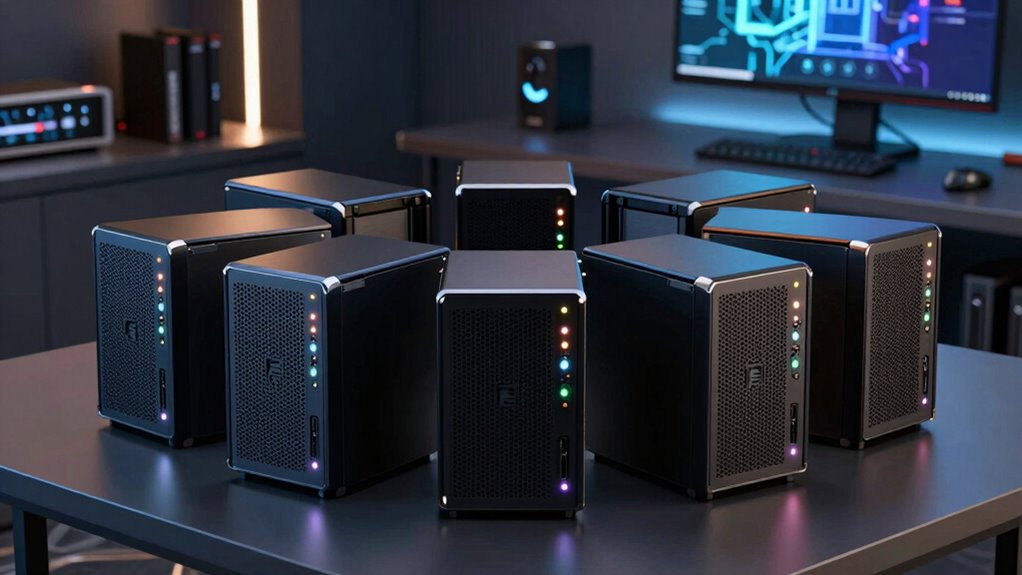

Choosing the right raid enclosure for local backups can be challenging with so many options available. The best models balance reliability, expandability, and ease of setup, but often involve tradeoffs between cost, performance, and complexity. The Yottamaster 5 Bay RAID Enclosure stands out for high capacity and robust features, while the QNAP TR-004 offers flexible hardware RAID options for more advanced users. Budget-friendly options like the TERRAMASTER D2-320 provide solid value but may lack advanced features. Continue reading for a detailed breakdown that helps you find the perfect enclosure for your backup needs.

Get business pricing on monitors, keyboards and dev gear
- Business-only prices and quantity discounts
- Tax-exempt purchasing
- Multiple users, one account, clear invoices
Key Takeaways
- Top picks excel in capacity and expandability, especially the Yottamaster 5 Bay models.
- Performance and RAID mode support vary significantly, influencing suitability for different users.
- Build quality and cooling features are crucial for long-term reliability in continuous backup scenarios.
- Ease of setup and user interface are important factors, especially for less technical users.
- Higher capacity and more RAID options often come with increased cost and complexity.
| CENMATE Aluminum 4 Bay Hard Drive RAID Enclosure with Cooling Fan for 2.5/3.5″ SATA HDD/SSD |  | Best Overall for Versatile High-Capacity Backup | Supported Drive Sizes: 2.5/3.5 inches | Maximum Capacity: 80TB | RAID Modes: 0/1/3/5/10, CLONE, LARGE, NORMAL | VIEW ON AMAZON | See Our Full Breakdown |
| TERRAMASTER D2-320 USB RAID Enclosure 2-Bay (Diskless) |  | Best Value for Compact, High-Speed RAID Storage | Connection Protocol: USB 3.2 Gen2 | Max Speed: 10Gbps | Supported Drives: 2 x 3.5″ or 2.5″ SATA HDD/SSD | VIEW ON AMAZON | See Our Full Breakdown |
| Yottamaster 5 Bay RAID Hard Drive Enclosure USB C, Aluminum RAID Enclosure for 3.5 & 2.5 Inch SATA HDD/SSD, Support 110TB(5x22TB) Direct Attached Storage DAS RAID1/5/10/JBOD/CLONE – PS500RC3 |  | Best for Large-Scale Data with Flexible RAID Modes | Storage Capacity: up to 120TB | Number of Bays: 5 | Supported Drives: 3.5 & 2.5 inch SATA HDD/SSD | VIEW ON AMAZON | See Our Full Breakdown |
| Yottamaster 5 Bay RAID Hard Drive Enclosure, 150W Aluminum USB 3.0, Supports 3.5 & 2.5 Inch SATA HDD/SSD, Up to 120TB Storage |  | Best for High-Capacity, Flexible RAID Backups | Storage Capacity: up to 120TB | Number of Bays: 5 | Supported Drives: 3.5 & 2.5 inch SATA HDD/SSD | VIEW ON AMAZON | See Our Full Breakdown |
| ORICO 4 Bay RAID Hard Drive Enclosure with 8 RAID Modes, Support up to 88TB for 3.5-inch HDDs |  | Best Overall for Flexible Data Management | RAID Modes: 8 (RAID 0, 1, 3, 5, 10, JBOD, CLONE, CLEAR) | Supported Drive Size: 3.5-inch SATA | Maximum Storage Capacity: 88TB | VIEW ON AMAZON | See Our Full Breakdown |
| QNAP TR-004 4-Bay USB Type-C Direct Attached Storage with Hardware RAID (Diskless) |  | Best for Flexible External Expansion | Number of Bays: 4 | Interface: USB Type-C | Supported Systems: Windows, macOS, Linux | VIEW ON AMAZON | See Our Full Breakdown |
| ORICO 5 Bay RAID External Hard Drive Enclosure 130TB Max |  | Best for Massive Capacity and Heavy-Duty Use | Maximum Capacity: 130TB | Supported Drive Sizes: 2.5 and 3.5-inch SATA | RAID Modes: 8 (RAID 0, 1, 3, 5, 10, JBOD, Clone, Clear) | VIEW ON AMAZON | See Our Full Breakdown |
| raid enclosures for local backup | Interface |
|---|---|
| CENMATE Aluminum 4 Bay Hard Dr | — |
| TERRAMASTER D2-320 USB RAID En | — |
| Yottamaster 5 Bay RAID Hard Dr | USB 3.0 |
| Yottamaster 5 Bay RAID Hard Dr | USB 3.0 |
| ORICO 4 Bay RAID Hard Drive En | USB 3.0 |
| QNAP TR-004 4-Bay USB Type-C D | USB Type-C |
| ORICO 5 Bay RAID External Hard | USB 3.0 |
More Details on Our Top Picks
CENMATE Aluminum 4 Bay Hard Drive RAID Enclosure with Cooling Fan for 2.5/3.5″ SATA HDD/SSD
This enclosure stands out for supporting a maximum of 80TB across multiple RAID modes, making it ideal for both personal backups and small enterprise environments. Its aluminum construction and built-in cooling fans help manage heat during extended use, outperforming plastic enclosures that tend to overheat. The high-speed USB 3.0 and eSATA ports enable quick data transfers, which is crucial when working with large files. However, its fan noise can be noticeable for quiet office settings, and switching RAID modes requires manual hardware adjustments, risking data mishaps if not done carefully. Compared to the Yottamaster 5 Bay, this enclosure offers more RAID options but at the cost of slightly noisier operation and more complex setup. This makes it best suited for users who need reliable, high-capacity storage with flexible RAID configurations and are comfortable managing hardware settings.
Pros:- Supports up to 80TB capacity and multiple RAID configurations
- Built-in cooling fans for heat dissipation during extended use
- High-speed USB 3.0 and eSATA for fast data transfer
- Compatible with Windows, Mac, and Linux
Cons:- Fan noise may be distracting in quiet environments
- RAID mode switching requires manual hardware adjustment, risking data loss
Best for: Small businesses or tech-savvy users needing flexible, high-capacity backups with multiple RAID options
Not ideal for: Home users seeking a silent, plug-and-play solution due to fan noise and manual RAID adjustments
- Supported Drive Sizes:2.5/3.5 inches
- Maximum Capacity:80TB
- RAID Modes:0/1/3/5/10, CLONE, LARGE, NORMAL
- Connectivity:USB 3.0, eSATA
- Fan Size:2 inches
- Material:Aluminum-Alloy
- Power Supply:DC 12V
- Noise Level:40-50 decibels
Our verdict“This enclosure suits users who need a high-capacity, flexible RAID solution with good heat management and are comfortable with manual configuration.”
TERRAMASTER D2-320 USB RAID Enclosure 2-Bay (Diskless)
Compared with larger enclosures like the Yottamaster 5 Bay, the TERRAMASTER D2-320 offers a more streamlined, space-efficient solution without sacrificing speed. Its support for USB 3.2 Gen2 provides transfer speeds up to 10Gbps, making it ideal for quick backups of smaller or medium-sized datasets. The tool-free drive installation and intelligent temperature-controlled fan simplify setup and maintenance, though it’s limited to just two drives and requires an external power source. Its maximum capacity of 44TB suits users who need reliable, fast backups without extensive storage needs. Unlike the 5 Bay models, it lacks additional bays but compensates with easier handling and higher transfer speeds for smaller-scale setups. Best suited for professionals or small offices needing quick, reliable RAID configurations in a compact form.
Pros:- Supports multiple RAID modes including RAID 0, 1, JBOD, and SINGLE
- High-speed data transfer up to 10Gbps with USB 3.2 Gen2
- Tool-free drive installation with secure locking
- Supports up to 44TB total storage
Cons:- Requires external power, adding to desktop clutter
- Limited to two drives, restricting maximum capacity for large backups
Best for: Small offices or advanced home users prioritizing speed and ease of setup for moderate backup tasks
Not ideal for: Users requiring very high storage capacity or extensive RAID configurations, due to its 2-bay limit
- Connection Protocol:USB 3.2 Gen2
- Max Speed:10Gbps
- Supported Drives:2 x 3.5″ or 2.5″ SATA HDD/SSD
- Max Capacity per Drive:22TB
- Total Capacity:Up to 44TB
- RAID Support:RAID 0, RAID 1, JBOD, SINGLE
- Drive Installation:Tool-free, push-lock tray
- Cooling:Intelligent temperature-controlled fan
Our verdict“This enclosure offers fast, reliable RAID storage in a compact, easy-to-use package for smaller-scale backup needs.”
Yottamaster 5 Bay RAID Hard Drive Enclosure USB C, Aluminum RAID Enclosure for 3.5 & 2.5 Inch SATA HDD/SSD, Support 110TB(5x22TB) Direct Attached Storage DAS RAID1/5/10/JBOD/CLONE – PS500RC3
This model is ideal for users handling massive data sets, supporting up to 110TB across five drives and a variety of RAID modes including RAID 0, 1, 5, and 10. Its aluminum shell and 80mm silent fan provide effective cooling, making it suitable for intensive workflows like video editing or large backups. Compared with the smaller 2- or 4-bay enclosures, the PS500RC3 offers expansive storage but at the expense of increased size and setup complexity. The support for both 2.5 and 3.5-inch drives adds versatility, though configuring RAID modes may require some technical familiarity. Its high capacity and flexible RAID options make it best suited for demanding professionals, especially those in content creation or enterprise backup environments.
Pros:- Supports up to 110TB of total storage with five drives
- Multiple RAID modes including RAID 0/1/5/10 for flexible configurations
- Effective heat dissipation with aluminum shell and silent fan
- Compatible with both 2.5 and 3.5-inch drives
Cons:- Requires some technical knowledge for RAID setup and management
- Bulkier design and higher price point compared to simpler enclosures
Best for: Professionals in video, photography, or data-intensive fields needing large, flexible RAID storage
Not ideal for: Home users with modest backup needs or those seeking simple plug-and-play solutions due to RAID complexity
- Storage Capacity:up to 120TB
- Number of Bays:5
- Supported Drives:3.5 & 2.5 inch SATA HDD/SSD
- Interface:USB 3.0
- Transfer Speed:up to 5Gbps
- Material:Aluminum alloy
- Fan:80mm built-in low-noise fan
- Supported RAID Modes:RAID 0/1/5/10, JBOD, CLONE
Our verdict“This enclosure excels for heavy-duty, large-capacity backup scenarios where RAID flexibility and heat management are priorities.”
Yottamaster 5 Bay RAID Hard Drive Enclosure, 150W Aluminum USB 3.0, Supports 3.5 & 2.5 Inch SATA HDD/SSD, Up to 120TB Storage
Compared with the other Yottamaster model, this enclosure offers similar high-capacity support up to 120TB, but it emphasizes a slightly higher power capacity at 150W, supporting demanding RAID configurations like RAID 0, 1, 5, and 10. Its aluminum build and integrated 80mm fan aid in heat dissipation, making it suitable for continuous operation. While the setup supports various RAID modes, it requires some technical expertise, especially when configuring software RAID. Its large storage potential makes it perfect for large-scale backups or media libraries, but its size and initial cost might be overkill for casual users. If maximum capacity and RAID flexibility are your main concerns, this enclosure offers a robust solution for professional environments.
Pros:- Supports up to 120TB of total storage with multiple RAID modes
- Robust aluminum construction with effective cooling
- Supports both 3.5 and 2.5-inch drives
- Flexible RAID options including RAID 0/1/5/10
Cons:- Requires technical knowledge for RAID configuration
- Bulkier and more expensive than smaller enclosures
Best for: Data centers, media professionals, or large-scale backup setups needing extensive RAID options
Not ideal for: Casual users or small offices without technical staff, due to complexity and size
- Storage Capacity:up to 120TB
- Number of Bays:5
- Supported Drives:3.5 & 2.5 inch SATA HDD/SSD
- Interface:USB 3.0
- Transfer Speed:up to 5Gbps
- Material:Aluminum alloy
- Fan:80mm built-in low-noise fan
- Supported RAID Modes:RAID 0/1/5/10, JBOD, CLONE
Our verdict“This enclosure is best for users with demanding storage needs who can manage complex RAID setups and require maximum capacity.”
ORICO 4 Bay RAID Hard Drive Enclosure with 8 RAID Modes, Support up to 88TB for 3.5-inch HDDs
This ORICO 4-bay RAID enclosure stands out for offering a comprehensive range of RAID modes—including RAID 0, 1, 3, 5, 10, JBOD, CLONE, and CLEAR—making it ideal for users who need versatile data protection and performance options. Compared with the QNAP TR-004, it provides higher maximum capacity and more RAID configurations, though it requires a bit more understanding to configure properly. Its support for up to 88TB makes it suitable for large-scale backups or media projects. The enclosure’s silent 80mm fan and safety lock enhance usability, but its bulkier design may be a drawback for space-conscious setups. This model is best suited for advanced users managing substantial data workloads who appreciate flexibility, though beginners might find the multiple options overwhelming.
Pros:- Supports 8 different RAID modes for maximum flexibility
- Maximum capacity of 88TB suitable for large projects
- Silent cooling fan maintains optimal temperature without noise
- Secure safety lock prevents accidental disk ejection
Cons:- Requires understanding of RAID configurations to avoid missetup
- Bulkier design makes it less ideal for tight spaces
- Overkill for users with basic backup needs
Best for: Power users needing extensive RAID configurations and large storage capacities for professional backups or media work
Not ideal for: Beginners or users with simple storage needs who prefer straightforward, plug-and-play solutions
- RAID Modes:8 (RAID 0, 1, 3, 5, 10, JBOD, CLONE, CLEAR)
- Supported Drive Size:3.5-inch SATA
- Maximum Storage Capacity:88TB
- Interface:USB 3.0
- Data Transfer Rate:up to 235 MB/s
- Power Supply:150W built-in
- Cooling:80mm silent fan with vents
- Safety Features:Independent safety lock, tray-less design
Our verdict“This enclosure is perfect for tech-savvy professionals who need versatile, high-capacity RAID storage for demanding backup tasks.”
QNAP TR-004 4-Bay USB Type-C Direct Attached Storage with Hardware RAID (Diskless)
The QNAP TR-004 is an excellent choice for expanding existing NAS capacity or creating a robust external backup solution. Its hardware RAID support for RAID 0, 1, 5, JBOD, and individual disks makes it adaptable for various redundancy and performance needs. Unlike the ORICO 4 Bay, which offers more RAID configurations but is bulkier, the TR-004’s sleek design and USB Type-C interface provide fast, straightforward connectivity. It’s compatible with Windows, macOS, and Linux, making it a flexible option for mixed environments. However, its diskless setup means additional investment in drives, and it cannot be used as a volume within a NAS. This makes it best suited for users who want a portable, external RAID array to supplement existing storage infrastructure.
Pros:- Supports multiple hardware RAID configurations for tailored protection
- Compatible across Windows, macOS, and Linux systems
- Lockable drive bays enhance physical security
- Sleek, portable design with USB Type-C connection
Cons:- Cannot be integrated as a volume inside a NAS device
- Limited to 3.5-inch SATA drives, requiring separate drive purchases
- Not suitable for users seeking a standalone NAS
Best for: Tech-savvy users needing an external RAID array to expand or secure their existing data storage systems
Not ideal for: Beginners or users seeking an all-in-one NAS solution with integrated management
- Number of Bays:4
- Interface:USB Type-C
- Supported Systems:Windows, macOS, Linux
- RAID Support:RAID 0, 1, 5, JBOD, individual disks
- Drive Compatibility:3.5-inch SATA
- Security:Lockable drive bays
Our verdict“This device is ideal for users who want a portable, external RAID solution to expand or back up their existing systems with ease.”
ORICO 5 Bay RAID External Hard Drive Enclosure 130TB Max
The ORICO 5 Bay RAID Enclosure excels at offering massive storage capacity—up to 130TB—making it well-suited for large-scale backups, video editing, and media libraries. It features a hardware RAID controller supporting 0, 1, 3, 5, 10, JBOD, Clone, and Clear modes, similar to the ORICO 4 Bay, but with more bays and greater capacity. Its robust aluminum shell and 150W built-in power supply provide enhanced stability and heat dissipation, essential for 24/7 operation. Compared to the 4-bay models, it’s bulkier and more expensive, but the added capacity and durability can justify the higher price for demanding environments. This enclosure is best for creative professionals or enterprise users managing extensive data backups and large media files, though it might be overkill for casual users.
Pros:- Supports up to 130TB total capacity for massive data storage
- Multiple RAID modes for flexible data protection
- Heavy-duty aluminum shell and 150W power supply ensure stability
- Supports both 2.5” and 3.5” SATA drives for versatility
Cons:- High price point and large footprint may deter casual users
- Complex setup for those unfamiliar with RAID configurations
- Requires careful management to avoid overheating during long-term use
Best for: Professionals and organizations requiring large, reliable backup solutions with high uptime demands
Not ideal for: Home users with limited space or basic backup needs who don’t need such extensive capacity
- Maximum Capacity:130TB
- Supported Drive Sizes:2.5 and 3.5-inch SATA
- RAID Modes:8 (RAID 0, 1, 3, 5, 10, JBOD, Clone, Clear)
- Power Supply:150W built-in
- Cooling System:Heavy-duty aluminum shell with silent 80mm fan
- Interface:USB 3.0
Our verdict“This enclosure is best suited for professional environments demanding large, reliable, and heavy-duty RAID storage solutions.”

How We Picked
The products in this roundup were selected based on their capacity, RAID support, build quality, usability, and value. We prioritized models that offer versatile RAID modes, reliable construction, and straightforward setup to meet different user needs. Performance benchmarks were considered where available, but ease of use and expandability played a critical role. The ranking reflects a balance between affordability and advanced features, ensuring options suitable for beginners up to experienced users seeking high-capacity solutions.| raid enclosures for local backup | Interface |
|---|---|
| CENMATE Aluminum 4 Bay Hard Dr | — |
| TERRAMASTER D2-320 USB RAID En | — |
| Yottamaster 5 Bay RAID Hard Dr | USB 3.0 |
| Yottamaster 5 Bay RAID Hard Dr | USB 3.0 |
| ORICO 4 Bay RAID Hard Drive En | USB 3.0 |
| QNAP TR-004 4-Bay USB Type-C D | USB Type-C |
| ORICO 5 Bay RAID External Hard | USB 3.0 |
Factors to Consider When Choosing Raid Enclosures For Local Backups
When choosing a raid enclosure for local backups, understanding key factors can help you avoid common pitfalls and find a device that fits your needs. Capacity, RAID support, and build quality are fundamental, but other considerations like ease of setup, cooling, and future expandability can significantly impact your experience. Making informed decisions helps ensure your data remains safe, accessible, and well-managed over time.Capacity and Expandability
Assess your current storage needs and future growth plans. Larger capacities and multi-bay enclosures support more drives and RAID configurations, offering redundancy and performance benefits. However, higher capacity models often come with increased cost and complexity. Consider whether you prefer a straightforward setup or plan to expand over time, which might justify investing in enclosures with more bays and flexible RAID options.
RAID Support and Performance
The RAID modes supported by an enclosure determine how your data is protected and accessed. For simple backups, RAID 1 or JBOD might suffice, but for performance and redundancy, RAID 5 or 10 are better choices. Some enclosures, like the QNAP TR-004, offer hardware RAID with dedicated controllers, resulting in faster and more reliable operation. Be mindful that advanced RAID modes often require more technical knowledge to configure properly.
Build Quality and Cooling
Durability and heat dissipation are vital for long-term reliability, especially when drives are running continuously. Aluminum enclosures often provide better cooling than plastic ones, reducing the risk of overheating and drive failure. Check for features like built-in fans or vents that help maintain optimal operating temperatures, which can extend the lifespan of your drives and safeguard your backups.
Ease of Use and Compatibility
User-friendly interfaces, straightforward setup procedures, and broad compatibility with different operating systems make managing your backups easier. Diskless enclosures give flexibility but require additional drives and setup. Ensure the enclosure supports your drive sizes (2.5 or 3.5 inches) and connection types like USB-C or Thunderbolt, especially if speed and future-proofing are priorities.
Cost and Total Investment
Price varies widely based on capacity, RAID support, and build features. While budget options can be attractive, they may lack durability or advanced RAID modes needed for secure backups. Investing more in a higher-quality enclosure can pay off through increased reliability and scalability, especially if your backup needs are critical or growing. Always balance initial costs with long-term value and potential upgrade paths.
Frequently Asked Questions
Should I choose a hardware or software RAID enclosure?
Hardware RAID enclosures typically offer better performance, reliability, and ease of management because they include dedicated controllers that handle RAID functions independently of your computer. Software RAID solutions rely on your operating system and can be more flexible but may introduce performance bottlenecks and complexity. For most users prioritizing data security and simplicity, hardware RAID enclosures provide a more seamless and robust backup solution.
Is it better to buy a diskless enclosure or one with drives pre-installed?
Choosing a diskless enclosure offers maximum flexibility, allowing you to select drives that match your capacity and performance needs. It also provides the opportunity to upgrade drives over time. However, it requires additional setup and compatibility checks. Enclosures with pre-installed drives are more convenient but can limit upgrade options and might be more expensive upfront. Your choice depends on your comfort with setup and upgrade plans.
How important is cooling in a RAID enclosure?
Cooling is a key factor in maintaining drive longevity, especially with continuous operation. Overheating can cause drives to fail prematurely, risking data loss. Enclosures with good ventilation or active cooling fans help dissipate heat, ensuring stable performance over time. Investing in a well-cooled enclosure can save money in the long run by reducing the risk of drive failures and data corruption.
What capacity should I choose for a reliable backup system?
Your backup capacity should at least match your current data volume, with additional headroom for growth. For example, if you store 10TB now, consider an enclosure supporting at least 15-20TB. Larger capacities provide flexibility and reduce the need for frequent upgrades. Be aware that higher capacities often come with increased cost, but they are essential for scalable backup solutions, especially with high-resolution media or large datasets.
Is it worth paying more for a RAID enclosure with more RAID mode options?
Yes, investing in an enclosure with multiple RAID modes offers greater flexibility and future-proofing. It allows you to tailor your setup for redundancy, performance, or a combination of both as your needs evolve. Higher-end models with broad RAID support are particularly valuable for users with critical data or those planning to expand their storage, providing more control and security over your backups.
Conclusion
For most users seeking a reliable, all-around solution, the Yottamaster 5 Bay RAID Enclosure offers excellent capacity and versatility, making it the best overall pick. Budget-conscious buyers or those new to RAID should consider the TERRAMASTER D2-320 for straightforward functionality at a lower price point. Power users and professionals with demanding backup needs will find the QNAP TR-004 ideal thanks to its hardware RAID options and expandability. If your priority is simplicity and ease of setup, the ORICO 4 Bay RAID Enclosure with multiple modes is a solid choice. Ultimately, your selection should align with your storage needs, technical comfort, and budget constraints.
Fall Picks
fall essentials
As an affiliate, we earn on qualifying purchases.