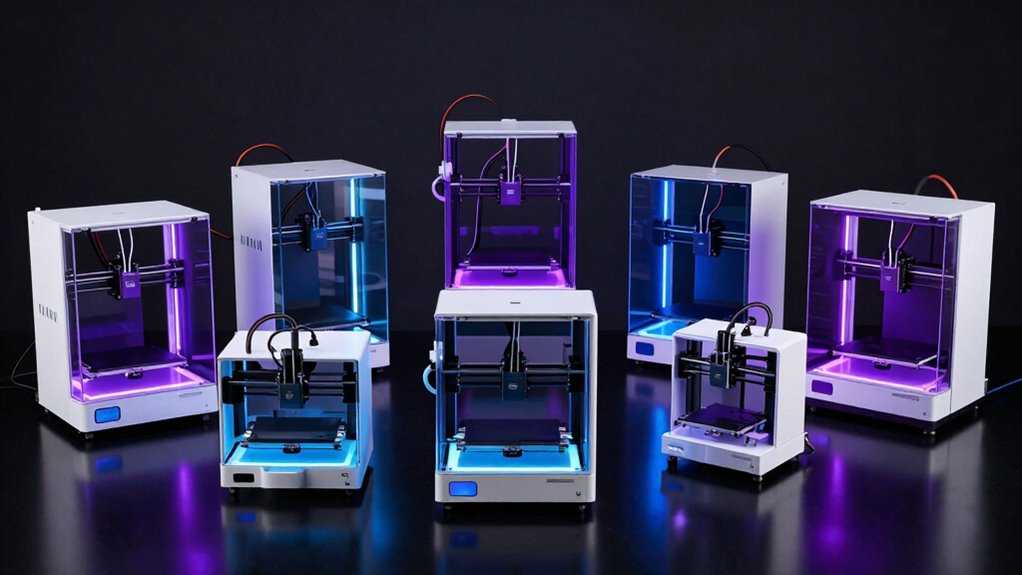

For makers seeking precise, high-detail prints, resin 3D printers offer unparalleled quality compared to filament-based models. The ANYCUBIC Photon Mono 4 stands out as the best overall choice thanks to its fast Mono LCD and high resolution, perfect for intricate designs. The ELEGOO Mars 5 Ultra is a strong contender for those on a budget, offering great detail at a lower price point. However, these printers come with tradeoffs such as higher resin costs and more involved post-processing. Continue reading for a detailed breakdown of the best options and how to choose the right one for your needs.

Get business pricing on monitors, keyboards and dev gear
- Business-only prices and quantity discounts
- Tax-exempt purchasing
- Multiple users, one account, clear invoices
Complete the kit


Key Takeaways
- High-resolution screens like Mono LCD significantly improve print detail and speed, making models like the ANYCUBIC Photon Mono 4 ideal for detailed makers.
- Auto-leveling features, as seen in the ANYCUBIC Photon P1, reduce setup time and improve reliability, especially for beginners.
- Larger build volumes, such as in the ELEGOO Saturn 3 MSLA, cater to makers needing bigger prints or multiple parts in one run.
- Post-processing equipment like wash and cure stations streamline production and ensure higher quality finishes, a priority for serious hobbyists.
- Price differences often reflect build quality and feature sets; budget models can be great but may lack durability or speed compared to premium options.
| ANYCUBIC Photon Mono 4 Resin 3D Printer with 7” 10K Mono LCD Screen |  | Best Overall for High-Resolution and Ease of Use | Resolution: 9024×5120 | Screen Size: 7 inches | Build Volume: 6.04” x 3.42” x 6.49” / 153.4mm x 87mm x 165mm | VIEW ON AMAZON | See Our Full Breakdown |
| ANYCUBIC Photon P1 14K Resin 3D Printer with Auto-Leveling |  | Best for Precision and Reliable Operation | Print Technology: Resin LCD | Screen Size: 10.1 inches | Resolution: 13,312 x 5,120 pixels | VIEW ON AMAZON | See Our Full Breakdown |
| ELEGOO Mars 5 Resin 3D Printer |  | Best for Beginners Seeking Quality and Safety | Automatic Leveling: Yes | LCD: 4K mono LCD | Light Source: COB | VIEW ON AMAZON | See Our Full Breakdown |
| ELEGOO Saturn 3 MSLA 12K 3D Printer |  | Best for Large, Ultra-High-Resolution Projects | Display: 10-inch 12K mono LCD | Resolution: 11520 × 5120 | XY Resolution: 19 × 24 μm | VIEW ON AMAZON | See Our Full Breakdown |
| ELEGOO Mars 5 Ultra Resin 3D Printer |  | Best for Speed and Smart Features | Display: 7-inch mono LCD | Resolution: 9K | XY Resolution: 18 μm | VIEW ON AMAZON | See Our Full Breakdown |
| ELEGOO Mercury X Bundle Wash and Cure Machine for Large Resin 3D Prints |  | Best for Large-Scale Post-Processing | Capacity: 7.5 Liters | Light source: 405nm UV LED lights | Operation: Single knob control | VIEW ON AMAZON | See Our Full Breakdown |
| UniFormation W230 Resin Wash Machine & Wash Station for Resin 3D Printer |  | Best for Precise, Thorough Cleaning of Larger Prints | Capacity: 7 Liters | Maximum Cleaning Size: 235 × 140 × 210 mm | Cleaning Frequency: 40kHz | VIEW ON AMAZON | See Our Full Breakdown |
| resin 3d printers for maker | Resolution | Light Source |
|---|---|---|
| ANYCUBIC Photon Mono 4 Resin 3 | 9024×5120 | Anycubic LighTurbo matrix |
| ANYCUBIC Photon P1 14K Resin 3 | 13,312 x 5,120 pixels | — |
| ELEGOO Mars 5 Resin 3D Printer | — | COB |
| ELEGOO Saturn 3 MSLA 12K 3D Pr | 11520 × 5120 | Fresnel collimating 405 nm |
| ELEGOO Mars 5 Ultra Resin 3D P | 9K | — |
| ELEGOO Mercury X Bundle Wash a | — | 405nm UV LED lights |
| UniFormation W230 Resin Wash M | — | — |
More Details on Our Top Picks
ANYCUBIC Photon Mono 4 Resin 3D Printer with 7” 10K Mono LCD Screen
The Photon Mono 4 stands out for its exceptional 10K resolution, making it ideal for detailed miniatures and intricate models. Compared to the ELEGOO Mars 5 Ultra, it offers a larger build volume, which is beneficial for bigger projects, but its setup can be more complex, especially without the dedicated app support found in other models. The stable lighting and user-friendly leveling make it accessible to both newcomers and seasoned makers, though the absence of app integration may slow down some workflows. Its high resolution and large build area make it a versatile choice, but beginners might face a steeper learning curve.
Pros:- High 10K resolution for ultra-fine details
- Large build volume suitable for diverse projects
- Stable, uniform lighting ensures smooth surfaces
- Powerful leveling and resume functions
Cons:- No support for Anycubic app service, limiting remote operation
- Setup may be complex for first-time users
Best for: Makers who prioritize high detail and a larger build volume without sacrificing user-friendly features.
Not ideal for: Beginners seeking a straightforward, plug-and-play experience or those who rely heavily on app integration.
- Resolution:9024×5120
- Screen Size:7 inches
- Build Volume:6.04” x 3.42” x 6.49” / 153.4mm x 87mm x 165mm
- Light Source:Anycubic LighTurbo matrix
- Leveling Method:4-point
- Power Resume:Yes
Our verdict“This printer suits makers who want high resolution and a sizable build area but are comfortable with a slightly steeper learning curve.”
ANYCUBIC Photon P1 14K Resin 3D Printer with Auto-Leveling
The Photon P1 offers an ultra-high 14K resolution, making it a top choice for those demanding fine details, akin to the ELEGOO Mars 5 but with added automation. Its auto-leveling and AI monitoring set it apart from the Photon Mono 4, providing a more reliable, less labor-intensive setup, though at a higher initial cost. Handling high-viscosity resins with ease, it caters to advanced makers who need precision without frequent manual adjustments. However, the complex setup and costly LCD replacement are tradeoffs that more casual users should consider. Overall, this model is perfect for experienced hobbyists or professionals focused on detailed, consistent results.
Pros:- Ultra-high 14K resolution for detailed prints
- Auto-leveling and AI monitoring for consistent quality
- Handles high-viscosity resins effectively
- Reliable, stable build suitable for intricate models
Cons:- Setup complexity may challenge newcomers
- High-resolution LCD replacement can be costly
- Limited to resin printing only
Best for: Experienced makers needing ultra-high detail and automated reliability for complex projects.
Not ideal for: Beginners or casual users who prefer simple, budget-friendly options with minimal setup.
- Print Technology:Resin LCD
- Screen Size:10.1 inches
- Resolution:13,312 x 5,120 pixels
- XY Pixel Size:16.8 x 24.8 micrometers
- Max Resin Viscosity:8,000 cps
- Auto-Leveling:Yes
Our verdict“This printer appeals to advanced makers prioritizing precision and automation over ease of use or affordability.”
ELEGOO Mars 5 Resin 3D Printer
The ELEGOO Mars 5 combines a 4K mono LCD with automatic leveling, making it a strong choice for newcomers who want reliable, high-quality prints. It offers safety features like overheating protection and residue detection, which are absent in the Photon Mono 4, ensuring safer operation for less experienced users. While its build volume is smaller than the Photon Mono 4 or Saturn 3, its straightforward setup and self-check functions make it easier for beginners to achieve consistent results. However, the limited build volume and higher price point due to advanced features might deter casual hobbyists on a budget. It strikes a solid balance between ease of use and print quality.
Pros:- Automatic leveling simplifies setup
- High-resolution 4K mono LCD for detailed prints
- Built-in safety features prevent damage
- Self-check functions increase reliability
Cons:- Limited build volume for larger projects
- Higher cost due to advanced safety and auto features
Best for: Beginners or hobbyists seeking a safe, reliable resin printer with automatic features.
Not ideal for: Experienced makers needing large build volumes or ultra-high-resolution details beyond 4K.
- Automatic Leveling:Yes
- LCD:4K mono LCD
- Light Source:COB
- Overheat Protection:Yes
- Cooling System:Enhanced
- Sensor:Mechanical residue detection
Our verdict“This model is well-suited for newcomers wanting a safe, reliable resin printer with minimal fuss.”
ELEGOO Saturn 3 MSLA 12K 3D Printer
The Saturn 3 offers a substantial build volume combined with a 12K mono LCD, making it ideal for larger, highly detailed models. Its 10-inch screen and 19 × 24 μm XY resolution match or surpass the detail of smaller printers like the Mars 5, but the larger size introduces a steeper learning curve, especially due to resin handling and setup complexity. The uniform lighting and compatibility with popular slicing software like Chitubox and Lychee make it appealing for makers with larger-scale projects. Still, resin printing inherently involves mess and careful handling, and the larger build volume demands more rigorous calibration and cleanup. It’s targeted at experienced users working on bigger, intricate pieces.
Pros:- High 12K resolution for stunning detail
- Large build volume for bigger models
- Consistent lighting ensures quality
- Compatible with popular slicers
Cons:- Setup can be complex and time-consuming
- Resin handling and cleanup are messier and more demanding
Best for: Advanced makers and professionals needing large, detailed prints for bigger projects.
Not ideal for: Beginners or those with limited space, due to setup complexity and resin handling requirements.
- Display:10-inch 12K mono LCD
- Resolution:11520 × 5120
- XY Resolution:19 × 24 μm
- Build Volume:218.88 × 122.88 × 250 mm
- Light Source:Fresnel collimating 405 nm
- Software Compatibility:Chitubox, Lychee Slicer
Our verdict“This printer is best suited for experienced users who need large, detailed resin prints and are prepared for a more involved process.”
ELEGOO Mars 5 Ultra Resin 3D Printer
The ELEGOO Mars 5 Ultra emphasizes speed with up to 150 mm/h printing and incorporates AI camera error detection, making it a smart choice for makers who want quick, accurate results. Its 9K mono LCD delivers sharp details on smaller models, but may not match the ultra-fine resolution of the 14K or 12K options. The tilt release technology simplifies model removal, and Wi-Fi cluster printing boosts productivity when operating multiple units. However, the AI detection’s effectiveness can depend on environmental factors, and its complex features might be overwhelming for complete beginners. This model is ideal for makers who value faster turnaround times and smart error management.
Pros:- High 9K resolution for detailed prints
- Fast printing speeds up to 150 mm/h
- AI camera detects errors in real-time
- Supports multiple printers via Wi-Fi
Cons:- AI error detection performance varies
- Features may be complex for new users
Best for: Makers who prioritize speed, efficiency, and multi-printer management in their workflow.
Not ideal for: Absolute beginners or those needing the highest possible resolution for tiny details.
- Display:7-inch mono LCD
- Resolution:9K
- XY Resolution:18 μm
- Speed:150 mm/h
- Features:AI camera, tilt release, Wi-Fi cluster
Our verdict“This printer suits makers focused on rapid production and smart error detection, at the expense of maximum ultra-fine detail.”
ELEGOO Mercury X Bundle Wash and Cure Machine for Large Resin 3D Prints
The ELEGOO Mercury X Bundle stands out for its ability to handle large resin prints with a spacious 7.5-liter container, making it an excellent choice for makers working on sizable projects. Its UV LED lights improve the curing process, providing consistent finish quality, especially when compared to smaller, more limited curing stations like the ELEGOO Saturn 3 MSLA. The user-friendly single-knob operation simplifies post-processing, and built-in safety features protect users from UV exposure. However, it requires pre-filling with liquid to avoid operational issues, and it is not compatible with water-washable resins, which could be inconvenient for some. Cleaning larger models still involves manual drying, which adds a step for the user. This machine is ideal for those with larger prints needing efficient, safe, and reliable post-processing, but not for makers working with water-soluble resins or smaller models.
Pros:- Supports large resin prints with a spacious 7.5L container
- Enhances print quality with integrated UV curing lights
- Simple operation with a single-knob control and safety features
Cons:- Requires pre-filling with liquid to prevent operational issues
- Not compatible with water-washable resins, limiting resin choices
- Manual drying needed for larger models post-cleaning
Best for: Makers producing large resin models who need an efficient, safe, and straightforward post-processing station.
Not ideal for: Small-scale hobbyists or those working exclusively with water-washable resin who prefer compact, water-based solutions.
- Capacity:7.5 Liters
- Light source:405nm UV LED lights
- Operation:Single knob control
- Safety features:UV cover blocks 99.9% of UV rays
- Built-in curing:Yes
- Material compatibility:Supports standard resin
Our verdict“This pick is best suited for makers working with large prints who value safety and straightforward operation over water-washable resin compatibility.”
UniFormation W230 Resin Wash Machine & Wash Station for Resin 3D Printer
The UniFormation W230 excels at effectively removing uncured resin with its 40kHz ultrasonic cleaning, making it a strong contender for makers who prioritize detailed, clean finishes. Compared to the ELEGOO Mercury X, which relies on UV curing for post-processing, the W230’s ultrasonic technology provides a more thorough cleaning, especially for intricate or larger models. Its 7L capacity accommodates sizable prints, and features like a removable basket and build plate slot add convenience. However, it requires regular liquid replacement and maintenance, which can be a hassle over time. Its bulkiness may also be problematic for makers with limited space. This device is well-suited for professionals or dedicated hobbyists who need fast, detailed cleaning of larger resin prints, but less ideal for those with small workspaces or infrequent use.
Pros:- Ultrasonic cleaning at 40kHz removes uncured resin thoroughly
- Large capacity fits bigger prints comfortably
- Flexible features like removable basket and build plate slot enhance usability
Cons:- Requires regular liquid replacement and maintenance
- Bulkier size could be challenging in limited spaces
- Cleaning process involves handling chemicals and liquids
Best for: Makers who produce larger, detailed resin models and need efficient, thorough cleaning without damaging delicate features.
Not ideal for: Casual hobbyists with small workspaces or those who print infrequently, as maintenance and space might be concerns.
- Capacity:7 Liters
- Maximum Cleaning Size:235 × 140 × 210 mm
- Cleaning Frequency:40kHz
- Basket Size:230 × 135 × 130 mm
- Material:Resin
- Features:Removable basket, build plate slot, leak-proof drainage
Our verdict“This machine is ideal for makers needing detailed, efficient cleaning of large resin models and willing to handle maintenance complexity.”

How We Picked
The selection process focused on performance, ease of use, build quality, and value for makers. I prioritized printers with high resolution screens, fast print speeds, and reliable auto-leveling features, as these directly impact print quality and user experience. Durability, size options, and post-processing compatibility also played key roles. The ranking balances these factors with price considerations, aiming to recommend options suitable for both beginners and more experienced makers. Ultimately, the best picks provide a mix of quality, affordability, and practical features that matter most in a maker setting.Factors to Consider When Choosing Resin 3d Printers For Makers
Choosing the right resin 3D printer involves understanding several key factors that influence your overall experience and output quality. Beyond initial cost, consider features like resolution, build volume, and ease of calibration, which directly impact your ability to create detailed, reliable prints. Additionally, think about post-processing needs and the availability of accessories, as these can streamline your workflow. Making an informed decision ensures you select a model that matches your skill level and project requirements, avoiding common pitfalls like overpaying for unnecessary features or choosing a machine that’s too limited for your ambitions.Resolution and Print Quality
High-resolution screens, such as 7K or 14K LCDs, produce finer details and smoother surfaces, which are essential for intricate maker projects. Cheaper models with lower resolutions may save money but sacrifice detail, resulting in less precise parts. Consider your typical project complexity and whether you need ultra-fine detail or just general accuracy. Also, check if the printer supports high-quality resin formulations for better results.
Build Volume and Size
The size of the printable area determines whether you can produce larger pieces or multiple smaller parts at once. Larger build volumes add flexibility but often increase the cost and size of the machine. For most makers focusing on jewelry, miniatures, or detailed prototypes, a smaller but precise printer might suffice. Always match your project size needs with the printer’s capacity to avoid unnecessary limitations or bulkiness.
Ease of Use and Calibration
Auto-leveling features and straightforward interfaces reduce setup time and minimize errors, making resin printing more accessible for newcomers. Manual leveling can be time-consuming and prone to inconsistencies, so consider models with built-in calibration aids. A reliable user experience also depends on software stability and clear instructions, which matter when troubleshooting or refining your prints.
Post-Processing and Accessories
Resin printing often requires washing and curing, so investing in compatible wash stations and curing machines can significantly improve quality and efficiency. Some printers come bundled with these accessories, adding value, while others require separate purchases. Think about your workflow and whether you want an integrated system or modular solutions. Proper post-processing is crucial for achieving professional-looking results and prolonging your equipment’s lifespan.
Cost of Resin and Maintenance
Resin can be expensive, and the cost per print adds up quickly, especially with larger or detailed projects. Maintenance, such as replacing screens or cleaning filters, also impacts overall expenses. Cheaper printers may save upfront costs but could incur higher maintenance or resin costs over time. Balance initial investment with ongoing expenses to find a machine that offers good value without sacrificing quality.
Frequently Asked Questions
How do I choose the right resin 3D printer size for my projects?
Size depends on your typical project dimensions. For small parts like jewelry or miniatures, a compact printer with a smaller build area will suffice, saving space and cost. If you plan to print larger prototypes or multiple items at once, opt for a model with a bigger volume, even if it means a higher price or larger footprint. Matching the printer size to your project scope prevents frustration and allows for more consistent results.
Is higher resolution always better for resin 3D printing?
Higher resolution generally results in finer detail and smoother surfaces, making it ideal for detailed miniatures or jewelry. However, it can also mean longer print times and higher resin costs. For simpler prototypes or functional parts where surface finish isn’t critical, a moderate resolution may be sufficient and more cost-effective. Consider your project needs carefully before investing in ultra-high-resolution models.
What post-processing equipment should I consider?
Investing in a dedicated wash station and curing station can streamline your workflow and improve the quality of your prints. Wash stations clean residual resin thoroughly, reducing stickiness and improving surface finish. Curing stations ensure proper hardening and UV exposure, which enhances strength and appearance. While these accessories add cost, they are often worth the investment for serious makers or those producing multiple parts regularly.
Can I use generic resin with any resin printer?
Most resin printers are compatible with standard resins, but some high-end models may require specific formulations or brands to optimize performance. Always check the manufacturer’s recommendations and compatibility notes before purchasing resin. Using non-recommended resin can lead to poor print quality, damage to the screen, or failed prints, so sticking with approved types generally yields better results.
How often will I need to replace parts like the LCD screen?
The lifespan of parts like the LCD screen varies with usage, resin type, and maintenance. Typically, screens last for thousands of hours of operation, but aggressive cleaning or using non-compatible resins can shorten their life. Regular maintenance, careful calibration, and using recommended resins extend the durability of your printer’s components. Expect to replace the screen every year or so if you print frequently.
Conclusion
For makers prioritizing overall quality and speed, the ANYCUBIC Photon Mono 4 offers a well-rounded experience, making it the best overall pick. Budget-conscious hobbyists will find the ELEGOO Mars 5 Ultra provides great detail at a lower price, serving as the best value option. Beginners should consider models with auto-leveling and easy interfaces like the ANYCUBIC Photon P1 to reduce setup headaches. For those needing larger build volumes or professional results, the ELEGOO Saturn 3 MSLA stands out as the best premium choice. Ultimately, your decision depends on your project scope, budget, and experience level—choose based on what aligns best with your maker goals.