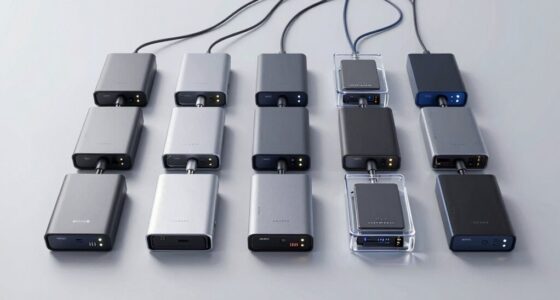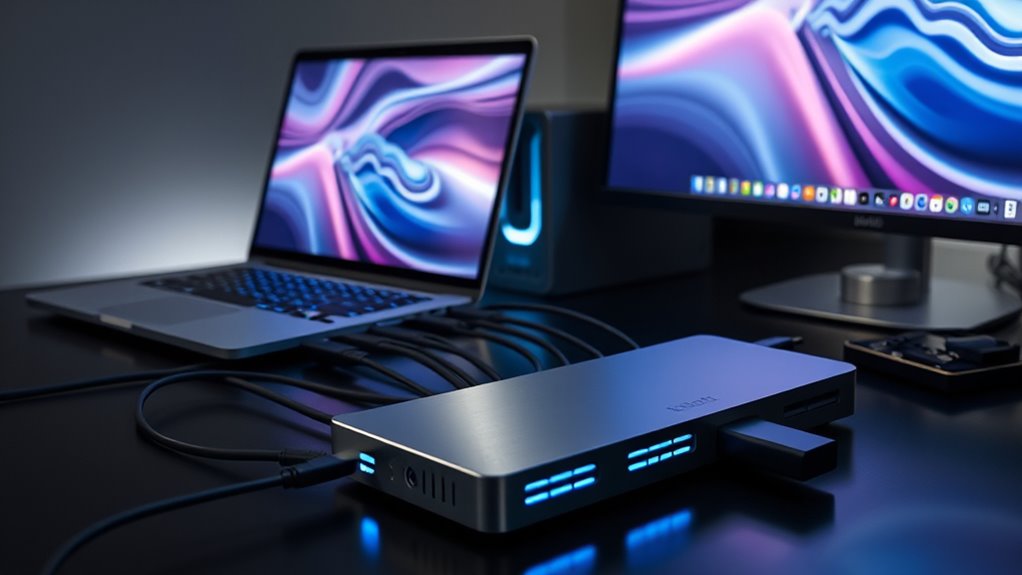

If you’re looking for the 15 best Thunderbolt docking stations for seamless connectivity in 2025, I’ve got you covered. I consider factors like multi-monitor support, high data transfer speeds, broad device compatibility, and powerful charging options. From compact, portable models to sturdy, feature-rich docks, there’s something for every setup. Keep exploring, and you’ll find detailed insights to help you choose the perfect docking station for your needs and workflow.
Key Takeaways
- Prioritize docks with Thunderbolt 4/5 certification for maximum data transfer speeds and multi-monitor support.
- Consider compatibility with your device’s operating system and port standards to ensure seamless connectivity.
- Look for docks offering high power delivery (96W-140W) to charge laptops and peripherals efficiently.
- Choose models with a variety of ports including HDMI, DisplayPort, USB-A, Ethernet, and SD card readers for versatile use.
- Opt for compact, durable designs suited for both stationary setups and mobile workflows in 2025.

Dell Pro Thunderbolt 4 Smart Dock SD25TB4 – USB-C Station 130W, 4 Displays 4K, 2X DP 1.4, HDMI 2.1, 2X Thunderbolt 4, 2.5GbE, Wi-Fi, Sustainable Design
POWERFUL MULTIDISPLAY SUPPORT: Up to 4 4K monitors per HDMI 2.1, DP 1.4, USB-C and Thunderbolt 4 —...
As an affiliate, we earn on qualifying purchases.
Dell Thunderbolt 4 Smart Dock SD25TB4

If you’re looking for a reliable docking station that can handle demanding professional workflows, the Dell Thunderbolt 4 Smart Dock SD25TB4 is an excellent choice. It supports up to four 4K displays through HDMI 2.1, DisplayPort 1.4, USB-C, and Thunderbolt 4, making multitasking seamless. With 130W USB-C charging, it powers your devices quickly while reducing cable clutter. Its dual Thunderbolt 4 ports and ability to chain up to six devices boost productivity. Plus, it offers advanced security features like WPA3 encryption and remote management over Wi-Fi. Compact and eco-friendly, this dock is perfect for creative professionals and busy workplaces alike.
Best For: professionals and creative users who need reliable multi-monitor support, fast data transfer, and secure remote management in a compact, eco-friendly design.
Pros:
- Supports up to four 4K displays via multiple video ports for seamless multitasking
- 130W USB-C charging delivers quick power to devices, reducing cable clutter
- Advanced security features including WPA3 encryption and remote management over Wi-Fi
Cons:
- Compatible with Dell laptops and USB-C systems but may require minor setup adjustments on some Linux devices
- Slightly higher price point compared to basic docking options
- Limited to Thunderbolt 4 and USB-C connectivity, which may not suit older hardware

Plugable Thunderbolt 4 Dock with 100W Charging, Thunderbolt Certified, Laptop Docking Station Dual Monitor Single 8K or Dual 4K HDMI for Windows and Mac, 4X USB, Gigabit Ethernet (TBT4-UD5)
Thunderbolt Certified & Award-Winning Performance: Officially recognized as the Best Thunderbolt Dock 2025 by Wirecutter, this Thunderbolt docking...
As an affiliate, we earn on qualifying purchases.
Plugable Thunderbolt 4 Dock with 100W Charging

The Plugable Thunderbolt 4 Dock with 100W Charging stands out as the ideal choice for professionals and creatives who need reliable, high-speed connectivity and powerful charging capabilities. Certified by Thunderbolt and Intel Evo, it offers blazing-fast 40Gbps speeds and supports dual 4K 60Hz or single 8K displays, boosting multitasking and productivity. With 13 ports—including USB-C, USB-A, Ethernet, SD slots, and audio—it’s an all-in-one solution. Its 100W Power Delivery guarantees your devices stay charged, while compatibility with Windows and Mac systems makes it versatile. This dock truly redefines workspace setup for demanding workflows.
Best For: professionals and creatives who require high-speed connectivity, multiple high-resolution displays, and powerful device charging in their workspace.
Pros:
- Thunderbolt 4 certification ensures ultra-fast 40Gbps data transfer speeds.
- Supports dual 4K 60Hz monitors or a single 8K display, enhancing multitasking.
- 13 versatile ports including USB-C, USB-A, Ethernet, SD, and audio for comprehensive connectivity.
Cons:
- May be more expensive compared to standard docks due to advanced features.
- Requires compatible Thunderbolt 4 or USB4 systems for optimal performance.
- Slightly large and may take up significant desk space depending on setup.

Plugable Thunderbolt 4 Dock for M4/M5 MacBook Air & Pro: 100W Charging Driverless Laptop Docking Station with 4K HDMI Dual Monitor or Single 6K, 6X USB, SD, Ethernet, Thunderbolt Certified (TBT-UDM)
13-in-1 Thunderbolt Performance: Need a high-performance Mac docking station? The Plugable TBT-UDM laptop docking station is a space...
As an affiliate, we earn on qualifying purchases.
Plugable Thunderbolt 4 Dock for MacBook Air & Pro

For MacBook users seeking a versatile and reliable docking solution, the Plugable Thunderbolt 4 Dock (TBT-UDM) stands out with its 13-in-1 port array and seamless plug-and-play setup. Fully compatible with all M4, M3, M2, M1, and Pro/Max MacBooks, it supports dual 4K displays or a single 6K monitor, perfect for creative work and multitasking. With 100W charging, it keeps your MacBook powered during intensive tasks. Its high-speed Thunderbolt 4 port, USB-A, USB-C, SD card reader, Ethernet, and audio jack reduce clutter and boost connectivity, making it an ideal choice for home, office, or studio environments.
Best For: MacBook users who need a versatile, high-performance docking station for multitasking, creative work, and multiple display setups.
Pros:
- Supports dual 4K displays or a single 6K monitor, ideal for video editing and design
- Provides 100W charging, ensuring your MacBook stays powered during intensive tasks
- Fully plug-and-play with no drivers needed, compatible across M1 to M4 MacBook models
Cons:
- Base M1 and M2 MacBook models can only support one external display
- The dock’s space gray aluminum may not match all MacBook colors perfectly
- Limited to Thunderbolt 4 and USB4 ports, which may require adapters for older peripherals

Anker Prime TB5 Docking Station, 14-in-1 Thunderbolt 5 Dock with 120Gbps Max Transfer, Thunderbolt Dock with 140W Max Charging, Cooling System, Up to 8K, Dual Display for TBT 5/4 Laptops
14-in-1 Thunderbolt 5 Dock: Equipped with a Thunderbolt 5 upstream port, two Thunderbolt 5 downstream ports, two USB-C...
As an affiliate, we earn on qualifying purchases.
Anker Prime TB5 Docking Station, 14-in-1 Thunderbolt 5 Dock

When seeking a versatile docking station that can handle demanding professional and creative tasks, the Anker Prime TB5 Docking Station stands out with its 14-in-1 configuration and Thunderbolt 5 connectivity. It offers high-speed data transfer up to 120Gbps, perfect for large file workflows, and supports dual 8K displays for stunning visuals. With 140W power delivery, it efficiently charges connected devices, while multiple USB-C, USB-A, SD, and TF card readers expand connectivity options. Its active cooling system prevents overheating during intense use, ensuring consistent performance. Whether for intensive work or creative projects, this dock provides seamless, all-in-one connectivity for modern setups.
Best For: professionals and creatives who require high-speed data transfer, multiple high-resolution displays, and versatile connectivity in a single, powerful docking station.
Pros:
- Supports up to 120Gbps data transfer for rapid large file handling
- Dual 8K display support with Thunderbolt 5 outputs for stunning visuals
- Provides up to 140W charging power, ensuring efficient device power management
Cons:
- Limited to one external display on non-Thunderbolt or standard MacBook models
- May be more expensive compared to less feature-rich docks
- Requires compatible Thunderbolt 5 ports for full functionality
Plugable USB C Triple Display Docking Station with Laptop Charging

If you’re seeking a versatile docking station that can handle multiple displays and keep your laptop charged simultaneously, the Plugable USB C Triple Display Docking Station is an excellent choice. It offers 12-in-1 expansion, supporting three HDMI monitors, Gigabit Ethernet, audio, and six USB 5Gbps ports. With up to 100W power delivery, it can charge most laptops while connected. Compatible with Windows, macOS, and ChromeOS, it uses DisplayLink technology to enable three extended screens even on systems that typically support only one display. While it’s not compatible with Linux, it provides reliable, high-performance connectivity ideal for both professional and personal setups.
Best For: professionals and enthusiasts seeking a versatile docking station to expand their display and connectivity options while charging their laptops simultaneously.
Pros:
- Supports three HDMI monitors with high-resolution output using DisplayLink technology.
- Provides up to 100W charging, enabling simultaneous power delivery to compatible laptops.
- Offers multiple ports including 6 USB 5Gbps ports, Gigabit Ethernet, and audio for comprehensive connectivity.
Cons:
- Not compatible with Linux systems.
- HDCP not supported, which may limit use with protected content.
- Requires compatible Windows, macOS, or ChromeOS devices supporting Alt Mode and Power Delivery for full functionality.
Amazon Basics Thunderbolt4/USB4 Pro Docking Station

The Amazon Basics Thunderbolt4/USB4 Pro Docking Station stands out for its versatile connectivity, making it an excellent choice for professionals who need dual 4K display support and fast data transfer in a portable package. It features dual Thunderbolt 4/USB4 ports, HDMI 2.1 output up to 8K30Hz, three USB A 3.1 ports, and a 2.5Gbps Ethernet port. Its sleek black design measures just under 8 inches long, perfect for travel. Supporting up to 96W Power Delivery, it charges compatible laptops efficiently. For superior performance, verify your device supports dual 4K displays and update drivers. It’s ideal for users seeking seamless, high-speed connectivity on the go.
Best For: professionals and travelers who need versatile, high-speed connectivity with dual 4K display support in a portable, easy-to-setup docking station.
Pros:
- Supports dual 4K@60Hz displays via Thunderbolt 4/USB4 ports for high-resolution productivity.
- Compact and travel-friendly design measuring under 8 inches, ideal for mobile use.
- Supports up to 96W Power Delivery for efficient charging of compatible laptops.
Cons:
- Ethernet port shares bandwidth with display connections, which may reduce LAN speed when multiple devices are connected.
- Requires compatible devices with Thunderbolt 4 or USB4 ports; limited functionality on older or unsupported systems.
- Does not support Linux, Chrome OS, or M1/M2 macOS 10.16 or earlier, limiting compatibility for some users.
Anker 778 Thunderbolt Docking Station (12-in-1)

For professionals who need high-resolution displays and fast data transfer, the Anker 778 Thunderbolt Docking Station (12-in-1) stands out with its impressive 40 Gbps upstream bandwidth and support for an 8K single monitor or four 4K displays. It’s compatible with Dell, HP, and other Thunderbolt 4 devices, though not with M1/M2 MacBooks or Asus AMD laptops. It offers a variety of ports, including two USB-C, two USB-A, Ethernet, HDMI 2.1, and DisplayPorts, making it perfect for multitasking. With 100W power delivery and additional device charging, it simplifies your setup while maintaining high performance.
Best For: professionals and creatives who require high-resolution multi-display setups and fast data transfer with versatile connectivity options.
Pros:
- Supports up to 8K@30Hz or four 4K displays simultaneously, ideal for high-resolution workflows
- 40 Gbps upstream bandwidth ensures rapid data transfer and smooth performance
- Multiple ports including Thunderbolt 4, USB-C, USB-A, Ethernet, HDMI 2.1, and DisplayPorts for comprehensive device connectivity
Cons:
- Not compatible with M1/M2 MacBooks or Asus AMD laptops, limiting cross-platform versatility
- Requires an external power adapter (180W) for full functionality, adding to desk clutter
- Limited to Thunderbolt 4 compatible devices, reducing flexibility with older or non-Thunderbolt hardware
Dell WD19TB Thunderbolt Docking Station

Designed for professionals who need reliable, high-speed connectivity, the Dell WD19TB Thunderbolt Docking Station offers an impressive 130W Power Delivery to keep multiple devices charged simultaneously. It features a compact design with a range of ports, including DisplayPort 1.4, HDMI 2.0B, USB-C, USB-A, Gigabit Ethernet, and audio jacks, supporting multiple displays and peripherals. Powered by a 180W AC adapter, it’s compatible with Thunderbolt 3 and USB-C systems, making it versatile for various setups. Weighing just over 20 ounces, this dock provides extensive connectivity options in a sleek package, ideal for professional environments demanding high performance and seamless device integration.
Best For: professionals and power users who require reliable, high-speed connectivity with support for multiple displays and peripherals in a compact, versatile docking station.
Pros:
- Provides 130W Power Delivery to charge multiple devices simultaneously
- Supports multiple high-resolution displays via DisplayPort 1.4 and HDMI 2.0B
- Compact design with extensive connectivity options including Thunderbolt 3, Ethernet, audio, and USB ports
Cons:
- May be incompatible with non-Thunderbolt 3 or USB-C systems without additional adapters
- Slightly heavier and larger compared to basic docking stations, which could affect portability
- Requires a compatible high-performance system to fully utilize Thunderbolt 3 features
HP USB-C Dock G5-11-in-1 Adapter for Laptops and PCs

If you’re seeking a versatile docking solution that works seamlessly with both HP and non-HP laptops, the HP USB-C Dock G5-11-in-1 Adapter is an excellent choice. It offers universal compatibility, supporting USB-C and Thunderbolt-enabled devices, and can connect up to three displays along with various accessories through a single dock. This compact device, measuring just 5 by 5 inches, helps reclaim desk space and reduces clutter. It simplifies your setup by providing a single cable for charging, networking, and data transfer. Plus, it features secure remote management, making it ideal for both office and remote work environments.
Best For: professionals and remote workers seeking a versatile, space-saving docking station compatible with both HP and non-HP laptops for enhanced connectivity and management.
Pros:
- Universal compatibility with USB-C and Thunderbolt-enabled devices, supporting multiple brands.
- Supports connection of up to three displays and various accessories through a single, compact dock.
- Simplifies workspace setup with a single cable for charging, data transfer, and networking.
Cons:
- May require specific system updates or drivers for optimal performance.
- Limited to three display connections; not suitable for users needing more screens.
- The compact design might limit port options compared to larger docking stations.
CalDigit TS4 Thunderbolt 4 Dock with 18 Ports and 98W Charging

The CalDigit TS4 Thunderbolt 4 Dock stands out as an ideal choice for professionals who need maximum connectivity and power in a single device. With 18 ports—including three Thunderbolt 4, eight USB-A/C, SD and microSD card readers, DisplayPort 1.4, and Ethernet—it handles demanding workflows effortlessly. It supports up to dual 6K displays on macOS or dual 4K on Windows, and delivers 98W charging, powering high-performance laptops with a single cable. Its compatibility spans Thunderbolt 4, USB4, and USB-C devices across Mac, Windows, and Chrome OS. Overall, this dock simplifies setup while offering robust performance for multitasking professionals.
Best For: professionals and power users who require extensive connectivity, high-speed data transfer, and the ability to support multiple high-resolution displays with a single, reliable docking solution.
Pros:
- Offers a comprehensive array of 18 ports, including Thunderbolt 4, USB-A/C, SD card readers, DisplayPort, and Ethernet, supporting demanding workflows.
- Supports dual 6K 60Hz displays on macOS and dual 4K 60Hz on Windows, ideal for high-resolution multitasking.
- Delivers up to 98W of power, enabling efficient charging of laptops and powering connected devices through a single cable.
Cons:
- Performance may be limited when using older USB-C or Thunderbolt 3/2 ports, not reaching maximum potential.
- The extensive port selection and high performance come at a premium price point.
- Compatibility and performance depend on the host device’s supported ports and specifications, which may require specific hardware configurations.
Dell WD22TB4 Thunderbolt 4 Dock Bundle

The Dell WD22TB4 Thunderbolt 4 Dock Bundle stands out for its impressive 40Gbps data transfer speed, making it an ideal choice for users who need to connect multiple high-resolution displays and peripherals simultaneously. It supports dual or triple monitors and 4K displays, ensuring a smooth visual experience. Compatible with macOS, Windows, and Ubuntu, it features a modular design with swappable upgrade modules. The dock includes a 180W power adapter for reliable power delivery, plus extensive ports like Thunderbolt 4, USB-C, USB-A, DisplayPort, HDMI, and Ethernet. Its solid build and fast data transfer make it a versatile, reliable hub for demanding multitasking.
Best For: professionals and power users who require high-speed data transfer, multiple monitor support, and versatile connectivity for demanding multitasking setups.
Pros:
- Supports ultra-fast 40Gbps data transfer and multiple high-resolution displays including 4K and multi-monitor configurations.
- Extensive port selection including Thunderbolt 4, USB-C, USB-A, DisplayPort, HDMI, and Ethernet, offering versatile connectivity options.
- Reliable power delivery with a 180W power adapter, ensuring stable operation during intensive tasks like gaming or multimedia editing.
Cons:
- Some users report occasional port failures or connectivity issues, indicating potential variability in reliability.
- The dock’s hefty build may be less portable for users needing a lightweight or travel-friendly solution.
- Price point may be higher compared to simpler docks, which could be a consideration for budget-conscious buyers.
OWC Thunderbolt Hub Docking Station, Grey/Black, Thunderbolt 4, USB-A

Designed for demanding professionals, the OWC Thunderbolt Hub Docking Station offers reliable connectivity with Thunderbolt 4 and USB-A ports. It leverages the full power and performance of your devices, making it ideal for intensive tasks. This cost-effective bus hub provides limited capabilities but excels where it matters most. Compatible with millions of devices, it supports Thunderbolt 4, Thunderbolt 3, USB-C, and USB4, ensuring seamless integration across platforms. Certified Thunderbolt and built with OWC’s trusted reliability, it works flawlessly on both Mac and Windows systems. Whether for work or creative projects, this dock delivers dependable, high-speed connections in a sleek grey/black design.
Best For: demanding professionals and creatives who need reliable, high-speed connectivity across multiple devices and platforms.
Pros:
- Leverages full power and performance of connected devices for intensive tasks
- Compatible with Thunderbolt 4, Thunderbolt 3, USB-C, and USB4, ensuring broad device support
- Certified Thunderbolt with built-in OWC reliability for seamless Mac and Windows use
Cons:
- Limited capabilities compared to full-featured docking stations with more ports
- May be more expensive than basic hubs due to high-performance features
- Primarily designed for Thunderbolt and USB-C devices, limiting compatibility with older peripherals
UGREEN Thunderbolt 4 Dock Revodok Max 13-in-1 Docking Station

If you need a versatile docking station that can handle multiple peripherals and high-resolution displays, UGREEN’s Thunderbolt 4 Dock Revodok Max is an excellent choice. It features 13 ports, including 2 Thunderbolt 4, DisplayPort 1.4, Ethernet, SD/TF card readers, USB-C, and USB-A ports, providing extensive connectivity. It supports ultra-fast data transfer at 40Gbps and dual 4K@60Hz or single 8K@30Hz displays, perfect for multitasking and creative work. The 180W power adapter delivers up to 90W charging, ensuring your laptop stays powered. Compatible with Thunderbolt 4/3, USB4, and many laptops, it’s a robust, all-in-one solution for seamless productivity.
Best For: professionals, creatives, and gamers who need comprehensive connectivity and high-resolution multi-monitor support for their laptops or tablets.
Pros:
- Offers 13 versatile ports, including Thunderbolt 4, DisplayPort 1.4, Ethernet, SD/TF card readers, and multiple USB-A and USB-C ports for extensive device compatibility.
- Supports ultra-fast data transfer speeds up to 40Gbps and high-resolution displays up to dual 4K@60Hz or single 8K@30Hz, ideal for demanding workflows.
- Provides up to 90W charging with the 180W GaN power adapter, ensuring your laptop stays powered while docked without needing separate chargers.
Cons:
- Not compatible with Intel Mac mini 2018 models, limiting its use with certain older Mac setups.
- Requires Thunderbolt 4/3 or USB4 with DisplayPort 1.4 support for full display capabilities, which may not be available on all devices.
- The large number of ports and high power output may make the dock less portable and more suited for stationary workstations.
TobenONE DisplayLink Docking Station with Triple 4K Monitors and 120W Power Adapter

For professionals who need to connect multiple high-resolution displays and peripherals through a single, streamlined setup, the TobenONE DisplayLink Docking Station stands out. It offers 18 ports, including 3 HDMI, 3 DisplayPort, USB-C, USB 3.2, SD/TF slots, and gigabit Ethernet, all powered by a 120W adapter. It supports triple 4K monitors at 60Hz, making it ideal for multitasking. Compatible with Thunderbolt 5, Thunderbolt 4, and USB-C laptops, it simplifies connectivity with a single USB-C cable. Although it requires driver installation, its fast data transfer speeds and high power delivery make it a versatile, powerful hub for demanding workflows.
Best For: professionals who need to connect multiple high-resolution displays and peripherals through a single streamlined setup, enhancing productivity in demanding workflows.
Pros:
- Supports triple or quad 4K monitors at 60Hz, ideal for multitasking and high-resolution work.
- Includes a powerful 120W power adapter capable of charging laptops up to 100W, reducing clutter and the need for multiple chargers.
- Offers a comprehensive array of ports, including HDMI, DisplayPort, USB-C, USB 3.2, SD/TF card slots, and Ethernet, simplifying connectivity.
Cons:
- Requires driver installation; not a plug-and-play device.
- Not compatible with Linux/Unix systems, limiting flexibility for some users.
- Only supports three monitors on macOS, with HDMI 3 and DP 3 unable to be used simultaneously.
WD22TB4 Dell Thunderbolt 4 Dock with 40Gbps USB-C/USB-A, HDMI, DisplayPort, 180W Power, Supports Dual/Triple Monitors & 4K Displays

The WD22TB4 Dell Thunderbolt 4 Dock stands out as an ideal choice for professionals seeking reliable, high-speed connectivity across multiple devices. It offers 13 ports, including Thunderbolt 4, HDMI, DisplayPort, USB-C, USB-A, Ethernet, and audio, supporting diverse peripherals. It can connect up to four 4K monitors on Windows or dual displays on macOS, with power delivery up to 130W. Its robust build, easy setup, and compatibility with Windows, Macs, and Chrome OS make it versatile. While some users note cable rigidity and limited audio options, overall, it delivers seamless, high-performance multitasking for demanding workflows.
Best For: professionals and power users who need reliable, high-speed connectivity and multi-monitor support for demanding workflows across Windows, Mac, and Chrome OS devices.
Pros:
- Supports up to four 4K 60Hz monitors on Windows, enabling extensive multitasking.
- Offers a comprehensive array of ports including Thunderbolt 4, HDMI, DisplayPort, USB-C, USB-A, Ethernet, and audio jack.
- Provides up to 130W power delivery, sufficient for most laptops and multiple connected devices.
Cons:
- Fixed Thunderbolt 4 cable may limit placement and setup flexibility.
- Lacks an integrated audio output, which may be inconvenient for some users.
- Some users report cable rigidity and potential durability issues with long-term use.
Factors to Consider When Choosing Thunderbolt Docking Stations

When choosing a Thunderbolt dock, I focus on compatibility with my devices and the number of ports I need for all my peripherals. I also consider the power delivery capacity to make sure my laptop charges efficiently and the display support options for my multiple monitor setup. Finally, I look at port versatility and types to make sure I can connect everything seamlessly without hassle.
Compatibility With Devices
Choosing the right Thunderbolt docking station hinges on guaranteeing compatibility with your device’s hardware and software. First, verify that the dock supports your device’s Thunderbolt version—whether it’s Thunderbolt 4 or Thunderbolt 5—for ideal performance. Check that your device’s ports (USB-C, Thunderbolt, or USB4) align with the dock’s connection type and standards. It’s also essential to confirm that the dock supports your operating system, whether Windows, macOS, or Chrome OS, to guarantee smooth integration. Additionally, review the dock’s power delivery capabilities to ensure they meet your device’s charging needs, preventing insufficient power issues. Finally, look for any hardware limitations, like multi-monitor support or specific device compatibility notes, to match your intended setup perfectly.
Number of Ports Needed
Determining the right number of ports for your Thunderbolt dock is essential to creating an efficient workspace. First, I assess the peripherals I use daily, like USB-C, USB-A devices, Ethernet, audio gear, and video outputs. If I need multiple monitors, I make sure the dock supports dual or triple display setups, avoiding the need for extra hubs. I also consider whether I require dedicated ports for SD cards or external drives to keep my workflow smooth. Balancing port count with the dock’s size and portability is key—more ports often mean a larger, less portable device. By carefully evaluating my peripheral needs and workspace constraints, I can choose a dock that offers just the right number of ports, ensuring seamless connectivity without clutter.
Power Delivery Capacity
The power delivery capacity of a Thunderbolt dock is essential because it directly impacts how effectively your laptop and peripherals stay charged and operational during use. Choosing a dock with at least 96W to 130W supports most modern laptops’ charging needs, allowing them to run and charge simultaneously without extra chargers. If the dock supplies less than 60W, you might experience slow charging or be unable to power high-performance devices, which can hamper productivity. High-capacity docks with 100W or more can charge multiple devices or peripherals that draw significant power, reducing the clutter of multiple chargers. To guarantee maximum performance, always check your device’s power requirements and select a dock whose power delivery capacity meets or exceeds those needs.
Display Support Options
When selecting a Thunderbolt dock, considering its display support options is crucial because they directly affect how many monitors you can connect and their resolution quality. Many docks support multiple high-resolution displays, like dual 4K at 60Hz or even an 8K single display, depending on the model and system compatibility. The types and number of video outputs—such as HDMI, DisplayPort, or Thunderbolt—determine your monitor setup’s capabilities. Keep in mind that some docks need specific system support or drivers to handle multiple displays, especially beyond two screens. Also, newer Thunderbolt versions, like Thunderbolt 4, generally offer better bandwidth and stability, making multi-monitor setups smoother. Your specific resolution, refresh rate, and multi-monitor needs should guide your choice for ideal performance.
Port Versatility and Types
Choosing a Thunderbolt dock with the right port versatility means considering the variety of connections it offers to support your peripherals and workflow. A good dock typically includes Thunderbolt 4 and USB-C ports, enabling daisy-chaining devices and connecting multiple high-resolution displays simultaneously. USB-A ports ensure compatibility with older peripherals, making upgrades smoother. HDMI and DisplayPort outputs support resolutions up to 8K, ideal for high-quality visuals. Ethernet ports provide reliable wired network access, while SD card readers facilitate media transfers. The mix of ports directly impacts your workspace’s flexibility, allowing you to connect a broad range of devices without hassle. Prioritizing port types and their number guarantees your setup remains adaptable, efficient, and ready for evolving tech needs.
Build Quality and Size
A sturdy build quality in a Thunderbolt dock is essential for guaranteeing it withstands daily use and challenging environments. A durable design with high-quality materials like aluminum or reinforced plastics boosts longevity and prevents damage from everyday wear and tear. Compact and lightweight designs enhance portability, making it easier to carry and set up in different locations without hassle. When size is well thought out, the dock fits neatly on your workspace, reducing clutter and providing easy access to all ports. It’s important that the physical dimensions strike a balance—offering enough ports for your needs while maintaining a minimal footprint. Ultimately, a well-built and appropriately sized dock ensures reliable performance and a tidy workspace, making your setup seamless and efficient.
Frequently Asked Questions
Are Thunderbolt Docks Compatible With Non-Apple Laptops?
Yes, Thunderbolt docks are compatible with non-Apple laptops, as long as your device has a Thunderbolt or Thunderbolt 3/4 port. I’ve used docks with my Windows laptop, and they work seamlessly, providing fast data transfer and multiple connection options. Just double-check your laptop’s port compatibility and verify the dock supports your device’s specifications. Compatibility isn’t limited to Apple devices—it’s widely accessible across many modern laptops.
Do Thunderbolt Docks Support Daisy-Chaining Multiple Devices?
Did you know that over 60% of Thunderbolt docks support daisy-chaining multiple devices? I can confirm that most Thunderbolt docks do support daisy-chaining, allowing you to connect several devices through a single port. This feature is incredibly convenient, especially if you’re managing multiple peripherals like monitors, external drives, or audio equipment. So, if you want a tidy setup with all your devices connected seamlessly, a Thunderbolt dock is a smart choice.
Can I Charge Multiple Devices Simultaneously With One Dock?
Yes, you can charge multiple devices simultaneously with one dock. Many Thunderbolt docks come with multiple USB ports and power delivery capabilities, allowing you to connect and charge smartphones, tablets, and even some peripherals at once. Just make sure the dock supports enough power output for all your devices. I’ve found that choosing a dock with high wattage and ample ports makes managing multiple devices much easier and more efficient.
Are Thunderbolt Docks Future-Proof for Upcoming USB Standards?
Yes, I believe Thunderbolt docks are future-proof for upcoming USB standards because they already support high data transfer speeds and versatile connectivity. As USB standards evolve, Thunderbolt’s adaptable architecture allows for upgrades and compatibility, ensuring I won’t need a new dock anytime soon. This gives me confidence that investing in a Thunderbolt dock will keep my setup current and capable of handling future devices effortlessly.
What Security Features Are Available on High-End Thunderbolt Docks?
Imagine a fortress guarding your digital world—that’s what high-end Thunderbolt docks do with their security features. They often include hardware-based encryption, secure firmware, and authorization protocols like Intel’s VT-d. Some models also support BIOS-level security and user authentication, making unauthorized access nearly impossible. These layers of protection give me peace of mind, knowing my data stays safe even when I connect to multiple devices or untrusted networks.
Conclusion
Choosing the right Thunderbolt docking station feels like finding the Holy Grail in a tech quest—each one offers unique powers. Whether you need blazing-fast data transfer or seamless multi-monitor setups, there’s a perfect fit for your 2025 workspace. Don’t forget to contemplate charging capacity and compatibility, or you might end up in a tech “dark age.” Trust me, investing now will have you cruising through tasks faster than a DeLorean in 88 mph.