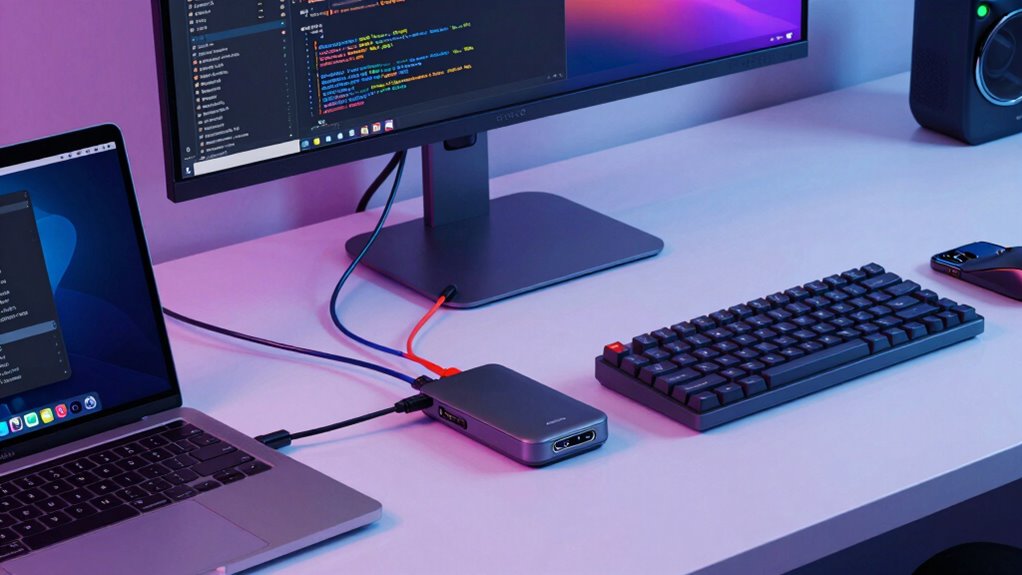

For programmers, a reliable USB C dock with DisplayPort is essential for managing multiple monitors and expanding workspace efficiently. The Anker 565 USB-C Hub stands out as the best overall choice thanks to its dual monitor support and versatile ports. The StarTech Triple 4K Docking Station offers exceptional display quality with triple 4K support, making it ideal for power users. However, these docks often involve tradeoffs: higher performance can come with increased cost or complexity, and not all docks support the latest standards or provide enough power delivery for demanding setups. Continue reading for a detailed breakdown of the best options and what makes each suitable for specific needs.

Get business pricing on monitors, keyboards and dev gear
- Business-only prices and quantity discounts
- Tax-exempt purchasing
- Multiple users, one account, clear invoices
Key Takeaways
- The top-ranked docks balance dual or triple monitor support with sufficient power delivery for charging laptops during intensive coding sessions.
- Build quality and port variety vary widely; premium options typically include Thunderbolt or USB4 support for future-proofing.
- Many docks support 4K at 60Hz, but only some handle higher refresh rates or multiple 4K displays simultaneously without performance issues.
- Power delivery capacity is critical—docks with 85W or more are better for powering large laptops while connected to multiple peripherals.
- Compatibility with different operating systems and connection standards (USB-C, Thunderbolt, USB4) influences overall flexibility and future readiness.
| Anker 565 USB-C Hub, 11-in-1 Docking Station with Dual Monitor Support, 4K HDMI and DisplayPort |  | Best Overall for Versatile Connectivity and Dual Monitors | Ports: 11 (USB-C, USB-A, HDMI, DisplayPort, Ethernet, SD/microSD) | Max Data Transfer Speed: 10 Gbps | SD Card Read Speed: 104 MB/s | VIEW ON AMAZON | See Our Full Breakdown |
| Dell Pro Laptop Docking Station WD25, USB-C, 100W, DisplayPort, HDMI |  | Best for Power and High-Resolution Multi-Display Support | Power Delivery: 100W | Video Outputs: DisplayPort, HDMI | Max Displays Supported: 4 | VIEW ON AMAZON | See Our Full Breakdown |
| UGREEN Revodok Pro 6-in-1 USB-C Hub with DisplayPort 4K 60Hz, 10Gbps Data Ports, and 100W PD |  | Best Compact Hub with Solid DisplayPort Support for On-the-Go Programmers | Ports: 2x USB-C, 2x USB-A, DisplayPort 4K@60Hz, PD 100W | Data Transfer Rate: 10 Gbps | USB Ports: 2x USB-C 3.2 Gen 2, 2x USB-A 3.2 Gen 2 | VIEW ON AMAZON | See Our Full Breakdown |
| USB C Docking Station, Dual DisplayPort Multi-Monitor Hub |  | Best for Multi-Monitor Power and Versatility | Ports: 2x DisplayPort, HDMI, VGA, USB-C 2.0, USB-A 2.0 | Max Resolution: 4K@60Hz | Max Monitors: 4 | VIEW ON AMAZON | See Our Full Breakdown |
| MOKiN USB C Docking Station, 8-in-1 Dual DisplayPort Multi-Monitor Adapter |  | Best for Budget Multi-Monitor Support with Versatility | Ports: 2x DisplayPort, HDMI, VGA, USB-C 2.0, USB-A 2.0, PD 100W | Max Resolution: 4K@60Hz for DisplayPort/HDMI | Max Monitors: 3 | VIEW ON AMAZON | See Our Full Breakdown |
| StarTech USB-C Triple 4K Docking Station with 100W PD, DisplayPort 1.4 DSC, 6-Port 10Gbps Hub, and Gigabit Ethernet |  | Best for Extensive Multi-Monitor Setups and Robust Connectivity | Video Outputs: 2x DisplayPort 1.4, 1x HDMI 2.0 | Max Resolution: Dual 4K 60Hz or Triple 4K 30Hz | Power Delivery: 100W | VIEW ON AMAZON | See Our Full Breakdown |
| StarTech Driverless USB4 Docking Station for Mac and Windows, Dual 4K 144Hz, 100W |  | Best for Cross-Platform Reliability and High Refresh Rate Displays | Display Output: Dual 4K 144Hz or single 8K 60Hz via DisplayPort | Power Delivery: 100W | Networking: 2.5GbE Ethernet | VIEW ON AMAZON | See Our Full Breakdown |
| Plugable USB-C Laptop Docking Station with Dual 4K 60Hz DisplayLink (UD-6950PDH) |  | Best for Compatibility with M1-M5 Macs and Versatile Connectivity | Display Output: Dual 4K 60Hz via DisplayLink | Power Delivery: 100W | Connectivity: USB 3.0 ports, Ethernet, audio | VIEW ON AMAZON | See Our Full Breakdown |
| WAVLINK 12-in-1 USB-C Laptop Docking Station with Triple Monitor Support, Dual DisplayPort, HDMI, and 85W PD Charging |  | Best for Broad Compatibility and Triple Display Flexibility | Display Outputs: 2x DisplayPort, 1x HDMI | Max Resolution: 4K@60Hz (single), 1080P@60Hz x3 (triple, DP 1.4) | Power Delivery: 85W | VIEW ON AMAZON | See Our Full Breakdown |
| Plugable 13-in-1 USB-C Docking Station with 4K Triple Monitor Support and 100W Power Delivery (UD-ULTC4K) |  | Best for Flexible Multi-Monitor Setup with Native Compatibility | Display Outputs: 3x 4K @ 60Hz (HDMI and DisplayPort) | Power Delivery: 100W | Ports: Ethernet, audio, SD card, USB | VIEW ON AMAZON | See Our Full Breakdown |
| usb c dock with displayport for programmer | Compatibility | Power Delivery | Ports |
|---|---|---|---|
| Anker 565 USB-C Hub | USB-C, USB4, Thunderbolt, Windows 10/11, ChromeOS | — | 11 (USB-C, USB-A, HDMI, DisplayPort, Ethernet, SD/microSD) |
| Dell Pro Laptop Docking Statio | USB-C, Windows, macOS | 100W | — |
| UGREEN Revodok Pro 6-in-1 USB- | MacBook, Chromebook, Surface, Steam Deck, Windows, macOS | 100W | 2x USB-C, 2x USB-A, DisplayPort 4K@60Hz, PD 100W |
| USB C Docking Station | DP Alt Mode, Thunderbolt 3/4 | — | 2x DisplayPort, HDMI, VGA, USB-C 2.0, USB-A 2.0 |
| MOKiN USB C Docking Station | DP Alt Mode, Windows, macOS (mirror only) | — | 2x DisplayPort, HDMI, VGA, USB-C 2.0, USB-A 2.0, PD 100W |
| StarTech USB-C Triple 4K Docki | — | 100W | — |
| StarTech Driverless USB4 Docki | macOS, Windows (USB4/Thunderbolt 4/5) | 100W | — |
| Plugable USB-C Laptop Docking | macOS 11+, Windows 10+ | 100W | — |
| WAVLINK 12-in-1 USB-C Laptop D | Windows, macOS, Chrome OS, Linux | 85W | 12 including USB, Ethernet, SD/TF |
| Plugable 13-in-1 USB-C Docking | Windows, macOS, ChromeOS | 100W | Ethernet, audio, SD card, USB |
More Details on Our Top Picks
Anker 565 USB-C Hub, 11-in-1 Docking Station with Dual Monitor Support, 4K HDMI and DisplayPort
The Anker 565 excels in delivering a broad range of ports from a single USB-C connection, making it ideal for programmers who need multiple peripherals and dual monitor setups. Compared to the Ugreen Revodok Pro, it offers more ports and higher maximum pass-through power, but its dual-monitor support caps at 2K@60Hz per display, which might be limiting for high-resolution workflows. Its support for dual displays via HDMI and DisplayPort is convenient, yet the identical content on both screens on macOS could be a drawback for those requiring extended desktops. The hub’s 10 Gbps data transfer speeds on multiple ports ensure fast file movement, and 85W charging keeps laptops powered during long coding sessions. However, it lacks Linux compatibility and requires a separate power adapter for pass-through charging. Overall, this makes the most sense for users who prioritize maximum port variety and dual monitor support in a Windows or ChromeOS environment.
Pros:- Massive 11-port expansion from a single USB-C connection
- Fast 10 Gbps data transfer speeds on USB-C and USB-A ports
- Supports dual monitors via HDMI and DisplayPort
Cons:- Limited to 2K@60Hz resolution on dual monitors, not suitable for 4K workflows
- Requires an external charger for pass-through power (not included)
Best for: Programmers who need extensive port options and dual monitors on Windows or ChromeOS laptops.
Not ideal for: Linux users or those seeking native Linux compatibility, as the hub does not support Linux OS.
- Ports:11 (USB-C, USB-A, HDMI, DisplayPort, Ethernet, SD/microSD)
- Max Data Transfer Speed:10 Gbps
- SD Card Read Speed:104 MB/s
- Max Pass-Through Charging:85W
- Max Display Output:2K@60Hz (dual monitors)
- Compatibility:USB-C, USB4, Thunderbolt, Windows 10/11, ChromeOS
Our verdict“This hub is ideal for programmers needing multiple ports and dual monitors with high data speeds, primarily on Windows or ChromeOS.”
Dell Pro Laptop Docking Station WD25, USB-C, 100W, DisplayPort, HDMI
The Dell WD25 stands out for its robust power delivery of 100W and support for up to four high-resolution displays, making it a strong candidate for enterprise programmers working on high-res multi-monitor setups. Unlike the USB C Docking Station with dual DisplayPort, it offers more consistent support for multiple displays, including Dell and non-Dell laptops, with flexible IT management features. Its eco-conscious build with recycled materials and significant power savings through standby reduction reflect a focus on sustainability, though its premium pricing might deter budget-conscious users. This dock is better suited to professionals who require maximum power and display support with reliable performance across different operating systems. It may be less appealing for casual users or those with simpler multi-device needs.
Pros:- Delivers up to 100W power for charging laptops
- Supports up to four high-resolution displays
- Eco-friendly build with recycled materials
Cons:- Higher cost compared to more basic docks
- Designed primarily for enterprise environments, potentially overkill for casual use
Best for: Enterprise programmers and power users requiring high-resolution, multi-monitor setups with maximum power delivery.
Not ideal for: Budget-conscious users or those with minimal multi-monitor needs, as it commands a higher price point.
- Power Delivery:100W
- Video Outputs:DisplayPort, HDMI
- Max Displays Supported:4
- Standby Power Reduction:72%
- Recycled Materials:Yes
- Compatibility:USB-C, Windows, macOS
Our verdict“This dock is best suited for professionals needing robust power and multiple high-res displays in a business setting.”
UGREEN Revodok Pro 6-in-1 USB-C Hub with DisplayPort 4K 60Hz, 10Gbps Data Ports, and 100W PD
The UGREEN Revodok Pro offers a compact, driver-free solution with a powerful 10Gbps data transfer rate on four ports and a 4K@60Hz DisplayPort, making it well-suited for mobile programmers. Compared to the Anker 565, it has fewer ports but excels in portability and simplicity, with a focus on core connectivity. Its support for 100W pass-through charging ensures laptops stay powered during intense coding sessions. However, the absence of an HDMI port and the limitation that the USB-C data port does not support video or charging can restrict multi-device setups. It’s ideal for users who need reliable, high-speed data and a single external display without extra bulk, but less so for those requiring multiple monitors or extensive peripherals.
Pros:- Compact and portable design
- High 10Gbps data transfer speeds on all data ports
- Supports 4K@60Hz DisplayPort output
Cons:- No HDMI port included, requiring adapters for HDMI monitors
- USB-C data port does not support video or charging
Best for: Programmers on the move needing a lightweight, high-speed hub with a single external display.
Not ideal for: Users needing multiple external monitors or HDMI connectivity, as it lacks those options.
- Ports:2x USB-C, 2x USB-A, DisplayPort 4K@60Hz, PD 100W
- Data Transfer Rate:10 Gbps
- USB Ports:2x USB-C 3.2 Gen 2, 2x USB-A 3.2 Gen 2
- Power Delivery:100W
- Hardware Interface:USB Type C
- Compatibility:MacBook, Chromebook, Surface, Steam Deck, Windows, macOS
Our verdict“This hub is perfect for mobile programmers who prioritize speed and portability over multi-monitor support.”
USB C Docking Station, Dual DisplayPort Multi-Monitor Hub
The USB C Docking Station with Dual DisplayPort shines in supporting multiple monitors, especially up to four at 4K@60Hz, surpassing many single or dual-output docks like the Anker 565. Its support for three external displays, including HDMI and VGA, makes it suitable for multi-tasking programmers, though macOS users should note that MST mode isn’t supported, limiting extended desktop capabilities. The 100W pass-through charging ensures laptops stay powered, but the absence of a power adapter means users must supply their own, adding a layer of complexity. Its lightweight design and straightforward plug-and-play operation make it a practical choice for multi-monitor setups, but it’s less ideal for those needing native macOS extended desktop support.
Pros:- Supports up to four monitors with 4K@60Hz output
- Supports pass-through charging up to 100W
- Plug-and-play with no drivers required
Cons:- Power adapter not included, requiring user-supplied charger
- macOS does not support MST, limiting extended desktop functionality
Best for: Power users requiring multiple external displays with high resolution and reliable pass-through charging.
Not ideal for: MacBook users who need extended desktops via MST on macOS, or users lacking full USB-C port support.
- Ports:2x DisplayPort, HDMI, VGA, USB-C 2.0, USB-A 2.0
- Max Resolution:4K@60Hz
- Max Monitors:4
- Charging:100W USB-C PD
- Compatibility:DP Alt Mode, Thunderbolt 3/4
- Warranty:18 months
Our verdict“This docking station is best for multi-monitor users needing high-resolution outputs and pass-through charging in a Windows environment.”
MOKiN USB C Docking Station, 8-in-1 Dual DisplayPort Multi-Monitor Adapter
The MOKiN 8-in-1 Dock provides a solid multi-monitor setup with dual DisplayPort and HDMI, making it a compelling choice compared to the more feature-rich Anker 565. Its 4K@60Hz support across multiple outputs suits programmers who need reliable external displays without overloading their budget. The 100W PD charging ensures laptops stay powered, but the USB ports’ USB 2.0 speeds limit data transfer, which can be a bottleneck for large file transfers or fast peripherals. While it supports a wide range of Windows devices, MacBooks only mirror screens, not extend desktops, which might be limiting for some users. Its lightweight, no-driver design makes it easy to use for on-the-go setups, but the limited USB speeds and lack of HDMI reduce its versatility for some workflows.
Pros:- Supports multiple monitors with dual DisplayPort and HDMI
- 100W pass-through charging simplifies power setup
- Lightweight and easy to carry
Cons:- USB ports limited to USB 2.0 speeds, restricting data transfer
- MacBooks only support mirror mode, not extended desktop
Best for: Budget-conscious programmers needing multi-monitor support with high-resolution displays and decent power delivery.
Not ideal for: Users requiring fast data transfer, HDMI support, or native Mac extended desktop functionality.
- Ports:2x DisplayPort, HDMI, VGA, USB-C 2.0, USB-A 2.0, PD 100W
- Max Resolution:4K@60Hz for DisplayPort/HDMI
- Max Monitors:3
- Charging:100W
- Compatibility:DP Alt Mode, Windows, macOS (mirror only)
- Warranty:18 months
Our verdict“This dock offers good multi-monitor support for Windows users on a budget but falls short for high-speed data or Mac extended desktop needs.”
StarTech USB-C Triple 4K Docking Station with 100W PD, DisplayPort 1.4 DSC, 6-Port 10Gbps Hub, and Gigabit Ethernet
This dock excels at supporting multiple high-resolution displays, making it ideal for programmers managing complex multi-monitor environments. Its ability to handle up to three 4K screens via dual DisplayPort 1.4 and HDMI 2.0, combined with 100W power delivery, ensures seamless productivity. Compared with Plugable’s model, it offers more display outputs but requires a DP 1.4 DSC-enabled host for triple 4K at 60Hz, which can limit compatibility with older laptops. Its wide array of ports—including 2x USB-C 10Gbps, Ethernet, and SD card reader—supports a comprehensive workstation. However, it’s incompatible with macOS and demanding on newer hardware for full triple 4K performance. This dock makes the most sense for Windows or Chrome OS users needing extensive multi-monitor support and enterprise-grade connectivity, but not for Mac users or those with older USB-C standards.
Pros:- Supports up to three 4K displays for complex multitasking
- 100W power delivery keeps laptops charged during heavy use
- Wide variety of ports including dual 10Gbps USB-C and Ethernet
Cons:- Requires a DP 1.4 DSC-enabled host for triple 4K 60Hz support
- Not compatible with macOS, limiting cross-platform use
Best for: Programmers or professionals with Windows or Chrome OS laptops requiring triple 4K displays and high-speed peripherals.
Not ideal for: Mac users or laptops with USB-C 1.2 ports, as they cannot run triple 4K at 60Hz or may lack driver-free support.
- Video Outputs:2x DisplayPort 1.4, 1x HDMI 2.0
- Max Resolution:Dual 4K 60Hz or Triple 4K 30Hz
- Power Delivery:100W
- USB Ports:2x USB-C 10Gbps, 2x USB 3.0, 2x USB 2.0
- Card Reader:SD 3.0 UHS-I
- Network:Gigabit Ethernet
Our verdict“This dock suits Windows or Chrome OS users who need a high-performance, multi-display setup with extensive connectivity options.”
StarTech Driverless USB4 Docking Station for Mac and Windows, Dual 4K 144Hz, 100W
This model stands out for users needing a driverless, plug-and-play experience across both Mac and Windows laptops. It supports dual 4K 144Hz displays or a single 8K 60Hz, surpassing many competitors like Plugable’s dual 4K support at 60Hz with higher refresh rates. Its inclusion of 2.5GbE Ethernet, 100W charging, and security features makes it suitable for professional deployment in managed IT environments. The reliance on USB4 or Thunderbolt 4/5 means it’s compatible with the latest hardware but may underperform if used with older USB-C ports lacking full USB4 capabilities. The housing is made from recycled materials, appealing to eco-conscious buyers. Nonetheless, the mounting options are sold separately, and full performance depends on host compatibility. This dock is best for tech-savvy users seeking high-refresh-rate displays and cross-platform deployment, but it’s less suitable for older or non-USB4 systems.
Pros:- Driverless plug-and-play support across macOS and Windows
- Supports dual 4K 144Hz or 8K 60Hz displays for high-performance visuals
- Includes 2.5GbE Ethernet, 100W charging, and security features
Cons:- Mounting options are sold separately
- Full capabilities depend on host hardware compatibility
Best for: IT professionals or power users who need reliable, driverless dual 4K or 8K displays on both Mac and Windows laptops.
Not ideal for: Users with older USB-C ports or those not using USB4/Thunderbolt 4/5 hardware, as they may not harness full performance.
- Display Output:Dual 4K 144Hz or single 8K 60Hz via DisplayPort
- Power Delivery:100W
- Networking:2.5GbE Ethernet
- Housing Material:Recycled plastic
- Compatibility:macOS, Windows (USB4/Thunderbolt 4/5)
- Security:Lock slots
Our verdict“Ideal for users needing high-refresh-rate dual displays with seamless cross-platform deployment and enterprise features.”
Plugable USB-C Laptop Docking Station with Dual 4K 60Hz DisplayLink (UD-6950PDH)
This dock is tailored for users who need reliable dual 4K 60Hz output, especially on Macs with native single display support. Unlike the other options, it leverages DisplayLink technology, which requires driver installation—an extra step that could be a drawback for some. Its ability to support dual 4K displays on M1-M5 Macs makes it a standout choice compared to Plugable’s own models that are limited on Mac platforms. The inclusion of 100W charging, Ethernet, and multiple USB ports supports a full workstation. However, it does not support HDCP and requires ongoing driver management on macOS, which can be a concern for users seeking a fully driverless experience. This pick suits Mac users or those who prioritize compatibility over native high-refresh-rate output.
Pros:- Supports dual 4K 60Hz displays on M1-M5 Macs using DisplayLink
- Includes 100W charging, Ethernet, and multiple USB ports
- Lifetime support from North American team ensures reliable assistance
Cons:- Requires driver installation on all operating systems
- No HDCP support limits protected content playback
Best for: Mac users needing dual 4K displays with reliable, proven connectivity and support for M1-M5 chips.
Not ideal for: Windows users seeking driverless, plug-and-play operation or those requiring 8K or higher refresh rates.
- Display Output:Dual 4K 60Hz via DisplayLink
- Power Delivery:100W
- Connectivity:USB 3.0 ports, Ethernet, audio
- Driver Requirement:DisplayLink drivers
- Compatibility:macOS 11+, Windows 10+
- Support:Lifetime from Plugable
Our verdict“This dock provides a dependable dual 4K setup for Mac users, especially those with M1-M5 chips, at the expense of extra driver management.”
WAVLINK 12-in-1 USB-C Laptop Docking Station with Triple Monitor Support, Dual DisplayPort, HDMI, and 85W PD Charging
This model offers extensive connectivity with 12 ports, including dual DisplayPort and HDMI outputs for triple-screen setups, making it a versatile choice for programmers who need multiple monitors on Windows and other OSes. Its 85W charging supports most laptops, though not as power-rich as 100W options, which can limit use with larger, power-hungry machines. The dock’s broad compatibility—covering Windows, macOS, Chrome OS, and Linux—gives it an edge over more platform-restricted options like Plugable or StarTech. Yet, triple-monitor support at 4K@60Hz is only available on Windows, with macOS limited to mirroring. Furthermore, the lack of included charger and cable adds to setup complexity. This dock suits multi-OS environments with diverse devices but isn’t the best for those requiring native 4K@60Hz on macOS or the highest power delivery.
Pros:- Supports triple monitors with dual DisplayPort and HDMI outputs
- Broad OS compatibility including Windows, macOS, Linux, and Chrome OS
- Includes 12 ports for extensive connectivity
Cons:- Charger and cable are not included, requiring additional purchase
- macOS users can only mirror displays, not extend
Best for: Programmers and power users working across multiple operating systems needing multiple display outputs and broad device support.
Not ideal for: Mac users needing native 4K@60Hz on all displays or those with larger laptops requiring more than 85W charging.
- Display Outputs:2x DisplayPort, 1x HDMI
- Max Resolution:4K@60Hz (single), 1080P@60Hz x3 (triple, DP 1.4)
- Power Delivery:85W
- Ports:12 including USB, Ethernet, SD/TF
- Compatibility:Windows, macOS, Chrome OS, Linux
- Additional Features:Triple monitor support, broad OS compatibility
Our verdict“This dock provides versatile multi-OS support and multiple monitors, ideal for programmers with diverse device ecosystems, but limited by power and macOS display capabilities.”
Plugable 13-in-1 USB-C Docking Station with 4K Triple Monitor Support and 100W Power Delivery (UD-ULTC4K)
This dock stands out for its ability to support three 4K monitors at 60Hz through a mix of HDMI and DisplayPort outputs, similar to the StarTech triple 4K setup but with broader compatibility and native support on Windows, macOS, and ChromeOS. Its 13-in-1 design consolidates multiple peripherals, including Ethernet, audio, and SD card slots, into a single connection for minimal clutter. The 100W charging capacity supports most laptops, making it suitable for extended work sessions. Unlike the StarTech model, it uses DisplayLink drivers on macOS, which can be a drawback for those preferring driverless solutions. The absence of HDCP support might limit streaming protected content. Overall, this dock is well-suited for users seeking versatility, ease of use, and native support for multiple OSes, though not ideal for those requiring native high-refresh-rate displays or HDCP.
Pros:- Supports triple 4K 60Hz displays with diverse HDMI and DisplayPort options
- 100W laptop charging with additional 20W for accessories
- Native support on Windows, macOS, and ChromeOS for broad compatibility
Cons:- Requires DisplayLink drivers on macOS
- HDCP support is absent, limiting protected content playback
Best for: Programmers and professionals needing triple 4K displays with broad OS support and minimal driver fuss.
Not ideal for: Users prioritizing driverless operation or HDCP support for protected content streaming.
- Display Outputs:3x 4K @ 60Hz (HDMI and DisplayPort)
- Power Delivery:100W
- Ports:Ethernet, audio, SD card, USB
- Compatibility:Windows, macOS, ChromeOS
- Driver Requirement:DisplayLink on macOS
- Additional Features:Native support for triple monitors
Our verdict“This dock offers a flexible, multi-OS compatible solution for triple 4K displays with strong peripheral support, suitable for most professional setups despite driver dependencies on Mac.”

How We Picked
These products were evaluated based on performance, build quality, connectivity options, power delivery, and compatibility with programming setups. Priority was given to docks supporting multiple high-resolution displays with minimal latency and stable connections. We also considered user reviews and brand reputation to ensure reliability, especially for demanding programming environments where downtime can impact productivity. The ranking reflects a balance between value, feature set, and ease of use for programmers who need dependable multi-monitor support and sufficient charging capabilities.Factors to Consider When Choosing Usb C Dock With Displayport For Programmers
Choosing the right USB C dock with DisplayPort for programming involves considering several key factors. Not only should the dock support multiple high-resolution monitors, but it must also deliver enough power to keep your laptop charged during long coding sessions. Compatibility with your operating system and future-proofing features like Thunderbolt or USB4 support can save money in the long run. Additionally, the quality of ports, build, and overall reliability are crucial for a seamless experience. Being aware of these considerations can help you avoid common pitfalls and select a dock tailored to your workflow.Display Support and Resolution
For programming, dual or triple monitor setups are common, so ensure the dock supports at least 4K resolution at 60Hz for sharp image quality and smooth motion. Some docks claim multi-monitor support but struggle with high resolutions or refresh rates, leading to flickering or lag. Consider your specific needs—if you’re working with graphic-intensive applications or multiple screens, opt for docks with dedicated DisplayPort 1.4 or Thunderbolt 3/4 support. Avoid docks that only support lower resolutions or limited refresh rates, as they can hinder productivity and cause visual artifacts during development tasks.
Power Delivery and Charging
Most programming setups benefit from docks that supply at least 85W of power delivery to keep laptops charged during extended work sessions. Cheaper docks with lower wattage may require a separate charger, adding clutter and inconvenience. Remember that higher wattage support often correlates with better build quality and more robust power management. However, be cautious—some docks advertise high wattage but deliver it inconsistently, especially when multiple peripherals are connected. For a seamless experience, choose a dock with proven power delivery that matches or exceeds your laptop’s requirements.
Connectivity and Port Variety
Beyond DisplayPort, consider the range of ports available—Ethernet, multiple USB-A and USB-C ports, audio jacks, and SD card readers can streamline your workflow. Docks with limited ports might force you to switch cables or buy additional hubs, which complicates your setup. Also, check if the dock supports USB-C or Thunderbolt standards that match your device for maximum compatibility. For programmers, reliable data transfer and network connectivity are vital, so prioritize docks with high-speed USB ports and Gigabit Ethernet support. Avoid docks with insufficient port options, which can bottleneck your productivity when connecting peripherals.
Build Quality and Compatibility
Durability matters when your dock is a daily-use device. Metal construction and high-quality components typically last longer and resist wear and tear. Compatibility with both Windows and Mac is ideal, especially for cross-platform developers. Also, consider whether the dock supports your specific laptop model and USB-C version; some docks are optimized for Thunderbolt or USB4, ensuring maximum performance and future readiness. Incompatible or poorly built docks can lead to connection drops, instability, or even hardware damage, so invest in reputable brands with positive reviews for reliability and support.
Price and Future-Proofing
While it might be tempting to choose a cheaper dock, investing a bit more can pay off in features like Thunderbolt support, higher power delivery, and better build quality. Future-proofing means selecting docks that support upcoming standards, ensuring compatibility with newer laptops and peripherals. Be wary of overly inexpensive options that cut corners—these often compromise on port quality or support lower resolutions and power delivery. For professional programmers, the cost of a reliable, well-supported dock can be justified by increased productivity and reduced downtime.
Frequently Asked Questions
Can I use a USB C dock with DisplayPort for gaming or high-end graphics work as a programmer?
While many docks support 4K at 60Hz, their performance for gaming or graphics-intensive tasks can vary. Docks with DisplayPort 1.4 or Thunderbolt 3/4 support are better suited for high refresh rates and high-resolution displays, which are essential for graphics work. However, some docks may introduce latency or bandwidth limitations, especially if they rely on DisplayLink technology or older standards. For critical graphics tasks, consider docks explicitly designed for high bandwidth and compatibility with your GPU requirements, or use dedicated graphics interfaces when possible.
Will a USB C dock with DisplayPort support my laptop’s native resolution and refresh rate?
Most docks that specify support for 4K at 60Hz will handle your laptop’s native resolution comfortably, but it’s important to verify specifications. Compatibility depends on the DisplayPort version and the bandwidth capacity of the dock, as well as your laptop’s output capabilities. If your laptop supports higher refresh rates or higher resolutions, ensure the dock explicitly states support for those features. Failing to match these specifications can result in lower resolution or refresh rates, which might impact your workflow, especially when multiple displays are involved.
Is it better to choose a dock with Thunderbolt support over USB-C for programming needs?
Thunderbolt docks generally offer higher bandwidth, more reliable connections, and support for higher resolutions and refresh rates, making them suitable for demanding multi-monitor setups. They also tend to support daisy-chaining multiple devices and provide more robust power delivery. However, they come at a higher cost and require compatible hardware. For most programming tasks that involve multiple 4K displays, a well-designed USB-C dock with DisplayPort 1.4 support can suffice, but if future-proofing and maximum performance are priorities, Thunderbolt options are worth considering.
How important is build quality in a USB C dock with DisplayPort for long-term use?
Build quality directly affects the durability and stability of your setup, especially if the dock is used daily or transported frequently. A sturdy, well-constructed dock with high-quality materials reduces the risk of connection issues, hardware damage, and wear over time. Cheaper plastic docks may be more prone to failure or physical damage, leading to potential downtime. Investing in a reputable brand with positive reviews and solid construction can ensure your setup remains reliable for years, which is critical for maintaining productivity in a programming environment.
Should I prioritize higher power delivery over port count when choosing a dock?
Balancing power delivery and port count depends on your specific setup. If you use a large laptop or multiple peripherals, higher wattage (85W or more) becomes more important to keep your device charged without external chargers. However, if your workflow relies on numerous USB devices, a dock with a rich port selection might take precedence. Ideally, look for a dock that offers both sufficient power delivery and a variety of ports to support your peripherals without needing additional hubs or adapters, streamlining your workspace and improving efficiency.
Conclusion
For most programmers, the best overall choice is the Anker 565 USB-C Hub, offering reliable dual monitor support and versatile connectivity. Those seeking value might prefer the UGREEN Revodok Pro, which balances features with affordability. If you need premium performance, the StarTech Triple 4K Docking Station provides triple monitor support and robust build quality, ideal for high-end setups. Beginners or casual users can opt for simpler models like the Plugable UD-6950PDH for easy setup. For specialized needs, such as high refresh rate gaming or graphics work, docks with Thunderbolt support and higher bandwidth features are recommended. Matching your specific workflow and budget will lead to the best long-term investment.Fall Picks
fall essentials
As an affiliate, we earn on qualifying purchases.