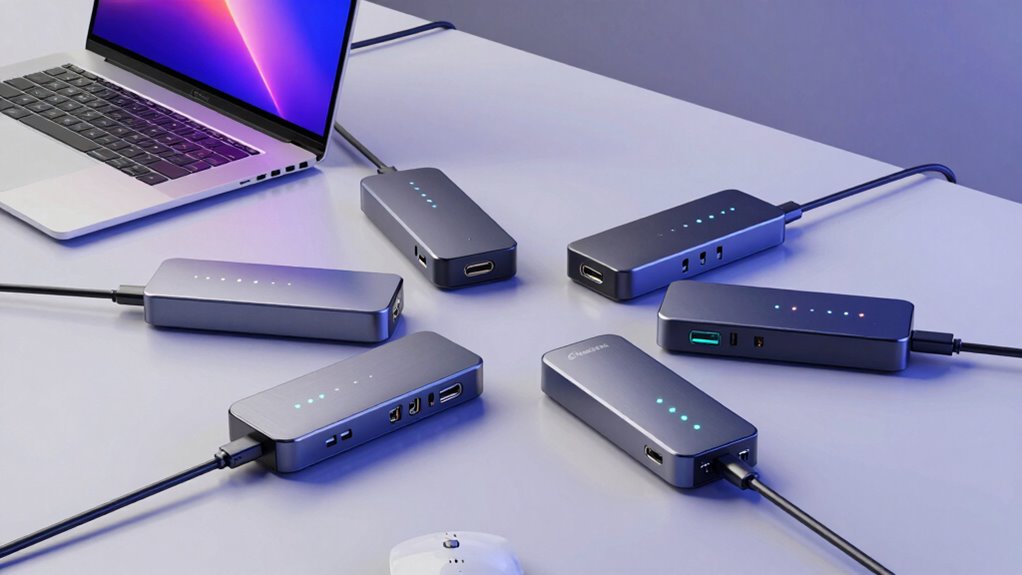
If you’re in the market for a USB4 docking station to boost your programming setup, you’re in luck. The Plugable Thunderbolt 4 Dock stands out for its blazing 40Gbps data transfer and extensive port options, making it ideal for power users who need multiple peripherals. The Lenovo ThinkPad USB4 Smart Dock 5500 appeals for its high-speed USB4 support and high-resolution display capabilities, especially for those who want a reliable, cross-platform solution. Meanwhile, the StarTech USB4 Dual 4K 144Hz Dock offers exceptional display performance with high refresh rates, perfect for developers who also need a smooth visual experience. Each of these options balances performance, compatibility, and price differently, with tradeoffs like compatibility requirements or accessory costs that you should consider before making a choice.

Get business pricing on monitors, keyboards and dev gear
- Business-only prices and quantity discounts
- Tax-exempt purchasing
- Multiple users, one account, clear invoices
Key Takeaways
- The Plugable Thunderbolt 4 Dock offers the highest port variety and performance but requires specific Thunderbolt 4 or USB4 systems.
- The Lenovo ThinkPad USB4 Smart Dock provides excellent display support and fast charging, especially suited for Windows and Linux users.
- The StarTech dock excels at high-refresh-rate dual 4K displays and easy setup, making it ideal for developers who prioritize visual fidelity.
- All three docks support 100W charging, but compatibility and display support vary, affecting suitability for different laptops.
- Price and accessory requirements differ; consider your system compatibility and upgrade plans when choosing.
| Plugable Thunderbolt 4 Dock, 100W Charging, Dual HDMI, 13 Ports |  | Best Overall for Versatility and Performance | Power Delivery: 100W (96W certified) | Display Support: Dual 4K 60Hz or 8K 60Hz | Ports: 13 including HDMI, USB, Ethernet, SD | VIEW ON AMAZON | See Our Full Breakdown |
| Lenovo ThinkPad USB4 Smart Dock 5500 with 135W Adapter |  | Best for Compatibility and High-Resolution Support | Technology: USB4 | Bandwidth: 40 Gbps | Display Support: 1x 8K at 60Hz or 2x 4K at 144Hz | VIEW ON AMAZON | See Our Full Breakdown |
| StarTech USB4 Dual 4K 144Hz Dock for Mac and Windows, 100W |  | Best for High-Refresh-Rate Dual Display | Display Support: Dual 4K 144Hz or 8K 60Hz | Power Delivery: 100W | Ethernet: 2.5GbE | VIEW ON AMAZON | See Our Full Breakdown |
| usb4 docking stations for programming laptop | Power Delivery | Display Support |
|---|---|---|
| Plugable Thunderbolt 4 Dock | 100W (96W certified) | Dual 4K 60Hz or 8K 60Hz |
| Lenovo ThinkPad USB4 Smart Doc | Up to 100W | 1x 8K at 60Hz or 2x 4K at 144Hz |
| StarTech USB4 Dual 4K 144Hz Do | 100W | Dual 4K 144Hz or 8K 60Hz |
More Details on Our Top Picks
Plugable Thunderbolt 4 Dock, 100W Charging, Dual HDMI, 13 Ports
The Plugable Thunderbolt 4 Dock stands out for its blazing 40Gbps performance and comprehensive port selection, including dual HDMI, Ethernet, SD card slots, and multiple USB ports. It supports dual 4K displays at 60Hz or a single 8K at 60Hz, making it a powerful choice for programmers who need multiple monitors and high-speed data transfer. Compared with the Lenovo dock, it offers more ports and faster performance but requires a compatible Thunderbolt 4 or USB4 system, which could limit compatibility for some laptops. Its 100W power delivery covers most needs but may fall short for power-hungry workstations.
Pros:- High-speed 40Gbps Thunderbolt 4 performance
- Supports dual 4K or single 8K displays
- 13 versatile ports including HDMI, Ethernet, and SD slots
- 100W power delivery
Cons:- Limited dual display support on some Mac models
- Requires compatible Thunderbolt 4 or USB4 systems
- Some features depend on device configurations
Best for: Power users needing maximum connectivity and performance
Not ideal for: Laptops without Thunderbolt 4 or USB4 ports or those on a tight budget
- Power Delivery:100W (96W certified)
- Display Support:Dual 4K 60Hz or 8K 60Hz
- Ports:13 including HDMI, USB, Ethernet, SD
- Connectivity:Thunderbolt 4, Thunderbolt 5, USB4
- Performance:40Gbps Thunderbolt 4
Our verdict“Best for users who need the ultimate in performance and port variety, provided their laptop supports Thunderbolt 4 or USB4.”
Lenovo ThinkPad USB4 Smart Dock 5500 with 135W Adapter
The Lenovo ThinkPad USB4 Smart Dock 5500 leverages USB4’s 40Gbps bandwidth to deliver reliable, high-speed connections across platforms. Supporting one 8K display or two 4K monitors, it provides up to 100W charging, making it an excellent choice for business users or developers working with high-res visuals. Its compatibility across Windows, Linux, and macOS broadens its appeal, and remote management features appeal to IT teams managing multiple devices. However, full utilization of its features depends on your laptop’s compatibility, and it tends to be pricier compared to basic docks, which might be a concern for budget-conscious buyers.
Pros:- High-speed USB4 with 40 Gbps bandwidth
- Supports 8K or dual 4K displays
- Up to 100W charging for laptops
- Compatible with multiple OS
Cons:- Requires compatible laptop to unlock full features
- Higher price point compared to entry-level docks
- Limited display options if not compatible
Best for: Cross-platform developers needing high-res display support and reliable charging
Not ideal for: Laptops that don’t fully support USB4 or those seeking a budget-friendly option
- Technology:USB4
- Bandwidth:40 Gbps
- Display Support:1x 8K at 60Hz or 2x 4K at 144Hz
- Power Delivery:Up to 100W
- Adapter Power:135W
Our verdict“Ideal for professionals needing versatile, high-res display options across multiple operating systems with fast charging.”
StarTech USB4 Dual 4K 144Hz Dock for Mac and Windows, 100W
The StarTech USB4 Dual 4K 144Hz Dock offers exceptional performance for developers who need crisp visuals and fast refresh rates. Supporting dual 4K displays at 144Hz or a single 8K at 60Hz, it provides a smooth experience for coding, video editing, or multitasking. Its driverless, plug-and-play setup across macOS and Windows simplifies deployment, and the 100W charging ensures your laptop stays powered. The main limitation is that mounting accessories are sold separately, and your laptop must support USB4 or Thunderbolt 4/5 for optimal use—potential hurdles for some users looking for an all-in-one solution.
Pros:- Supports dual 4K at 144Hz with high refresh rate
- Driverless, plug-and-play experience
- Provides 100W charging
- Flexible mounting options
Cons:- Mounting accessories sold separately
- Dependent on USB4 or Thunderbolt 4/5 ports
- Limited expandability beyond dual 4K or 8K support
Best for: Developers prioritizing high refresh rates and easy setup
Not ideal for: Laptops without USB4 or Thunderbolt 4/5 ports or those needing a built-in mounting solution
- Display Support:Dual 4K 144Hz or 8K 60Hz
- Power Delivery:100W
- Ethernet:2.5GbE
- Compatibility:USB4, Thunderbolt 4/5, macOS, Windows
- Mounting Options:Surface or VESA (sold separately)
Our verdict“Best suited for users who need high-refresh-rate displays and straightforward setup without complex configuration.”

How We Picked
Our selection process focused on docks that fully support USB4 technology, prioritizing performance, display support, and ease of use for programming laptops. We compared port options, power delivery, display capabilities, and cross-platform compatibility, emphasizing models that balance high data transfer speeds with real-world usability. We also evaluated user reviews, feature tradeoffs, and future-proofing for 2026, ensuring each product offers distinct advantages for different developer needs.
Factors to Consider When Choosing Usb4 Docking Stations For Programming Laptops
Selecting the right USB4 docking station for your programming laptop involves balancing performance, display needs, and compatibility. The key is understanding how each dock’s features match your workflow and hardware setup. Consider your primary use case—whether it’s high-speed data transfer, multiple high-resolution displays, or ease of setup—and match it with the dock that best fits those priorities.
Performance and Data Transfer Speed
Look for docks that support USB4 or Thunderbolt 4 with at least 40Gbps bandwidth to handle large files, multiple peripherals, and smooth display output. Docks with lower data rates can bottleneck your workflow, especially if you’re working with high-resolution graphics or large datasets. The Plugable dock offers the highest raw speed, but only if your system supports Thunderbolt 4 or USB4.
Display Support and Resolution
Developers working with visual content or multiple monitors should prioritize docks supporting dual 4K or higher resolutions, and refresh rates above 60Hz if possible. The StarTech dock’s support for dual 4K at 144Hz makes it ideal for smooth multitasking and visual clarity, while the Lenovo dock supports 8K or dual 4K, offering flexibility for high-res workflows.
Power Delivery and Compatibility
Most USB4 docks deliver 100W charging, enough for most laptops, but always verify your laptop’s power requirements. Compatibility across operating systems is another factor—some docks are more platform-agnostic, like the Lenovo, while others may require specific hardware support or drivers. Ensure your laptop supports USB4 or Thunderbolt 4/5 to unlock full features.
Ease of Use and Additional Features
Look for driverless, plug-and-play docks like the StarTech for quick setup, especially in shared workspaces. Mounting options and accessory support can also streamline your workspace, but often come at an extra cost. Consider whether you need remote management features or additional ports for peripherals.
Frequently Asked Questions
Do I need a Thunderbolt 4 port to use these docks?
No, but most of these docks perform best when connected to a Thunderbolt 4 or USB4 port, which provides the necessary high-speed data transfer and display support. Some docks, like the StarTech, are designed to work with USB4, while others may require Thunderbolt 4 support for optimal performance. Check your laptop’s port specifications before purchasing.
Can these docks support multiple 4K monitors?
Yes, all three docks support at least dual 4K displays, with some like the StarTech supporting up to dual 4K at 144Hz. The Lenovo dock can support an 8K display or dual 4K, making it a flexible choice for high-resolution workflows. The key is ensuring your laptop and its port support the required display protocols.
Is 100W power delivery enough for my laptop?
Most modern laptops require around 65-100W for charging during intensive use, so 100W is generally sufficient for most programming laptops. However, high-performance workstations or gaming laptops might need more, so check your device’s power specifications. All three docks provide at least 100W, covering typical developer needs.
Will these docks work with my MacBook?
All three docks support macOS, but full feature support depends on your MacBook model and its Thunderbolt or USB4 capabilities. The Plugable and StarTech docks are plug-and-play for macOS, while the Lenovo dock is also compatible. Be aware that some advanced features like dual 8K display support may vary based on your MacBook’s hardware.
Are mounting options important when choosing a dock?
Mounting options like VESA compatibility or surface mounting can help organize your workspace, especially in shared or portable setups. The StarTech dock offers flexible mounting options, but accessories are sold separately. If workspace organization is a priority, consider docks that support mounting to reduce clutter and improve ergonomics.
Conclusion
If you’re a developer needing maximum connectivity and performance, the Plugable Thunderbolt 4 Dock is the best fit, provided your system supports Thunderbolt 4 or USB4. For those who prioritize high-resolution displays and cross-platform compatibility, the Lenovo ThinkPad USB4 Smart Dock 5500 offers excellent flexibility and charging. Developers focused on high-refresh-rate visuals and easy setup will find the StarTech USB4 Dual 4K 144Hz Dock ideal. Consider your system’s compatibility, display needs, and workspace setup to make the best choice for 2026.