

You shouldn’t ignore implementing role-based controls to assign permissions precisely aligned with job responsibilities, reducing insider threat risks. Guarantee audit trails are secure and tamper-proof so you can quickly investigate incidents and demonstrate compliance. Protect those logs from tampering and unauthorized access to maintain integrity. Automate access provisioning to minimize manual errors and build a strong security posture. Ignoring these steps could expose your organization to vulnerabilities; keep going to discover how to strengthen your workflows further.
Key Takeaways
- Implement role-based controls to assign precise privileges aligned with job responsibilities.
- Ensure all privileged actions are securely logged with immutable audit trails.
- Protect audit logs from tampering and unauthorized access to maintain integrity.
- Regularly review and update permissions to prevent excessive access and reduce insider threats.
- Automate access provisioning and de-provisioning to minimize manual errors and enhance security.

Effective privileged access workflows are essential for safeguarding your organization’s most sensitive systems. When you design and implement these workflows, you need to focus on controlling who has access, what they can do, and how their actions are tracked. Role-based controls are fundamental here, allowing you to assign permissions based on specific roles within your organization. Instead of granting broad access, you define precise privileges aligned with job responsibilities. This ensures that users only access what they need, reducing the risk of accidental or malicious actions. Role-based controls simplify management, making it easier to update permissions as roles evolve, and they provide a clear structure to enforce security policies.
Role-based controls ensure precise permissions, streamline management, and strengthen security policies by aligning access with job responsibilities.
Equally important is maintaining detailed audit trails. Every privileged action should be logged and stored securely, creating a detailed record of who did what, when, and how. Audit trails are your best defense against insider threats and external attacks because they enable you to trace back suspicious activities or policy violations. When an incident occurs, you can quickly review the logs to identify the root cause and assess the scope of potential damage. This transparency also supports compliance with industry regulations and standards, which often require detailed record-keeping for privileged activities. Remember, audit trails should be immutable and tamper-proof to ensure their integrity over time. Incorporating automated logging helps guarantee that no privileged action goes unrecorded. Additionally, understanding side-channel attacks can help you recognize subtle vulnerabilities that could bypass traditional security measures. To further strengthen your defenses, staying informed about emerging cyber threats can be crucial for proactive security management. Moreover, implementing secure storage for audit logs is vital to prevent tampering or unauthorized access to sensitive records.
As a developer, you might be tempted to overlook the importance of role-based controls and audit trails, especially in fast-paced environments. However, neglecting these elements can lead to significant vulnerabilities. Without role-based controls, you risk granting excessive permissions, making it easier for malicious insiders or compromised accounts to cause harm. Without audit trails, you lack the necessary evidence to investigate incidents thoroughly or demonstrate compliance during audits. Incorporating these controls into your privileged access workflows isn’t just a best practice—it’s a critical step toward building a resilient security posture. Furthermore, automating access provisioning and de-provisioning processes can significantly reduce manual errors and improve security consistency.

An application of role-based access control in an Organizational Software Process Knowledge Base
As an affiliate, we earn on qualifying purchases.
As an affiliate, we earn on qualifying purchases.
Frequently Asked Questions
How Often Should Privileged Access Workflows Be Reviewed?
You should review privileged access workflows regularly, ideally at least quarterly, to guarantee they remain effective. During these reviews, perform access audits to identify any unauthorized or outdated privileges. Incorporate workflow automation to streamline the process, making it easier to detect anomalies and enforce policies consistently. Regular reviews help you stay ahead of potential security risks, ensuring your privileged access remains tightly controlled and compliant with evolving standards.
What Are the Common Mistakes in Privileged Access Management?
You might think privileged access management is foolproof, but common mistakes like neglecting regular Access Audits or skipping Credential Rotation leave vulnerabilities wide open. Ironically, some developers believe they can overlook these vital steps, risking security breaches. Failing to review access rights or delay credential updates can turn a small oversight into a major security disaster. Always prioritize consistent audits and timely credential rotations to safeguard your systems effectively.
How Does Privileged Access Impact Overall Cybersecurity Posture?
Privileged access greatly impacts your cybersecurity posture by enhancing risk mitigation through controlled, monitored permissions. It promotes access transparency, so you can track who did what and when, reducing the chances of insider threats or unauthorized activities. By managing privileged accounts carefully, you strengthen defenses, prevent breaches, and guarantee compliance, ultimately creating a more secure environment where vulnerabilities are minimized and your organization’s data remains protected against evolving cyber threats.
What Tools Assist in Managing Privileged Access Workflows?
Imagine a secure fortress with gates guarded by vigilant sentinels. You use tools like role-based permissions to assign access levels, ensuring only authorized personnel enter sensitive areas. Audit trail analysis acts as your watchtower, monitoring all activities and flagging anomalies. These tools work together like the locks and alarms on your fortress, helping you manage privileged access workflows efficiently, prevent breaches, and maintain control over your digital defenses.
Who Should Be Responsible for Maintaining Privileged Access Protocols?
You should be responsible for maintaining privileged access protocols, guaranteeing that access audits are regularly conducted and role responsibilities are clearly defined. By actively managing these protocols, you keep sensitive information secure and prevent unauthorized actions. Regularly reviewing access rights and updating role responsibilities helps identify potential vulnerabilities, maintaining a strong security posture. Ultimately, your proactive approach ensures the integrity of privileged access and the ongoing protection of critical systems.
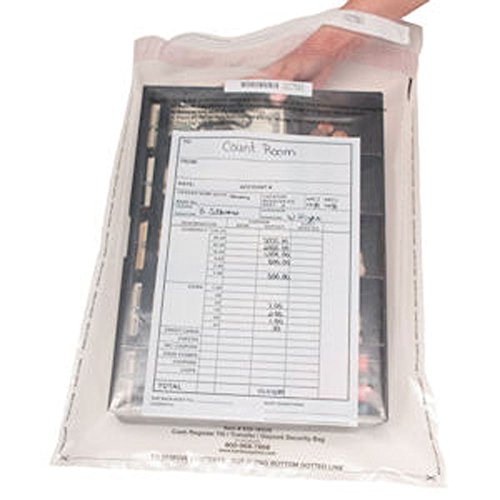
BankSupplies Clear Money Deposit Bags 16W x 20H 500 Pack Tamper Evident Seal Single Use Write-on Panel Consecutive Numbering and Barcode Audit Friendly Deposit Plastic Bags
CASH TRANSMITTAL BAGS: Carry your cash with utmost security with these BankSupplies clear cash bags. You can use…
As an affiliate, we earn on qualifying purchases.
As an affiliate, we earn on qualifying purchases.
Conclusion
Ignoring privileged access workflows can seem harmless, but history shows breaches often start with overlooked vulnerabilities. By staying vigilant and rigorously managing privileged access, you’re not just protecting data—you’re preventing chaos. Some say, “It won’t happen to me.” Yet, the truth is, complacency invites disaster. Don’t wait for a breach to realize the importance of these workflows. Stay proactive, stay secure—your systems and reputation depend on it.

Privileged Access Management Tools Standard Requirements
As an affiliate, we earn on qualifying purchases.
As an affiliate, we earn on qualifying purchases.

Access Control System Kit with Remote – 1200lbs Holding Force Fail-Safe Electromagnetic Lock, Metal Keypad, 12V Power Supply, Exit Button & Doorbell, Supports RFID, Password & Remote Access
trong 1200lbs Holding Force – Fail-safe electromagnetic door lock delivers secure and reliable protection for home, office, and…
As an affiliate, we earn on qualifying purchases.
As an affiliate, we earn on qualifying purchases.