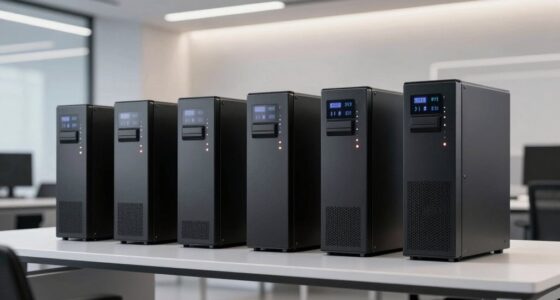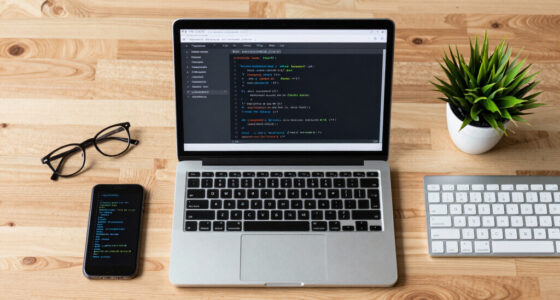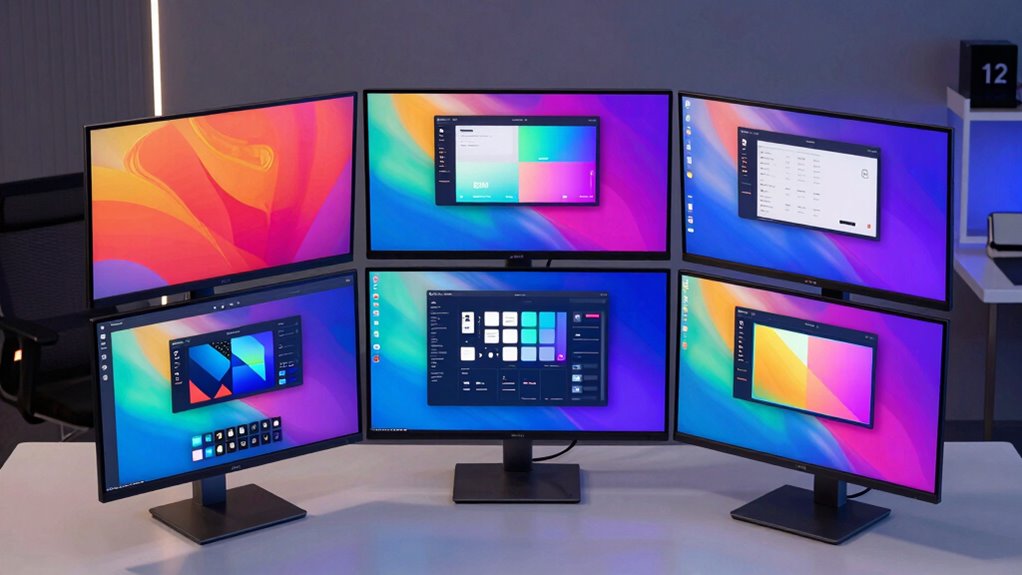
Choosing an HDR monitor for UI/UX design involves balancing color accuracy, screen size, connectivity, and ergonomic features. For 2026, the market offers a range of options, but not all are suited for every workflow. The Dell 27 Plus S2725DC stands out for its fast response and smooth visuals, ideal for dynamic interfaces. The ASUS ProArt PA279CRV offers professional-grade color precision, perfect for detailed design work. Meanwhile, the BenQ PD2706U combines factory calibration and ergonomic features, making it a favorite for long hours of creative work. Each has its strengths and tradeoffs, so understanding your priorities is key.

Get business pricing on monitors, keyboards and dev gear
- Business-only prices and quantity discounts
- Tax-exempt purchasing
- Multiple users, one account, clear invoices
Key Takeaways
- Color accuracy and wide gamut coverage are essential for professional UI/UX work.
- Connectivity options like USB-C with power delivery streamline workflows.
- Ergonomic adjustments improve comfort during extended design sessions.
- High refresh rates benefit smooth visual navigation, especially for interactive prototypes.
- HDR support enhances visual fidelity but varies in brightness and format support.
| Dell 27 Plus QHD USB-C Monitor – S2725DC |  | Best for Smooth Visuals and Connectivity | Display Size: 27 inches | Resolution: 2560×1440 (QHD) | Refresh Rate: 144Hz | VIEW ON AMAZON | See Our Full Breakdown |
| ASUS ProArt PA279CRV 27-inch 4K UHD USB-C HDR Professional Monitor |  | Best for Color Accuracy and Professional Creative Work | Display Size: 27 inches | Resolution: 3840 x 2160 (4K UHD) | Panel Type: IPS | VIEW ON AMAZON | See Our Full Breakdown |
| BenQ PD2706U 27” 4K UHD Monitor with USB-C, HDR, IPS, Factory-Calibrated, Ergonomic Design |  | Best for Calibration and Ergonomics | Display Size: 27 inches | Resolution: 4K UHD | Panel Type: IPS | VIEW ON AMAZON | See Our Full Breakdown |
| Dell 34 Monitor S3425DW, WQHD VA, 120Hz, FreeSync Premium, Eye Comfort |  | Best for Wide Screen and Entertainment | Display Size: 34 inches | Resolution: WQHD | Panel Type: VA | VIEW ON AMAZON | See Our Full Breakdown |
| LG 27US500-W UltraFine 27-Inch 4K UHD IPS Monitor, HDR10, White |  | Best for Basic 4K and Wide Angles | Display Size: 27 inches | Resolution: 3840 x 2160 | Panel Type: IPS | VIEW ON AMAZON | See Our Full Breakdown |
| hdr monitor for ui ux designer | Display Size | Resolution | Connectivity | Panel Type |
|---|---|---|---|---|
| Dell 27 Plus QHD USB-C Monitor | 27 inches | 2560×1440 (QHD) | USB-C, HDMI, DisplayPort 1.4, USB-A | — |
| ASUS ProArt PA279CRV 27-inch 4 | 27 inches | 3840 x 2160 (4K UHD) | DisplayPort, USB-C, HDMI | IPS |
| BenQ PD2706U 27” 4K UHD Monito | 27 inches | 4K UHD | USB-C, KVM, HDMI, DisplayPort | IPS |
| Dell 34 Monitor S3425DW | 34 inches | WQHD | — | VA |
| LG 27US500-W UltraFine 27-Inch | 27 inches | 3840 x 2160 | HDMI, DisplayPort | IPS |
More Details on Our Top Picks
Dell 27 Plus QHD USB-C Monitor – S2725DC
The Dell S2725DC excels in delivering smooth, flicker-free visuals thanks to its 144Hz refresh rate and 1ms response time, making it suitable for UI interactions that demand fluidity. Its integrated speakers and TÜV-certified blue light reduction add to user comfort. However, compared to professional-grade options, it offers limited information on color accuracy, making it less ideal for color-critical tasks. It’s best suited for designers who prioritize speed and general productivity over absolute color precision.
Pros:- High refresh rate for smooth UI interactions
- Fast response time minimizes motion blur
- Blue light reduction supports eye comfort
- Multiple connectivity ports simplify setup
Cons:- Limited details on color accuracy
- No adjustable stand or pivot features
- Price information not specified
Best for: Designers needing smooth navigation and multimedia integration
Not ideal for: Color-critical work or detailed photo editing
- Display Size:27 inches
- Resolution:2560×1440 (QHD)
- Refresh Rate:144Hz
- Response Time:1ms
- Speakers:2 x 3W
- Connectivity:USB-C, HDMI, DisplayPort 1.4, USB-A
Our verdict“Ideal for UI/UX designers who value fluid visuals and connectivity over color precision.”
ASUS ProArt PA279CRV 27-inch 4K UHD USB-C HDR Professional Monitor
The ASUS ProArt PA279CRV stands out with factory-calibrated color accuracy, covering 99% DCI-P3 and Adobe RGB, essential for precise UI/UX visuals. Its 4K UHD IPS panel ensures sharp detail and consistent color at wide viewing angles. The monitor’s ergonomic stand, supporting tilt, swivel, pivot, and height adjustments, facilitates long working sessions. While its extensive feature set makes it more costly and possibly overkill for casual use, it’s a clear choice for those who need pixel-perfect accuracy and reliable calibration.
Pros:- Factory calibrated for high color accuracy
- Wide color gamut with 99% DCI-P3 and Adobe RGB
- USB-C with 96W power delivery
- Ergonomic stand with full adjustments
Cons:- Extended warranty requires online registration
- HDR specifications like brightness not detailed
- Relatively high price point
Best for: Professional UI/UX designers requiring top-tier color fidelity
Not ideal for: Casual users or those prioritizing gaming features
- Display Size:27 inches
- Resolution:3840 x 2160 (4K UHD)
- Panel Type:IPS
- HDR Support:Yes
- Color Coverage:99% DCI-P3, 99% Adobe RGB
- Connectivity:DisplayPort, USB-C, HDMI
Our verdict“Designed for professionals who need consistent, accurate colors in UI/UX design workflows.”
BenQ PD2706U 27” 4K UHD Monitor with USB-C, HDR, IPS, Factory-Calibrated, Ergonomic Design
The BenQ PD2706U offers a compelling balance of high color accuracy, factory calibration, and ergonomic flexibility. Its 4K UHD IPS panel covers 95% P3 and 99% sRGB, making it suitable for detailed UI/UX work. The inclusion of a KVM switch, tilt, swivel, and height adjustments enhances long-term comfort. Its HDR DisplayHDR 400 support provides decent visual enhancement, though it may not satisfy those needing advanced HDR features. The high price reflects its professional focus, making it less suitable for casual use.
Pros:- Excellent color coverage with factory calibration
- USB-C with 90W power delivery and KVM switch
- Adjustable ergonomic stand
- DisplayHDR 400 support
Cons:- Premium price may be prohibitive
- HDR performance limited compared to higher-end models
- Primarily aimed at professional use
Best for: Creative professionals seeking calibration, connectivity, and comfort
Not ideal for: Budget-conscious users or casual browsing
- Display Size:27 inches
- Resolution:4K UHD
- Panel Type:IPS
- HDR:DisplayHDR 400
- Color Coverage:95% P3, 99% sRGB
- Connectivity:USB-C, KVM, HDMI, DisplayPort
Our verdict“A top-tier choice for UI/UX professionals prioritizing color accuracy and long hours of ergonomic comfort.”
Dell 34 Monitor S3425DW, WQHD VA, 120Hz, FreeSync Premium, Eye Comfort
The Dell S3425DW offers a broad 34-inch display with high contrast and vibrant colors, covering 99% sRGB and 95% DCI-P3. Its 120Hz refresh rate and FreeSync Premium support provide smooth interactions, especially useful for testing UI animations or multimedia. The monitor’s Eye Comfort tech reduces blue light, making long sessions easier. However, its HDR capabilities are basic, and the limited stand adjustability might not suit all ergonomic needs. It’s a strong option for those needing a large workspace with decent color performance.
Pros:- Large, immersive 34-inch screen
- High contrast and vibrant colors
- 120Hz refresh rate for smooth UI testing
- Blue light reduction for eye comfort
Cons:- Limited HDR brightness and advanced support
- Stand adjustments are minimal
- Not ideal for precise color work
Best for: UI/UX designers working with wide layouts or multimedia
Not ideal for: Color-critical detailed design or high-end HDR workflows
- Display Size:34 inches
- Resolution:WQHD
- Panel Type:VA
- Refresh Rate:120Hz
- Response Time:0.03ms
- Color Coverage:99% sRGB, 95% DCI-P3
Our verdict“Best suited for UI/UX work involving wide layouts and multimedia rather than color-critical projects.”
LG 27US500-W UltraFine 27-Inch 4K UHD IPS Monitor, HDR10, White
The LG UltraFine 27US500-W provides a sharp 4K UHD IPS panel with decent HDR10 support and up to 90% DCI-P3 coverage. Its wide viewing angles and simple design make it a good fit for standard UI/UX design tasks. The tilt-adjustable stand helps position the monitor comfortably. However, its HDR capabilities are limited to HDR10 with modest brightness, making it less suitable for advanced HDR workflows. It’s a practical choice for budget-conscious designers who still require crisp visuals.
Pros:- Sharp 4K resolution with IPS panel
- Wide viewing angles
- HDR10 support for basic HDR
- Tilt-adjustable stand for comfort
Cons:- Limited HDR brightness and advanced features
- Stand adjustment limited to tilt
- No included DisplayPort cable
Best for: Entry-level or general UI/UX designers needing 4K clarity
Not ideal for: High-precision color work or HDR-heavy projects
- Display Size:27 inches
- Resolution:3840 x 2160
- Panel Type:IPS
- HDR:HDR10
- Color Gamut:Up to 90% DCI-P3
- Connectivity:HDMI, DisplayPort
Our verdict“A solid, affordable 4K monitor suitable for everyday UI/UX tasks with decent color and HDR support.”

How We Picked
Our selection process focused on monitors that combine HDR support with features tailored for UI/UX design. We prioritized color accuracy, wide color gamuts, resolution, connectivity, and ergonomic design. Devices were chosen based on industry relevance, feature set, and user reviews, emphasizing those that help designers achieve precise, vibrant visuals while maintaining comfort. Tradeoffs such as price, brightness specifications, and additional features were also considered to ensure a balanced overview.
| hdr monitor for ui ux designer | Connectivity | Panel Type |
|---|---|---|
| Dell 27 Plus QHD USB-C Monitor | USB-C, HDMI, DisplayPort 1.4, USB-A | — |
| ASUS ProArt PA279CRV 27-inch 4 | DisplayPort, USB-C, HDMI | IPS |
| BenQ PD2706U 27” 4K UHD Monito | USB-C, KVM, HDMI, DisplayPort | IPS |
| Dell 34 Monitor S3425DW | — | VA |
| LG 27US500-W UltraFine 27-Inch | HDMI, DisplayPort | IPS |
Factors to Consider When Choosing Hdr Monitor For Ui Ux Designers
Selecting the right HDR monitor for UI/UX design requires understanding how features like color accuracy, resolution, HDR quality, and ergonomic options align with your workflow. High color fidelity is essential for pixel-perfect interfaces, while HDR support adds vibrancy and depth to visual prototypes. Connectivity options like USB-C simplify your setup, especially if you use modern laptops. Ergonomic features help maintain comfort during long hours, which is crucial for productivity. Balancing these factors based on your specific needs will lead to a more efficient and satisfying design experience.Color Accuracy and Gamut
For UI/UX work, accurate color reproduction is non-negotiable. Monitors with wide color gamuts such as DCI-P3 or Adobe RGB ensure your designs look consistent across devices. Factory calibration or calibration tools further enhance reliability. If color precision is your priority, models like the ASUS ProArt or BenQ PD2706U are excellent choices. However, if your focus is more on fluid interactions or multimedia, slight compromises in color accuracy may be acceptable, such as with the Dell S2725DC.
HDR Support and Brightness
HDR enhances visual depth by improving contrast and color vibrancy. For UI/UX designers, this can be beneficial when testing how interfaces appear in different lighting conditions. Look for monitors supporting DisplayHDR standards with sufficient brightness levels—ideally above 600 nits for more advanced HDR workflows. Many options, like the LG UltraFine or Dell S3425DW, offer HDR10 or HDR400, which are suitable for basic HDR tasks but may fall short for high-end content creation.
Connectivity and Ergonomics
Modern workflows benefit from versatile connectivity, particularly USB-C with power delivery, reducing cable clutter and enabling single-cable setups. An adjustable stand that tilts, swivels, and adjusts height supports long work sessions by reducing strain. Monitors like the ASUS ProArt and BenQ PD2706U excel here, while some budget models might lack extensive ergonomic features. Assess your workspace space and ergonomic needs carefully to choose a monitor that fits well into your environment.
Size and Resolution
Size impacts immersion and workspace. A 27-inch monitor balances detail and desk space, ideal for most UI/UX tasks. Higher resolution, like 4K UHD, offers sharper details, critical for pixel-precise work. Larger screens, such as 34-inch WQHD models, provide more room for multitasking but may require more powerful hardware to drive their resolution smoothly. Consider your desk size and hardware capabilities when selecting the size and resolution combo.
Frequently Asked Questions
Why is color accuracy important for UI/UX design?
Color accuracy ensures that your designs appear consistent across different devices and displays, which is crucial for delivering a cohesive user experience. Inaccurate colors can lead to misinterpretations of your work, especially when fine details and branding colors are involved. Monitors with wide color gamuts and factory calibration help maintain this fidelity, making them essential for professional UI/UX work.
What HDR standards should I look for in a monitor for UI/UX design?
For UI/UX designers, HDR standards like DisplayHDR 400 or HDR10 are typically sufficient to improve contrast and color vibrancy without requiring top-tier brightness levels. These standards enhance visual depth, especially in prototypes involving media or immersive interfaces. However, if your work involves high-end video or content creation, look for monitors with higher HDR certification and brightness, such as HDR600 or HDR1000.
Is a 27-inch monitor enough for detailed UI/UX work?
Yes, a 27-inch monitor strikes a good balance between workspace and desk space, providing enough screen real estate for detailed design work and multiple windows. For pixel-perfect accuracy, pairing it with a high-resolution display like 4K UHD enhances detail visibility. Larger monitors can be beneficial for multitasking or testing wide layouts, but 27 inches remains a standard and effective size for most UI/UX designers.
Should I prioritize a monitor with USB-C over other types of connectivity?
Prioritizing USB-C is advantageous because it consolidates video, data, and power into a single cable, reducing clutter and simplifying setups, especially with modern laptops. If your workflow relies on a clean workspace and quick connectivity, a monitor with USB-C and power delivery—like the ASUS ProArt or BenQ PD2706U—makes a noticeable difference. However, ensure your devices support USB-C to maximize this benefit.
How important is ergonomic adjustment on a monitor for UI/UX designers?
Ergonomic adjustments such as tilt, swivel, pivot, and height are vital for maintaining comfort during long hours of design work. Poor ergonomics can lead to discomfort or strain, reducing productivity and focus. Monitors with flexible stands allow you to fine-tune your viewing angle, helping you stay comfortable and focused, especially during extended sessions. Models like the ASUS ProArt and BenQ PD2706U excel in this area.
Conclusion
For UI/UX designers, the choice of monitor depends on specific needs. Those prioritizing color accuracy and calibration, like professionals or creative agencies, should lean toward the ASUS ProArt or BenQ PD2706U. If smooth visuals and connectivity matter most—perhaps for animation or interactive testing—the Dell S2725DC offers compelling features. Budget-conscious designers can find solid options in the LG UltraFine, while wide-screen enthusiasts may prefer the Dell S3425DW. Matching your work style with these features will ensure a more efficient and enjoyable design process.
Fall Picks
fall essentials
As an affiliate, we earn on qualifying purchases.