🔍 Read the full analysis: 12 Best AI Video Editing Software 2027 on ThorstenMeyerAI.com

Get business pricing on monitors, keyboards and dev gear
- Business-only prices and quantity discounts
- Tax-exempt purchasing
- Multiple users, one account, clear invoices
TL;DR
This is a buyer’s guide, not a report of a newly announced product or an independent software test. Its source ranks PowerDirector 2027 Ultra as the best-balanced Windows option in its selection, with Premiere Pro aimed at professional workflows and Premiere Elements at guided editing; buyers should verify each listing’s platform, bundle and license.
ThorstenMeyerAI.com’s 2027 guide compares 12 video-editing software listings and ranks CyberLink PowerDirector 2027 Ultra as its preferred fit for Windows creators seeking AI-assisted tools in a familiar desktop workflow. The article distinguishes that recommendation from Adobe Premiere Pro, which it positions for professional users, and Premiere Elements, which it describes as a more guided option.
The guide says its ranking weighs how well each option fits a real editing workflow, rather than the number of features marketed as AI. Its stated criteria include the balance of automated assistance and manual control, the likely learning curve, platform fit, whether a package is video-focused or bundled with photo software, and the license format named in a listing. It does not provide benchmark results or a documented hands-on test protocol in the supplied material. For more options, see these AI video editors.
Within that framework, the source describes PowerDirector 2027 Ultra as the most balanced video-focused Windows choice. It casts Premiere Pro as a professional alternative with more control but a steeper learning curve and subscription, and Premiere Elements 2027 as the more accessible, guided Adobe route. These are the guide’s assessments, not independently established performance findings. For creators weighing hardware for their editing setup, see MacBook Pro models for video editing.
The roundup also includes multiple listings that overlap in product family or license format. It cautions readers not to assume that similar names mean distinct editing capabilities, and says to check the precise version, included applications, supported platform, activation method and license duration. CyberLink packages that include PhotoDirector may suit people editing both photos and video; the guide says the added app may be of less value to video-only buyers. Nero Video is presented as a simpler alternative.
The 12 picks
- 1
 Adobe Premiere Pro Video Editing Software, 1-Year Subscription, PC/Mac Online…View on Amazon →
- 2
 CyberLink PowerDirector 2027 Ultra and PhotoDirector 2027 Ultra for WindowsView on Amazon →
- 3
 CyberLink PowerDirector 2027 Ultra and PhotoDirector 2027 Ultra for WindowsView on Amazon →
- 4
 Adobe Photoshop Elements & Premiere Elements 2027, 3-Year License for PC and MacView on Amazon →
- 5
 CyberLink PowerDirector 2027 Ultimate Video Editing Software for Windows (Pro…View on Amazon →
- 6
 CyberLink PowerDirector 2027 Ultra Video Editing Software for Windows (Produc…View on Amazon →
- 7
 Adobe Premiere Elements 2027 Video Editing Software, 3-Year License, PC/Mac O…View on Amazon →
- 8
 CyberLink PowerDirector 2027 Ultra AI Video Editing SoftwareView on Amazon →
- 9
 CyberLink PowerDirector 2026 and PhotoDirector 2026 AI Video and Photo Editin…View on Amazon →
- 10
 Adobe Photoshop Elements & Premiere Elements 2027 Student and Teacher Edition…View on Amazon →
- 11
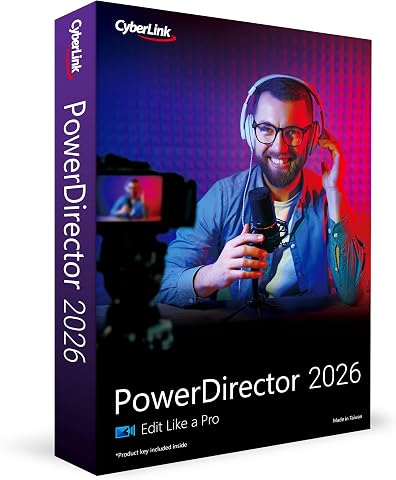 CyberLink PowerDirector 2026 – Video Editing Software for Windows (AI Editor,…View on Amazon →
- 12
 Nero Video Maker Video Editing Software for WindowsView on Amazon →
Choosing an Editor for Your Workflow
The guide’s central buying distinction is between ease of use and control. A guided editor may help occasional creators complete straightforward projects without spending as much time learning a complex interface. Editors doing recurring or more involved work may prefer greater timeline control, even if the software requires more setup and training.
Its advice also pushes back on choosing software by AI labels alone. Automated help with tasks such as captions or finding useful moments may reduce some editing work, but the source notes that users still need to check timing, wording and visual consistency. The appropriate choice depends on which task consumes time and whether the user wants automation or detailed control over cuts, pacing and sound.
For buyers, the practical stakes include paying for a subscription or bundle they may not use, buying a license that does not fit their computer, or choosing a workflow that is difficult to share with collaborators. The article’s ranking is a starting point; the exact listing and the buyer’s project needs remain decisive.
Products Worth Considering

Apple AirPods Pro 3 Wireless Earbuds with Active Noise Cancellation
DJI Mini 5 Pro Fly More Combo Plus with DJI RC 2

Bose Lifestyle Ultra Soundbar and Ultra Subwoofer Bundle
As an affiliate, we earn on qualifying purchases.
How the Guide Ranks Its Picks
The source frames its list as a comparison of 12 software listings, not 12 wholly unrelated editing platforms. Some entries overlap by product family or license type, so the number should not be read as a count of unique capabilities. The supplied source material does not identify every listing by name, and it does not include individual product sections for all 12 picks.
Its stated method prioritizes workflow fit, platform compatibility, editing control, learning curve, bundled applications and license terms. It places PowerDirector Ultra first for Windows users looking for AI-assisted editing without a professional-first workflow. Premiere Pro is described as a higher-control option, and Premiere Elements as a more guided one. The source also identifies a Student and Teacher Edition as restricted to eligible buyers, rather than a general-purpose alternative.
The guide advises checking whether the specific edition works with the buyer’s operating system and collaboration needs. It also recommends confirming license duration and activation terms. Those checks matter because product editions and listings can differ even when their titles appear nearly identical.
“PowerDirector 2027 Ultra is the clearest overall fit in this lineup for Windows users seeking AI-assisted editing without choosing a professional-first workflow.”
— ThorstenMeyerAI.com guide
What the Listings Do Not Establish
The supplied material does not name all 12 listings or provide a full feature-by-feature comparison, pricing, system requirements or dated availability information. It also does not document independent testing, benchmark methods or evidence that one editor produces better results than another. The rankings should therefore be read as the source’s buying recommendations, not as verified universal performance claims.
Exact platform support, included applications, license duration, activation rules and student eligibility may vary by listing. The guide tells buyers to verify those terms but the provided source does not specify them for each product. It is also unclear which AI features are included in each edition or how well they perform on particular kinds of footage.
Checks Before You Buy
Before purchasing, compare the exact product version and license listing with the work you expect to do. Confirm operating-system compatibility, the applications included, subscription or license duration, activation requirements and any eligibility restrictions. If you collaborate, check whether the software fits the file-sharing and handoff process used by others on the project.
Then identify the editing task you most want to speed up and test whether the product offers useful assistance for it. Review automated captions or edits rather than assuming they are ready to publish. Buyers who work with still images should decide whether a bundled photo application fits their routine; video-only users may prefer a package focused on editing. Product terms and availability can change, so check the current seller listing before committing.
Key Questions
Which software does the guide rank first?
The source ranks CyberLink PowerDirector 2027 Ultra as its preferred fit for Windows creators seeking AI-assisted editing without a professional-first workflow. This is the guide’s recommendation, not an independent test result.
How does the guide distinguish Premiere Pro from Premiere Elements?
It positions Premiere Pro for buyers seeking a professional editing environment who accept a steeper learning curve and subscription. It presents Premiere Elements 2027 as a more guided Adobe option.
Are all 12 picks different editing platforms?
No. The source says some listings overlap in product family or license format. It advises checking the exact edition and included software rather than treating similar names as proof of different editing capabilities.
What should buyers verify before paying?
Check the specific version, operating-system support, included applications, license duration, activation method and any eligibility rules. Also confirm that the software fits your project and collaboration workflow.
Source: ThorstenMeyerAI.com