
TL;DR

Get business pricing on monitors, keyboards and dev gear
- Business-only prices and quantity discounts
- Tax-exempt purchasing
- Multiple users, one account, clear invoices
Prebuilt AI workstations now often match or beat DIY builds on price, thanks to component shortages and bulk buying. The choice depends on your control preferences, time, and support needs—it’s a tradeoff between convenience and customization.
Imagine turning on a high-powered AI workstation and having it hum to life, ready to run complex models in minutes. No fuss, no headaches — just plug in and go. That’s the promise of a prebuilt system in 2026. But for the hobbyist or the enthusiast, building your own rig might still seem like the smarter, more flexible choice.
This decision isn’t as straightforward as it used to be. The choice between building and buying has become more nuanced. With soaring component prices and supply chain hiccups, the gap between build and buy has blurred. The real question now is: do you want to spend your time tuning and troubleshooting, or pay a premium for a machine that’s ready to go? This article cuts through the hype, comparing costs, performance, support, and upgrade paths — so you can pick the right path for your AI ambitions.
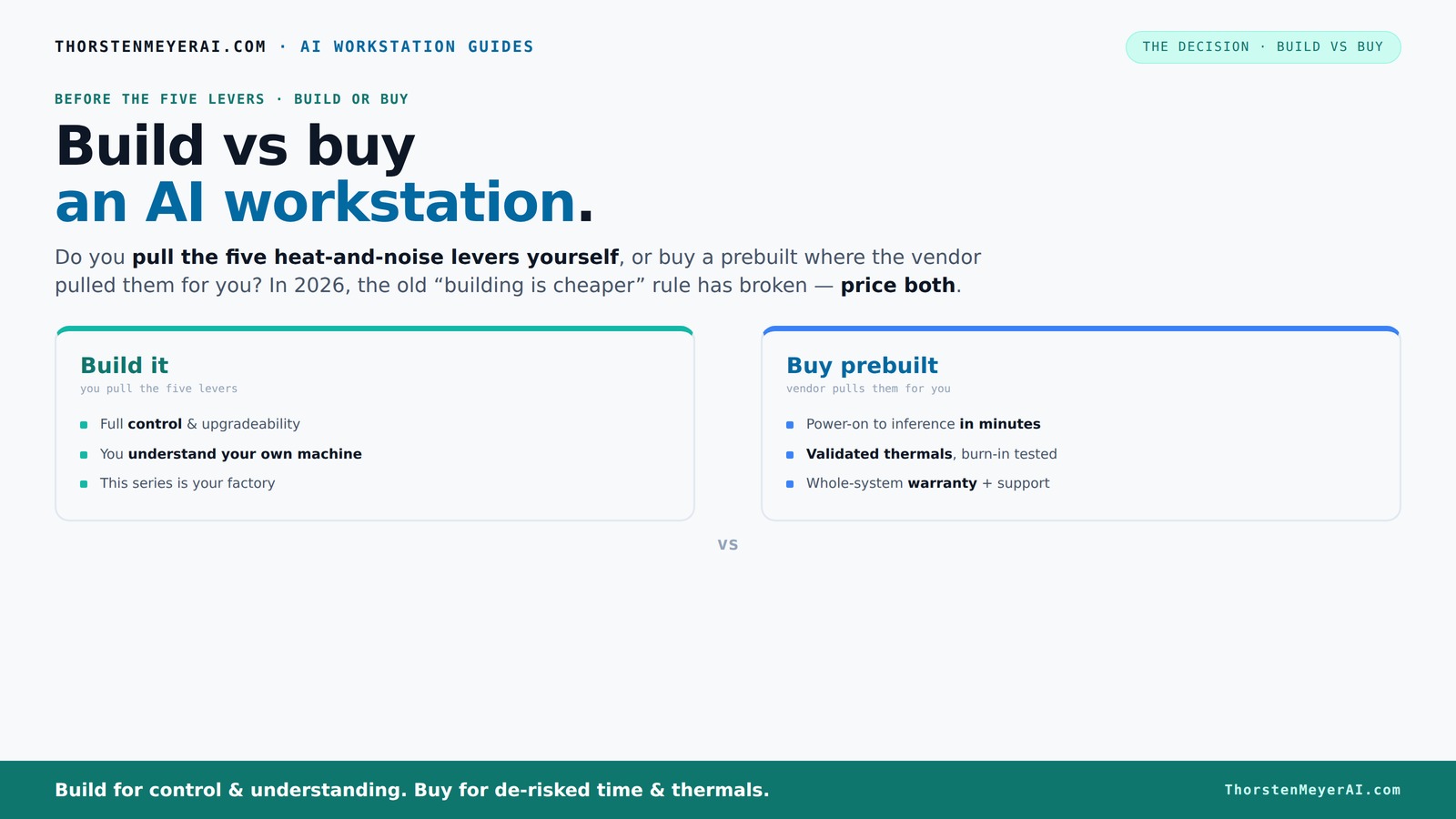
Build vs buy
an AI workstation.
The real question behind this whole series: do you pull the five heat-and-noise levers yourself, or buy a prebuilt where the vendor pulled them for you? And in 2026, the old “building is cheaper” rule has broken. Match your situation in Part 3.
Key Takeaways
- Component shortages in 2026 make prebuilt AI workstations often as affordable as DIY builds, reversing a long-standing rule.
- Prebuilts come with validated thermals, support, and faster deployment, ideal for urgent projects or team environments.
- Building offers unmatched control over parts, cooling, and future upgrades, perfect for hobbyists and tech enthusiasts.
- Support and warranty matter: prebuilts reduce downtime risks, but proprietary parts can limit upgrade paths. Learn more about building vs buying in our detailed comparison.
- Compare total costs, performance needs, and time-to-deploy before choosing — the best option depends on your priorities, not just price.
As an affiliate, we earn on qualifying purchases.
Why 2026 Changes the Game: Building Is No Longer Always Cheaper
In the past, building your own AI workstation was the clear winner on cost. You bought parts, assembled, and saved hundreds. Not anymore. The global chip shortage and supply chain chaos have sent prices soaring for GPUs, RAM, and SSDs. To understand more about the current hardware landscape, visit bestcadpapers.com. A build that used to cost around $1,000 now easily hits $1,250 or more, even before adding an OS license.
Meanwhile, major vendors like Lambda and Puget buy components in bulk, locking in lower prices. Their prebuilt systems often cost the same or less than a DIY, especially when you factor in time, troubleshooting, and the risk of compatibility issues. It’s a rare case where DIY truly outperforms a well-priced prebuilt today. So, before you decide, compare the total cost for your specific setup — the old rule no longer applies.
Beyond just raw costs, this shift impacts your decision-making because it forces a reassessment of what “cost-effective” really means. When building, you might save money upfront but spend hours troubleshooting incompatibilities or dealing with component failures. On the other hand, prebuilt systems, despite their sometimes higher sticker price, often include tested configurations and support, which can translate into savings in downtime and frustration. The tradeoff now leans more towards convenience and reliability rather than just initial cost, especially as component prices stabilize or even decline due to bulk purchasing strategies.
As an affiliate, we earn on qualifying purchases.
The Five Levers: Who Controls the Heat, Noise, and Stability?
High-power AI workstations are like furnaces. Managing heat and noise takes five key levers: undervolting the GPU, matching the right cooling, optimizing airflow, tuning fan curves, and choosing the best placement.
If you buy a prebuilt, the vendor pulls these levers for you. Companies like BIZON and Lambda validate thermals, tune fans, and often include water-cooling for quieter, cooler operation. They ship a system already tested under load, with a warranty covering thermal issues. For more insights, check out theintellihome.com on smart tech integrations.
Building yourself? You get to control every lever. Pick a quiet GPU, undervolt it, choose a case with sound-dampening, and set up airflow just right. But it takes time, expertise, and patience to get it perfect. Your machine, your rules — and your responsibility for keeping it cool and quiet. If you're interested in customizing your setup, see Build vs Buy a Prebuilt AI Workstation.
Why does this matter? Because thermal management directly affects performance and longevity. Poor cooling can lead to thermal throttling, which reduces GPU clock speeds and hampers AI processing efficiency. Excessive noise can also be distracting in a workspace. Prebuilt vendors often have the advantage of extensive testing and fine-tuning, ensuring thermal stability and quieter operation out of the box. DIYers, however, can tailor cooling solutions—like custom liquid cooling loops or advanced airflow setups—to achieve optimal performance and acoustics. The tradeoff is the time and expertise required, but the payoff can be a system precisely tuned to your exact needs, with the potential for quieter, more efficient operation over the long term.
high performance AI workstation components
As an affiliate, we earn on qualifying purchases.
As an affiliate, we earn on qualifying purchases.
Which Is Better for Your Budget? Building or Buying?
Cost is a big factor. Building usually offers more control over parts, so you can maximize GPU VRAM, RAM, or storage within your budget. For a detailed comparison, visit this guide. But in 2026, a prebuilt might match or beat DIY prices because of bulk discounts and component shortages.
Here's a quick comparison:
| Aspect | Build | Prebuilt |
|---|---|---|
| Initial Cost | Lower if you shop carefully, but prices are rising | Often comparable or slightly higher, thanks to bulk buying |
| Time Investment | Hours to days assembling and troubleshooting | Minutes to hours — ready to deploy |
| Support & Warranty | Limited to individual parts; DIY troubleshooting | Single vendor support; validated thermals |
While the initial cost and time investment are clear considerations, the long-term implications of each choice are equally important. Building may save money upfront, but it can also mean more frequent upgrades and repairs. Prebuilts often come with comprehensive warranties and support, reducing the risk of unexpected downtime, which is crucial for ongoing AI projects. The decision thus hinges not only on immediate expenses but also on your willingness to manage maintenance and upgrades over time. The balance of control versus convenience becomes a key factor in choosing the best approach for your specific needs and workload demands.
AI workstation support and upgrade services
As an affiliate, we earn on qualifying purchases.
As an affiliate, we earn on qualifying purchases.
Frequently Asked Questions
Is a prebuilt AI workstation faster to set up than building one myself?
Absolutely. Prebuilts come with everything installed and tested, so you can start training models in minutes. Building your own takes time for sourcing parts, assembly, and troubleshooting, which adds days or even weeks.Will a prebuilt be as customizable or upgradeable as a DIY system?
Not always. Many high-end prebuilts use proprietary parts, making future upgrades harder or impossible. DIY builds typically use standard components, giving you more flexibility to swap out GPUs, RAM, or storage down the line.Are prebuilt systems more reliable for long AI training runs?
They tend to be more reliable because vendors validate thermals and stability under load. If uptime and consistent performance matter, a prebuilt with a warranty can save you headaches during those critical long training sessions.How do I know if a prebuilt uses standard parts or proprietary components?
Check the vendor’s specifications and upgrade policies. Reputable vendors often list upgrade options and specify if parts are proprietary. If in doubt, contact support before buying.Can I upgrade a prebuilt system later without significant issues?
It depends. Many high-end prebuilts use proprietary parts, limiting upgrades. For maximum flexibility, look for systems built with standard hardware, so swapping out GPUs or adding RAM remains straightforward.Conclusion
Choosing between building and buying your AI workstation isn’t just about cost anymore. It’s about what you value: immediate productivity or long-term control. Both paths have their merits — the key is matching your workflow, skill, and needs.
In 2026, the smart move is to weigh the real costs and benefits carefully. An AI-ready prebuilt might just be your fastest route to crunching data, while building keeps your hands on the wheel. Decide what fits your goals best — and get to work.
Fall Picks
fall essentials
As an affiliate, we earn on qualifying purchases.