
📊 Full opportunity report: RHEO: Paint With Light on ThorstenMeyerAI.com — validation score, market gap, and execution plan.
TL;DR
RHEO is a new, easy-to-use app that transforms touch into flowing, colorful light displays. It runs on iPhone, iPad, and Apple Vision Pro, offering a calming creative experience with no skill required. The app is available for a one-time purchase at $3.99.
Apple has introduced RHEO, a new app that transforms touch into flowing, luminous visuals on iPhone, iPad, and Apple Vision Pro. The app emphasizes simplicity and calm, requiring no prior skill or learning curve, and is available for a one-time purchase of $3.99.
RHEO is designed to be immediately understandable, with a core interaction model based on just three gestures: drag, flick, and pinch. The app produces beautiful, responsive light patterns that settle into calming visuals, making it accessible for users of all skill levels.
On Apple Vision Pro, RHEO extends into immersive space, projecting a volumetric canvas that users can paint with their gaze and gestures. The app maintains a steady 88–90 frames per second during complex visual effects, ensuring smooth, fluid motion without lag or motion sickness.
Built with privacy and accessibility in mind, RHEO runs locally on devices, does not require accounts or data collection, and fully respects user preferences like Reduce Motion. It also includes curated presets and shareable session links, enhancing social and exploratory use.
Paint with light.
A single fingertip becomes a river of glowing color. Touch the screen and liquid light blooms, swirls, and slowly settles — a calmer kind of beautiful, in the palm of your hand.
You can’t make an ugly one.
Most creative apps ask you to learn them first. RHEO asks nothing — every stroke trails stardust, catches bloom, and scatters light like sun through water.
Effortless beauty
Drag slowly for silk, flick fast for a burst, pinch the world into a vortex. Whatever you do, it looks like art.
Minutes that slow you down
No feed, no score, no streak to protect. Just a fluid that reacts to you and settles gently back to calm.
It responds to you
A warm ambient score and subtle haptics rise and fall with how much you move — sight, sound, and touch in sync.
“You touch it, it glows, and you understand the app completely.“
The fluid breathes with you.
The whole fluid swells on the inhale and eases on the exhale — gravity itself leans with the rhythm. It’s box-breathing you can actually see, pacing you without a single number on screen.
The color leaves the screen.
Paint a curved canvas of living light with a glance and a pinch — then turn on Room mode and the liquid spills out to wash your real room in shifting color.
- Curated presets set an instant tone, from deep calm to electric.
- Hidden moods quietly unlock the more you explore.
- Shareable seeds — send a link and a friend opens the exact same fluid, down to the last shimmer.
- Gentle by design. A photosensitivity notice up front, and full respect for Reduce Motion.
- Yours and private. Runs locally — no account, nothing to sign up for, nothing watching.
- In your language. Fully localized in English and German.
A calm, beautiful thing you own.
A single universal purchase. Buy it once and it’s yours on every device — no subscription, no ads, no in-app traps.
Independent commentary, produced with AI assistance under human editorial oversight. The views are the author’s own and may change. This describes a product’s design and stated features — not business, financial, legal, or technical advice. RHEO is a forthcoming app; described features, performance figures, pricing, and availability are stated by the product and may change; on-device performance varies by hardware. A photosensitivity notice is included in the app; exercise appropriate caution if you are photosensitive. Pricing is set in the App Store and varies by region. Names are trademarks of their respective owners; mention does not imply endorsement.
Why RHEO Represents a Different Approach to Creative Software
RHEO exemplifies a shift toward software that prioritizes calm, accessibility, and privacy over engagement metrics. Its simplicity and focus on aesthetic experience challenge the typical attention-grabbing design of mobile apps, highlighting a new category of digital tools that promote mindfulness and ease of use.
By offering a one-time purchase model and local operation, RHEO aligns with a growing demand for privacy-respecting, non-intrusive creative apps. Its integration with Apple Vision Pro also signals a move toward immersive, ambient digital art experiences that can transform physical spaces.
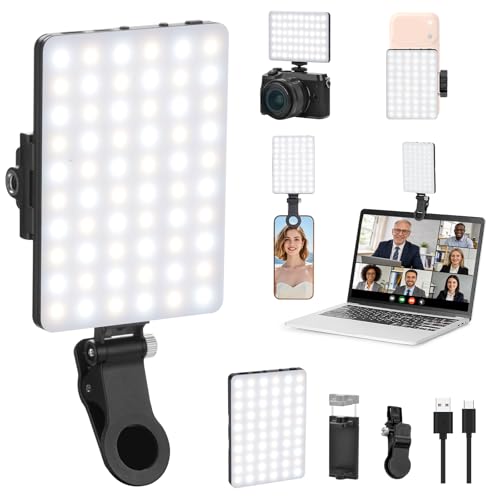
Newmowa 60 LED High Power Rechargeable Clip Fill Video Conference Light
- Dual Clip-On Design: Front and back clip options for versatility
- Adjustable 90-Degree Front Clip: Flexible angle for optimal lighting
- Multiple Mounting Options: Compatible with various phones and laptops
As an affiliate, we earn on qualifying purchases.
As an affiliate, we earn on qualifying purchases.
Background and Development of RHEO’s Design Philosophy
Traditional creative apps often require extensive learning, with complex interfaces and features that can overwhelm new users. RHEO breaks this mold by focusing on immediate, intuitive interaction—its entire interface fits into three gestures, and the app’s visuals are inherently beautiful, requiring no skill to produce pleasing results.
Developed by a team committed to thoughtful design, RHEO draws from broader trends in digital well-being and privacy-conscious software. Its release aligns with Apple’s emphasis on immersive, user-friendly experiences, especially with the advent of the Vision Pro headset.
“RHEO inverts the usual learning curve of software: you touch, it glows, and you understand immediately. No tutorials, no complexity, just beautiful light.”
— Thorsten Meyer, developer of RHEO
immersive visual art app for Apple Vision Pro
As an affiliate, we earn on qualifying purchases.
As an affiliate, we earn on qualifying purchases.
What Aspects of RHEO Are Still Developing or Unconfirmed
While the app has been announced and demonstrated, details about future updates, additional features, or broader device support remain unconfirmed. The long-term user experience and how RHEO will evolve with new hardware or software updates are still unknown.
Additionally, the extent of its social sharing capabilities and potential integrations with other creative tools have not been fully disclosed.

Digital Hand Lettering and Modern Calligraphy: Essential Techniques Plus Step-by-Step Tutorials for Scanning, Editing, and Creating on a Tablet
As an affiliate, we earn on qualifying purchases.
As an affiliate, we earn on qualifying purchases.
Next Steps for RHEO’s Release and Future Development
Apple plans to release RHEO to the public in the coming weeks, with availability on iOS devices and the Vision Pro. User feedback from early adopters will likely influence future updates, potentially adding new presets, interaction modes, or sharing options.
Further demonstrations or developer insights may clarify how RHEO fits into Apple’s broader vision for immersive and mindful digital experiences.

Tomorotec LED Car Hand Gesture Light, 6 Modes, Remote Control, Window
- Multiple Hand Gesture Modes: Displays various hand signals for safety and decoration
- Remote Control Operation: Easily switch modes with included remote
- Easy Automotive Installation: Mounts securely on dashboards and interior surfaces
As an affiliate, we earn on qualifying purchases.
As an affiliate, we earn on qualifying purchases.
Key Questions
What devices can run RHEO?
RHEO is available on iPhone, iPad, and Apple Vision Pro, with optimized performance on each platform.
Is RHEO free or subscription-based?
RHEO is a one-time purchase priced at $3.99, with no subscriptions, ads, or in-app purchases.
Does RHEO require an internet connection?
No, it runs locally on your device, respecting user privacy and data security.
Can I share my RHEO creations?
Yes, the app supports sharing session links that replicate your visual settings exactly for others to experience.
Will RHEO receive updates or new features?
Details about future updates are not yet confirmed, but initial plans suggest ongoing support and potential new presets or modes.
Source: ThorstenMeyerAI.com