

GitHub Codespaces transforms your development environments into cloud sessions by providing ready-to-use, cloud-hosted workspaces accessible from any device. It eliminates the hassle of local setup, ensuring consistent, pre-configured environments for smoother collaboration. You can easily switch devices without losing progress, thanks to seamless cloud access. With scalable hardware, Codespaces handles resource-intensive tasks and speeds up onboarding. Keep exploring to discover how this innovation can elevate your development workflow even further.
Key Takeaways
- Github Codespaces provides cloud-hosted, ready-to-use development environments accessible from any device, transforming local setups into cloud sessions.
- It enables seamless environment sharing and standardization, eliminating “it works on my machine” issues across teams.
- Codespaces simplifies setup by pre-configuring environments, reducing onboarding time and environment drift errors.
- It offers scalable cloud hardware resources, allowing developers to handle resource-intensive tasks within cloud sessions.
- Users can switch devices without losing progress, ensuring continuous workflows across multiple hardware platforms.
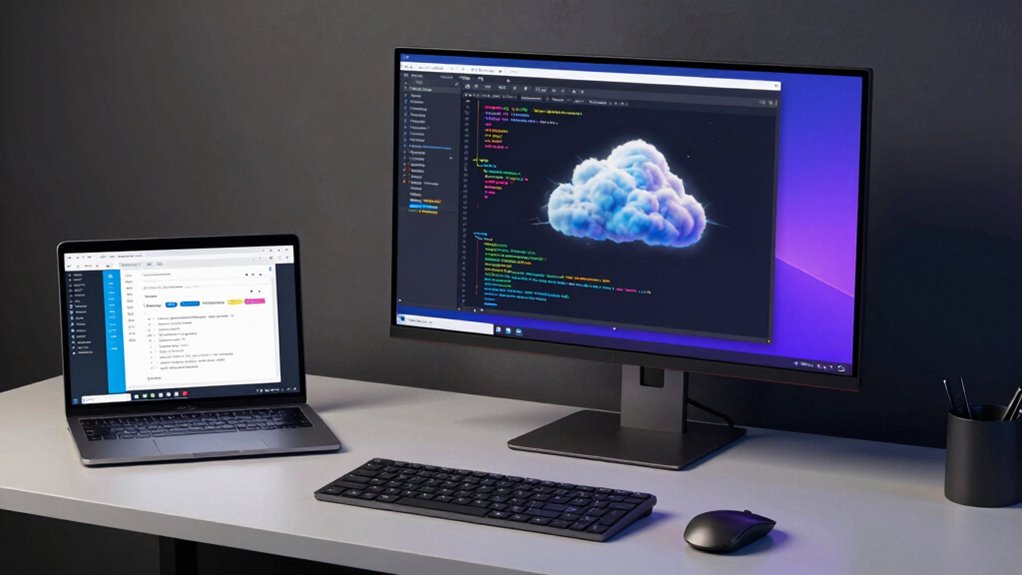
GitHub Codespaces revolutionizes the way you develop by providing cloud-based development environments that are ready to use anytime, anywhere. Instead of setting up local machines or juggling multiple tools, you get a complete, pre-configured workspace accessible from any device with an internet connection. This shift fundamentally changes how you approach code collaboration and dev setup, making your workflows more seamless and efficient. No longer do you need to worry about version mismatches, missing dependencies, or hardware limitations. Instead, your environment is standardized, reproducible, and instantly available, reducing setup time and increasing productivity.
When you collaborate with others, Codespaces makes it easy to share a consistent environment, eliminating the common headaches of onboarding new team members or debugging environment-specific issues. Everyone works within the same cloud session, which means no more “it works on my machine” problems. You can simply spin up a Codespace linked to your project, and your teammates can do the same, ensuring that everyone is on the same page from the start. This enhances code collaboration by providing a unified platform where changes, reviews, and debugging happen smoothly. You can also integrate Codespaces with pull requests and branches, making it easy to test and review code in a real environment without needing local setups.
Setting up a dev environment used to be a time-consuming process involving installing dependencies, configuring IDEs, and troubleshooting compatibility issues. With Codespaces, your dev setup becomes a matter of clicking a button. You select your preferred configuration, and within moments, you’re inside a ready-to-code environment tailored to your project’s needs. This not only speeds up your initial setup but also guarantees environment consistency across team members, reducing onboarding time and minimizing errors caused by environment drift. Additionally, leveraging cloud-based development environments, you can access powerful hardware resources that might be unavailable locally, further enhancing your development capabilities. This approach also supports scalability, allowing teams to adapt their resources based on the project’s requirements. Plus, since your workspace is cloud-based, you can switch devices effortlessly—start coding on your laptop, then pick up where you left off on a tablet or a different computer without missing a beat.

Linux Mint 22.3 Handbook for Developers: Set Up Modern Development Environments, Master the Terminal, and Build Real-World Projects (Linux Mint 22.3 Complete Mastery Series)
As an affiliate, we earn on qualifying purchases.
As an affiliate, we earn on qualifying purchases.
Frequently Asked Questions
Can Codespaces Be Customized With Specific Development Tools?
Yes, you can customize Codespaces with specific development tools. You have various customization options, allowing you to tailor your environment to your needs. You can add preferred tools and extensions, and customize configurations using devcontainer files. Tool integration is straightforward, so you can easily set up everything you need for your projects. This flexibility guarantees your Codespace matches your workflow, making development more efficient and personalized.
How Secure Are Codespaces for Sensitive Projects?
You can trust Codespaces to be secure for sensitive projects, thanks to robust data privacy measures and strict access control. You control who can access your environment, ensuring only authorized users view or modify your code. Additionally, encryption protects your data both in transit and at rest. However, it’s crucial to implement best practices, like regular updates and monitoring, to stay ahead of potential vulnerabilities and keep your sensitive information safe.
What Are the Costs Associated With Using Codespaces?
You might worry about costs, but Github Codespaces offers flexible pricing models to suit your needs. You pay based on usage, like compute time and storage, which makes cost optimization easier. By monitoring your sessions and adjusting resources, you can control expenses effectively. While costs can vary, careful management helps you stay within budget, making Codespaces a practical choice for seamless, cloud-based development without overspending.
How Do Codespaces Integrate With Existing Ci/Cd Pipelines?
You can seamlessly integrate Codespaces with your existing CI/CD pipelines by leveraging GitHub Actions, which automate code synchronization and deployment. As you push code, Codespaces updates automatically, ensuring your environment stays current. This integration enhances collaboration, allowing your team to work in synchronized environments, reducing setup time, and streamlining workflows. By connecting Codespaces with your CI/CD, you create a more efficient, collaborative development process that accelerates delivery.
Is Offline Access Possible With Github Codespaces?
No, Github Codespaces doesn’t support offline capabilities for local development. Since it’s designed to run in the cloud, you need an internet connection to access your environment. This means offline access isn’t possible, and you can’t work locally without an internet connection. If you require offline capabilities, you should consider local IDEs or other tools that support local development environments.

XIITIA 4pcs ESP32 C3 Microcontrollers ESP32-C3 ESP32 USB C Development Boards Up to 160MHz Clock Speed, 4MB Flash, 384KB ROM Support WiFi, Bluetooth, BLE Compatible with Arduino IDE(Pre-soldered pins)
★It has a small form factor and stamp hole design, making it convenient for developers to use.The board…
As an affiliate, we earn on qualifying purchases.
As an affiliate, we earn on qualifying purchases.
Conclusion
Think of GitHub Codespaces as a trusty sailboat, transforming your local harbor into a boundless ocean of possibilities. You no longer tether yourself to a single dock; instead, you set sail into the cloud, where your dev environment is always ready at the helm. With each voyage, you navigate seamlessly between projects, powered by the wind of cloud technology. Embrace this voyage, and let your development journey become an endless adventure.

Vixtan 14" Triple Laptop Screen Extender, 3.0 lbs Lightweight FHD IPS Portable Monitor for Laptop, USB-C Plug & Play Multi Screen Attachment for 13-17.3" laptops with Windows/Mac/Chrome
【Ultra-thin & Ultra-light】This Triple laptop screen extender features a lightweight body—just 0.3 inches thin and 3.0 lbs, lighter…
As an affiliate, we earn on qualifying purchases.
As an affiliate, we earn on qualifying purchases.

Mastering Platform Engineering: The Complete Guide to Building Efficient and Scalable Internal Developer Platforms
As an affiliate, we earn on qualifying purchases.
As an affiliate, we earn on qualifying purchases.