For quality system designers, compliance officers, and GxP consultants who have watched one-size-fits-all approval processes create more problems than they solve.

Get business pricing on monitors, keyboards and dev gear
- Business-only prices and quantity discounts
- Tax-exempt purchasing
- Multiple users, one account, clear invoices
A pharmaceutical company changes a cleaning validation protocol. The change requires review by the process owner, approval by the quality director, approval by the validation manager, and a 21 CFR Part 11-compliant electronic signature before the revised protocol takes effect. Four steps, three approvers, one signature, SLA of 72 hours.
A medical device startup updates a software requirement for their glucose monitor app. The change needs a design review by the lead engineer and approval by the QA manager. Two steps, one approver, done.
A CRO amends a clinical trial protocol. The amendment needs medical monitor review, sponsor approval, IRB/IEC notification, and regulatory submission tracking. Multiple external parties, regulatory timelines, and documentation requirements that do not fit into any standard approval template.
These are all “approval workflows” in the GxP sense. They share almost nothing in structure. And yet, most quality management systems offer exactly one workflow configuration — or worse, hard-code the workflow and tell customers to adapt their processes to the software.
QAtrial v3.0 introduces a Workflow Engine that treats this diversity as a design requirement, not an edge case.
The Problem: Vertical-Specific Approval Requirements
GxP is not a single regulatory framework. It is a family of practices — GMP, GLP, GCP, GDP, GAMP — each with distinct expectations for how changes, approvals, and quality events should be governed.
Pharmaceutical (GMP)
Pharmaceutical manufacturing operates under the strictest approval requirements. 21 CFR 211 (cGMP) and EU GMP Annex 11 require documented approval for any change that could affect product quality. In practice, this means:
- Multiple approvers per step: A batch record deviation typically requires quality review, production review, and quality approval — three people, two departments.
- Mandatory justification: Every approval must include a rationale. “Approved” is not sufficient; “Approved — deviation limited to non-critical parameter, root cause identified as operator training gap, no product impact” is the expectation.
- Electronic signatures: 21 CFR Part 11 requires that electronic signatures carry the same legal weight as handwritten signatures, with full authentication and non-repudiation.
- Escalation timelines: A deviation that is not reviewed within 24 hours escalates to the quality director. A CAPA overdue by 30 days escalates to the site head.
Medical Devices
Medical device quality under ISO 13485 and the FDA QMSR emphasizes design gate reviews with cross-functional participation:
- Multi-discipline review: A design output review might require sign-off from R&D, manufacturing engineering, quality, and regulatory — four disciplines with different perspectives.
- Gated progression: Design phases cannot advance without formal approval at each gate (ISO 13485 Section 7.3.4).
- Change impact assessment: Any design change after verification must be re-verified and potentially re-validated, with documented justification.
Software / GAMP
Computer system validation under GAMP 5 2nd Edition takes a risk-based approach:
- Category-dependent rigor: A GAMP Category 3 (non-configured) system needs less approval overhead than a Category 5 (custom application).
- Lighter approval chains: A single QA approver may be sufficient for low-risk changes.
- Focus on testing evidence: The approval is less about who signs and more about what test evidence supports the change.
CRO / Clinical Research
Clinical research approval workflows are uniquely complex because they involve external parties:
- Protocol amendments: Require medical monitor review, sponsor approval, ethics committee (IRB/IEC) submission, and regulatory authority notification — a multi-party, multi-week process.
- Regulatory timelines: Some amendments require 30-day regulatory review periods that must be tracked within the workflow.
- Safety reporting: Adverse event reports have strict timelines (24 hours for fatal/life-threatening, 15 days for serious) that drive workflow urgency.
No single approval template can accommodate all of these patterns. Attempting to force pharmaceutical-grade approval chains onto a GAMP software change creates overhead that slows delivery without improving quality. Applying a lightweight software approval process to a pharmaceutical deviation creates compliance gaps.
GxP compliant electronic signature software
As an affiliate, we earn on qualifying purchases.
As an affiliate, we earn on qualifying purchases.
QAtrial’s Workflow Engine
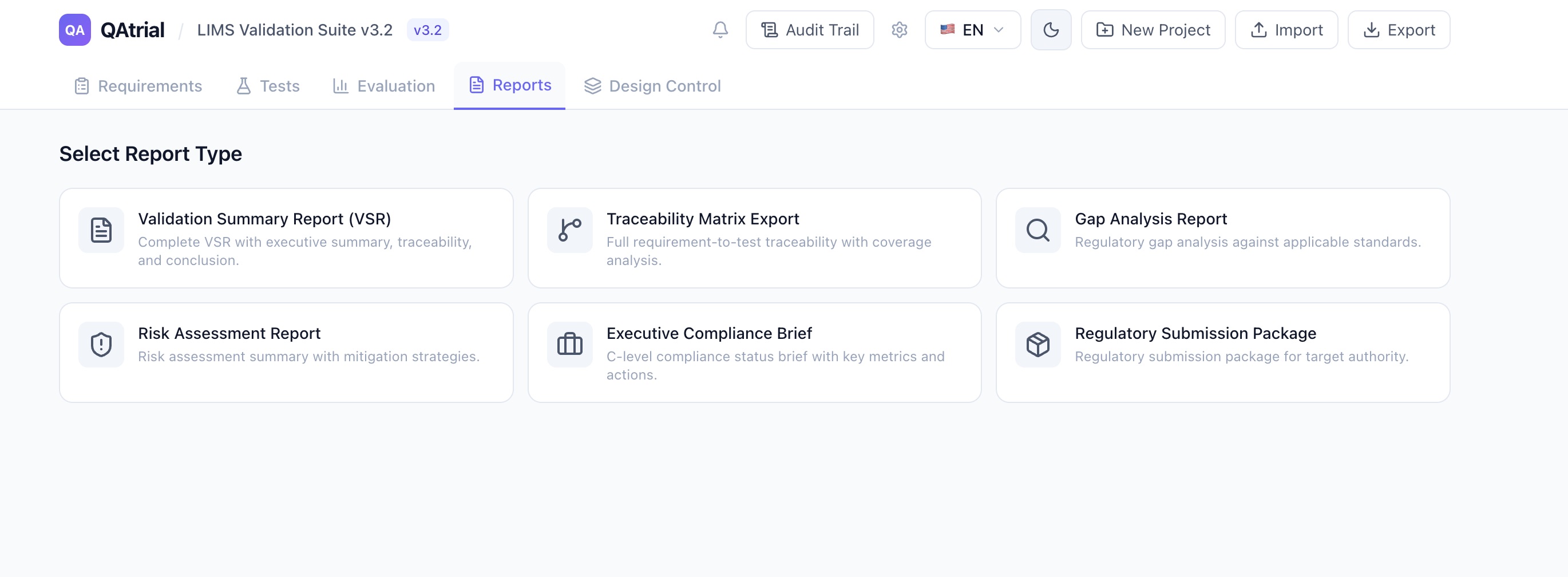
The Workflow Engine in QAtrial v3.0 is a configurable system for defining multi-step approval workflows that can be tailored per vertical, per entity type, and per organizational context.

Workflow Definition Structure
Each workflow definition contains:
- Name: Human-readable workflow name (e.g., “Design Gate Review,” “CAPA Approval,” “Protocol Amendment”)
- Trigger: What initiates the workflow
on_status_change— Triggered when an entity changes status (e.g., requirement moves from Draft to Active)on_create— Triggered when a new entity is createdon_edit— Triggered when an entity is modifiedmanual— Triggered by explicit user action- Entity type: Which type of record the workflow governs (requirement, test, CAPA, design item, etc.)
- Steps: An ordered list of workflow steps, each with its own configuration
Step Configuration
Each step in a workflow defines:
- Type: The nature of the action required
approval— Someone must explicitly approvereview— Someone must review (may not need formal approval authority)sign— Electronic signature required (21 CFR Part 11 compliant)notify— Informational notification to specified roles (no action required)auto_check— Automated validation (e.g., confirm all linked tests pass)- Assignee role: Which role is responsible (QA Manager, QA Engineer, Reviewer, Admin)
- Required approvers: How many people must complete this step (1 for standard, 2+ for multi-approver gates)
- SLA hours: How long the step has before it becomes overdue
- Escalation: What happens when the SLA is breached (escalate to a specified role)
Multi-Approver Logic
Steps that require multiple approvers track approvals individually. When a design gate review requires two approvals, the workflow engine:
- Sends approval requests to all eligible approvers (based on role)
- Tracks each approval as it arrives
- Auto-advances to the next step when the required number of approvals is reached
- Cancels the entire workflow if any approver rejects
This covers the medical device scenario where a design review requires sign-off from both R&D and quality, and the pharmaceutical scenario where a deviation requires both production and quality approval.
workflow engine for quality management systems
As an affiliate, we earn on qualifying purchases.
As an affiliate, we earn on qualifying purchases.
Default Workflows
QAtrial v3.0 ships with two default workflows that cover the most common patterns:
Requirement Approval (3 steps)
- Review (Reviewer role, 1 approver, 48-hour SLA)
- Approve (QA Manager role, 1 approver, 72-hour SLA)
- Sign (QA Manager role, electronic signature)
This is the baseline for any regulated requirement change. A reviewer examines the content, a QA manager approves the change, and a formal signature locks the record.
Design Gate Review (3 steps)
- Review (QA Engineer role, 1 reviewer, 48-hour SLA)
- Approve (QA Manager role, 2 approvers required, 72-hour SLA)
- Sign (QA Manager role, electronic signature)
The key difference: step 2 requires two approvals. This supports the cross-functional design review mandated by ISO 13485 Section 7.3.4 without prescribing which disciplines must participate (that is an organizational decision, not a software constraint).
regulatory approval process management software
As an affiliate, we earn on qualifying purchases.
As an affiliate, we earn on qualifying purchases.
Building Custom Workflows
The default workflows are starting points. The Workflow Engine supports arbitrary complexity:
Pharmaceutical deviation workflow (5 steps):
- Review by production supervisor (1 approver, 24-hour SLA, escalate to production manager)
- Review by QA engineer (1 approver, 48-hour SLA, escalate to QA manager)
- Approval by QA manager (1 approver, 72-hour SLA, escalate to quality director)
- Auto-check: verify all linked CAPA actions are complete
- Sign by quality director (electronic signature)
GAMP software change workflow (2 steps):
- Review and approve by QA engineer (1 approver, 120-hour SLA)
- Sign (electronic signature)
Clinical protocol amendment workflow (4 steps):
- Medical review (review type, 1 reviewer, 48-hour SLA)
- Sponsor approval (approval type, 1 approver, 120-hour SLA)
- Notify regulatory affairs (notify type, no action required)
- Sign by principal investigator (electronic signature)
Each workflow can be associated with specific entity types (requirements, CAPA records, design items) and triggered by different events. A company might use the lightweight 2-step workflow for test case changes and the full 5-step workflow for deviation investigations.
customizable approval workflow software
As an affiliate, we earn on qualifying purchases.
As an affiliate, we earn on qualifying purchases.
Integration With Electronic Signatures
QAtrial’s existing electronic signature system is 21 CFR Part 11 and EU Annex 11 compliant, with real identity verification, re-authentication at signature time, and a 15-minute verification window. The Workflow Engine integrates directly:
- A
signstep in any workflow triggers the signature modal - The signer must re-enter their password (re-authentication requirement)
- The signature is recorded in the audit trail with the signer’s full identity, timestamp, and the meaning of the signature
- Signature records are tamper-evident and linked to the specific entity version
This means workflow completion and signature capture happen in a single flow. The quality engineer does not need to complete the approval workflow in one system and then go to a separate signature system to formalize it.

The Notification Center: Nobody Misses an Approval
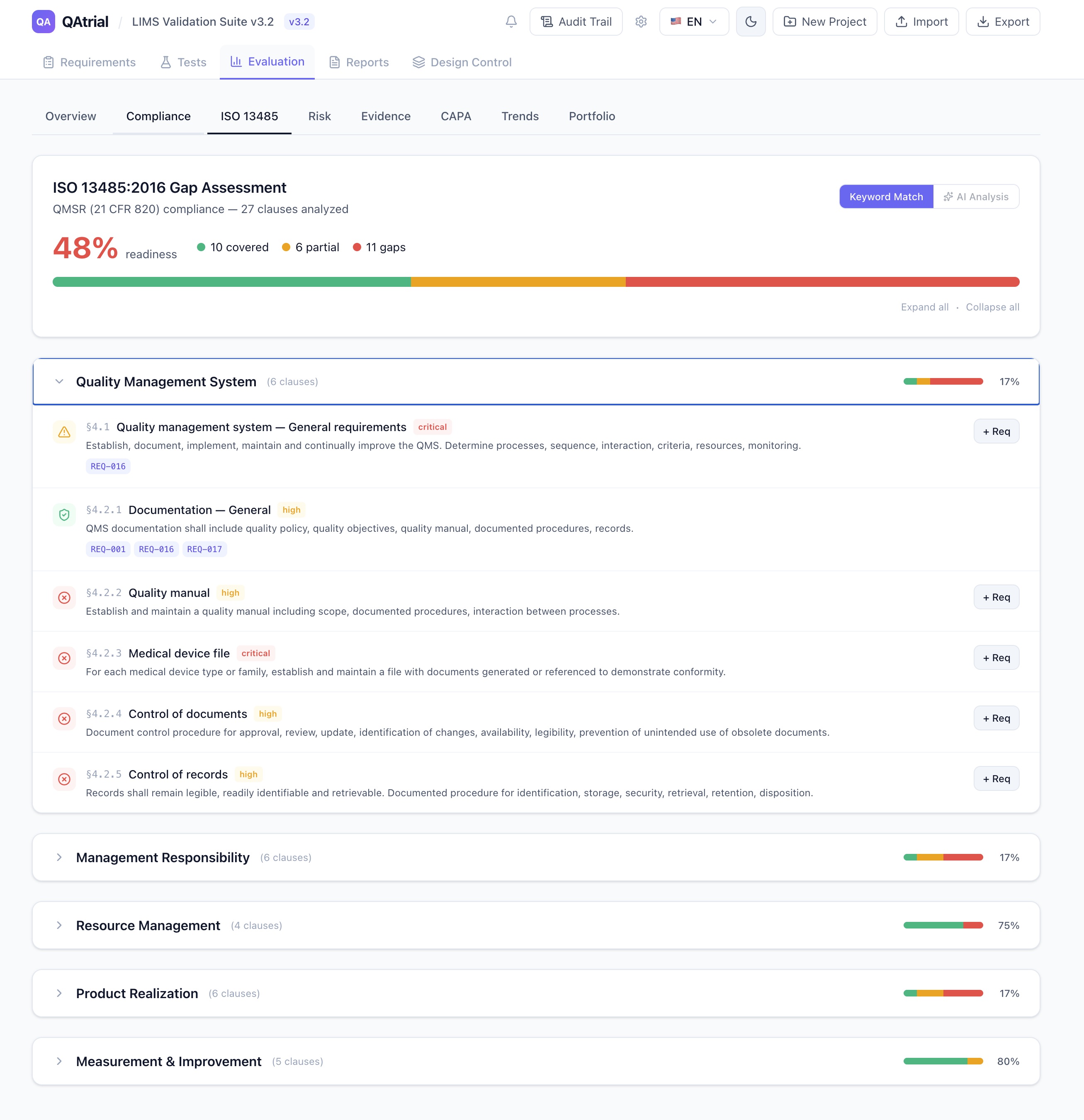
Workflow steps generate notifications. QAtrial v3.0 includes a Notification Center — a bell icon in the header with an unread count badge and a dropdown showing recent notifications.
Notification types include:
- approval_needed — You have a pending approval request
- task_overdue — A workflow step has exceeded its SLA
- capa_deadline — A CAPA record is approaching or past its deadline
- workflow_escalation — A workflow has escalated to your role due to SLA breach
- audit_reminder — Upcoming audit preparation deadline
- status_change — An entity you are watching changed status
- mention — Someone mentioned you in a quality record
Each notification shows a type-specific icon, title, message, time elapsed, and read/unread status. The “Mark all read” button clears the badge.
This is not a sophisticated notification system by enterprise standards. It does not send emails (yet) or integrate with Slack or Teams (yet). But it solves the immediate problem: when a design review is waiting for your approval, you know about it without someone sending you a follow-up email.
Custom Fields: Vertical-Specific Metadata Without Code Changes
Different verticals need different metadata on their quality records. A pharmaceutical company wants to track batch numbers and equipment IDs on deviation records. A medical device company wants to track device classification and predicate device on design items. A CRO wants to track protocol number and study phase on CAPA records.
QAtrial v3.0’s Custom Fields feature lets you define additional metadata fields that apply to requirements, tests, CAPA records, or design items. Supported field types:
- Text: Free-form text input
- Number: Numeric values with validation
- Date: Date picker
- Select: Single-select dropdown with defined options
- Multi-select: Multi-select with defined options
- Boolean: Yes/no checkbox
- URL: Validated URL input
Each field can be marked as optional or required, with default values and predefined options for select fields. Custom field values are stored per entity and included in the audit trail.
This means a pharmaceutical company can add a “Batch Number” required text field and an “Equipment ID” select field to their CAPA records, while a medical device company adds “Device Classification” and “Predicate Device” to their design items — all without touching the source code.
The Maturity Model: Start Simple, Evolve as Needed
Not every company needs multi-step, multi-approver, SLA-driven workflows on day one. QAtrial’s workflow engine supports a natural maturity progression:
Level 1 — Basic: Single-approver workflows. One person reviews and approves. No SLAs. This is appropriate for small teams, early-stage companies, and low-risk changes.
Level 2 — Standard: Two-step workflows with review and approval by different roles. SLAs set but not yet enforced with escalation. This is where most companies should start for regulatory compliance.
Level 3 — Mature: Multi-step workflows with role-specific approvers, SLA enforcement, automatic escalation, and electronic signatures. This is the target state for companies under active regulatory scrutiny.
Level 4 — Advanced: Purpose-specific workflows per entity type and change category, with auto-check steps that validate preconditions (all tests passed, all linked CAPA actions closed) before allowing advancement. This is enterprise-grade quality system management.
You can start at Level 1 and add complexity as your quality system matures, as your team grows, or as regulatory expectations increase. The workflow definitions are data, not code — you modify them through the application, not by rewriting software.
Addressing the Real Pain Point
The workflow engine, the notification center, and custom fields are three features that collectively address what enterprise quality teams consistently identify as their biggest operational challenge: cross-functional collaboration in quality events.
When a deviation occurs on a manufacturing line, the response involves production, quality, engineering, and sometimes regulatory affairs. The quality system needs to route the deviation to the right people, in the right order, with the right urgency, and track everything for the audit record. When that routing is handled by email — or by a quality system that offers one rigid workflow for all scenarios — things fall through cracks. Deviations languish. Approvals stall. Deadlines pass. Auditors find gaps.
QAtrial v3.0 does not claim to solve enterprise collaboration at the level of Veeva Vault or SAP QM. It does not have real-time multi-user editing, multi-site dashboards, or supplier quality portals (those are planned for v3.1). What it provides is the structural foundation: configurable workflows that match your actual approval processes, notifications that keep people informed, and metadata flexibility that adapts to your vertical’s requirements.
For a tool that costs nothing to license and can be deployed on your own infrastructure, that foundation covers more ground than most quality teams expect.
QAtrial is developed privately and is not publicly available. Workflow configurations should be validated as part of your computer system validation process per GAMP 5 guidelines.
Halloween Picks
halloween
As an affiliate, we earn on qualifying purchases.