

Before rolling out passkeys, guarantee you implement strong public key cryptography, keeping private keys secure on user devices, and use end-to-end encryption. Follow standards like WebAuthn and FIDO2 for broad support across platforms. Test thoroughly with attack simulations, and plan fallback options for lost devices. Educate users clearly about benefits and setup procedures. Prioritizing security and usability from the start helps build confidence—continue to explore more best practices to ensure a smooth deployment.
Key Takeaways
- Ensure compliance with WebAuthn and FIDO2 standards for broad device and platform compatibility.
- Implement end-to-end encryption and secure key storage on user devices to protect credentials.
- Conduct thorough security testing, including attack simulations, to identify vulnerabilities.
- Provide clear user guidance on passkey setup, benefits, and fallback options.
- Integrate biometric authentication seamlessly and leverage device security features for enhanced protection.

As developers, you’re constantly seeking more secure and user-friendly ways to authenticate users. Passkeys are emerging as a promising solution, offering a seamless and resilient alternative to traditional passwords. Before you roll them out, it’s essential to understand best practices around user authentication and security protocols to guarantee a smooth and secure implementation. Passkeys leverage cryptographic techniques to authenticate users without transmitting sensitive data, markedly reducing the risk of phishing and credential theft. They rely on public key cryptography, where the private key stays on the user’s device, and only the public key is stored on your server. This approach enhances security because even if your server is compromised, the private keys remain safe on users’ devices.
Passkeys use public key cryptography, keeping private keys on devices for enhanced security and reduced phishing risks.
To effectively deploy passkeys, you need to prioritize adherence to established security protocols. This includes implementing end-to-end encryption during the registration and authentication processes. When users create or register a passkey, guarantee the process is secure, with clear encryption standards like TLS to protect data in transit. Additionally, you should consider device security features, such as biometric verification, to strengthen user authentication without sacrificing convenience. Integrating biometric options, like fingerprint or facial recognition, can improve user experience and security simultaneously, as these are difficult for attackers to bypass.
Another vital aspect is confirming compatibility and smooth integration across different platforms and browsers. Passkeys should work seamlessly whether your users are on iOS, Android, Windows, or macOS. This requires using standardized protocols like WebAuthn and FIDO2, which are designed to support cross-platform authentication. By sticking to these standards, you create a more inclusive system and future-proof your implementation against evolving security threats. It’s equally important to educate your users about passkeys, explaining their benefits and how to set them up securely. Clear communication reduces user confusion and encourages widespread adoption.
Lastly, before deployment, conduct thorough testing to identify potential vulnerabilities or usability issues. Simulate various attack scenarios to verify that your security protocols hold against common threats. Make sure your system can handle edge cases, such as lost devices or hardware failures, with fallback mechanisms that preserve security without compromising user convenience. By following these best practices—focusing on robust security protocols, user education, and comprehensive testing—you ensure that your passkey implementation offers a safer, more streamlined user authentication experience. This proactive approach not only protects your users but also strengthens your application’s overall security posture.
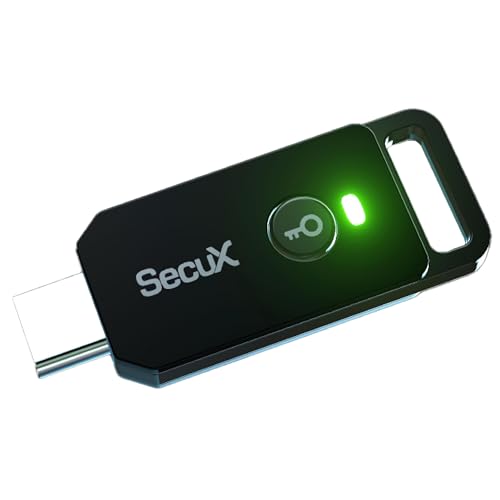
SecuX PUFido USB-C Security Key with PUF Technology, FIDO2/U2F Certified, Hardware-Rooted Unclonable Security for Passwordless Login and 2FA Authentication
A FIDO security key with PUF technology provides a unique, hardware-rooted trust anchor that resists tampering and cyber…
As an affiliate, we earn on qualifying purchases.
As an affiliate, we earn on qualifying purchases.
Frequently Asked Questions
How Do Passkeys Compare to Traditional Passwords in Security?
Passkeys are more secure than traditional passwords because they eliminate issues like weak password complexity, which often leads to easy-to-guess codes. They also offer better phishing resistance since they rely on cryptographic keys stored securely on your device, making it harder for attackers to steal or mimic. This means you can enjoy a safer experience, with less worry about common vulnerabilities associated with traditional passwords.
What Are the Key Technical Requirements for Implementing Passkeys?
Imagine building a vault with an unbreakable lock—implementing passkeys requires strict adherence to cryptographic standards to secure the keys. You need to guarantee device synchronization so users can access their passkeys seamlessly across devices, like a well-orchestrated symphony. This involves integrating secure hardware modules, managing key storage securely, and following industry standards for interoperability, all working together to create a fortress that keeps user data safe from intruders.
How Can Developers Ensure Passkeys Work Across Different Devices?
To guarantee passkeys work across different devices, you need to focus on device synchronization and cross-platform compatibility. Test your implementation on various operating systems and hardware, ensuring seamless credential sharing. Use standardized protocols like WebAuthn, which support multi-device use. Regularly update your app or website to handle evolving security standards and device-specific quirks, so users experience smooth, reliable access regardless of their device choice.
Are There Any Known Limitations or Vulnerabilities in Passkey Technology?
Sure, passkeys seem foolproof, but they face cryptography challenges, and hardware dependencies can trip you up. Ironically, relying on hardware security modules means if a device’s hardware fails or gets compromised, your passkey system might crumble. While they’re designed to be secure, vulnerabilities could emerge from implementation flaws or weak cryptographic algorithms. Stay vigilant — no security system is invulnerable, even with passkeys.
What User Experience Considerations Should Be Prioritized With Passkeys?
You should prioritize a smooth user experience by focusing on biometric integration during user onboarding, making authentication quick and intuitive. Guarantee that the process is seamless across devices, reducing friction and confusion. Clearly communicate how passkeys work and provide straightforward fallback options if biometric methods aren’t available. By simplifying onboarding and leveraging familiar biometric features, you enhance user trust and adoption, making security both accessible and convenient.

Mantra MFS 110 L1 Biometric Single Fingerprint Scanner | Aadhaar Authentication Device | Latest Updated RD Service | High Securety and Fast scanning | Reliable and Durable
MFS110 L1 USB Fingerprint Scanner
As an affiliate, we earn on qualifying purchases.
As an affiliate, we earn on qualifying purchases.
Conclusion
So, before you roll out those passkeys, remember—simplicity is key, yet complexity lingers beneath. You’ve got the perfect tool to secure your app, but don’t forget, the biggest vulnerability often lies in implementation, not technology. Ironically, in aiming for a seamless user experience, you might just open the door to new risks. Stay vigilant, test thoroughly, and embrace best practices—after all, security’s best friend is constant caution, not just clever tech.

ESP32-CAM Programming Guide for Beginners: Practical Steps for Building Intelligent Image-Based Microcontroller Projects (Complete Programming, … Development for Beginners and Developers)
As an affiliate, we earn on qualifying purchases.
As an affiliate, we earn on qualifying purchases.

Password Keeper Stick with Type-C Port, Password Storage Device, Offline Password Manager, Portable Password Organizer for Accounts, Banking & Login Information
Offline Local Storage for Privacy:This Password Keeper stores all your login credentials directly on the device, with no…
As an affiliate, we earn on qualifying purchases.
As an affiliate, we earn on qualifying purchases.