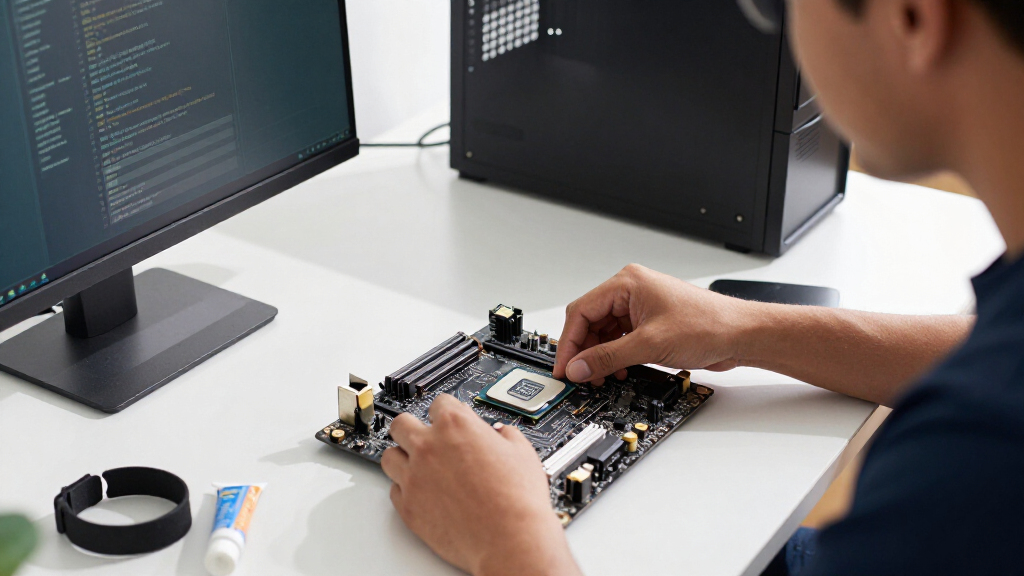
The best Intel CPU overall in this lineup is the Core i7-14700K, a flexible choice for gaming and demanding productivity that also includes integrated graphics. The Core Ultra 7 270K Plus stands out for buyers prioritizing a newer, high-core-count desktop option, while the Core i5-14400 is a simpler fit for everyday builds. The main tradeoffs are peak performance versus power and cooling needs, and newer platform features versus compatibility with existing motherboards. I compare all 12 processors by performance tier, practical features, and build requirements below. Read on for the full breakdown and advice on choosing the right chip for your PC.

Get business pricing on monitors, keyboards and dev gear
- Business-only prices and quantity discounts
- Tax-exempt purchasing
- Multiple users, one account, clear invoices
Key Takeaways
- The Core i7-14700K is the most balanced high-performance pick here: it pairs a strong core count with integrated graphics, unlike the otherwise similar 14700KF.
- The Core Ultra 7 270K Plus and Ultra 9 285K target newer-platform builds, but their higher-tier positioning makes sense only when your workloads can use the extra capability.
- The Core i5-14400 and 14400F serve different build priorities: the standard model keeps integrated graphics for troubleshooting, while the F model omits them.
- Several choices overlap across generations, including the i5-14600K and i7-14700K; motherboard support, cooling, and workload matter as much as the model number.
- Unlocked K-series chips demand a more complete build plan: budget for a suitable motherboard and cooler, while non-K options are easier to pair with a restrained everyday setup.
| Intel Core i7-14700K 20-Core Desktop Processor with Integrated Graphics, Unlocked |  | Best Overall for a Flexible LGA 1700 Build | Cores / threads: 20 (8 P-cores + 12 E-cores) / 28 | Maximum frequency: 5.6 GHz | Socket: LGA 1700 | VIEW LATEST PRICE | See Our Full Breakdown |
| Intel Core Ultra 5 225 Desktop Processor, 10 Cores, Up to 4.9 GHz |  | Best for Efficient Mainstream Builds | Cores / threads: 10 (6 P-cores + 4 E-cores) / 14 | Maximum frequency: Up to 4.9 GHz | Processor base power: 65 W | VIEW LATEST PRICE | See Our Full Breakdown |
| Intel Core Ultra 7 270K Plus Processor, 24 Cores, Up to 5.5 GHz |  | Best for Heavy Multitasking on LGA 1851 | Cores / threads: 24 (8 P-cores + 16 E-cores) / 24 | Maximum turbo frequency: 5.5 GHz | Socket: LGA 1851 | VIEW LATEST PRICE | See Our Full Breakdown |
| Intel Core Ultra 5 250K Plus Processor |  | Best for Tunable Midrange Performance | Cores / concurrent threads: 18 (6 P-cores + 12 E-cores) / 36 | Maximum turbo frequency: Conflicting listing: 5.5 GHz in description; 5.3 GHz in title | Processor speed: 3.3 GHz | VIEW LATEST PRICE | See Our Full Breakdown |
| Intel Core i7-14700KF Unlocked Desktop Processor |  | Best for Discrete-GPU LGA 1700 Builds | Cores / threads: 20 (8 P-cores + 12 E-cores) / 28 | Maximum speed: Up to 5.6 GHz | Socket: LGA 1700 | VIEW LATEST PRICE | See Our Full Breakdown |
| Intel Core i9-12900KF 16-Core Unlocked Desktop Processor |  | Best for Tuning on an LGA 1700 Build | Cores / threads: 16 (8 performance + 8 efficiency) / 24 | Maximum turbo frequency: Up to 5.2 GHz | Socket: LGA 1700 | VIEW LATEST PRICE | See Our Full Breakdown |
| Intel Core i5-14600K Desktop Processor |  | Best Midrange Pick for Gaming and Productivity | Cores / threads: 14 (6 performance + 8 efficiency) / 20 | Maximum turbo frequency: Up to 5.3 GHz | Socket: LGA 1700 | VIEW LATEST PRICE | See Our Full Breakdown |
| Intel Core i9-14900K Desktop Processor | 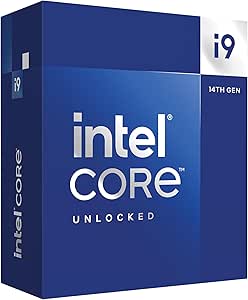 | Best for Maximum LGA 1700 Performance | Cores / threads: 24 (8 performance + 16 efficiency) / 32 | Maximum clock speed: Up to 6.0 GHz | Socket: LGA 1700 | VIEW LATEST PRICE | See Our Full Breakdown |
| Intel Core i5-14400F 14th Gen Desktop Processor | 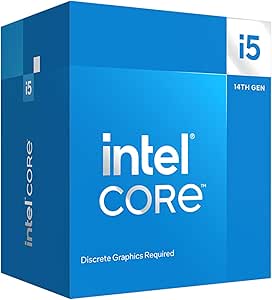 | Best Entry-Level Pick with an Included Cooler | Generation: 14th Gen | Cores / threads: 10 (6 performance + 4 efficiency) / 16 | Maximum speed: Up to 4.7 GHz | VIEW LATEST PRICE | See Our Full Breakdown |
| Intel Core Ultra 9 285K Desktop Processor |  | Best for a New-Platform Premium Build | Cores / threads: 24 (8 performance + 16 efficiency) / 24 | Maximum speed: Up to 5.7 GHz | Socket: LGA 1851 | VIEW LATEST PRICE | See Our Full Breakdown |
| Intel Core Ultra 7 265 Desktop Processor, 20-Core, up to 5.3 GHz |  | Best Efficient 20-Core Option | Cores / threads: 20 (8 P-cores + 12 E-cores) / 20 | Maximum speed: Up to 5.3 GHz | Cache: 36 MB | VIEW LATEST PRICE | See Our Full Breakdown |
| Intel Core i5-14400 Desktop Processor, 10 Cores, 16 Threads, Up to 4.7 GHz |  | Best for Flexible, Cooler-Included Builds | Cores / threads: 10 (6 P-cores + 4 E-cores) / 16 | Maximum speed: Up to 4.7 GHz | Cache: 20 MB | VIEW LATEST PRICE | See Our Full Breakdown |
| Intel CPU | Cores / threads | Socket | Cache | Memory support |
|---|---|---|---|---|
| Intel Core i7-14700K 20-Core D | 20 (8 P-cores + 12 E-cores) / 28 | LGA 1700 | 33 MB | DDR4 and DDR5 |
| Intel Core Ultra 5 225 Desktop | 10 (6 P-cores + 4 E-cores) / 14 | LGA 1851 | 22 MB | DDR5 |
| Intel Core Ultra 7 270K Plus P | 24 (8 P-cores + 16 E-cores) / 24 | LGA 1851 | 40 MB cache memory; 36 MB secondary cache | DDR5, up to 7200 MT/s |
| Intel Core Ultra 5 250K Plus P | — | — | 30 MB | DDR5 up to 7200 MT/s |
| Intel Core i7-14700KF Unlocked | 20 (8 P-cores + 12 E-cores) / 28 | LGA 1700 | 33 MB | DDR4 and DDR5 |
| Intel Core i9-12900KF 16-Core | 16 (8 performance + 8 efficiency) / 24 | LGA 1700 | 30 MB L3; 20 MB secondary cache | — |
| Intel Core i5-14600K Desktop P | 14 (6 performance + 8 efficiency) / 20 | LGA 1700 | — | DDR4 and DDR5 |
| Intel Core i9-14900K Desktop P | 24 (8 performance + 16 efficiency) / 32 | LGA 1700 | 36 MB | DDR4 and DDR5 |
| Intel Core i5-14400F 14th Gen | 10 (6 performance + 4 efficiency) / 16 | LGA 1700 | 20 MB | DDR4 and DDR5 |
| Intel Core Ultra 9 285K Deskto | 24 (8 performance + 16 efficiency) / 24 | LGA 1851 | 40 MB | DDR5 |
| Intel Core Ultra 7 265 Desktop | 20 (8 P-cores + 12 E-cores) / 20 | LGA 1851 | 36 MB | — |
| Intel Core i5-14400 Desktop Pr | 10 (6 P-cores + 4 E-cores) / 16 | LGA1700 | 20 MB | — |
More Details on Our Top Picks
Intel Core i7-14700K 20-Core Desktop Processor with Integrated Graphics, Unlocked
The Core i7-14700K earns this spot by pairing 20 cores and 28 threads with a 5.6 GHz maximum frequency, making it a strong fit for a desktop that will handle both demanding games and threaded work. Unlike the i7-14700KF, it includes UHD Graphics 770, so a graphics card is not required to get a working display or start a build. It also accepts DDR4 or DDR5, giving upgraders more choice when reusing compatible parts. The tradeoff is its older LGA 1700 platform and 125 W base power, with higher cooling demands possible under sustained workloads. Some 600-series boards need a BIOS update. I’d choose it over the Core Ultra 5 225 for heavier multitasking, but not for a fresh build where a newer motherboard platform matters most.
Pros:- 20 cores and 28 threads suit gaming alongside demanding productivity tasks
- Integrated UHD Graphics 770 can run a display without a discrete graphics card
- DDR4 and DDR5 support offers flexibility when choosing compatible memory
- Unlocked multiplier supports tuning on suitable motherboards
Cons:- Uses the older LGA 1700 platform rather than the LGA 1851 socket on newer Core Ultra options
- A compatible cooler is needed, and sustained high-load operation can call for substantial cooling
- Some Intel 600-series motherboards may need a BIOS update
Best for: PC builders who want strong gaming and productivity performance, integrated graphics for setup or backup, and the option to use compatible DDR4 or DDR5 memory.
Not ideal for: Buyers starting a new platform who want LGA 1851, or users seeking a lower-power processor for a compact, quiet system.
- Cores / threads:20 (8 P-cores + 12 E-cores) / 28
- Maximum frequency:5.6 GHz
- Socket:LGA 1700
- Cache:33 MB
- Processor base power:125 W
- Integrated graphics:Intel UHD Graphics 770
- Memory support:DDR4 and DDR5
- Chipset compatibility:Intel 600-series (BIOS update may be required) and 700-series
Our verdict“Choose the i7-14700K for a versatile, high-core-count LGA 1700 build that benefits from integrated graphics and flexible memory support.”
Intel Core Ultra 5 225 Desktop Processor, 10 Cores, Up to 4.9 GHz
The Core Ultra 5 225 is the sensible pick here for a mainstream desktop where a 65 W base power rating and a current platform matter more than maximum core count. Its 10 cores, integrated Intel Graphics, and support for DDR5 and PCIe 5.0 cover everyday computing, gaming with a discrete card, and a range of expansion needs. Compared with the i7-14700K, it has fewer cores and a lower listed boost ceiling, so it is less suited to heavy rendering or workloads that keep many threads busy. Its advantage is a move to LGA 1851 and Intel 800-series boards, though that requires a new compatible motherboard and DDR5 memory. The listing also conflicts on whether a cooler is included, so I would verify the package contents before planning the build.
Pros:- 65 W base power suits builds designed around more modest CPU power needs
- Integrated Intel Graphics allows a display without a discrete graphics card
- DDR5 and PCIe 5.0 support provide current memory and expansion interfaces
- 10 cores and 14 threads cover mainstream multitasking
Cons:- Lower core count and maximum frequency than the Core i7-14700K limit its appeal for demanding threaded work
- Requires an LGA 1851 motherboard with an Intel 800-series chipset
- Listing details conflict on whether a thermal solution is included
Best for: Mainstream PC builders prioritizing a 65 W base-power processor, integrated graphics, DDR5, and a current Intel 800-series platform for everyday use and moderate workloads.
Not ideal for: Content creators with heavily threaded workloads, or upgraders hoping to reuse an LGA 1700 motherboard or DDR4 memory.
- Cores / threads:10 (6 P-cores + 4 E-cores) / 14
- Maximum frequency:Up to 4.9 GHz
- Processor base power:65 W
- Socket:LGA 1851
- Cache:22 MB
- Memory support:DDR5
- PCIe support:PCIe 5.0 and 4.0
- Motherboard compatibility:Intel 800-series chipset
Our verdict“Pick the Core Ultra 5 225 for a modest-power LGA 1851 system, but choose a higher-core option for sustained productivity workloads.”
Intel Core Ultra 7 270K Plus Processor, 24 Cores, Up to 5.5 GHz
With 24 cores—8 performance and 16 efficiency cores—the Core Ultra 7 270K Plus is the most thread-rich option among these five. That makes it a compelling fit for users who game while encoding, compile software, or run several demanding tasks at once. The i7-14700K reaches a slightly higher listed maximum frequency at 5.6 GHz, but this Ultra 7 offers more total cores and the newer LGA 1851 platform, plus DDR5 and PCIe 5.0 support. Its costs are practical rather than subtle: the listing specifies up to 250 W maximum turbo power, so cooling and power delivery need attention, and an Intel 800-series motherboard is required. The 270K Plus is unlocked for tuning with Z-series boards, but buyers focused mainly on gaming may get a better-balanced fit from the less demanding Core Ultra 5 225.
Pros:- 24 cores, including 16 efficiency cores, provide substantial capacity for parallel workloads
- Up to 5.5 GHz boost supports responsive performance in lightly threaded tasks
- DDR5 up to 7200 MT/s and PCIe 5.0/4.0 support a current platform
- Unlocked tuning is available with compatible Intel Z-series chipsets
Cons:- Maximum turbo power of 250 W calls for careful cooling and motherboard planning
- Requires an LGA 1851 motherboard with an Intel 800-series chipset
- Its large core count may be unnecessary for gaming and everyday desktop use
Best for: Enthusiasts who regularly combine gaming with rendering, encoding, compiling, or other heavily threaded work and are building around an Intel 800-series board.
Not ideal for: Casual gamers, compact-PC builders, or buyers who want to avoid the cooling and power demands associated with a processor rated for up to 250 W turbo power.
- Cores / threads:24 (8 P-cores + 16 E-cores) / 24
- Maximum turbo frequency:5.5 GHz
- Socket:LGA 1851
- Compatible chipset:Intel 800-series
- Memory support:DDR5, up to 7200 MT/s
- PCIe support:PCIe 5.0 and 4.0
- Processor base / maximum turbo power:125 W / 250 W
- Cache:40 MB cache memory; 36 MB secondary cache
Our verdict“Choose the Core Ultra 7 270K Plus when heavy concurrent workloads justify its 24 cores and you can support its power and cooling needs.”
Intel Core Ultra 5 250K Plus Processor
The Core Ultra 5 250K Plus brings an unusually large 18-core, 36-thread configuration to a Core Ultra 5-class part, making it the tuning-focused middle ground in this group. It has more listed cores and threads than the Core Ultra 5 225, along with an unlocked multiplier for use with a compatible Z-series motherboard. Against the 24-core Ultra 7 270K Plus, it gives up six cores while retaining the same LGA 1851, DDR5, and PCIe 5.0 platform. That can make it a better fit when workloads benefit from parallelism but do not justify the Ultra 7’s higher core count. Still, it is not a low-power choice: base power is 125 W and maximum turbo power is 250 W. The listing also disagrees on boost frequency, giving 5.5 GHz in the description and 5.3 GHz in the title.
Pros:- 18 cores and 36 listed threads offer substantial parallel-work capacity
- Unlocked tuning works with compatible Intel Z-series chipsets
- DDR5 up to 7200 MT/s and PCIe 5.0/4.0 support current components
- Sits below the 24-core Ultra 7 270K Plus in core count while retaining the LGA 1851 platform
Cons:- The listing conflicts on maximum turbo frequency: 5.5 GHz in the description and 5.3 GHz in the title
- Maximum turbo power is listed at 250 W, so cooling and power delivery need planning
- Requires an LGA 1851 motherboard with an Intel 800-series chipset
Best for: DIY builders who want an unlocked LGA 1851 processor for gaming and productivity, with more listed threads than the Core Ultra 5 225 and room to tune on a Z-series board.
Not ideal for: Buyers seeking a low-power CPU, builders using older LGA 1700 hardware, or anyone who needs a clearly confirmed boost specification before choosing.
- Cores / concurrent threads:18 (6 P-cores + 12 E-cores) / 36
- Maximum turbo frequency:Conflicting listing: 5.5 GHz in description; 5.3 GHz in title
- Processor speed:3.3 GHz
- Socket / chipset:LGA 1851 / Intel 800-series
- Memory support:DDR5 up to 7200 MT/s
- PCIe support:PCIe 5.0 and 4.0
- Cache:30 MB
- Processor base / maximum turbo power:125 W / 250 W
Our verdict“Pick the Core Ultra 5 250K Plus for a tunable, high-thread-count LGA 1851 build, provided its conflicting boost listing and power demands suit your plans.”
Intel Core i7-14700KF Unlocked Desktop Processor
The Core i7-14700KF delivers the same headline core configuration and 5.6 GHz maximum boost as the i7-14700K, so it suits gaming and productivity builds centered on a discrete graphics card. Its defining difference is the absence of integrated graphics: unlike the i7-14700K, it requires a separate graphics card for display output, leaving no onboard graphics for setup or backup if that card is unavailable. DDR4 and DDR5 support can help builders reuse compatible memory, while Intel 600- and 700-series chipset compatibility offers a path to upgrade existing LGA 1700 systems. The newer Core Ultra 5 225 instead moves to LGA 1851 and includes integrated graphics, but has fewer cores and a lower listed boost ceiling. Buyers choosing this KF should also plan for a suitable cooler and check whether a 600-series board needs a BIOS update.
Pros:- 20 cores and 28 threads support gaming and demanding productivity workloads
- Maximum boost of up to 5.6 GHz
- DDR4 and DDR5 support offers flexibility with compatible LGA 1700 boards
- Unlocked for performance tuning
Cons:- A discrete graphics card is required because integrated graphics are not included
- Some Intel 600-series motherboards may need a BIOS update
- Uses LGA 1700 rather than the LGA 1851 platform of the Core Ultra 5 225
Best for: Gamers and creators who already have a discrete graphics card and want a 20-core unlocked processor for a compatible LGA 1700 build.
Not ideal for: First-time builders without a graphics card, or users who want integrated graphics as a fallback for troubleshooting or display output.
- Cores / threads:20 (8 P-cores + 12 E-cores) / 28
- Maximum speed:Up to 5.6 GHz
- Socket:LGA 1700
- Cache:33 MB
- Base power:125 W
- Memory support:DDR4 and DDR5
- PCIe support:PCIe 5.0 and 4.0
- Graphics:Discrete graphics card required
- Motherboard compatibility:Intel 700-series and 600-series chipsets; 600-series may need a BIOS update
Our verdict“Choose the i7-14700KF if your LGA 1700 build already includes a discrete graphics card; otherwise, the i7-14700K’s integrated graphics provide more flexibility.”
Intel Core i9-12900KF 16-Core Unlocked Desktop Processor
The Core i9-12900KF suits builders who want a capable unlocked processor without moving beyond the LGA 1700 platform. Its 16-core hybrid design pairs eight performance cores with eight efficiency cores, giving demanding multitasking room alongside gaming. Compared with the newer Core i9-14900K, it has fewer cores and a lower maximum turbo frequency, so it is the less ambitious choice for buyers chasing the highest listed speeds. Its appeal is broader platform flexibility: it works with Intel 600- and 700-series chipsets, which can help a builder reuse a compatible board. The tradeoffs are clear: the KF model requires a discrete graphics card, and tuning also calls for a suitable motherboard and cooling setup. I’d choose it for an LGA 1700 upgrade, not a fresh build that needs onboard graphics.
Pros:- 16 cores split between performance and efficiency cores support mixed workloads
- Unlocked design allows processor tuning
- Compatible with Intel 600- and 700-series chipsets
- Supports up to 24 threads
Cons:- Requires a discrete graphics card
- Limited to an LGA 1700 motherboard
- Has fewer cores and a lower maximum turbo frequency than the Core i9-14900K
Best for: LGA 1700 builders with a compatible Intel 600- or 700-series motherboard, a discrete graphics card, and an interest in CPU tuning.
Not ideal for: First-time builders who need integrated graphics for setup or troubleshooting, or buyers seeking the highest core count and turbo speed in this lineup.
- Cores / threads:16 (8 performance + 8 efficiency) / 24
- Maximum turbo frequency:Up to 5.2 GHz
- Socket:LGA 1700
- Compatible chipsets:Intel 600 and 700 series
- Cache:30 MB L3; 20 MB secondary cache
- Base power:125 W
- Graphics:Discrete graphics card required
Our verdict“Choose the Core i9-12900KF for an unlocked, multitasking-friendly LGA 1700 upgrade if you already have discrete graphics.”
Intel Core i5-14600K Desktop Processor
The Core i5-14600K is a strong middle ground for a desktop that needs to handle games and heavier parallel workloads without stepping up to a Core i9. Its 14 cores and 20 threads give it more multitasking capacity than the 10-core Core i5-14400F, while the 5.3 GHz maximum turbo frequency is higher than that model’s listed 4.7 GHz. Unlike the F-series 14400F, this K chip includes Intel UHD Graphics 770, useful for basic display output and troubleshooting if a graphics card is absent or unavailable. It also supports either DDR4 or DDR5, letting builders choose memory that fits their existing platform plan. The main catch is that an Intel 600-series board may need a BIOS update, and the unlocked processor’s 125 W base power calls for a suitable cooling and motherboard setup.
Pros:- 14 cores and 20 threads suit gaming alongside productivity tasks
- Integrated Intel UHD Graphics 770 provides display output without a discrete card
- Supports both DDR4 and DDR5 memory
- Unlocked processor supports tuning
Cons:- Intel 600-series motherboards may require a BIOS update
- 125 W base power calls for appropriate cooling
- Has fewer cores and threads than the Core i9-14900K
Best for: Gamers and home creators building or upgrading an LGA 1700 desktop who want integrated graphics, tuning support, and flexibility to use DDR4 or DDR5.
Not ideal for: Buyers seeking a lower-power, cooler-running processor or people who want to avoid checking BIOS compatibility on an older Intel 600-series board.
- Cores / threads:14 (6 performance + 8 efficiency) / 20
- Maximum turbo frequency:Up to 5.3 GHz
- Socket:LGA 1700
- Chipset compatibility:Intel 600 series (may require BIOS update) and 700 series
- Memory support:DDR4 and DDR5
- PCIe support:PCIe 5.0 and 4.0
- Integrated graphics:Intel UHD Graphics 770
- Processor base power:125 W
Our verdict“Pick the Core i5-14600K for a flexible LGA 1700 gaming and productivity build that benefits from integrated graphics and tuning.”
Intel Core i9-14900K Desktop Processor
For buyers who want the most cores and the highest listed turbo frequency among these LGA 1700 options, the Core i9-14900K is the standout. Its 24 cores and 32 threads, plus speeds up to 6.0 GHz, make it better suited to demanding mixed workloads than the 14-core Core i5-14600K. It also includes Intel UHD Graphics 770, unlike the Core i9-12900KF, so a discrete graphics card is not required for basic display output. Support for DDR4 or DDR5 gives builders flexibility when choosing a compatible board and memory. That performance headroom comes with a 125 W base power rating and the need for an appropriate cooling setup. Owners of Intel 600-series boards should check for a BIOS update before installation. This is the high-end LGA 1700 pick, not the route for a compact, low-power system.
Pros:- 24 cores and 32 threads handle demanding concurrent workloads
- Maximum turbo frequency reaches up to 6.0 GHz
- Integrated Intel UHD Graphics 770 provides basic graphics capability
- Supports DDR4 and DDR5 memory
Cons:- Intel 600-series motherboards may require a BIOS update
- Requires a suitable cooling solution for a high-performance build
- Uses the LGA 1700 platform rather than the newer LGA 1851 socket
Best for: Enthusiasts and creators building an LGA 1700 desktop for demanding multitasking who want 24 cores, high turbo speed, and integrated graphics.
Not ideal for: Buyers with a strict cooling or power envelope, or anyone starting a new platform who does not need to stay on LGA 1700.
- Cores / threads:24 (8 performance + 16 efficiency) / 32
- Maximum clock speed:Up to 6.0 GHz
- Socket:LGA 1700
- Cache:36 MB
- Processor base power:125 W
- Memory support:DDR4 and DDR5
- PCIe support:PCIe 5.0 and 4.0
- Integrated graphics:Intel UHD Graphics 770
Our verdict“Choose the Core i9-14900K for a high-end LGA 1700 build that prioritizes core count and turbo speed over power and cooling restraint.”
Intel Core i5-14400F 14th Gen Desktop Processor
The Core i5-14400F makes sense for a more restrained LGA 1700 build: it has 10 cores, 16 threads, and a 65 W base power rating, with an Intel Laminar RM1 cooler included. That cooler can simplify the initial parts list, while the chip’s six performance cores and four efficiency cores cover everyday use, gaming, and moderate productivity. Compared with the Core i5-14600K, it has fewer cores, a lower maximum frequency, and no unlocked tuning, but it also asks for less from the power and cooling setup. The F suffix matters: a discrete graphics card is required, unlike the i5-14600K with its integrated graphics. It supports DDR4 and DDR5 and fits Intel 600- and 700-series chipsets, though older boards may need a BIOS update. This is a practical pick for a budget-conscious gaming build, not a graphics-card-free system.
Pros:- 10 cores and 16 threads support gaming and everyday productivity
- Intel Laminar RM1 cooler is included
- 65 W processor base power suits more modest system builds
- Supports both DDR4 and DDR5 memory
Cons:- Requires a discrete graphics card
- Maximum speed is lower than the Core i5-14600K
- Intel 600-series motherboards may require a BIOS update
Best for: First-time builders assembling an LGA 1700 gaming PC with a discrete graphics card who want a supplied cooler and modest base power.
Not ideal for: Users who need graphics output without a discrete GPU, or creators whose workloads benefit from the extra cores and higher turbo frequency of the Core i5-14600K.
- Generation:14th Gen
- Cores / threads:10 (6 performance + 4 efficiency) / 16
- Maximum speed:Up to 4.7 GHz
- Socket:LGA 1700
- Cache:20 MB
- Memory support:DDR4 and DDR5
- Processor base power:65 W
- Included cooler:Intel Laminar RM1
Our verdict“Choose the Core i5-14400F for a straightforward LGA 1700 gaming build if you have a discrete graphics card and value the included cooler.”
Intel Core Ultra 9 285K Desktop Processor
The Core Ultra 9 285K is the premium choice here for builders ready to move to Intel’s newer LGA 1851 platform. Its 24-core design and 5.7 GHz maximum speed target demanding desktop work, while integrated Intel Graphics provides basic display output without a discrete card. Compared with the Core i9-14900K, it uses a different socket and Intel 800-series chipset, so it is not a drop-in upgrade for an LGA 1700 system; it also supports DDR5 only, whereas the i9-14900K can use DDR4 or DDR5. Its 24 threads are fewer than the i9-14900K’s 32, so buyers should compare workload needs rather than assume the newer platform is automatically the better fit. The thermal solution is not included, adding a separate cooling requirement. Choose it for a planned LGA 1851 build, not to extend an existing LGA 1700 setup.
Pros:- 24 cores target demanding desktop workloads
- Unlocked design supports performance tuning
- Integrated Intel Graphics provides basic display output
- Supports DDR5 and PCIe 5.0 and 4.0
Cons:- Requires an Intel 800-series motherboard with an LGA 1851 socket
- Thermal solution is not included
- Supports DDR5 only and has fewer threads than the Core i9-14900K
Best for: Enthusiasts planning a new Intel 800-series, LGA 1851 desktop who want a 24-core unlocked processor, integrated graphics, and DDR5 support.
Not ideal for: Owners of LGA 1700 systems seeking a simple CPU upgrade, or builders who need DDR4 compatibility or an included thermal solution.
- Cores / threads:24 (8 performance + 16 efficiency) / 24
- Maximum speed:Up to 5.7 GHz
- Socket:LGA 1851
- Chipset compatibility:Intel 800 series
- Cache:40 MB
- Processor base power:125 W
- Memory support:DDR5
- Thermal solution:Not included
Our verdict“Choose the Core Ultra 9 285K for a new LGA 1851 system if you want a premium unlocked CPU and are prepared to supply compatible cooling.”
Intel Core Ultra 7 265 Desktop Processor, 20-Core, up to 5.3 GHz
The Core Ultra 7 265 pairs 8 P-cores with 12 E-cores, giving it substantial parallel capacity for compiling, content work, and heavy multitasking while keeping its 65 W base power modest. Its integrated Intel Graphics can handle display output and basic graphics tasks, so a discrete GPU is not mandatory for a general-purpose desktop. Compared with the Core Ultra 7 270K Plus, this model has fewer cores and a lower listed maximum speed, making it a less performance-focused choice; its appeal is a lower-power specification rather than a flagship push. The move to LGA 1851 and Intel 800-series boards also means it is not a drop-in upgrade for older Intel systems. The listing is unclear about whether a thermal solution is included, so I would verify cooling before planning a build.
Pros:- 20 cores split across 8 P-cores and 12 E-cores suit varied multithreaded workloads.
- Integrated Intel Graphics supports a desktop build without a discrete graphics card.
- DDR5 and PCIe 5.0 support fit newer platform components.
- 65 W base power rating is lower than a high-performance unlocked desktop chip’s typical design focus.
Cons:- Requires an Intel 800-series motherboard with an LGA 1851 socket.
- Thermal solution inclusion is unclear in the listing, complicating cooler planning.
- The 20-thread count is lower than some processors with fewer cores, including the 16-thread Core i5-14400 only in core count terms?
Best for: Desktop builders who want 20 cores, integrated graphics, and a 65 W base-power rating for mixed productivity workloads without targeting the highest-end CPU tier.
Not ideal for: Owners of LGA1700 systems seeking a simple CPU upgrade, or buyers prioritizing maximum clock speed and core count over the more modest power specification.
- Cores / threads:20 (8 P-cores + 12 E-cores) / 20
- Maximum speed:Up to 5.3 GHz
- Cache:36 MB
- Socket:LGA 1851
- Base power:65 W
- Graphics:Integrated Intel Graphics
- Memory:DDR5
- PCIe:PCIe 5.0 and 4.0
- Compatible chipset:Intel 800 series
Our verdict“Choose the Core Ultra 7 265 for a new LGA 1851 build that needs 20 cores and integrated graphics, but confirm cooler inclusion and skip it for an LGA1700 upgrade.”
Intel Core i5-14400 Desktop Processor, 10 Cores, 16 Threads, Up to 4.7 GHz
The Core i5-14400 is the practical pick for a mainstream desktop: its 6 P-cores and 4 E-cores provide 10 cores and 16 threads for everyday work and multitasking, while the included Laminar RM1 cooler removes one component from the build list. Unlike the Core Ultra 7 265, it works with both DDR4 and DDR5, giving builders with compatible memory more flexibility when choosing an Intel 600- or 700-series motherboard. That older LGA1700 platform can also make more sense for an incremental upgrade, though some 600-series boards need a BIOS update. Its 4.7 GHz maximum speed and 20 MB cache place it below higher-tier options for demanding sustained workloads, and the included cooler is a convenience rather than a reason to expect premium cooling headroom.
Pros:- Six P-cores and four E-cores deliver 10 cores and 16 threads for everyday multitasking.
- Intel UHD Graphics 730 supports display output without a discrete GPU.
- DDR4 and DDR5 support allows more flexibility with compatible LGA1700 motherboards.
- Intel Laminar RM1 cooler is included.
Cons:- Some Intel 600-series motherboards may need a BIOS update before installation.
- Its 4.7 GHz maximum speed and 20 MB cache are less suited to demanding workloads than higher-tier options such as the Core Ultra 7 265.
- The included RM1 cooler may not suit builders seeking substantial cooling headroom.
Best for: Mainstream PC builders and LGA1700 upgraders who want integrated graphics, an included cooler, and the option to use DDR4 or DDR5 memory.
Not ideal for: Buyers building a new LGA1851 system, seeking high-end multithreaded performance, or planning demanding workloads that call for a stronger cooling setup.
- Cores / threads:10 (6 P-cores + 4 E-cores) / 16
- Maximum speed:Up to 4.7 GHz
- Cache:20 MB
- Socket:LGA1700
- Base power:65 W
- Integrated graphics:Intel UHD Graphics 730
- Memory:DDR5 and DDR4
- PCIe:PCIe 5.0 and 4.0
- Included cooler:Intel Laminar RM1
Our verdict“Choose the Core i5-14400 for a flexible LGA1700 system with integrated graphics and an included cooler, especially if you already have compatible DDR4 memory.”
How We Picked
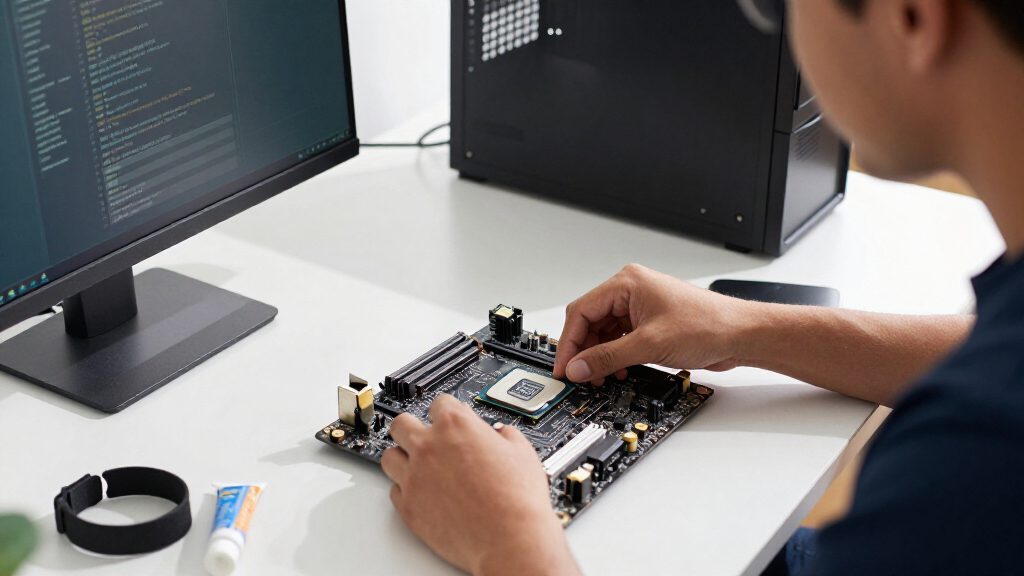
I ranked these processors by how well their performance tier matches a real buyer’s workload, then weighed usability factors that affect the whole build: integrated graphics, unlocked status, core configuration, and likely cooling and motherboard demands. I gave the highest places to chips with broad use across gaming and productivity rather than models whose appeal depends on maximum performance or a narrowly defined workload.
The ranking also reflects meaningful distinctions within the list. Integrated graphics earn value for troubleshooting and display use, while F-series and KF models require a separate graphics card. I treated platform compatibility as a buying constraint, not a footnote: Intel Core and Core Ultra models can belong to different platform generations, so buyers should verify motherboard socket and firmware support before choosing. Where specifications alone cannot settle the decision, the picks are framed by buyer type rather than by assuming every workload benefits from more cores or a higher boost ceiling.
| Intel CPU | Socket | Memory support |
|---|---|---|
| Intel Core i7-14700K 20-Core D | LGA 1700 | DDR4 and DDR5 |
| Intel Core Ultra 5 225 Desktop | LGA 1851 | DDR5 |
| Intel Core Ultra 7 270K Plus P | LGA 1851 | DDR5, up to 7200 MT/s |
| Intel Core Ultra 5 250K Plus P | — | DDR5 up to 7200 MT/s |
| Intel Core i7-14700KF Unlocked | LGA 1700 | DDR4 and DDR5 |
| Intel Core i9-12900KF 16-Core | LGA 1700 | — |
| Intel Core i5-14600K Desktop P | LGA 1700 | DDR4 and DDR5 |
| Intel Core i9-14900K Desktop P | LGA 1700 | DDR4 and DDR5 |
| Intel Core i5-14400F 14th Gen | LGA 1700 | DDR4 and DDR5 |
| Intel Core Ultra 9 285K Deskto | LGA 1851 | DDR5 |
| Intel Core Ultra 7 265 Desktop | LGA 1851 | — |
| Intel Core i5-14400 Desktop Pr | LGA1700 | — |
Factors to Consider When Choosing Best Intel CPUs
Choosing among these Intel CPUs starts with the PC you are building, not the biggest core count on the box. I would check platform support and graphics needs before comparing performance tiers, then match power and cooling requirements to the case and workload. These broader checks can prevent a capable processor from becoming an awkward or unnecessarily expensive build.
Match the CPU to the work you actually do
For gaming, the graphics card often has a larger effect on frame rates than moving from a competent midrange CPU to a flagship. A processor with more cores can help when you also stream, compile code, render, or keep several demanding apps open, but it will not automatically improve every game. Everyday browsing and office work rarely call for a high-end unlocked chip. Think about the heaviest task you perform regularly, not an occasional benchmark or future workload you may never run. If your use is mixed, a well-rounded option such as the i7-14700K is easier to justify than paying for a top-tier part whose extra capacity will sit idle.
Verify the motherboard before selecting a generation
Do not assume every Intel desktop processor fits the same motherboard because the brand name or generation number looks familiar. Check the exact socket, chipset support, and any BIOS update needed for the CPU you want. Core Ultra desktop models and 12th-, 14th-generation Core models may call for different platform choices, so a processor decision can also decide your motherboard and memory plan. When upgrading an existing PC, confirm support against the board maker’s CPU list before ordering. A lower-tier chip on a compatible board can be a better upgrade than a faster processor that forces a full platform replacement.
Decide whether integrated graphics are useful insurance
An F or KF processor lacks integrated graphics, so a working discrete graphics card is needed for display output. That is fine in a gaming build with a dedicated GPU, but it can make initial setup and fault-finding harder if the graphics card is removed or fails. Integrated graphics can also keep a basic desktop usable while a discrete GPU is being serviced or replaced. Do not treat this feature as a substitute for a gaming graphics card; it is mainly about flexibility and troubleshooting. If the small saving from an F-series model is not meaningful to your build, the non-F alternative may be the more convenient choice.
Plan cooling and power around sustained workloads
Unlocked, high-performance CPUs can draw substantial power under sustained heavy work, and their actual behavior depends on motherboard power settings and cooling. A cooler that handles a short burst may not keep clocks steady during long renders or code builds. Check the cooler’s compatibility, case airflow, and the board’s power delivery rather than selecting a processor in isolation. A stronger chip can also add fan noise or heat that matters in a compact or quiet PC. If your workloads are light, a non-K model can reduce build complexity without leaving useful performance on the table.
Choose memory and platform features as part of the same build
Motherboard generation can determine which memory type and expansion features are available, so compare the complete platform rather than the CPU alone. Reusing existing memory may make an older-compatible setup more attractive, while a new build gives you room to choose a newer memory standard. Avoid assuming that a newer processor automatically makes every component faster or compatible. Check the board specifications for memory support, storage connections, and the ports you need. The best platform is the one that meets your actual requirements without forcing upgrades to parts you intended to keep.
Pay for headroom only when your workload can use it
Extra cores and higher boost ceilings are most useful in work that can keep many threads busy for sustained periods. If you edit video, render scenes, or run several compute-heavy tasks, a higher-tier CPU may save time often enough to matter. For casual gaming and everyday tasks, the difference may be less noticeable than spending that budget on a stronger graphics card, more memory, or faster storage. A common mistake is to choose a flagship first and then compromise on cooling or the GPU. Set a whole-system budget before deciding how much processor headroom is worth paying for.
Frequently Asked Questions
Should I choose the Core i7-14700K or the Core Ultra 7 270K Plus for a new PC?
Start with motherboard and memory plans, because these processors belong to different platform choices and are not simple drop-in substitutes. The i7-14700K is a strong all-rounder with integrated graphics, which can help during setup or GPU troubleshooting. The Ultra 7 270K Plus is the more relevant option if you are building around its newer platform and want its higher-tier configuration. Check your target applications and board support rather than assuming the newer name guarantees a better experience. If you already own a compatible board, avoiding an unnecessary platform change may matter more than moving to a newer CPU family.
Is an F or KF Intel CPU a good choice if I already have a graphics card?
It can be a sensible choice when your discrete GPU is a permanent part of the build and you are comfortable relying on it for display output. The tradeoff is that you lose integrated graphics as a fallback if the card needs troubleshooting or replacement. For a first build, that fallback can make diagnosing a no-display problem simpler. Also compare the exact non-F alternative rather than choosing only by suffix, since the rest of the processor’s specifications and platform fit still matter. Pick F or KF when the dedicated GPU plan is firm and the lost flexibility is acceptable.
Will a Core i5-14400 be enough for gaming, or should I move up to the i5-14600K?
The i5-14400 is a practical fit for a mainstream gaming PC, particularly when the graphics card is the main performance limit. The i5-14600K is more appealing for buyers who want an unlocked chip, stronger headroom for demanding CPU-heavy tasks, or room to tune a compatible build. That extra capability also means more attention to motherboard choice and cooling. Before stepping up, check whether your games or work applications are actually limited by the processor. If they are not, putting the difference toward the GPU or memory can improve the overall system more.
Do I need a Core i9 or Core Ultra 9 for video editing and 3D work?
Not automatically: the right answer depends on how well your editing or rendering software scales across cores and how often you run long, demanding jobs. A high-tier CPU can reduce waiting time in threaded workloads, but it also calls for a platform, cooler, and power setup that can support sustained performance. Some tasks depend more on the graphics card, memory capacity, or storage speed than on moving from a strong Core i7 or Ultra 7 to a flagship. Check the requirements and performance behavior of your main applications before paying for extra CPU capacity. For occasional creative work, a balanced system may be more useful than the highest processor tier.
Can I upgrade my current Intel desktop by buying one of these CPUs?
Only if your motherboard supports the exact processor, and compatibility can depend on the socket, chipset, and BIOS version. Confirm the board model and consult its official CPU support list before buying; do not rely on the processor generation label alone. Also check that your existing cooler can handle the new chip, especially if you are moving to an unlocked or higher-tier model. A CPU that fits the socket may still need a firmware update or stronger cooling. If the upgrade requires a new motherboard and memory as well, compare the cost and effort of a full platform change against keeping your current system.
Conclusion
For the broadest mix of gaming and productivity, I recommend the Core i7-14700K as best overall, with integrated graphics adding useful flexibility. The Core i5-14400 is my best value-style pick for a straightforward everyday build, while the i5-14400F suits buyers already committed to a discrete GPU. For a newer high-performance platform, consider the Core Ultra 7 270K Plus; reserve the Core Ultra 9 285K or Core i9-14900K as premium choices for workloads that can use their added headroom. Beginners should favor a compatible non-F processor and a sensible cooling plan, while compact-PC builders should put heat and cooler fit ahead of headline core counts. My final check before choosing would be motherboard support: the right CPU is the one that fits both your workload and the rest of your build.
Halloween Picks
halloween
As an affiliate, we earn on qualifying purchases.