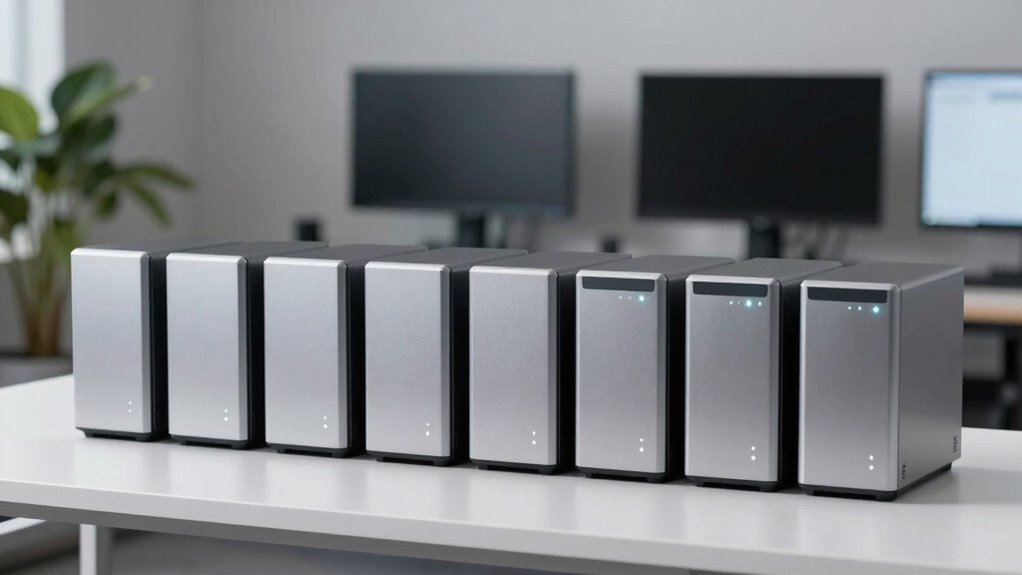

For small teams needing reliable storage, a 6 bay NAS offers the perfect balance of capacity and expandability. The Asustor Lockerstor 6 Gen2+ stands out as the best overall choice thanks to its powerful Intel CPU and versatile features. The QNAP TS-664 offers a user-friendly experience with robust performance, ideal for growing teams. Meanwhile, the TERRAMASTER F6-425 Pro provides a compelling mix of performance and cost-efficiency, making it a strong value pick. However, these options come with tradeoffs: some prioritize raw power, while others focus on ease of use or affordability. Continue reading for a full breakdown of what each NAS offers and who it’s best suited for.
Open a free Amazon Business account
Business pricing, bulk buying and tax-exempt orders.
Create a free accountAs an affiliate, we earn on qualifying purchases.
Key Takeaways
- The top picks balance performance, expandability, and ease of use, but often require tradeoffs between cost and features.
- Intel-powered NAS devices generally provide better multimedia and multitasking capabilities, ideal for small teams with diverse needs.
- Build quality and software support vary significantly, impacting long-term reliability and ease of maintenance.
- Choosing between diskless and pre-configured models depends on your budget and planned storage expansion.
- Most NAS for small teams offer similar base features, but differences in hardware, ports, and software integrations can influence productivity.
| Asustor Lockerstor 6 Gen2+ AS6706T v2 6-Bay NAS with Intel Quad-Core CPU, Dual 5GbE, 8GB DDR4, 4 M.2 SSD Slots, HDMI, Plex Media Server |  | Best Overall | Processor: Intel Celeron N5105 quad-core | Memory: 8GB DDR4 | Number of Bays: 6 | VIEW ON AMAZON | See Our Full Breakdown |
| UGREEN NAS DXP6800 Plus 6-Bay Desktop NAS with Intel i3 1215U Processor |  | Best for High Capacity & Power | Processor: Intel Core i3 12th Gen 6-core | Maximum Storage Capacity: 208TB | Number of Bays: 6 | VIEW ON AMAZON | See Our Full Breakdown |
| UGREEN NAS DXP6800 Pro 6-Bay for Teams and Small Businesses File Server |  | Best for Data Security & Enterprise Features | Storage Capacity: up to 208TB | Number of Bays: 6 | Network Ports: 2 x 10GbE | VIEW ON AMAZON | See Our Full Breakdown |
| 6-Bay Desktop NAS with Intel Core i3-1215U, 256GB NVMe SSD, Dual PCIe 4.0 Expansion |  | Best for Expandability & Self-Hosting | Processor: Intel Core i3-1215U | Storage Capacity: Supports up to 212TB | Built-in SSD: 256GB NVMe | VIEW ON AMAZON | See Our Full Breakdown |
| TERRAMASTER F6-425 Pro NAS Server, Intel Core i3-1315U, 8GB DDR5, Diskless |  | Best for AI-Powered & Media Workflows | Processor: Intel Core i3-1315U | RAM: 8GB DDR5 | Drive Bays: Diskless | VIEW ON AMAZON | See Our Full Breakdown |
| QNAP TS-664 6-Bay Desktop NAS |  | Best Overall for Balanced Performance and Features | Processor: Intel Celeron N5105/N5095 4-Core/4-Thread, up to 2.9GHz | RAM: 8GB DDR4 (On-Board, Non-Expandable) | Drive Bays: 6 | VIEW ON AMAZON | See Our Full Breakdown |
| TERRAMASTER F6-424 NAS 6-Bay, Intel N95 4-Core CPU, 8GB DDR5 (Diskless) |  | Best for Performance-Driven Small Teams Needing Flexibility | Processor: Intel N95 quad-core 3.4GHz | Memory: 8GB DDR5 (upgradable up to 32GB) | Storage Bays: 6 | VIEW ON AMAZON | See Our Full Breakdown |
| bay nas for small team | Processor | Network Ports | Drive Bays |
|---|---|---|---|
| Asustor Lockerstor 6 Gen2+ AS6 | Intel Celeron N5105 quad-core | Dual 5GbE | — |
| UGREEN NAS DXP6800 Plus 6-Bay | Intel Core i3 12th Gen 6-core | 1x 10GbE, 1x 2.5GbE | 6 SATA, 2 M.2 NVMe |
| UGREEN NAS DXP6800 Pro 6-Bay f | — | 2 x 10GbE | SATA and M.2 NVMe |
| 6-Bay Desktop NAS with Intel C | Intel Core i3-1215U | — | — |
| TERRAMASTER F6-425 Pro NAS Ser | Intel Core i3-1315U | Dual 10GbE | Diskless |
| QNAP TS-664 6-Bay Desktop NAS | Intel Celeron N5105/N5095 4-Core/4-Thread, up to 2.9GHz | — | 6 |
| TERRAMASTER F6-424 NAS 6-Bay | Intel N95 quad-core 3.4GHz | — | — |
More Details on Our Top Picks
Asustor Lockerstor 6 Gen2+ AS6706T v2 6-Bay NAS with Intel Quad-Core CPU, Dual 5GbE, 8GB DDR4, 4 M.2 SSD Slots, HDMI, Plex Media Server
The Asustor Lockerstor 6 Gen2+ stands out for its combination of high-speed networking and flexible storage options, making it ideal for small teams handling media-heavy workflows. Its dual 5GbE ports with upgrade potential to 10GbE deliver fast local data transfer, outperforming models like the TERRAMASTER F6-425 in network versatility. The support for four M.2 NVMe SSDs enables caching and high-performance workflows, especially useful for content creators needing smooth 4K transcoding. While its performance is impressive, the device’s setup may challenge less technical users, and the need for additional drives to expand storage capacity can add to the total cost. Compared to the QNAP TS-664, it offers more flexible media options but at a potentially higher price due to its premium features.
Pros:- High-speed dual 5GbE ports with upgrade potential
- Supports 4 NVMe SSDs for caching and performance
- Optimized for 4K media transcoding
- Flexible hybrid storage with HDD and SSD support
Cons:- Requires additional drives for full storage capacity
- Setup can be complex for non-technical users
- Price not specified, potentially expensive for some buyers
Best for: Small creative teams or media professionals requiring fast transcoding and flexible caching options.
Not ideal for: Users seeking a fully integrated, out-of-the-box solution with minimal setup complexity or those on a strict budget without technical skills.
- Processor:Intel Celeron N5105 quad-core
- Memory:8GB DDR4
- Number of Bays:6
- Network Ports:Dual 5GbE
- SSD Slots:4 M.2 NVMe
- Supported Media:4K
- Form Factor:Diskless
Our verdict“This NAS is best suited for small teams needing robust media processing and flexible high-speed storage, despite its complexity and cost.”
UGREEN NAS DXP6800 Plus 6-Bay Desktop NAS with Intel i3 1215U Processor
The UGREEN NAS DXP6800 Plus offers a compelling balance of processing power and massive storage potential, making it ideal for demanding small business environments. Its 12th Gen Intel Core i3 processor outperforms the less powerful Celeron in the ASustor Lockerstor 6, enabling smoother multitasking and larger data handling. With support for up to 208TB of storage and dual 10GbE ports, it excels at large-scale backups, virtual machines, and intensive data transfers. However, the drives are sold separately, and the absence of Wi-Fi limits flexible deployment. It’s a better fit for teams with dedicated IT support who need serious storage and network throughput, while the setup might be daunting for those without technical experience.
Pros:- Massive storage capacity up to 208TB
- Dual 10GbE ports for fast data transfer
- Powerful 12th Gen Intel Core i3 processor
- Supports various RAID configurations for data security
Cons:- Drives are sold separately, increasing initial cost
- Supports only wired Ethernet, no Wi-Fi
- Setup may require advanced technical knowledge
Best for: Small businesses or media teams needing high storage capacity and fast network throughput with demanding workload support.
Not ideal for: Small teams looking for a plug-and-play solution or users preferring Wi-Fi connectivity for easier setup.
- Processor:Intel Core i3 12th Gen 6-core
- Maximum Storage Capacity:208TB
- Number of Bays:6
- Network Ports:1x 10GbE, 1x 2.5GbE
- Supported RAID Levels:JBOD, Basic, RAID0, RAID1, RAID5, RAID6, RAID10
- Drive Bays:6 SATA, 2 M.2 NVMe
Our verdict“This NAS is ideal for small teams with large data needs and technical expertise, prioritizing capacity and speed over simplicity.”
UGREEN NAS DXP6800 Pro 6-Bay for Teams and Small Businesses File Server
The UGREEN NAS DXP6800 Pro is tailored for teams prioritizing data security, offering dual 10GbE ports and extensive RAID support. Its compatibility with multiple operating systems and support for Docker and virtual machines make it versatile for various workloads. Compared to the Asustor Lockerstor 6+, it emphasizes professional data security and enterprise-grade features, including flexible RAID levels and third-party drive support. The requirement to purchase drives separately and its wired-only setup might be limiting for some, but for teams with dedicated IT resources, it provides a reliable, scalable platform for critical data and virtualized environments.
Pros:- High-speed dual 10GbE ports for rapid data transfers
- Supports multiple RAID levels for data protection
- Compatible with various OS and third-party drives
- Supports Docker and virtual machines
Cons:- Drives are not included, adding to total cost
- Requires wired Ethernet, no Wi-Fi
- Setup may be complex for less experienced users
Best for: Small business IT teams or media teams needing secure, scalable storage with virtualization support.
Not ideal for: Small teams seeking a simple, all-in-one NAS with minimal setup or wireless connectivity.
- Storage Capacity:up to 208TB
- Number of Bays:6
- Network Ports:2 x 10GbE
- RAID Support:JBOD, Basic, RAID0, RAID1, RAID5, RAID6, RAID10
- Compatibility:Western Digital, Seagate, Toshiba, others
- Drive Bays:SATA and M.2 NVMe
Our verdict“This NAS excels for teams needing secure, scalable, and virtualized storage, provided they have the technical skills to configure it properly.”
6-Bay Desktop NAS with Intel Core i3-1215U, 256GB NVMe SSD, Dual PCIe 4.0 Expansion
The 6-Bay Desktop NAS with Intel Core i3-1215U offers a compelling platform for users who want to customize and upgrade over time. Its support for PCIe expansion and built-in 256GB SSD provides a flexible base for self-hosted applications, media streaming, and private cloud services. Compared with the UGREEN DXP6800 Plus, it emphasizes expandability and self-hosting capabilities, though it involves a more complex setup and hardware compatibility considerations. The device is best for tech-savvy users willing to manage their hardware, rather than those seeking a ready-to-go solution. Its lack of included drives and potential complexity could be a barrier for less experienced users.
Pros:- Supports extensive expansion with PCIe slots
- Includes a 256GB NVMe SSD for caching
- Powerful Intel Core i3 processor for multitasking
- Supports a broad range of self-hosted apps and virtualization
Cons:- Setup can be complex and hardware-dependent
- No included drives, increasing initial cost
- Requires technical knowledge for optimal configuration
Best for: Tech-savvy small teams or enthusiasts interested in self-hosted applications and future upgrades.
Not ideal for: Teams looking for a straightforward, plug-and-play NAS with minimal configuration or support for casual users.
- Processor:Intel Core i3-1215U
- Storage Capacity:Supports up to 212TB
- Built-in SSD:256GB NVMe
- Connectivity:Dual TBT4, Dual 2.5GbE
- Expansion Slots:PCIe
- Operating System:ZimaOS
Our verdict“This NAS suits those wanting a customizable, expandable platform for self-hosted workloads, provided they have the technical skills to set it up.”
TERRAMASTER F6-425 Pro NAS Server, Intel Core i3-1315U, 8GB DDR5, Diskless
The TERRAMASTER F6-425 Pro is tailored for media teams and content creators looking for advanced AI features and high-speed connectivity. Its dual 10GbE ports and support for M.2 NVMe slots enable rapid data transfer and efficient media streaming, rivaling the Asustor Lockerstor 6+ in multimedia capabilities. The inclusion of AI-native OS and support for virtualization makes it a strong choice for AI-driven workflows and large media projects. However, being diskless, it demands additional investment in drives, and its setup may challenge less experienced users. This model truly excels for those who need AI tools integrated into their media pipeline, rather than basic file sharing.
Pros:- Dual 10GbE ports for fast data transfer
- Supports AI-native workflows and Docker
- Flexible storage with M.2 NVMe slots
- Advanced media streaming and virtualization capabilities
Cons:- Diskless configuration needs additional drives
- Setup complexity for beginners
- Higher cost due to premium features
Best for: Media teams or AI-driven workflows requiring high-speed transfer, media streaming, and AI features.
Not ideal for: Small teams with limited technical expertise or those on a tight budget, since drives are additional costs and setup is complex.
- Processor:Intel Core i3-1315U
- RAM:8GB DDR5
- Drive Bays:Diskless
- Network Ports:Dual 10GbE
- M.2 Slots:3 NVMe
- Operating System:TOS 7 AI OS
Our verdict“This NAS is a powerful choice for media professionals and AI workflows, provided they can handle its advanced setup and costs.”
QNAP TS-664 6-Bay Desktop NAS
The QNAP TS-664 stands out for offering a well-rounded combination of power and usability, making it ideal for small teams that need reliable media management and multi-user access. Its quad-core Intel Celeron N5105 processor and 8GB of DDR4 RAM deliver enough processing speed for everyday tasks, while dual 2.5GbE ports facilitate faster network transfers compared to single-gigabit options. The inclusion of M.2 NVMe slots for caching provides a performance boost, especially when handling large media files, which sets it apart from simpler models like the UGREEN NAS DXP6800 Plus. However, the non-expandable RAM limits future upgrades, and its setup may challenge less tech-savvy users. Compared to the Terramaster F6-424, it offers easier initial configuration but fewer upgrade options overall.
Pros:- Powerful quad-core processor with high burst speeds
- Dual 2.5GbE ports enable faster network transfers
- Supports SSD caching via M.2 NVMe slots
- Multiple USB 3.2 ports for quick data transfer
Cons:- RAM is non-expandable, limiting future upgrades
- Setup process may be complex for beginners
- Lacks HDMI output for direct media streaming
Best for: Small teams seeking a versatile, reliable NAS with good media handling and fast network connectivity
Not ideal for: Teams planning to expand memory in the near future or requiring HDMI output for direct media playback
- Processor:Intel Celeron N5105/N5095 4-Core/4-Thread, up to 2.9GHz
- RAM:8GB DDR4 (On-Board, Non-Expandable)
- Drive Bays:6
- Network:Dual 2.5GbE ports (2.5G/1G/100M)
- SSD Slots:2 M.2 PCIe Gen3x2 NVMe
- USB Ports:Multiple USB 3.2 Gen 2 (Type-A) ports up to 10Gb/s
Our verdict“This NAS offers a strong balance of performance and features, making it a solid choice for small teams that prioritize speed and media management without extensive upgrade needs.”
TERRAMASTER F6-424 NAS 6-Bay, Intel N95 4-Core CPU, 8GB DDR5 (Diskless)
The TERRAMASTER F6-424 excels in delivering higher processing capacity with its Intel N95 quad-core CPU and DDR5 memory, making it suitable for small teams with demanding storage and backup needs. Its support for multiple RAID configurations, combined with a tool-free, push-lock drive installation, simplifies maintenance and upgrades, outperforming models like the QNAP TS-664 in terms of hardware flexibility. The inclusion of dual USB 3.2 ports and dual 2.5G Ethernet ports offers versatile connectivity, although its diskless design means additional costs upfront, and the setup might be complex for users unfamiliar with NAS configurations. Compared to the Ugreen NAS DXP6800 Pro, it provides more robust hardware but at a higher price point, requiring careful consideration of actual needs versus budget.
Pros:- High-performance Intel N95 quad-core CPU at 3.4GHz
- Supports up to 32GB DDR5 RAM for future upgrades
- Flexible RAID options for diverse storage needs
- Tool-free drive installation for quick upgrades
Cons:- Diskless setup means additional purchase of drives
- Setup can be challenging for users new to NAS devices
- Higher price range compared to simpler models
Best for: Small teams requiring high processing power and flexible, expandable storage configurations
Not ideal for: Teams looking for a ready-to-use solution with included disks or minimal setup complexity
- Processor:Intel N95 quad-core 3.4GHz
- Memory:8GB DDR5 (upgradable up to 32GB)
- Storage Bays:6
- Network:Dual 2.5G Ethernet ports, Link Aggregation up to 5 Gb
- SSD Slots:2 M.2 NVMe slots
- Connectivity:Dual USB 3.2 10Gbps
Our verdict“Ideal for small teams that need substantial processing power and flexible storage options, willing to handle a more involved setup process.”

How We Picked
These NAS devices were selected based on their hardware robustness, expandability, software features, and value for small teams. Priority was given to models with reliable performance, good build quality, and user-friendly interfaces that suit collaborative environments. We also considered the flexibility of upgrade options, network connectivity, and cost-effectiveness. Devices with strong hardware specs and positive user feedback ranked higher, while those with limited expandability or complex setups were rated lower. The ranking reflects a balance between performance, usability, and price, ensuring each pick offers a clear advantage for small team environments.| bay nas for small team | Processor |
|---|---|
| Asustor Lockerstor 6 Gen2+ AS6 | Intel Celeron N5105 quad-core |
| UGREEN NAS DXP6800 Plus 6-Bay | Intel Core i3 12th Gen 6-core |
| UGREEN NAS DXP6800 Pro 6-Bay f | — |
| 6-Bay Desktop NAS with Intel C | Intel Core i3-1215U |
| TERRAMASTER F6-425 Pro NAS Ser | Intel Core i3-1315U |
| QNAP TS-664 6-Bay Desktop NAS | Intel Celeron N5105/N5095 4-Core/4-Thread, up to 2.9GHz |
| TERRAMASTER F6-424 NAS 6-Bay | Intel N95 quad-core 3.4GHz |
Factors to Consider When Choosing 6 Bay Nas For Small Teams
When choosing a 6 bay NAS for a small team, several factors can influence your decision. Understanding these will help you select a device that fits your current needs and future growth. From hardware performance to software ecosystem, each aspect plays a role in productivity and long-term value. Avoid common pitfalls like underestimating storage needs or overpaying for unnecessary features. The following sections highlight key considerations to guide your purchase.Performance and Processor Power
The processor determines how well your NAS can handle multitasking, media streaming, and data transfers. Small teams benefit from CPUs that can run multiple applications smoothly without lag. Devices with Intel Core i3 or higher generally provide better performance for demanding tasks. However, higher-powered processors often come with increased costs and power consumption, so evaluate your workload to avoid overpaying for features you won’t use.
Expandability and Storage Flexibility
While all options have 6 bays, consider how easy it is to expand storage in the future. Some NAS include M.2 SSD slots or PCIe expansion ports, allowing upgrades without replacing the entire unit. Others may limit expansion, which could be a drawback as your data needs grow. Think about your projected storage growth and whether you prefer a device that allows easy upgrades or one that meets your needs immediately.
Connectivity Options
Network ports are vital for performance and flexibility. Dual 5GbE or multi-Gigabit ports enable faster data transfer and better network segmentation for small teams. USB and HDMI ports can add media capabilities or external backup options. Consider your network infrastructure and future needs to ensure your NAS can keep pace without bottlenecks.
Software Ecosystem and User Interface
An intuitive, reliable software environment can significantly reduce setup time and ongoing maintenance. Look for NAS providers with active support communities, regular updates, and features tailored to small teams, such as collaborative file sharing, user management, and remote access. Avoid devices with clunky interfaces or limited app support, as these can hinder productivity.
Price and Total Cost of Ownership
Initial purchase price is just part of the total cost. Consider the cost of drives, potential upgrades, and ongoing maintenance. Diskless models may save money upfront but require additional investment in drives. Pre-configured units simplify setup but can be pricier. Balance your budget against the features that will provide the best long-term value for your team’s needs.
Frequently Asked Questions
Is a diskless NAS a better choice for small teams?
Choosing a diskless NAS offers flexibility to select drives tailored to your storage and performance needs. It can be more cost-effective upfront, especially if you already own drives or plan to upgrade gradually. However, it requires more setup time and technical knowledge to configure drives and RAID arrays. For small teams comfortable with hardware, diskless models provide a customizable and scalable solution, but beginners might prefer pre-configured options for simplicity.
How important is network connectivity in choosing a NAS?
Network connectivity directly impacts data transfer speeds and overall performance. Multiple Gigabit ports or multi-Gig options like 5GbE are valuable if your team handles large files or streams media regularly. A single 1GbE port may suffice for light use but can become a bottleneck as your team grows or data demands increase. Consider your current network infrastructure and future expansion plans to select a NAS with adequate bandwidth.
Should I prioritize hardware specs over software features?
A balance between hardware and software is key. Powerful hardware ensures smooth operation under load, but without good software support, your user experience can suffer. Conversely, excellent software cannot compensate for underpowered hardware during intensive tasks. For small teams, a well-rounded device with decent specs and a user-friendly interface usually provides the best overall experience. Prioritize your specific workload and ease of use to make the right choice.
Are RAID configurations essential for small teams?
RAID configurations improve data redundancy and security, which are vital for small teams relying on shared data. Even in a 6-bay NAS, setting up RAID 5 or RAID 6 can protect against drive failure while providing efficient storage. However, RAID isn’t a substitute for backups—it’s a safeguard against hardware failure. Evaluate your data criticality and risk tolerance to decide the appropriate RAID level and backup strategy.
Is it better to buy a pre-configured NAS or a diskless model?
Pre-configured NAS units come ready to use with drives installed, offering simplicity and quick deployment, which benefits teams without technical expertise. Diskless models offer greater flexibility and potential cost savings, especially if you want to select specific drives or upgrade over time. Your choice depends on your technical comfort level and whether you prefer immediate setup or a customizable, upgradeable solution.
Conclusion
For small teams seeking the best overall performance with minimal fuss, the Asustor Lockerstor 6 Gen2+ stands out as the top pick due to its powerful processor and rich feature set. Teams prioritizing value can consider the TERRAMASTER F6-425 Pro, which balances performance with affordability. Beginners or those with limited technical skills might find the QNAP TS-664 the easiest to set up and manage. For those with specific needs like media streaming or expandability, options like the UGREEN NAS DXP6800 Pro or TERRAMASTER F6-424 offer tailored features. Ultimately, your choice should match your team’s current demands and future growth plans, ensuring reliable, scalable storage for years to come.
As an affiliate, we earn on qualifying purchases.Fall Picks
fall essentials