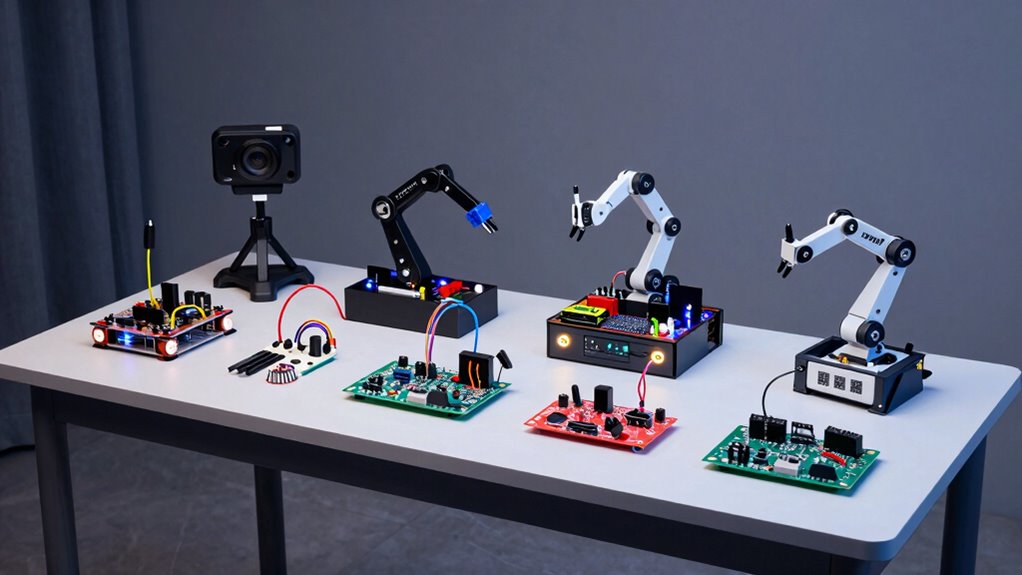
Finding the right robotics kit for AI programming in 2026 involves balancing complexity, versatility, and educational value. The best overall pick, the ELEGOO UNO R3 Smart Robot Car Kit V4, combines ease of use with advanced features like camera integration. For those interested in Raspberry Pi-based AI, the SunFounder AI Fusion Lab Kit offers powerful capabilities, while the Nous AI Robot for Kids makes AI accessible for younger learners. These kits differ in build quality, programming options, and target audiences, making the choice critical based on your experience level and goals. Continue reading for a detailed breakdown of the top options and what to consider before buying.

Get business pricing on monitors, keyboards and dev gear
- Business-only prices and quantity discounts
- Tax-exempt purchasing
- Multiple users, one account, clear invoices
Key Takeaways
- The most versatile kits balance ease of use with advanced AI features like camera and voice recognition.
- Raspberry Pi-based kits tend to support more complex AI projects but require more technical skill.
- Educational value varies widely; kits for kids focus on simplicity, while those for teens and adults offer deeper programming options.
- Build quality and component durability are key for long-term projects and repeated use.
- Price ranges reflect complexity—more expensive kits generally include more sensors, AI modules, and customization options.
| ELEGOO UNO R3 Smart Robot Car Kit V4 with Camera, Compatible with Arduino |  | Best Overall for Beginner Robotics Learning | Controller Board: ELEGOO UNO R3 | Camera: ESP32-WROVER-based with Wi-Fi | Battery: 2000 mAh rechargeable lithium-ion | VIEW ON AMAZON | See Our Full Breakdown |
| SunFounder AI Fusion Lab Kit for Raspberry Pi 5/4/3B+/Zero 2W |  | Best for Versatile Advanced AI Projects | Compatible Models: Raspberry Pi 5, 4B, 3B+, 3B, Zero 2W | Includes: Pan-Tilt HAT, 10DOF module, camera, speaker, microphone | Supports: Multi-LLMs including ChatGPT, Gemini, Grok | VIEW ON AMAZON | See Our Full Breakdown |
| Nous AI Robot for Kids 12+, Scratch & Python Coding STEM Kit |  | Best for Structured AI and Coding Education for Teens | Recommended Age: 12+ | Programming Languages: Scratch, Python | AI Technologies: Machine learning, neural networks, vision, speech | VIEW ON AMAZON | See Our Full Breakdown |
| ACEBOTT Smart Robot Car Kit for Kids Ages 8-16 with 3MP Camera, STEM Educational Toy Compatible with Arduino & Scratch, App & Remote Control |  | Best for Kids 8-16 Exploring Real-Time Video and Robotics | Camera: 3MP HD | Controller: ESP32 | Compatibility: Arduino & Scratch | VIEW ON AMAZON | See Our Full Breakdown |
| SunFounder Picar-X AI Robot Smart Car Kit for Raspberry Pi 5/4/3B+/Zero 2W, Openclaw LLMs ChatGPT/Gemini/Grok, Voice & Video Recognition, Python, Scratch, Camera |  | Best for AI-Powered Robotics with Voice and Vision Recognition | Compatibility: Raspberry Pi 5/4/3B+/Zero 2W | AI Platforms Supported: Openclaw, ChatGPT, Gemini, Grok | Features: Voice & video recognition, obstacle avoidance | VIEW ON AMAZON | See Our Full Breakdown |
| ACEBOTT Smart Robot Car Kit Compatible with Arduino, STEM Education Coding Kit for Kids and Adults |  | Best for Creative Exploration and Expansion | Controller: ESP32 | Wheels: 6cm omnidirectional Mecanum wheels | Expansion Packs: Camera, robotic arm, tank, solar | VIEW ON AMAZON | See Our Full Breakdown |
| Makeblock mBot STEM Coding Robot for Kids Ages 8-12 |  | Best for Introductory STEM Education | Recommended Age: 8-12 years | Batteries: 4 AA (not included) | Connectivity: Compatible with 100+ modules | VIEW ON AMAZON | See Our Full Breakdown |
| Robotic Arm with Arduino 5DOF/Axis AI Smart Robot Arm Open Source STEM Educational Building Robotics & Engineering Kits, MiniArm Starter Kit |  | Best for Precision and Engineering Projects | Degrees of Freedom: 5DOF/Axis | Platform: Atmega328 | Controller: 6-channel knob | VIEW ON AMAZON | See Our Full Breakdown |
| SunFounder AI Robot Kit with Raspberry Pi Zero 2 W and 32GB TF Card |  | Best for AI-Powered Interactive Projects | Processor: Raspberry Pi Zero 2 W | Storage: 32GB TF Card | Servos: 12 | VIEW ON AMAZON | See Our Full Breakdown |
| TurboPi Robot Car for Raspberry Pi AI Vision Camera Programmable Smart Robot Kit, Color Sorting Line Tracking Target Recognition Obstacle Avoidance, Support Python Linux, Standard Kit Without RPi |  | Best for AI Vision and Autonomous Driving | Compatibility: Raspberry Pi 5 | Camera: 2-DOF HD camera | Movement: Omnidirectional Mecanum wheels | VIEW ON AMAZON | See Our Full Breakdown |
| ACEBOTT Spider Robot Building Kit STEM Crawling Robot for Kids and Teens |  | Best for Beginners in Hands-On Robotics and Coding | Recommended Age: 10+ | Movement Modes: 6 | Preset Actions: 9 | VIEW ON AMAZON | See Our Full Breakdown |
| Makeblock mBot2 and AI Camera 2.0: All-in-One AI Vision Module for Education |  | Best for Classroom AI Integration and Curriculum Alignment | Models Included: Face, Color, Gesture, Tag, Object, Path, Posture, Text, Voice Recognition | Projects: 21 curriculum-aligned projects | Compatibility: mBot2, CyberPi, mBuild modules | VIEW ON AMAZON | See Our Full Breakdown |
| ACEBOTT 4-in-1 Smart Robot Arm with Tank Car for Kids & Teens |  | Best for Versatile Mechanical Learning and Creative Robotics | Robot Types: Modular 4-in-1 (robotic arm, tank car, combined, base robot) | Controller: ESP32 | Compatibility: Arduino, Scratch | VIEW ON AMAZON | See Our Full Breakdown |
| 3-in-1 STEM Robot Building Kit, APP & Remote Control Robotics Kit |  | Best for Variety and Remote/App Controlled Play | Models: Automotive Robot, Track Crocodile, Mechanical Tank | Control: Remote and Bluetooth App | Battery: 3.7V 500mAh Li-Po | VIEW ON AMAZON | See Our Full Breakdown |
| AI Robotic Arm Kit with Servo Motors – LeRobot SO-ARM101 Pro Low-Cost, 6-DOF, Open-Source, Nvidia Jetson Compatible |  | Best for Advanced AI Robotics and Research | Degrees of Freedom: 6-DOF | Compatibility: Nvidia Jetson, LeRobot, Hugging Face | Includes: Servo motors, wiring | VIEW ON AMAZON | See Our Full Breakdown |
More Details on Our Top Picks
ELEGOO UNO R3 Smart Robot Car Kit V4 with Camera, Compatible with Arduino
This kit stands out for its comprehensive package, combining a programmable robot car with sensors, a camera, and detailed tutorials. Its support for interactive features like FPV video, line tracking, and obstacle avoidance makes it ideal for beginners eager to explore AI programming in a physical form. Compared to the SunFounder Picar-X, it offers a more straightforward entry point with guided tutorials, but it may challenge younger children who need more adult assistance. The inclusion of an ESP32-WROVER-based camera and IR remote enhances learning opportunities without overwhelming users. Its main tradeoff is that programming can be tricky for those without prior experience, and adult guidance might be necessary for younger users. Overall, this kit is best suited for educators or parents introducing kids to robotics and AI programming.
Pros:- Includes a wide range of sensors and components for rich experimentation
- Supports advanced features like FPV and obstacle avoidance
- Guided tutorials simplify the building and programming process
Cons:- Requires adult supervision or guidance for younger children
- Programming can be challenging for beginners without prior coding experience
Best for: Beginners and educators seeking a hands-on, guided robotics experience with AI features
Not ideal for: Young children under 8 or users looking for a plug-and-play, coding-free robot
- Controller Board:ELEGOO UNO R3
- Camera:ESP32-WROVER-based with Wi-Fi
- Battery:2000 mAh rechargeable lithium-ion
- Sensors:Line-tracking, ultrasonic
- Remote Control:IR remote
- Age Range:8+
Our verdict“This kit offers a balanced mix of hardware and tutorials, making it ideal for beginners and educational settings willing to invest time in learning.”
SunFounder AI Fusion Lab Kit for Raspberry Pi 5/4/3B+/Zero 2W
This kit transforms compatible Raspberry Pi models into a robust AI development platform, supporting multi-modal projects involving voice, vision, and sensors. It includes hardware like a Pan-Tilt HAT, 10DOF module, camera, and microphone, along with guided video lessons and active community support. Compared to the Nous AI Robot, which simplifies robotics for younger users, the SunFounder kit provides more flexibility for complex AI applications, but it demands a stronger technical background and the purchase of a Raspberry Pi device separately. Its support for large language models like ChatGPT and Gemini makes it suitable for learners or hobbyists aiming to explore cutting-edge AI capabilities. The main tradeoff is the need for technical competence to assemble and program the hardware effectively. This kit is best for experienced hobbyists or students with some programming background seeking a comprehensive AI platform.
Pros:- Supports multiple large language models and AI platforms
- Enables complex AI experiments with voice, vision, and sensors
- Includes extensive hardware components and structured learning resources
Cons:- Requires a compatible Raspberry Pi device (not included)
- Assembly and programming demand a higher technical skill level
Best for: Hobbyists or advanced students interested in multi-modal AI projects on Raspberry Pi
Not ideal for: Beginners or younger children without prior experience in computing or electronics
- Compatible Models:Raspberry Pi 5, 4B, 3B+, 3B, Zero 2W
- Includes:Pan-Tilt HAT, 10DOF module, camera, speaker, microphone
- Supports:Multi-LLMs including ChatGPT, Gemini, Grok
- Learning Resources:Video lessons, sample code, curriculum
- Features:Voice and vision recognition, sensor integration
- Age Range:Teen and adult
Our verdict“This kit provides a powerful foundation for exploring advanced AI concepts, best suited for motivated learners with some technical background.”
Nous AI Robot for Kids 12+, Scratch & Python Coding STEM Kit
The Nous AI Robot combines AI, robotics, and coding into a single kit tailored for kids 12 and older. Its support for Scratch and Python enables learners to experiment with machine learning, neural networks, and computer vision, making AI concepts accessible through hands-on projects. Compared to the ELEGOO robot car, which emphasizes physical movement and sensors, the Nous kit offers a broader scope of AI technologies and online coding resources, though at the expense of a steeper learning curve. Its online platform and tutorials foster an engaging learning environment, ideal for classroom use or homeschool projects. However, some prior interest in STEM is recommended, and the advanced AI features may be overwhelming without guidance. Overall, this kit suits motivated teens eager to develop practical AI and programming skills.
Pros:- Supports both beginner-friendly Scratch and Python programming
- Includes advanced AI features like neural networks and speech recognition
- Suitable for classroom, homeschool, and competition settings
Cons:- Requires some prior STEM interest or basic knowledge
- Complex AI functions may be difficult for beginners without guidance
Best for: Teens and educators seeking a comprehensive AI and coding curriculum
Not ideal for: Younger children or users without any prior coding or STEM background
- Recommended Age:12+
- Programming Languages:Scratch, Python
- AI Technologies:Machine learning, neural networks, vision, speech
- Assembly:Detailed instructions
- Educational Use:Classroom, homeschool, competitions
- Platform:Online
Our verdict“This kit offers a rich learning experience in AI and coding for motivated teens ready to explore advanced concepts.”
ACEBOTT Smart Robot Car Kit for Kids Ages 8-16 with 3MP Camera, STEM Educational Toy Compatible with Arduino & Scratch, App & Remote Control
This kit blends a 3MP HD camera with robotics building, making it appealing for children and young teens interested in real-time video streaming and creative coding. Its compatibility with Arduino and Scratch provides flexibility for beginners, and the app and remote control options offer multiple ways to operate the robot. Compared with the ELEGOO kit, the ACEBOTT emphasizes camera-based exploration and remote control, which can boost engagement for younger users. However, it requires assembly and some technical skill, and additional expansion modules are sold separately, potentially complicating setup. For children who enjoy hands-on building and visual projects, this kit offers a compelling introduction to robotics and AI. It’s less suited for users seeking a purely coding-focused experience without hardware assembly.
Pros:- High-quality 3MP camera for live streaming and exploration
- Supports multiple control options including app and remote
- Includes step-by-step tutorials suitable for beginners
Cons:- Assembly and technical setup required, which may challenge some users
- Expansion parts are sold separately, adding complexity
Best for: Kids aged 8-16 interested in real-time video and creative robotics projects
Not ideal for: Very young children under 8 or users seeking a plug-and-play experience
- Camera:3MP HD
- Controller:ESP32
- Compatibility:Arduino & Scratch
- Control:App & IR remote
- Wheels:Mecanum omnidirectional
- Suitable Age:8-16
Our verdict“This kit is ideal for young robotics enthusiasts eager to combine video, coding, and building skills in a single project.”
SunFounder Picar-X AI Robot Smart Car Kit for Raspberry Pi 5/4/3B+/Zero 2W, Openclaw LLMs ChatGPT/Gemini/Grok, Voice & Video Recognition, Python, Scratch, Camera
The SunFounder Picar-X elevates Raspberry Pi-based robotics with support for multiple large language models and integrated AI features like voice and visual recognition. Its compatibility with Raspberry Pi 5/4/3B+ and Zero 2W makes it flexible for various projects, from educational demos to hobbyist development. Compared to the ELEGOO robot car, which focuses on basic sensors and obstacle avoidance, the Picar-X emphasizes AI capabilities such as TTS, STT, and sophisticated sensor integration. While the setup requires additional purchase of a Raspberry Pi and some technical skill, it unlocks advanced AI experimentation in a mobile platform. This kit is best for learners interested in combining robotics with cutting-edge AI applications, though it’s less suitable for absolute beginners or those seeking a simple plug-and-play solution.
Pros:- Supports multiple AI platforms including ChatGPT and Grok
- Enables voice and visual recognition capabilities
- Flexible programming options with Python and Scratch
Cons:- Requires additional Raspberry Pi purchase and setup
- Assembly and AI configuration may be complex for novices
Best for: Hobbyists and students wanting to explore AI-driven robotics with voice and vision features
Not ideal for: Complete beginners or users seeking a ready-to-run robot without additional purchases
- Compatibility:Raspberry Pi 5/4/3B+/Zero 2W
- AI Platforms Supported:Openclaw, ChatGPT, Gemini, Grok
- Features:Voice & video recognition, obstacle avoidance
- Includes:Camera, sensors, assembly instructions
- Programming Languages:Python, Scratch
- Supports:Various AI models
Our verdict“This kit delivers a powerful AI robotics platform for experienced users ready to integrate voice, vision, and machine learning into their projects.”
ACEBOTT Smart Robot Car Kit Compatible with Arduino, STEM Education Coding Kit for Kids and Adults
This kit stands out for its ESP32 controller that balances ease of programming with expandability, making it a strong choice for those who want to grow their skills over time. Unlike the Makeblock mBot, which is more beginner-focused and simpler to assemble, the ACEBOTT offers more advanced features like obstacle avoidance and omnidirectional movement, but at the cost of increased complexity. The support for various expansion packs, including camera and solar options, makes it highly versatile for experimentation. However, the need for additional batteries and some technical know-how for advanced features means it’s less ideal for very young children or absolute beginners. This kit makes the most sense for students, hobbyists, or educators seeking a flexible platform that can scale with their learning.
Pros:- Easy-to-program ESP32 controller suitable for beginners
- Supports a variety of expansion packs for creativity
- Omnidirectional movement with obstacle avoidance
- Multiple control options including remote and app
Cons:- Batteries not included, requiring extra purchase
- Complex features may be overwhelming for very young users
- Requires some technical knowledge for advanced expansion
Best for: Intermediate learners and makers interested in expandable, programmable robot cars that support multiple control modes
Not ideal for: Very young children or absolute beginners who need a straightforward, all-in-one experience without extra setup
- Controller:ESP32
- Wheels:6cm omnidirectional Mecanum wheels
- Expansion Packs:Camera, robotic arm, tank, solar
- Control Methods:IR remote, App
- Batteries:Not included
- Movement:360° omnidirectional
Our verdict“This kit is ideal for those ready to explore advanced robotics with expandability, but it demands some technical skill and additional components.”
Makeblock mBot STEM Coding Robot for Kids Ages 8-12
The mBot excels as an accessible entry point into robotics and programming, especially compared to the more complex ACEBOTT kit, because of its straightforward assembly and user-friendly software. While the ACEBOTT offers expandability and advanced features, the mBot provides more guided learning and a simpler interface, which makes it better suited for younger beginners or classrooms. Its compatibility with over 100 modules and a variety of fun functions like line-following and obstacle avoidance make it versatile enough for foundational skills. The main tradeoff is that it has fewer advanced features out of the box—additional modules are needed for more complex projects, and some features require software familiarity. Overall, I recommend this for educators and parents seeking an engaging, beginner-friendly robotics kit.
Pros:- Easy to assemble with clear instructions
- Encourages foundational learning in electronics and coding
- Compatible with a broad range of modules and parts
- Suitable for beginners with free software and apps
Cons:- Batteries are not included, adding extra cost
- Limited out-of-the-box functionality without expansion modules
- Some features need software familiarity
Best for: Children aged 8-12 new to robotics, especially in educational settings or for home learning
Not ideal for: Older students or hobbyists seeking more advanced, expandable systems without extra complexity
- Recommended Age:8-12 years
- Batteries:4 AA (not included)
- Connectivity:Compatible with 100+ modules
- Material:Metal
- Software:mBlock and apps
- Functions:Line-following, obstacle avoidance
Our verdict“This kit is perfect for introducing young learners to robotics in a simple, educational package that can grow with their skills.”
Robotic Arm with Arduino 5DOF/Axis AI Smart Robot Arm Open Source STEM Educational Building Robotics & Engineering Kits, MiniArm Starter Kit
This 5DOF robotic arm is designed for hands-on engineering and sensor integration, making it suitable for students and hobbyists wanting to explore complex robotic mechanisms. Compared to the simpler mBot, the MiniArm offers more precise control and open-source flexibility, but it requires more technical skill for setup and programming. Its support for sensor expansion and Bluetooth control makes it a powerful tool for STEM projects, especially for those interested in sensor-based automation. On the downside, the starter kit doesn’t include all sensors, meaning additional components are necessary for full functionality. It’s better suited for users comfortable with Arduino or similar platforms who want to understand robotic kinematics and control at a detailed level.
Pros:- Open-source compatibility with Arduino programming
- Supports sensor expansion and Bluetooth control
- High-precision digital servos for accurate movement
- Excellent for STEM-focused projects
Cons:- Does not include all sensors, requiring additional purchase
- Requires technical knowledge for setup and programming
- Limited to users familiar with Arduino or similar platforms
Best for: Advanced students and hobbyists focused on robotics engineering and sensor integration
Not ideal for: Beginners or younger children who need an all-in-one, easy-to-assemble solution
- Degrees of Freedom:5DOF/Axis
- Platform:Atmega328
- Controller:6-channel knob
- Connectivity:Bluetooth, Type-C
- Sensors:Ultrasonic, touch, accelerometer (optional)
- Material:Plastic/Metal composite
Our verdict“This arm is ideal for those who want to develop advanced robotic control and sensor integration skills, but it’s not suited for complete beginners.”
SunFounder AI Robot Kit with Raspberry Pi Zero 2 W and 32GB TF Card
This kit emphasizes AI interaction with ChatGPT-4o and multi-sensor capabilities, making it stand out for users interested in AI-driven robotics. Its integration of a Raspberry Pi Zero 2 W and extensive sensors enables realistic voice and visual interactions, surpassing the more basic Makeblock mBot in AI complexity. However, the setup can be daunting for complete beginners, especially since it involves configuring software and hardware components. While the tutorials are comprehensive, the need for prior familiarity with Python and Linux environments limits accessibility for casual users. This kit targets those eager to develop advanced AI projects who are willing to handle some setup complexity.
Pros:- Supports advanced AI interactions with ChatGPT-4o
- Rich set of sensors for realistic behaviors
- Includes extensive tutorials and support
- Real-time control via app and FPV
Cons:- Complex setup for users unfamiliar with Linux or Python
- Requires additional components for full use
- Limited hardware specs details on performance
Best for: Intermediate to advanced learners interested in AI and robotics with a focus on interactive behaviors
Not ideal for: Absolute beginners or young children who need simple, plug-and-play solutions
- Processor:Raspberry Pi Zero 2 W
- Storage:32GB TF Card
- Servos:12
- Sensors:Ultrasonic, touch, gyroscope, sound, camera, microphone
- Features:ChatGPT, app control, FPV, Python
- Connectivity:Wi-Fi, Bluetooth
Our verdict“This kit is designed for learners aiming to explore AI interactions deeply, accepting a steeper learning curve.”
TurboPi Robot Car for Raspberry Pi AI Vision Camera Programmable Smart Robot Kit, Color Sorting Line Tracking Target Recognition Obstacle Avoidance, Support Python Linux, Standard Kit Without RPi
The TurboPi robot car is tailored for advanced AI vision and autonomous navigation, supporting Raspberry Pi 5 and featuring 360° omnidirectional movement. Compared to the SunFounder AI Robot Kit, which offers a broader sensor suite and AI interactions, TurboPi emphasizes vision-based AI applications like color sorting and target recognition, making it ideal for users focused on computer vision projects. The need for a Raspberry Pi 5 and the absence of the RPi in the kit means additional components are necessary, and the setup can be complex for newcomers. It’s best suited for hobbyists and students with some experience in Linux and Python programming who want to develop sophisticated vision-based AI projects.
Pros:- Supports advanced AI vision applications
- Omnidirectional movement with mecanum wheels
- Extensive AI features like target and gesture recognition
- Supports Python and Linux development
Cons:- Requires Raspberry Pi 5, which is not included
- Complex setup for those unfamiliar with Linux or Python
- No RPi included, adding extra cost and setup time
Best for: Advanced hobbyists and students focusing on AI vision, scene understanding, and autonomous navigation
Not ideal for: Beginners or casual users seeking an all-in-one, easy-to-assemble robot kit
- Compatibility:Raspberry Pi 5
- Camera:2-DOF HD camera
- Movement:Omnidirectional Mecanum wheels
- AI Features:Target, color, gesture, face recognition
- Voice Interaction:ChatGPT, voice commands
- Includes:Standard kit without RPi
Our verdict“Designed for users eager to develop cutting-edge AI vision projects, but it demands technical expertise and additional hardware.”
ACEBOTT Spider Robot Building Kit STEM Crawling Robot for Kids and Teens
This kit stands out for its approachable design that makes learning coding and engineering engaging for kids and teens, especially those new to robotics. Compared with the Makeblock mBot2 and AI Camera 2.0, it offers a more tactile building experience with fewer complex electronics, but it sacrifices some versatility in AI capabilities. Its six movement modes and app control create a dynamic experience, yet the need to purchase batteries separately can interrupt the fun. The included pre-programmed actions jumpstart projects, making it ideal for beginners, though some assembly may challenge very young children. Overall, this is a solid entry point for young learners eager to explore robotics hands-on.
Pros:- Educational and engaging STEM activity for young learners
- Easy assembly with durable components and multiple movement modes
- App control provides remote operation and interactive fun
- Includes pre-burned program for immediate use
Cons:- Battery not included, requiring an additional purchase
- Programming may be complex for very young users
- Assembly could be challenging for those with limited dexterity
Best for: Kids and teens aged 10+ who want an engaging, beginner-friendly robotics kit with programmable movement.
Not ideal for: Parents seeking a ready-to-run, battery-included robot or more advanced AI features for older students.
- Recommended Age:10+
- Movement Modes:6
- Preset Actions:9
- Control:App & Wi-Fi
- Power Source:Rechargeable (Type-C, Battery not included)
- Build Material:Durable plastic and metal gear servos
- Includes:Paper user manual, pre-burned program
Our verdict“This kit is perfect for beginners eager to explore robotics through hands-on building and simple programming.”
Makeblock mBot2 and AI Camera 2.0: All-in-One AI Vision Module for Education
This product excels in classroom settings where educators want to introduce AI concepts through ready-made projects and easy integration. Unlike the ACEBOTT Spider Robot, which emphasizes physical assembly, the AI Camera 2.0 focuses on visual recognition and AI training, making it ideal for students learning about data collection and AI deployment. The plug-and-play setup simplifies classroom management, but it requires compatible hardware like mBot2 or CyberPi, limiting its use outside an existing ecosystem. The 21 curriculum-aligned projects support structured learning, yet the device’s complexity may challenge younger students without guidance. This tool suits STEM educators seeking to teach AI fundamentals with minimal setup hassle.
Pros:- Easy plug-and-play setup, ideal for classroom use
- Includes 21 curriculum-aligned projects for structured learning
- Supports custom AI training and deployment
- Part of the mBuild ecosystem for expandability
Cons:- Requires compatible hardware like mBot2 or CyberPi
- Limited to educational and STEM applications
- May be complex for younger students without instructor guidance
Best for: Teachers and students in educational environments looking to explore AI concepts through integrated hardware and curriculum-based projects.
Not ideal for: Individuals or hobbyists without access to compatible mBuild or CyberPi hardware who want standalone AI solutions.
- Models Included:Face, Color, Gesture, Tag, Object, Path, Posture, Text, Voice Recognition
- Projects:21 curriculum-aligned projects
- Compatibility:mBot2, CyberPi, mBuild modules
- Ecosystem:Part of mBuild ecosystem
Our verdict“This AI camera module is best suited for educators aiming to incorporate AI into their STEM curriculum with straightforward integration.”
ACEBOTT 4-in-1 Smart Robot Arm with Tank Car for Kids & Teens
This kit offers remarkable versatility, allowing users to build a robotic arm, tank car, or combined models, making it ideal for learners who enjoy constructing different robot types. Compared to the 3-in-1 STEM Robot Building Kit, it provides a more advanced robotic arm with 5 degrees of freedom and off-road tank tracks, supporting electronics and mechanics integration. The inclusion of Arduino and Scratch compatibility enables coding versatility, but the complex assembly process could be a barrier for younger children. The price point might be steep for casual users, especially those only interested in a single robot style. It makes the most sense for motivated students or hobbyists seeking a multi-faceted robotics experience.
Pros:- Modular 4-in-1 design for multiple robotics projects
- Includes a programmable robotic arm with 5 DOF
- Compatible with Arduino and Scratch for coding
- Suitable for indoor and outdoor use with all-terrain tracks
Cons:- Assembly can be challenging for younger users
- Requires prior knowledge of coding to maximize potential
- Higher price compared to simpler kits
Best for: Teens or educators seeking a flexible, multi-robot platform that combines mechanical and electronic learning.
Not ideal for: Beginners or younger children with limited patience for complex assembly and programming.
- Robot Types:Modular 4-in-1 (robotic arm, tank car, combined, base robot)
- Controller:ESP32
- Compatibility:Arduino, Scratch
- Builds Included:Robotic arm, tank tracks, base robot
- Number of Tutorials:16
- Control Options:App (iOS & Android), IR remote
Our verdict“This kit is ideal for dedicated learners wanting a versatile, multi-style robotics platform with advanced features.”
3-in-1 STEM Robot Building Kit, APP & Remote Control Robotics Kit
This kit provides a broad range of building experiences, allowing kids to create an automotive robot, crocodile tracker, or tank, with control via app and remote, making it appealing for those who want variety. Compared to the ACEBOTT Spider Robot or ACEBOTT 4-in-1, its main advantage is the ability to switch between three distinct models, fostering creativity and logical thinking. Its step-by-step instructions aid ease of assembly, but the limited playtime of up to 45 minutes per charge and the need for AA batteries in the remote are minor inconveniences. The focus on different models may dilute depth for serious robotics learners. This kit is best for casual hobbyists or classrooms emphasizing fun and variety.
Pros:- Builds three different robot models for variety
- Includes both remote and app control options
- Easy-to-follow instructions promote quick assembly
- Supports multiple play modes for creative experimentation
Cons:- Remote control requires 2 AAA batteries (not included)
- Limited to one model at a time during play
- Battery life may vary with usage
Best for: Young hobbyists or educators seeking a multi-model, remote-controlled robot experience for engaging STEM activities.
Not ideal for: Advanced students or those seeking in-depth programming or mechanical complexity.
- Models:Automotive Robot, Track Crocodile, Mechanical Tank
- Control:Remote and Bluetooth App
- Battery:3.7V 500mAh Li-Po
- Charging:Type-C to USB cable
- Play Time:Up to 45 minutes
Our verdict“This kit suits younger or casual learners who enjoy building and controlling different robot types for fun and STEM exploration.”
AI Robotic Arm Kit with Servo Motors – LeRobot SO-ARM101 Pro Low-Cost, 6-DOF, Open-Source, Nvidia Jetson Compatible
This open-source robotic arm targets users with some technical background, offering a low-cost platform for AI experimentation. Unlike the simpler, educational kits such as the ACEBOTT Spider Robot, it focuses on AI development, reinforcement learning, and real-time tracking, especially compatible with Nvidia Jetson devices. Its 6 degrees of freedom provides precise control, but the lack of included 3D-printed parts and the need for assembly and calibration demand a higher level of expertise. This kit suits hobbyists or researchers aiming to develop custom AI projects, though casual users may find the setup daunting. It is best suited for those with a technical background seeking an affordable, open-source AI robotic arm for experimentation.
Pros:- Affordable, open-source platform for AI robotics
- Compatible with Nvidia Jetson for advanced AI applications
- Enhanced wiring and real-time tracking improve performance
- Supports imitation and reinforcement learning
Cons:- 3D-printed parts are not included, requiring additional fabrication
- Assembly and calibration are technically demanding
- Limited details on included accessories or software support
Best for: Hobbyists, developers, or students involved in AI research and reinforcement learning projects with some engineering experience.
Not ideal for: Beginners or casual learners without the skills or resources for complex assembly and calibration.
- Degrees of Freedom:6-DOF
- Compatibility:Nvidia Jetson, LeRobot, Hugging Face
- Includes:Servo motors, wiring
- Open-Source:Yes
- Supports:Imitation learning, reinforcement learning
- Additional features:Real-time leader-follower tracking
Our verdict“This kit is best for experienced DIYers or researchers seeking an open-source, AI-capable robotic arm at an accessible price point.”

How We Picked
The products in this roundup were selected based on their suitability for AI programming, versatility, and ease of integration with popular AI frameworks. We prioritized kits that offer a combination of hardware capability and user-friendly software, ensuring they cater to a range of skill levels from beginners to advanced users. Durability, expandability, and educational content also influenced rankings, as these factors impact long-term value. Kits with comprehensive instructions and active community support were favored, as they help users troubleshoot and maximize their learning experience.Factors to Consider When Choosing Robotics Kits For Ai Programming
Choosing the right robotics kit for AI programming involves understanding your current skill level, project goals, and hardware preferences. Consider whether you want a kit that supports visual AI, voice recognition, or sensor-based interactions. Compatibility with programming languages like Python or Scratch can influence ease of use, especially for learners. Budget is also a factor, with more advanced kits often commanding higher prices. Lastly, think about expandability—can the kit grow with your skills or integrate with other components as your projects evolve?Skill Level and Ease of Use
Assess your experience with robotics and programming before choosing a kit. Beginners should look for kits with simple assembly, guided instructions, and visual programming options like Scratch. More experienced users might prefer kits that support Python or C++ and allow for hardware expansion. Avoid overly complex kits if you’re just starting, as frustration can hinder learning. Conversely, advanced kits are better suited for those ready to dive deep into AI algorithms and custom coding.
Hardware Compatibility and Expandability
Consider whether the kit supports popular hardware platforms such as Arduino or Raspberry Pi, which offer extensive community support and resources. Kits with modular components and expansion ports can grow with your skills, enabling additional sensors, cameras, or AI modules. Avoid kits with proprietary parts that limit upgrades or replacements, as this can restrict future projects. Compatibility with widely used programming languages and AI frameworks is also a key factor for seamless integration.
Programming Language and Software Support
Check if the kit supports beginner-friendly languages like Scratch or more advanced options like Python. Python support is essential for implementing AI algorithms and leveraging libraries such as TensorFlow or OpenCV. Some kits come with dedicated software or app interfaces, simplifying the programming process. Be aware of the learning curve: kits offering visual programming are more accessible for newcomers, while text-based coding unlock more sophisticated AI capabilities.
Budget and Value
Price varies widely depending on features, components, and complexity. More affordable kits tend to focus on basic robotics, while premium options include sensors, cameras, and AI modules. Consider the long-term value—investing in a slightly more expensive kit with expandability and better support can save money and frustration over time. Avoid extremely low-cost options if they lack essential components or durability, as they may not support more complex AI projects.
Educational Content and Community Support
Robotics kits with comprehensive instructions, tutorials, and active online communities facilitate faster learning and troubleshooting. Look for kits with detailed guides, project ideas, and access to forums or user groups. This support enhances the educational value and helps you overcome challenges during setup or coding. A vibrant community also provides inspiration for new projects and sharing of AI techniques, which is especially useful for those new to AI programming.
Frequently Asked Questions
Can I use these robotics kits for advanced AI projects like deep learning?
Some kits, especially those based on Raspberry Pi or Nvidia Jetson modules, support advanced AI tasks such as deep learning and computer vision. However, most beginner-friendly kits are designed for foundational AI concepts like object detection or voice recognition. If your goal is to develop sophisticated AI models, look for kits that include powerful processors, compatible AI libraries, and sufficient hardware resources. Keep in mind that integrating complex AI algorithms often requires additional software setup and programming expertise.
Are these kits suitable for absolute beginners with no coding experience?
Many kits in this list are designed with beginners in mind, offering visual programming interfaces like Scratch and step-by-step instructions. These features make it possible to learn basic robotics and AI concepts without coding knowledge. However, some kits require familiarity with programming languages like Python, which may pose a steeper learning curve. For absolute newcomers, starting with a kit explicitly marketed as beginner-friendly ensures a smoother, more engaging introduction to AI robotics.
What is the typical lifespan of a robotics kit for AI programming, and how do I maintain it?
The longevity of a robotics kit depends on build quality, usage, and maintenance. Well-made kits with durable components can last several years, especially if stored properly and used within recommended limits. Regularly cleaning sensors, updating firmware, and replacing worn-out parts help extend their lifespan. Investing in a kit with modular components and good support can also simplify repairs and upgrades, maintaining its relevance as your skills grow.
Should I prioritize a kit with sensors like cameras or focus on those with basic components for learning AI?
The choice depends on your current goals and experience. Kits with sensors like cameras and microphones enable more complex AI applications such as image recognition or speech processing, but they also introduce additional complexity. Beginners may find basic kits with simple motors and sensors more accessible and easier to learn foundational concepts. As you progress, upgrading to sensor-rich kits allows for more advanced AI projects, making this a stepwise learning approach.
How important is community support when choosing a robotics kit for AI programming?
Community support can significantly influence your learning experience, especially when troubleshooting or exploring new projects. Kits with active forums, online tutorials, and shared project libraries provide valuable resources that accelerate progress. A vibrant community also offers encouragement and inspiration, reducing frustration during complex tasks. When selecting a kit, consider the availability of support channels and the size of its user base to ensure ongoing assistance and project ideas.
Conclusion
For those new to robotics and AI, the Makeblock mBot STEM Robot offers an accessible start with user-friendly programming and expandability. If you seek the best overall balance of features and ease of use, the ELEGOO UNO R3 Smart Robot Car Kit V4 stands out as a versatile choice. For advanced users or those focused on deep AI integration, the SunFounder AI Fusion Lab Kit or the AI Robotic Arm Kit with Nvidia Jetson provide powerful platforms for complex projects. Budget-conscious learners should consider kits with basic sensors and open-source software, while educators and professionals may prefer premium kits with extensive support and hardware expandability. Use this guide to match your goals with the right robotics kit for AI programming in 2026.
Fall Picks
fall essentials
As an affiliate, we earn on qualifying purchases.