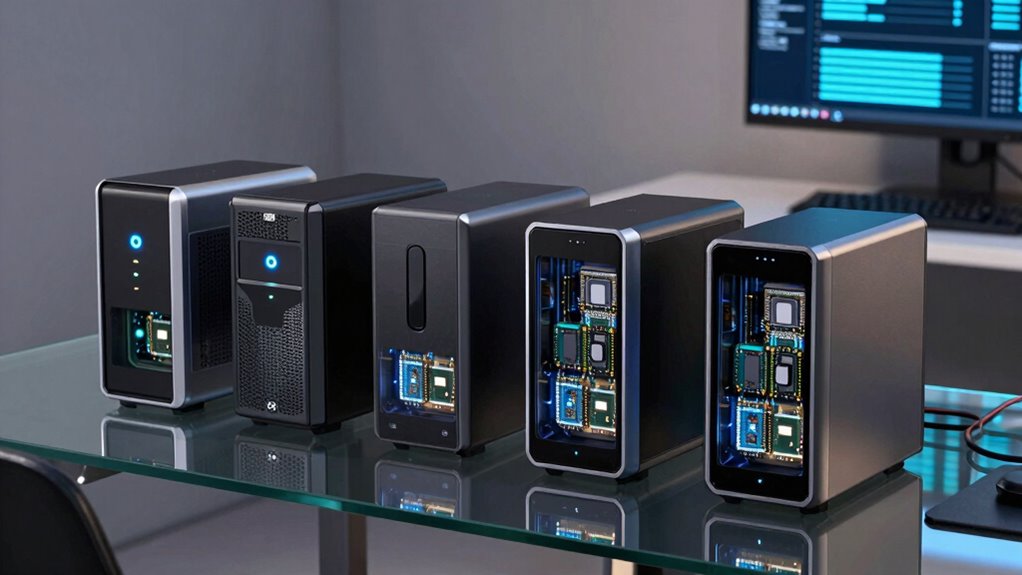

If you’re a developer looking for a NAS that accelerates workflows with SSD caching, the options can be overwhelming. The UGREEN NAS DXP4800 GT stands out with its powerful AMD Ryzen processor and extensive expandability, perfect for multitasking-heavy environments. For those prioritizing raw speed for media editing or large file transfers, the UGREEN NAS DXP480T Plus offers blazing-fast data access via all-flash SSDs and a robust Intel Core i5 chip. Meanwhile, the UGREEN NAS DXP4800 Pro caters to power users and IT pros needing virtualization, security, and massive storage capacity. Each choice involves tradeoffs—whether it’s setup complexity, cost, or physical size—so understanding your specific workload and environment is key to selecting the best NAS for your development needs.

Get business pricing on monitors, keyboards and dev gear
- Business-only prices and quantity discounts
- Tax-exempt purchasing
- Multiple users, one account, clear invoices
Key Takeaways
- The UGREEN NAS DXP4800 GT offers high expandability and multimedia versatility but requires technical setup and additional drive purchases.
- The UGREEN NAS DXP480T Plus delivers exceptional speed with all-flash SSDs, ideal for media professionals but at a higher cost and with limited capacity for larger storage needs.
- The UGREEN NAS DXP4800 Pro provides extensive features for advanced workflows, virtualization, and security, suitable for IT professionals but with a more complex setup process.
- Smaller NAS options like the Asustor Lockerstor 2 Gen2+ and TERRAMASTER F6-424 balance performance and affordability but lack the same level of SSD caching flexibility or capacity.
- Choosing between these models depends heavily on workload demands, ease of use, and future scalability considerations.
| UGREEN NAS DXP4800 GT 4-Bay for Creators, Tech Enthusiasts, and Office Teams |  | Best Overall for Power and Expandability | Processor: AMD Ryzen Embedded R2514, 4 cores, up to 3.70GHz | RAM: 8GB DDR4, expandable to 64GB | Storage Capacity: Up to 144TB (with SSD support) | VIEW ON AMAZON | See Our Full Breakdown |
| UGREEN NAS DXP480T Plus 4-Bay All-Flash SSD for Creators & Video Editors |  | Best for Speed and Media Work | Network Speed: 1250MB/s | Wi-Fi: Wi-Fi 6 | Processor: 12th Gen Intel Core i5 | VIEW ON AMAZON | See Our Full Breakdown |
| UGREEN NAS DXP4800 Pro 4-Bay for IT Professionals, Developers & Power Users |  | Best for Power Users and Virtualization | Processor: Intel Core i3-1315U, 6 cores | RAM: 8GB DDR5, expandable to 96GB | Storage Capacity: Up to 144TB | VIEW ON AMAZON | See Our Full Breakdown |
| Asustor Lockerstor 2 Gen2+ AS6702T v2 2-Bay NAS |  | Compact Network Storage with 5GbE | Processor: Intel Celeron N5105 | Memory: 4GB DDR4, expandable to 16GB | Network: Dual 5GbE ports | VIEW ON AMAZON | See Our Full Breakdown |
| TERRAMASTER F6-424 NAS 6-Bay, Intel N95 4-Core CPU, 8GB DDR5 (Diskless) |  | Best for Small Business Storage and Reliability | CPU: Intel N95 4-core 3.4GHz | Memory: 8GB DDR5, upgradable to 32GB | Ethernet: Dual 2.5G ports | VIEW ON AMAZON | See Our Full Breakdown |
| nas with ssd cache for developer | Processor | Storage Capacity |
|---|---|---|
| UGREEN NAS DXP4800 GT 4-Bay fo | AMD Ryzen Embedded R2514, 4 cores, up to 3.70GHz | Up to 144TB (with SSD support) |
| UGREEN NAS DXP480T Plus 4-Bay | 12th Gen Intel Core i5 | Up to 32TB |
| UGREEN NAS DXP4800 Pro 4-Bay f | Intel Core i3-1315U, 6 cores | Up to 144TB |
| Asustor Lockerstor 2 Gen2+ AS6 | Intel Celeron N5105 | — |
| TERRAMASTER F6-424 NAS 6-Bay | — | — |
More Details on Our Top Picks
UGREEN NAS DXP4800 GT 4-Bay for Creators, Tech Enthusiasts, and Office Teams
The UGREEN NAS DXP4800 GT stands out for its high-performance AMD Ryzen Embedded R2514 processor, making it suitable for demanding multitasking and intensive workloads. Its dual 10GbE ports with support for link aggregation provide excellent network throughput, essential for developers transferring large files or running multiple virtual environments. The system’s expandability—up to 144TB combined with multiple SSD slots—enables future growth, but drives are not included, adding to the initial cost. Its versatile ecosystem supports media, backups, and virtual apps, yet some features like Plex via Docker might require technical setup, making this a strong choice for users comfortable with configuration. It’s best suited for small teams or advanced developers needing both raw power and flexibility.
Pros:- Powerful AMD Ryzen processor with multi-core performance
- Dual 10GbE ports support high-speed networking
- Supports large storage capacity up to 144TB
- Versatile ecosystem for various applications
Cons:- Drives are sold separately
- Setup for advanced features like Docker may be complex
- Pre-installed RAM is non-ECC
Best for: Developers needing high-performance multitasking, media processing, and extensive storage expansion.
Not ideal for: Casual users or those seeking a simple, plug-and-play NAS without the need for extensive setup or additional purchases.
- Processor:AMD Ryzen Embedded R2514, 4 cores, up to 3.70GHz
- RAM:8GB DDR4, expandable to 64GB
- Storage Capacity:Up to 144TB (with SSD support)
- Network:Dual 10GbE ports
- Drive Bays:4 SATA, 2 U.2 NVMe, 2 M.2 SSD slots
- Connectivity:USB 3.2, USB-C, HDMI
Our verdict“A robust, expandable NAS ideal for demanding development environments that require both speed and flexibility.”
UGREEN NAS DXP480T Plus 4-Bay All-Flash SSD for Creators & Video Editors
The UGREEN NAS DXP480T Plus is built for creators and video editors who depend on fast access to large files. Its all-flash architecture, combined with a powerful 12th Gen Intel Core i5 processor, ensures quick data retrieval and smooth editing workflows. The 1250MB/s transfer speed and Wi-Fi 6 support offer excellent network performance, ideal for collaborative environments. Its capacity tops out at 32TB, which suffices for high-speed projects but may fall short for users with extensive media libraries. While drives are not included and upgrades are necessary, this NAS excels in speed for those who prioritize rapid access over bulk storage—making it suitable for editing teams or media professionals with smaller datasets but high throughput needs.
Pros:- Exceptional data transfer speeds with all-flash SSDs
- Supports Wi-Fi 6 and 10GbE for fast networking
- Powerful Intel Core i5 processor handles demanding tasks
- Multiple RAID options for data security
Cons:- Limited maximum capacity at 32TB
- Drives are not included
- Higher price point for performance
Best for: Media professionals and creators needing fast access to files for editing and rendering.
Not ideal for: Developers requiring large, expandable storage or managing extensive datasets over time.
- Network Speed:1250MB/s
- Wi-Fi:Wi-Fi 6
- Processor:12th Gen Intel Core i5
- Storage Capacity:Up to 32TB
- RAID Support:JBOD, Basic, RAID0/1/5/6/10
- Number of Bays:4
Our verdict“A high-speed NAS best suited for media workflows where rapid file access outweighs large capacity needs.”
UGREEN NAS DXP4800 Pro 4-Bay for IT Professionals, Developers & Power Users
The UGREEN NAS DXP4800 Pro caters to IT pros and developers requiring virtualization, security, and vast storage options. Its Intel Core i3-1315U processor, with 6 cores and turbo up to 4.5GHz, provides a solid foundation for running multiple virtual machines and Docker containers. With expandable RAM up to 96GB and support for 144TB of storage, this model offers exceptional scalability. Its support for advanced security features like Data Vault encryption and user permissions makes it suitable for sensitive development environments. However, its setup complexity and physical size might be daunting for less technical users, and the initial cost can be high. This pick makes the most sense for teams managing complex workflows, testing environments, or needing extensive data security.
Pros:- Supports virtualization and Docker containers
- Massive RAM and storage scalability
- Enhanced security features for sensitive data
- High-performance hardware
Cons:- Setup can be complex for beginners
- Expensive initial investment
- Large physical footprint
Best for: Developers and IT professionals managing virtualization, high security, and large datasets.
Not ideal for: Casual or home users seeking straightforward setup and minimal configuration.
- Processor:Intel Core i3-1315U, 6 cores
- RAM:8GB DDR5, expandable to 96GB
- Storage Capacity:Up to 144TB
- Network Ports:10GbE + 2.5GbE
- Supported RAID:0, 1, 5, 10
- Maximum User Accounts:2048
Our verdict“A versatile, high-capacity NAS designed for demanding virtualized and secure development environments.”
Asustor Lockerstor 2 Gen2+ AS6702T v2 2-Bay NAS
The Asustor Lockerstor 2 Gen2+ offers a balance of performance and simplicity, featuring dual 5GbE ports and four M.2 NVMe slots for SSD caching. Its compact 2-bay design makes it suitable for small offices or home environments where space is limited but performance still matters. While it supports 4K transcoding and expandable RAM up to 16GB, it might fall short for users with intensive workloads or those needing massive storage capacity. The diskless setup means additional investment in drives, and its configuration could be tricky for those unfamiliar with NAS systems. This model is ideal for content creators or small teams seeking reliable, fast caching with minimal fuss.
Pros:- Dual 5GbE network ports for fast connectivity
- Supports four M.2 NVMe SSDs for caching
- Compact and space-efficient design
- Supports 4K media streaming
Cons:- Limited to 2 drive bays, less scalability
- Requires purchasing drives separately
- Setup complexity for advanced features
Best for: Small offices or creative professionals needing quick file access and media streaming.
Not ideal for: Large-scale development projects or users requiring extensive storage capacity.
- Processor:Intel Celeron N5105
- Memory:4GB DDR4, expandable to 16GB
- Network:Dual 5GbE ports
- SSD Slots:4 M.2 NVMe
- Media Support:4K transcoding
- Form Factor:2-Bay NAS
Our verdict“A space-efficient, fast NAS suitable for small teams or creative professionals with moderate storage needs.”
TERRAMASTER F6-424 NAS 6-Bay, Intel N95 4-Core CPU, 8GB DDR5 (Diskless)
The TERRAMASTER F6-424 offers a practical solution for small to medium-sized businesses. Its Intel N95 quad-core CPU and DDR5 memory provide reliable performance, especially when combined with its support for multiple RAID configurations. Its six-drive bays support large datasets and flexible expansion, though it requires users to purchase drives separately. The dual 2.5G Ethernet ports facilitate high-speed network access, and its tool-less SSD installation simplifies upgrades. This NAS is less about raw speed and more about dependable storage and data security, making it a solid choice for teams that need scalable, reliable network storage without excessive complexity.
Pros:- Solid hardware with an Intel N95 CPU
- Supports multiple RAID levels for redundancy
- Easy SSD upgrades with tool-free design
- Supports large storage configurations
Cons:- No drives included, additional costs apply
- Setup can be complex for non-technical users
- Less emphasis on high-speed caching
Best for: Small business environments needing reliable storage and RAID flexibility.
Not ideal for: Power users requiring high-speed SSD caching or intensive virtualization.
- CPU:Intel N95 4-core 3.4GHz
- Memory:8GB DDR5, upgradable to 32GB
- Ethernet:Dual 2.5G ports
- Drive Bays:6
- Form Factor:Diskless
- Max RAM:32GB
Our verdict“A dependable, scalable NAS best suited for business storage needs with a focus on reliability over speed.”

How We Picked
Our selection process focused on NAS devices with robust SSD caching capabilities tailored for development environments. We prioritized hardware that offers high-speed data access, expandability, and reliable multi-user performance. Devices were evaluated based on processor power, RAM capacity, SSD support, network connectivity (especially 10GbE or higher), and software ecosystem. We also considered user interface complexity, upgrade options, and real-world tradeoffs like cost and setup difficulty to ensure the lineup covers a range of developer needs—from beginners to power users and enterprise environments.
| nas with ssd cache for developer | Storage Capacity |
|---|---|
| UGREEN NAS DXP4800 GT 4-Bay fo | Up to 144TB (with SSD support) |
| UGREEN NAS DXP480T Plus 4-Bay | Up to 32TB |
| UGREEN NAS DXP4800 Pro 4-Bay f | Up to 144TB |
| Asustor Lockerstor 2 Gen2+ AS6 | — |
| TERRAMASTER F6-424 NAS 6-Bay | — |
Factors to Consider When Choosing Nas With Ssd Cache For Developers
Selecting a NAS with SSD cache for development work hinges on balancing speed, expandability, and ease of use. Developers need to assess their workload—whether it’s large-scale code repositories, media editing, virtualization, or data security—and match these needs against hardware capabilities. SSD caching can significantly improve performance in workflows involving frequent small file access or large datasets, but not all NAS models implement caching equally or at the same level of performance. Understanding network connectivity, drive support, and future expansion options will help determine the right fit for your development environment.
Performance and Speed
For developers working with large files or running virtual machines, high throughput and low latency are essential. NAS devices with SSD caching leverage M.2 or U.2 SSDs to accelerate access to frequently used data. Look for models with support for PCIe SSDs, high-speed network interfaces like 10GbE or higher, and processors capable of handling intensive workloads without bottlenecks. The all-flash options excel here, but traditional hybrid setups can also offer a good balance of speed and capacity.
Expandability and Storage Capacity
Many development scenarios require scalable storage. Consider NAS units with multiple drive bays, support for large capacity drives, and the ability to add SSDs for caching separately from storage disks. Models like the UGREEN NAS DXP4800 GT and Pro offer extensive expansion options, while smaller units may restrict future growth. Think about your current needs and potential growth; investing in a system that can be upgraded over time prevents costly replacements later.
Ease of Use and Ecosystem
While performance is key, ease of setup and management can’t be overlooked. User-friendly interfaces, comprehensive management tools, and good community or vendor support simplify maintenance. Some models come with pre-configured software ecosystems supporting backups, virtualization, or media serving, which reduces the technical barrier. Conversely, high-performance units with advanced features may require more technical expertise but offer greater customization and control.
Security and Reliability
Developers often handle sensitive data, making security features like encryption, user permissions, and secure remote access vital. RAID support ensures data redundancy, while features like multi-factor authentication help protect against breaches. Evaluate the security protocols supported by each NAS, especially if remote access or cloud integration is involved. Reliability also depends on build quality and firmware stability, so consider models with good track records and ongoing support.
Frequently Asked Questions
What is SSD caching in a NAS, and why is it useful for developers?
SSD caching in a NAS involves using solid-state drives to temporarily store frequently accessed data, dramatically reducing access times and improving overall system responsiveness. For developers, this means faster access to code repositories, build files, or virtual machine images, especially when working with large datasets or multiple users. Caching effectively minimizes bottlenecks caused by spinning disks, enabling more efficient workflows and reducing wait times during intensive tasks.
How does network connectivity impact NAS performance for development tasks?
Network connectivity critically influences how quickly data moves between your devices and the NAS. For development work, especially when collaborating across teams or accessing large files remotely, high-speed interfaces like 10GbE or higher are recommended. These interfaces ensure that network bottlenecks don’t undermine the benefits of SSD caching. Without fast network ports, even the most capable internal hardware can become a limiting factor, slowing down workflows significantly.
Is it better to have a NAS with all-flash SSDs or hybrid storage for development?
Choosing between all-flash SSDs and hybrid storage depends on your workload. All-flash NAS devices, like the UGREEN NAS DXP480T Plus, offer maximum speed and low latency, ideal for editing, virtualization, or high-frequency access scenarios. Hybrid systems, which combine HDDs for storage and SSDs for caching, provide a balance of capacity and speed at a lower cost. For demanding development environments with frequent small file access, all-flash setups tend to deliver better performance, while hybrid systems are suitable for larger datasets with less intensive access patterns.
What should I consider when expanding storage capacity in a NAS for development?
When planning for expansion, look for NAS units with multiple drive bays and support for large capacity drives. Check if the NAS supports hot-swapping, which allows drives to be added or replaced without downtime. Also, consider the type of RAID configurations supported, as they influence redundancy and performance. Keep in mind future SSD caching needs—some models let you add SSDs later, while others require upfront planning. Ensuring compatibility and scalability now can save time and money later.
Are pre-installed drives necessary for a NAS used for development?
Pre-installed drives are generally not necessary, as most NAS devices are sold diskless to allow users to choose drives that meet their specific capacity, performance, and budget requirements. This approach provides flexibility to optimize storage and caching configurations, especially for development environments where SSDs are preferred for caching and HDDs for bulk storage. However, it does mean an extra step to purchase and install drives, which can delay deployment but ultimately offers more tailored solutions.
Conclusion
For developers prioritizing raw performance and expandability, the UGREEN NAS DXP4800 GT provides a versatile, powerful platform capable of handling complex workflows. Those focused on media editing or high-speed data access will benefit most from the UGREEN NAS DXP480T Plus, which excels with all-flash SSDs and fast networking. Power users and IT teams managing virtualization or large datasets should consider the UGREEN NAS DXP4800 Pro for its scalability and security features. Smaller teams or creative professionals with space constraints might find the Asustor Lockerstor 2 Gen2+ or TERRAMASTER F6-424 more fitting, offering a balance of speed, reliability, and ease of setup. Ultimately, your choice hinges on workload demands, future expansion plans, and technical comfort level.
Fall Picks
fall essentials
As an affiliate, we earn on qualifying purchases.