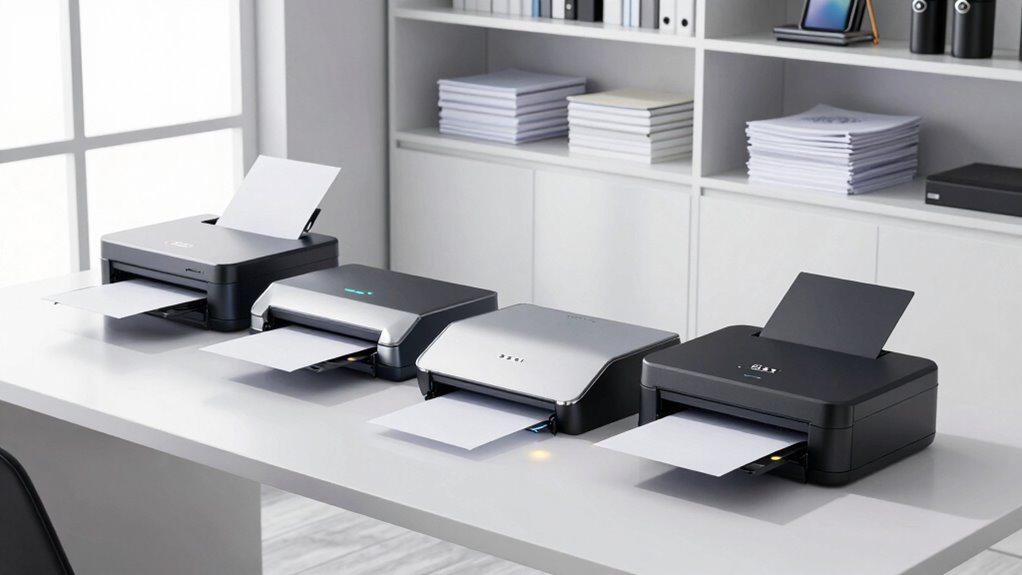
For a paperless office, duplex scanners are essential tools that streamline digitization by scanning both sides of documents simultaneously. The HP ScanJet Pro 3000 s4 stands out as the overall best for its speed and reliability, while the ScanSnap iX2500 offers excellent wireless capabilities for busy teams. The main tradeoffs often involve balancing speed, connectivity, size, and cost. Keep reading for a full breakdown of the best options to find the perfect fit for your office needs.

Get business pricing on monitors, keyboards and dev gear
- Business-only prices and quantity discounts
- Tax-exempt purchasing
- Multiple users, one account, clear invoices
Key Takeaways
- Speed and automatic document feeding are key factors for high-volume offices, with the HP ScanJet Pro 3000 s4 leading in throughput.
- Wireless features like Wi-Fi and app integration significantly improve flexibility, as seen with the Epson Workforce ES-580W and ScanSnap iX2500.
- Portability matters for remote or mobile workers, making compact models like the Brother DS-740D appealing despite fewer features.
- Ease of use, such as one-touch scanning and minimal setup, can save time in daily workflows, favoring models like the Canon R10 and R30.
- Price often correlates with features; budget options can be effective but may lack speed or wireless connectivity, which are critical for paperless offices.
| HP ScanJet Pro 3000 s4 2-Sided Scanner with Auto Document Feeder |  | Best Overall for Small Businesses with High Volume Needs | Auto Document Feeder Capacity: 50 pages | Scan Speed: 40 ppm / 80 ipm | Daily Scan Volume: up to 4,000 pages | VIEW ON AMAZON | See Our Full Breakdown |
| Epson WorkForce ES-400 II High-Speed Color Duplex Desktop Document Scanner |  | Best for Office Efficiency with Seamless Cloud Integration | Auto Document Feeder: 50 sheets | Scanning Technology: Color duplex | Connectivity: TWAIN driver, cloud services | VIEW ON AMAZON | See Our Full Breakdown |
| ScanSnap iX2500 Wireless and USB High-Speed Document Scanner |  | Best for Tech-Savvy Users Needing Flexibility and Customization | Scanning Speed: 45 ppm | Document Feeder Capacity: 100 sheets | Connectivity: Wi-Fi 6, USB-C | VIEW ON AMAZON | See Our Full Breakdown |
| Epson Workforce ES-580W Wireless Color Duplex Desktop Document Scanner |  | Best for Wireless Flexibility with Large Capacity | Touchscreen: 4.3 inches | Auto Document Feeder: 100 sheets | Scan Speed: 35 pages per minute | VIEW ON AMAZON | See Our Full Breakdown |
| ScanSnap iX2400 High-Speed One-Touch Button Color Document Scanner, Black |  | Best for Quick, Reliable Scanning with Simple Operation | Speed: 45 pages per minute | Feeder Capacity: 100 sheets | Connectivity: Wired USB | VIEW ON AMAZON | See Our Full Breakdown |
| Canon imageFORMULA R10 Portable Document Scanner |  | Best for Mobile Professionals on the Go | Power Consumption: 2.5W or less | Suggested Daily Volume: 500 scans | Scanning Speed: 12 pages per minute | VIEW ON AMAZON | See Our Full Breakdown |
| Brother DS-740D Duplex Compact Mobile Document Scanner |  | Best for Versatile On-the-Go Document Management | Scan Speed: 16 ppm | Duplex Scanning: Yes | Connectivity: Micro USB 3.0 | VIEW ON AMAZON | See Our Full Breakdown |
| Canon imageFORMULA R30 Office Document Scanner with Auto Document Feeder |  | Best for Fast, Batch Office Scanning | Document Handling: Automatic Document Feeder | Scanning Speed: 25 pages per minute | Automatic Feeder Capacity: 60 sheets | VIEW ON AMAZON | See Our Full Breakdown |
| duplex scanners for paperless office | Connectivity |
|---|---|
| HP ScanJet Pro 3000 s4 2-Sided | USB 3.0 |
| Epson WorkForce ES-400 II High | TWAIN driver, cloud services |
| ScanSnap iX2500 Wireless and U | Wi-Fi 6, USB-C |
| Epson Workforce ES-580W Wirele | Wireless, USB |
| ScanSnap iX2400 High-Speed One | Wired USB |
| Canon imageFORMULA R10 Portabl | — |
| Brother DS-740D Duplex Compact | Micro USB 3.0 |
| Canon imageFORMULA R30 Office | USB |
More Details on Our Top Picks
HP ScanJet Pro 3000 s4 2-Sided Scanner with Auto Document Feeder
The HP ScanJet Pro 3000 s4 stands out for its impressive speed of 40 ppm and a high daily volume capacity of up to 4,000 pages, making it ideal for small offices handling large quantities of documents. Compared to the Epson WorkForce ES-580W, it offers faster throughput but lacks wireless connectivity, which could be a limitation for teams relying on mobility. Its versatile document handling from business cards to A4 sheets adds to its practicality, though the need for a USB 3.0 connection means it’s less flexible for wireless setups. This model suits small businesses that prioritize volume and speed over wireless features, but it’s less appropriate for remote or mobile work environments. Tradeoffs include wired-only connectivity and a focus on high-volume workflows rather than casual scanning.
Pros:- Fast duplex scanning speeds of 40 ppm
- High daily volume capacity (up to 4,000 pages)
- Versatile document handling from business cards to A4 sheets
Cons:- Requires USB 3.0 connection, limiting wireless options
- Designed mainly for small business use, not casual or home offices
Best for: Small business teams with high scanning volume needs who operate primarily from a fixed workspace.
Not ideal for: Remote workers or small offices that require wireless flexibility and mobile device compatibility.
- Auto Document Feeder Capacity:50 pages
- Scan Speed:40 ppm / 80 ipm
- Daily Scan Volume:up to 4,000 pages
- Connectivity:USB 3.0
- Supported Operating Systems:Windows 11
Our verdict“This scanner is best suited for small offices with high-volume workflows that prioritize speed over wireless flexibility.”
Epson WorkForce ES-400 II High-Speed Color Duplex Desktop Document Scanner
The Epson WorkForce ES-400 II excels in delivering high-speed, color duplex scans with a 50-sheet automatic feeder and intuitive software that simplifies preview, editing, and sharing. Compared with the ScanSnap iX2500, it offers less advanced touchscreen features but provides reliable, straightforward office functionality. Its seamless integration with cloud services and document management systems makes it ideal for teams that want a hassle-free workflow. However, it’s primarily designed for office environments and might be overkill for casual or home use. Its main tradeoff is a lack of wireless connectivity, which could hinder mobility. This scanner is perfect for small to medium offices prioritizing speed and integration over wireless flexibility.
Pros:- High-speed scanning with a 50-sheet feeder
- User-friendly software with OCR and file management
- Excellent integration with cloud storage and document systems
- Reliable double feed detection
Cons:- Designed primarily for office use, not casual or mobile environments
- Limited to desktop setup
Best for: Office teams that need fast, reliable scanning with cloud workflow integration and minimal fuss.
Not ideal for: Remote users or those requiring wireless or mobile scanning options for on-the-go use.
- Auto Document Feeder:50 sheets
- Scanning Technology:Color duplex
- Connectivity:TWAIN driver, cloud services
- OCR:Yes
- Double Feed Detection:Ultrasonic
Our verdict“This scanner is ideal for office settings demanding efficient, integrated document workflows with reliable speed and features.”
ScanSnap iX2500 Wireless and USB High-Speed Document Scanner
The ScanSnap iX2500 makes a strong case with a large 4.3-inch touchscreen, supporting dual connectivity via Wi-Fi 6 and USB-C, making it highly adaptable for various workflows. Compared to the Epson ES-580W, it offers more advanced wireless options and a customizable interface, but at a higher price point and with potentially more complex setup. Its automatic optimizations, multi-feed sensor, and skew detection help ensure reliable, organized scans, even with diverse paper types. However, its complexity can be intimidating for first-time users, and wireless setup may require some patience. This pick suits those who want a premium, connected experience and are comfortable with advanced features.
Pros:- Fast double-sided scanning at 45 ppm
- Large 4.3-inch touchscreen for easy navigation
- Supports Wi-Fi 6, USB-C, and cloud connectivity
- Automatic optimizations and multi-feed detection
Cons:- May be complex for first-time users to configure
- Relatively high price
Best for: Tech-savvy professionals who value wireless convenience and customizable workflows.
Not ideal for: Less experienced users or small offices on a tight budget who prefer simple, plug-and-play devices.
- Scanning Speed:45 ppm
- Document Feeder Capacity:100 sheets
- Connectivity:Wi-Fi 6, USB-C
- Features:Touchscreen, auto-optimizations
Our verdict“This scanner is best suited for users seeking a high-tech, flexible solution that emphasizes wireless and cloud integration.”
Epson Workforce ES-580W Wireless Color Duplex Desktop Document Scanner
The Epson Workforce ES-580W offers a significant 100-sheet auto document feeder and fast duplex scanning at 35 pages per minute, making it suitable for demanding office environments. Compared with the HP ScanJet Pro 3000 s4, it emphasizes wireless capabilities, supporting direct cloud and USB saving, but trades off some speed and volume capacity. Its 4.3-inch touchscreen and OCR capabilities facilitate professional-quality scans. However, it doesn’t specify multi-user support, which could limit its effectiveness in multi-user environments. This model works well for offices that need large capacity and wireless flexibility, but it might be less suitable for small teams or casual users with lower volume needs.
Pros:- Fast duplex scanning at 35 ppm
- Wireless connectivity with direct cloud and USB options
- Large 100-sheet automatic document feeder
- OCR for searchable PDFs
Cons:- No mention of multi-user support
- Potentially high cost for casual or home use
Best for: Offices requiring large capacity, wireless connectivity, and flexible saving options.
Not ideal for: Small teams or users who prefer wired, budget-friendly, or simpler scanners without extensive wireless features.
- Touchscreen:4.3 inches
- Auto Document Feeder:100 sheets
- Scan Speed:35 pages per minute
- Connectivity:Wireless, USB
- Double-sided scanning:Yes
- OCR:Yes
Our verdict“This scanner is best for offices needing large capacity and wireless flexibility for professional workflows.”
ScanSnap iX2400 High-Speed One-Touch Button Color Document Scanner, Black
The ScanSnap iX2400 emphasizes simplicity and speed, offering a 45 ppm rate and a 100-sheet feeder, making it a solid choice for organized digitization. Compared to the Epson ES-400 II, it focuses on one-touch operation and reliability rather than advanced cloud or wireless features. Its automatic document detection and cleanup streamline workflows, especially for receipts, business cards, and photos. The wired USB connection ensures consistent performance but limits mobility and multi-device flexibility. This pick is ideal for users who want fast, dependable scanning with minimal fuss, though it might be less suitable for those needing wireless or mobile features.
Pros:- Fast scanning speed of 45 pages per minute
- Automatic document detection and cleanup
- Reliable wired USB connection
- User-friendly software interface
Cons:- Limited to wired USB connection, no wireless option
- Higher cost for advanced features
Best for: Users needing quick, organized scans with straightforward software, especially in fixed workspace environments.
Not ideal for: Mobile or wireless-dependent users who require flexible device connectivity and multi-device support.
- Speed:45 pages per minute
- Feeder Capacity:100 sheets
- Connectivity:Wired USB
- Color:Black
Our verdict“This scanner suits users seeking fast, dependable performance with simple operation in a fixed setup.”
Canon imageFORMULA R10 Portable Document Scanner
The Canon imageFORMULA R10 stands out for its portability and ease of use, making it an excellent choice for those who need to digitize documents while traveling or working remotely. Compared to the larger R30, it offers a lighter, more compact design, though it sacrifices some speed and capacity. Its built-in software simplifies setup without needing additional drivers, but it isn’t suited for scanning photographic media or high-volume tasks. The R10’s fast duplex scanning at 12 pages per minute and compatibility with both Windows and Mac make it a versatile tool for mobile paperless workflows. However, its suggested daily volume of 500 scans may limit heavy users who require more robust solutions.Pros:- Lightweight and portable for on-the-move use
- Fast duplex scanning with a 20-sheet automatic feeder
- Compatible with Windows and Mac platforms
Cons:- Not suitable for scanning photographs or glossy media
- Limited daily volume capacity may not meet high-volume needs
Best for: Frequent travelers and mobile workers needing quick, reliable document scanning without bulky equipment
Not ideal for: High-volume office environments or users who need to scan photos or large batches regularly
- Power Consumption:2.5W or less
- Suggested Daily Volume:500 scans
- Scanning Speed:12 pages per minute
- Automatic Document Feeder:20 sheets
- Compatibility:Windows and Mac
- Energy Certification:ENERGY STAR
Our verdict“This scanner is perfect for mobile professionals prioritizing portability and quick document conversion over high-volume capacity.”
Brother DS-740D Duplex Compact Mobile Document Scanner
The Brother DS-740D offers a compelling balance of speed and portability, making it ideal for users who need to scan batches of documents quickly in small spaces. Its 16 pages per minute duplex speed is slightly slower than the R30 but still suitable for most mobile workflows. Its compact size—less than a foot long—fits easily into bags, and support for multiple platforms including Linux broadens its appeal. The USB power connection simplifies setup, but the reliance on micro USB 3.0 might limit compatibility with newer devices or those without existing ports. The software setup can also be a hurdle for less tech-savvy users, especially when integrating with cloud services or OCR.Pros:- Compact and highly portable, easily fits in bags
- Fast duplex scanning at 16 pages per minute
- Supports multiple platforms and cloud integrations
Cons:- Limited to micro USB 3.0, which may cause compatibility issues
- Lacks wireless connectivity, restricting remote operation
Best for: Business travelers and small teams needing quick, multi-platform document scanning with cloud support
Not ideal for: Users with larger documents or those seeking wireless connectivity for greater flexibility
- Scan Speed:16 ppm
- Duplex Scanning:Yes
- Connectivity:Micro USB 3.0
- Compatibility:Windows, Mac, Linux
- Dimensions:Less than 1 foot in length
- Power:USB powered
Our verdict“This scanner suits mobile professionals who value speed and cross-platform support but don’t require wireless features or large document handling.”
Canon imageFORMULA R30 Office Document Scanner with Auto Document Feeder
The Canon imageFORMULA R30 is designed for steady office workflows, providing a faster duplex scan rate of 25 pages per minute that surpasses both the R10 and the DS-740D. Its 60-sheet automatic document feeder handles larger batches with ease, making it suitable for busy environments. The built-in software allows quick setup without needing extra drivers, and its USB connectivity keeps the setup straightforward. The absence of wireless or network options limits its flexibility in certain office setups, and it doesn’t specify OCR or advanced editing features, which could be a drawback for users needing searchable PDFs or detailed document management. It strikes a good balance between speed, capacity, and simplicity for small to medium offices.Pros:- Fast duplex scanning at 25 pages per minute
- Large 60-sheet automatic document feeder
- Easy setup with built-in software
Cons:- Limited to USB connectivity, no wireless or Ethernet options
- No explicit mention of OCR or advanced document management features
Best for: Small to medium office teams needing reliable, high-speed batch scanning with minimal setup
Not ideal for: Remote workers or those requiring wireless or networked scanning options
- Document Handling:Automatic Document Feeder
- Scanning Speed:25 pages per minute
- Automatic Feeder Capacity:60 sheets
- Connectivity:USB
- Software:Built-in, no installation required
Our verdict“This scanner is ideal for office environments where speed, batch capacity, and straightforward operation are prioritized over wireless flexibility.”

How We Picked
These scanners were evaluated based on performance, speed, and reliability in high-volume scanning environments typical of paperless offices. Ease of use, connectivity options, and build quality were also key factors, as these influence daily productivity and integration with digital workflows. Price was considered alongside value, ensuring options suit different budgets while maintaining core functionality. The ranking emphasizes models that balance speed, user experience, and versatility, helping typical office users make informed choices based on their specific needs.Factors to Consider When Choosing Duplex Scanners For Paperless Offices
Choosing the right duplex scanner requires understanding several core factors that impact daily use and long-term value. While high speed and duplex capability are fundamental, other considerations like connectivity, size, and ease of operation can influence overall efficiency. Recognizing these factors helps avoid common pitfalls like overpaying for unnecessary features or selecting a model too slow for your workload. Here are key points to keep in mind when selecting a duplex scanner for a paperless office.Scanning Speed and Capacity
For busy offices with high document throughput, speed becomes a critical factor. Look for models that can handle large batches quickly without frequent jams or delays. The ability to scan both sides simultaneously, known as duplex scanning, saves time and improves workflow. Consider your typical daily volume and choose a scanner that can comfortably meet or exceed those needs to avoid bottlenecks.
Connectivity Options
Wireless connectivity, including Wi-Fi and mobile app support, enhances flexibility, especially in shared office environments or remote work settings. USB connections are reliable but limit mobility, so consider your network setup and whether wireless features fit your workflow. Some scanners also support Ethernet or cloud integration, which can streamline document management across multiple users.
Size and Portability
While larger, high-capacity scanners excel in bulk processing, they may be less practical for small or remote offices. Compact, portable models like the Brother DS-740D suit mobile workers or those with limited space but often compromise on speed or capacity. Balance your workspace constraints with your scanning needs when choosing size and portability.
Ease of Use and Maintenance
Features like one-touch scanning, intuitive touchscreens, and minimal setup reduce daily frustration and training time. Maintenance factors, such as easy paper jams clearing and simple cleaning routines, also matter. A user-friendly scanner minimizes downtime and keeps your paperless workflow smooth, especially when multiple users rely on it regularly.
Budget and Value
Higher-priced models typically offer faster speeds, better build quality, and more advanced features, but may be unnecessary for light workloads. Budget options can perform adequately for small-scale use but might lack wireless or high-volume capabilities. Weigh your current needs against potential future requirements to choose a scanner that offers the best value without overspending.
Frequently Asked Questions
Is a higher scanning speed worth paying for in a duplex scanner?
Absolutely, if your office routinely scans large volumes of documents, a higher speed scanner can significantly improve efficiency by reducing processing time. Faster scanners often come with better build quality and more reliable feeding mechanisms, which minimize jams and downtime. However, for light or infrequent scanning, a slower but more affordable model might suffice, offering better value for your specific use case.
How important is wireless connectivity in a duplex scanner for a paperless office?
Wireless connectivity can be a game-changer, especially in shared or remote work environments. It allows multiple users to scan directly to their devices or cloud storage without physical connections, streamlining workflows. Still, it’s essential to ensure your network is secure and stable, as unreliable Wi-Fi can hinder productivity. For small offices or single users, wired models might be simpler and more dependable.
Can portable scanners handle high-volume scanning tasks?
Portable scanners like the Canon R10 or Brother DS-740D are designed for mobility and quick setup, but they generally have lower capacity and slower speeds compared to larger desktop models. They work well for occasional or on-the-go scanning but may struggle with high-volume daily tasks. For heavy workloads, investing in a dedicated, high-capacity scanner is usually more effective.
What features should I prioritize if I want a scanner for beginners?
Beginners will benefit from a model with straightforward, one-touch operation, minimal setup, and clear instructions. Devices with user-friendly interfaces, simple maintenance routines, and automatic document feeding help reduce the learning curve. Budget-friendly options like the Canon R30 or Brother DS-740D are good starting points, offering enough features to get started without overwhelming complexity.
Are there any common mistakes to avoid when buying a duplex scanner?
One common mistake is overpaying for features that won’t be used regularly, such as ultra-high speeds or advanced connectivity, which can inflate costs unnecessarily. Conversely, choosing a scanner with insufficient capacity or slow speeds can lead to frustration and workflow delays. It’s also easy to overlook compatibility with your existing software or network, so verifying integration options before purchasing is essential to prevent future headaches.
Conclusion
For offices prioritizing speed and reliability, the HP ScanJet Pro 3000 s4 offers a clear edge as the best overall choice. Small teams or budget-conscious users will find excellent value in models like the Canon R30 or Brother DS-740D. Those needing maximum convenience and wireless features should consider the Epson Workforce ES-580W or ScanSnap iX2500. Beginners and infrequent users will appreciate simplicity, while larger or high-volume operations should focus on speed and capacity. Carefully match your specific workflow needs with the right features to select the ideal duplex scanner for your paperless office.
As an affiliate, we earn on qualifying purchases.Halloween Picks
halloween