
TL;DR

Get business pricing on monitors, keyboards and dev gear
- Business-only prices and quantity discounts
- Tax-exempt purchasing
- Multiple users, one account, clear invoices
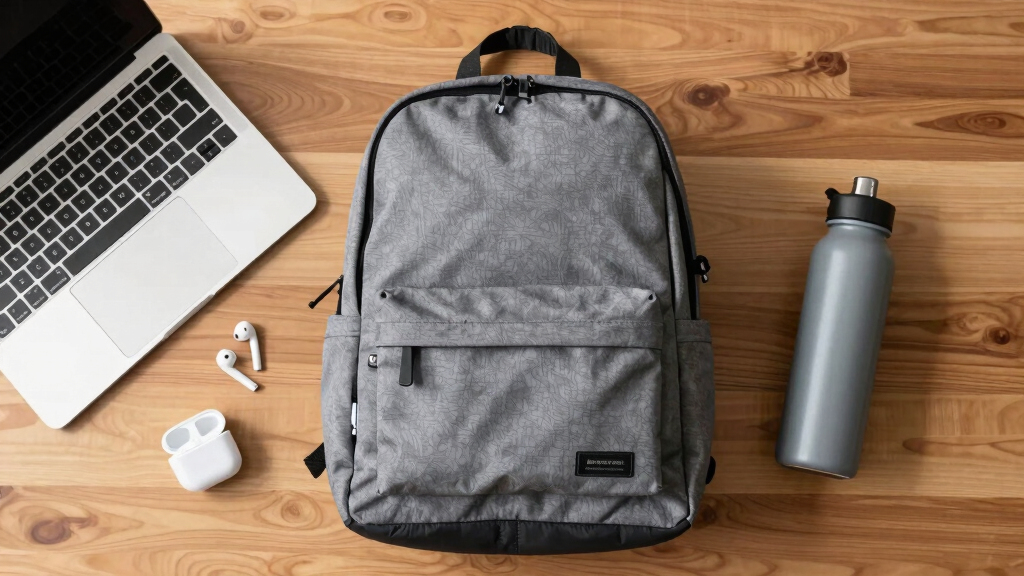
The best student laptop backpacks combine size compatibility, padded protection, and ergonomic design. Recent trends include tech features and eco-friendly materials, making your choice smarter and more sustainable.
Imagine lugging your heavy textbooks and a 15-inch laptop every day. Now, picture doing that with a backpack that feels like a burden or risks damaging your tech. That’s where the right backpack makes all the difference. It’s not just about carrying gear; it’s about choosing a trusted partner for your busy campus life.
In this guide, you’ll learn what makes a backpack truly student-friendly—size, protection, comfort, and style. Plus, we’ll explore recent innovations and real-world tips to help you pick the perfect fit for your daily grind.
Prioritize a backpack with a padded, dedicated compartment for your laptop to prevent damage.
Look for ergonomic designs with padded straps to avoid back pain during long days.
Stay updated on tech features like USB ports and anti-theft pockets for added convenience and security.
Choose eco-friendly backpacks if sustainability matters to you—many brands now offer recycled options.
Regular cleaning and maintenance extend your backpack’s lifespan and keep it looking sharp.
How to Pick a Backpack That Fits Your Laptop and Your Day
Choosing the right size is the first step. A backpack’s overall dimensions should match what you carry daily, especially your laptop. For instance, if you have a 15-inch laptop, look for a bag with a dedicated, padded compartment specifically designed for that size. This ensures your device is snug and protected from bumps, which is crucial because a loose fit can lead to damage over time. The importance of proper fit extends beyond safety; it influences your comfort. A bag that’s too tight may restrict movement or cause pressure points, while one that’s too loose can shift and cause imbalance, leading to fatigue. Finding that sweet spot—adequate room without excess bulk—means your load stays stable and your posture remains good.
When selecting a backpack, consider how its dimensions relate to your daily load. A larger bag might seem appealing for extra space but can tempt you to carry unnecessary items, increasing weight and strain. Conversely, a smaller bag might limit what you can carry, forcing you to leave essentials behind or carry multiple bags, which is inefficient. The goal is a balanced choice: enough capacity to hold your daily necessities comfortably, with a design that distributes weight evenly across your shoulders and hips, reducing long-term strain and preventing posture issues.
Action step: Measure your current load—include your laptop, notebooks, chargers, and personal items—and compare these to the backpack’s dimensions. Opt for a model slightly larger than your current needs to allow flexibility but avoid excess space that adds unnecessary weight. Remember, a well-fitted backpack distributes weight evenly, reducing fatigue and preventing strain over long days.
Tradeoff consideration: Larger backpacks provide more space but can tempt you to carry unnecessary items, increasing weight. Smaller, more tailored backpacks promote minimalism and reduce strain but might limit your ability to carry everything comfortably. Balance your needs with these tradeoffs to select a backpack that supports your daily routine without overburdening you.
15 inch laptop backpack with padded compartment
As an affiliate, we earn on qualifying purchases.
As an affiliate, we earn on qualifying purchases.
Top Features Students Need in a Laptop Backpack
Here’s what really matters when shopping for a student backpack. These features turn a basic bag into a reliable campus companion that protects your tech and enhances your daily experience. Understanding why each feature is important helps you prioritize your choices and avoid unnecessary extras.
- Padded Compartments: These are essential because they absorb shocks and impacts that occur during movement. Not all padding is equal; thicker, foam-based padding offers better protection but adds weight. The tradeoff is that more padding can make the bag heavier, so you need to balance protection with portability. For example, if you commute daily on foot or bike, extra padding helps prevent damage from bumps but may make the bag heavier to carry over long distances. Conversely, lighter padding suits students who prioritize mobility and are willing to handle their device carefully.
- Multiple Storage Pockets: Having separate compartments for chargers, stationery, and snacks helps keep your belongings organized and accessible. This organization reduces the time spent searching and minimizes the risk of forgetting items, which is crucial during busy days or exams. The implication here is efficiency—less time rummaging means more time focusing on your studies or social activities. However, too many small pockets can complicate packing and unpacking, so choose a design that balances accessibility with simplicity.
- Comfortable Straps & Back Support: Padded, adjustable straps help distribute weight evenly across your shoulders and back. An ergonomic design prevents pain and long-term posture issues. The tradeoff involves weight and bulk; more padding and support systems can add to the overall weight of the backpack, which might be a consideration if you carry it for many hours daily. Try on backpacks with similar weights to see how they feel—initial comfort often translates to less discomfort after hours of wear.
- Weather Resistance: This feature protects your electronics and books from rain, spills, and splashes. While waterproof fabrics are more effective, they often come at a higher cost and can add weight. The implication of choosing weather-resistant backpacks is greater peace of mind during unpredictable weather, but you might pay a premium or sacrifice some style or weight savings. Consider your climate and daily commute when selecting, as the right level of resistance can significantly prolong the lifespan of your belongings and your backpack itself.
- Durability: Reinforced stitching, high-quality zippers, and sturdy materials ensure your backpack lasts through semesters of daily use. Investing in durability is cost-effective over time because it reduces replacements and waste. The tradeoff may be a higher upfront cost and slightly heavier materials. Reading real-world reviews from students with similar usage patterns can help you find a durable option that balances cost and longevity.
Practical takeaway: Prioritize features based on your daily routines. For instance, if you bike to campus, water resistance and padded straps are more critical. If you carry heavy textbooks, focus on ergonomic support and padding. Assess your needs and choose a backpack that offers the best balance between protection, comfort, and practicality.
ergonomic student backpack with padded straps
As an affiliate, we earn on qualifying purchases.
As an affiliate, we earn on qualifying purchases.
Frequently Asked Questions
What’s the best backpack for carrying a 15-inch laptop?
Look for a backpack with a dedicated, padded compartment designed for 15-inch laptops. Brands like North Face and Herschel offer models with snug, secure fits that prevent your device from shifting or bumping around.Are waterproof backpacks worth it for students?
Absolutely. Waterproof or water-resistant backpacks protect your electronics and books from rain and spills, which are common on campus. They’re especially useful if you commute or bike to school.How do I pick a backpack that’s comfortable all day?
Focus on padded, adjustable straps and an ergonomic back panel. Lightweight fabrics also help reduce strain, making it easier to carry everything without back pain or shoulder discomfort.Are eco-friendly backpacks durable?
Yes, many eco-friendly backpacks made from recycled materials are just as durable as traditional ones. They often feature reinforced stitching and sturdy zippers, designed for everyday use.How often should I clean my backpack?
A good rule of thumb is to spot clean weekly and do a more thorough cleaning monthly. Regular maintenance keeps your backpack fresh and in top shape for semesters to come.eco-friendly recycled material laptop backpack
As an affiliate, we earn on qualifying purchases.
As an affiliate, we earn on qualifying purchases.
Conclusion
Your backpack isn’t just a bag; it’s your daily partner. Pick one that fits your tech, your style, and your comfort needs. With the right choice, your campus days will be smoother, safer, and more stylish.
Imagine your perfect backpack—lightweight, tough, and full of smart features. That’s the one that makes every walk across campus feel a little easier. Make that choice today, and carry your world with confidence.
back to school anti-theft backpack with USB port
As an affiliate, we earn on qualifying purchases.
As an affiliate, we earn on qualifying purchases.
Columbus Day / Indigenous Peoples' Day Picks
long weekend sales
As an affiliate, we earn on qualifying purchases.