

The Software Development Lifecycle (SDLC) guides you through turning ideas into working software by following structured approaches like Agile and Waterfall. Agile focuses on flexibility, ongoing feedback, and iterative progress, making it ideal for evolving projects. Waterfall is a linear process with clear stages, suited for well-defined, unchanging requirements. Choosing the right method depends on your project’s needs. Keep exploring to learn how these approaches can help you develop successful software efficiently.

Get business pricing on monitors, keyboards and dev gear
- Business-only prices and quantity discounts
- Tax-exempt purchasing
- Multiple users, one account, clear invoices
Key Takeaways
- SDLC is a structured process for developing software, guiding ideas from conception to deployment.
- The two main SDLC approaches are Agile, which is flexible, and Waterfall, which is sequential and plan-driven.
- Agile breaks projects into small sprints for continuous delivery and feedback, suitable for evolving requirements.
- Waterfall follows a linear sequence of phases: requirements, design, development, testing, and deployment, ideal for fixed projects.
- Choosing the right SDLC methodology depends on project scope, complexity, and need for flexibility, impacting success and stakeholder satisfaction.
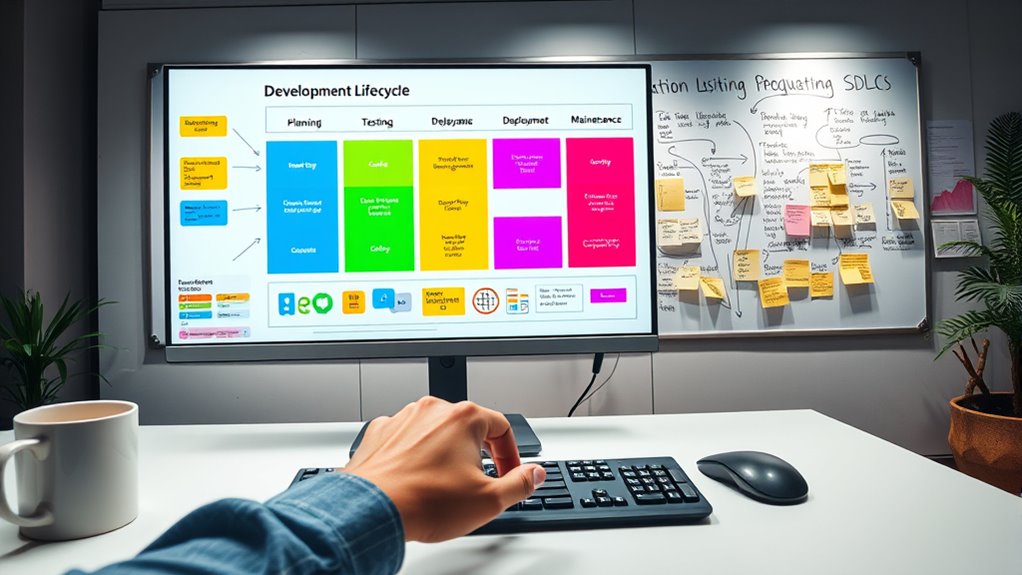
Have you ever wondered how software projects go from an idea to a fully functional product? The answer lies in understanding the different approaches within the Software Development Lifecycle (SDLC). Two of the most well-known methodologies are Agile and Waterfall. Each offers a distinct way to plan, develop, and deliver software, and knowing their differences can help you decide which best fits your project needs.
Agile methodologies focus on flexibility and continuous improvement. Instead of planning everything upfront, you break down the project into smaller parts called sprints. Each sprint lasts a few weeks and involves designing, coding, and testing a piece of the software. This way, you get working software early and often, which allows for feedback and adjustments along the way. Agile is ideal if your project requirements might change or if you want to involve users throughout development. It promotes collaboration among team members and encourages iterative progress, making it easier to adapt to new insights or shifting priorities.
Agile promotes flexibility, iterative progress, and continuous feedback through short development cycles called sprints.
On the other hand, the Waterfall process follows a linear, step-by-step approach. You start with a detailed planning phase, where you gather all requirements and document everything before moving forward. Once the planning is complete, you proceed to design, then development, testing, and finally deployment. Each phase must be finished before the next begins, which means you don’t revisit earlier stages unless you go back intentionally. Waterfall works well when your project has fixed requirements and little expected change. It provides a clear structure and well-defined milestones, making progress easy to track and manage for teams that prefer a more disciplined approach.
Additionally, understanding Water-based approaches can help you better manage project timelines and budgets by providing predictable phases and deliverables. Choosing between Agile and Waterfall depends on your project’s scope, complexity, and flexibility. If you’re working on a project where requirements are evolving or you want to incorporate user feedback regularly, Agile offers the adaptability you need. Conversely, if your project involves well-understood, static requirements, Waterfall might suit you better because of its straightforward, sequential process. Understanding these methodologies is a key part of the SDLC, as they influence how you plan, execute, and deliver software.
Frequently Asked Questions
How Long Does Each SDLC Phase Typically Take?
The project timeline varies, but generally, each SDLC phase lasts a few weeks to a couple of months. You can expect the planning phase to take around 2-4 weeks, while design and development might extend to 4-8 weeks. Testing usually takes 2-4 weeks, and deployment can be completed within 1-2 weeks. Keep in mind that phase duration depends on project size, complexity, and your team’s workflow.
What Tools Are Best for SDLC Management?
Think of SDLC management tools as your Excalibur in the digital domain. Tools like Jira, Trello, and Azure DevOps excel at supporting Agile frameworks, ensuring smooth collaboration and transparency. They also offer seamless tool integration, connecting planning, development, and testing phases effortlessly. With these tools, you stay organized, adapt quickly, and deliver high-quality software—making the journey from idea to deployment as legendary as King Arthur’s quest.
How Do I Choose the Right SDLC Model?
You choose the right SDLC model by evaluating your project scope and stakeholder involvement. For a clear, well-defined scope, a Waterfall model works best. If your project needs flexibility and frequent stakeholder input, consider Agile. Think about how involved your stakeholders are and how much flexibility you need. Matching these factors ensures you select a model that aligns with your project goals, making development smoother and more successful.
What Are Common SDLC Pitfalls to Avoid?
You might find yourself caught off guard by common SDLC pitfalls like scope creep and inadequate testing. To avoid them, stay vigilant about project scope and guarantee thorough testing at each phase. Don’t let small changes snowball into major issues, and always allocate enough time for testing. By keeping these pitfalls in check, you’ll streamline your development process and deliver higher-quality software more efficiently.
How Can I Tailor SDLC for Small Projects?
To tailor SDLC for small projects, focus on agile adaptation by simplifying phases and emphasizing flexibility. You can optimize resources by limiting documentation and streamlining communication, which speeds up development. Use iterative cycles to quickly adapt to changes and deliver value faster. This approach ensures you stay efficient, reduce waste, and meet project goals without unnecessary overhead, making SDLC more practical and manageable for smaller teams and projects.
Conclusion
Don’t let the complexity of the SDLC overwhelm you. By understanding each phase and staying organized, you’ll find it easier to develop effective software. Remember, it’s normal to face challenges at first—what matters is your willingness to learn and adapt. With practice, the SDLC becomes second nature, helping you create high-quality applications efficiently. So, keep moving forward—your journey to mastering software development starts now!
Fall Picks
fall essentials
As an affiliate, we earn on qualifying purchases.